- Age rating4+
- CategoryMusic
- DeveloperAdam Bailey
- LanguagesEnglish
- Size2.0 MB
Links to the official App Store page
Download.org hosts no file of FrameBeat. The button opens its official App Store page, published by Adam Bailey. Listing last checked on Nov 26, 2026.
Screenshots
About
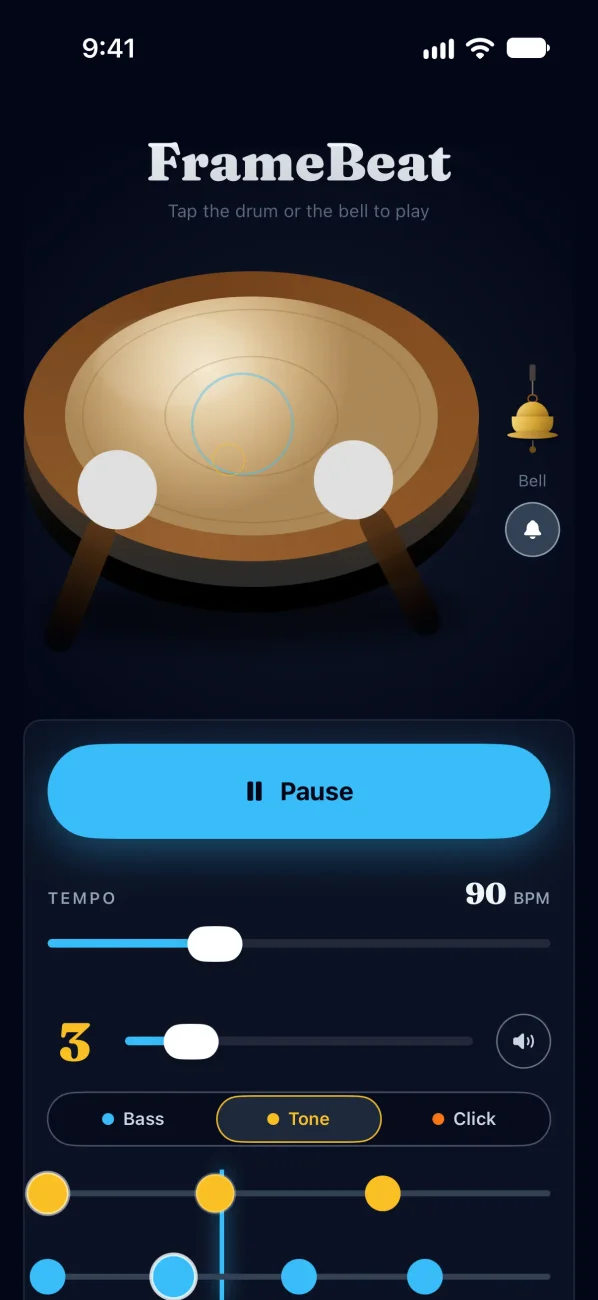
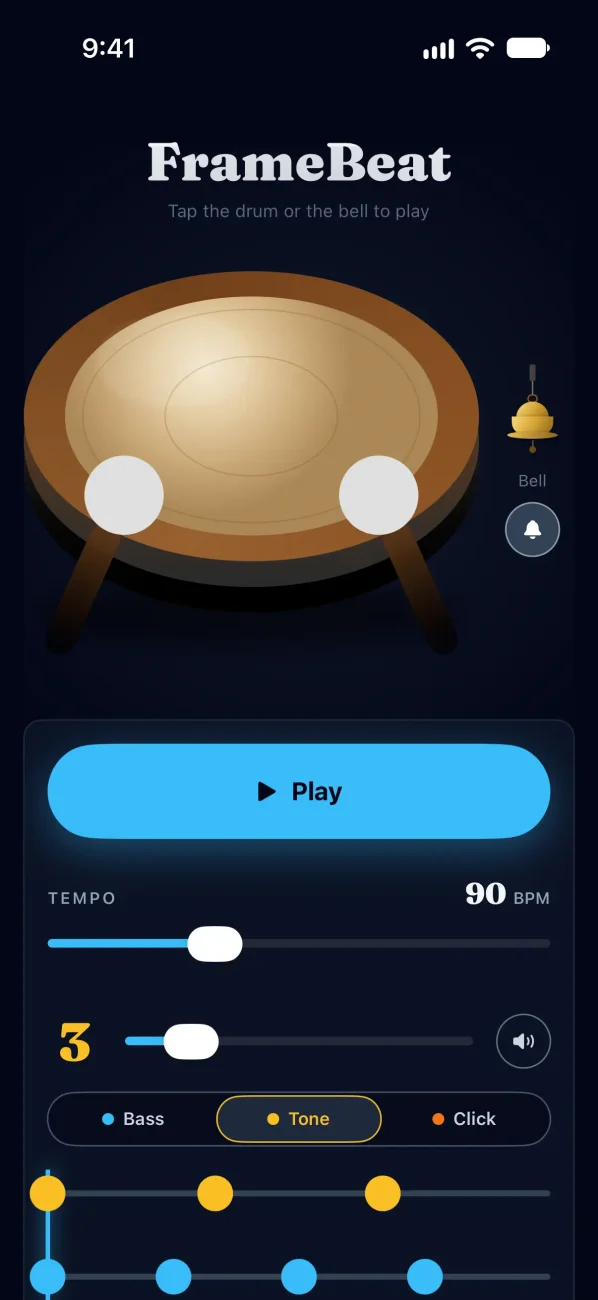
FrameBeat is a frame drum you can play by hand, paired with a two-line polyrhythmic step sequencer.
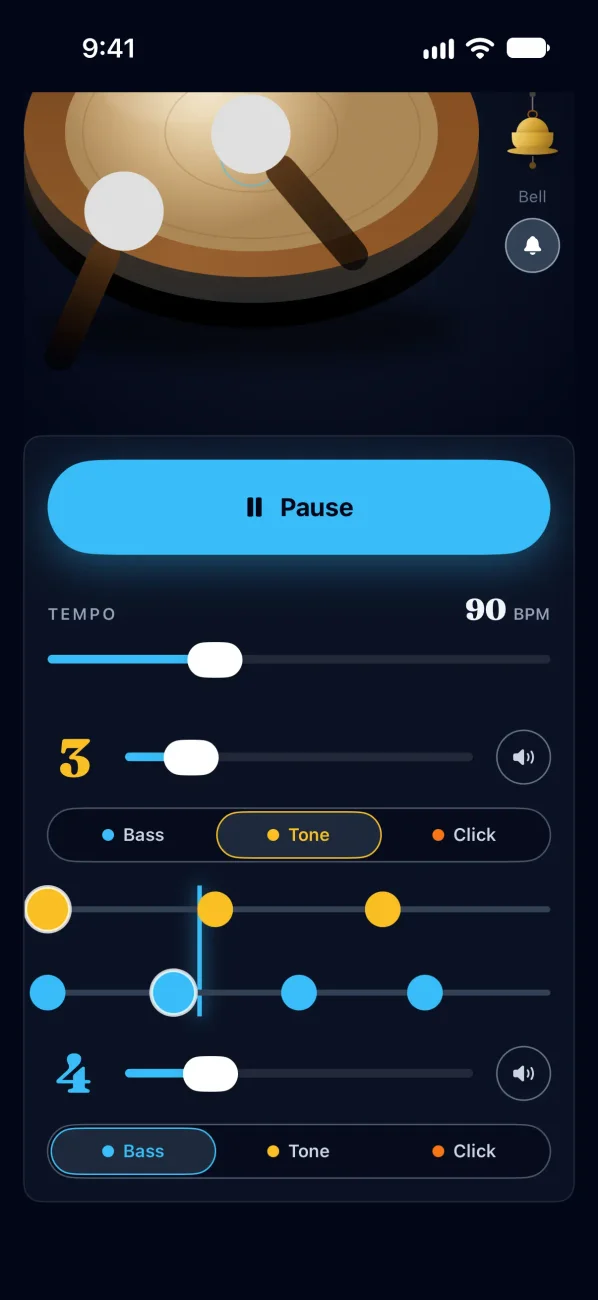
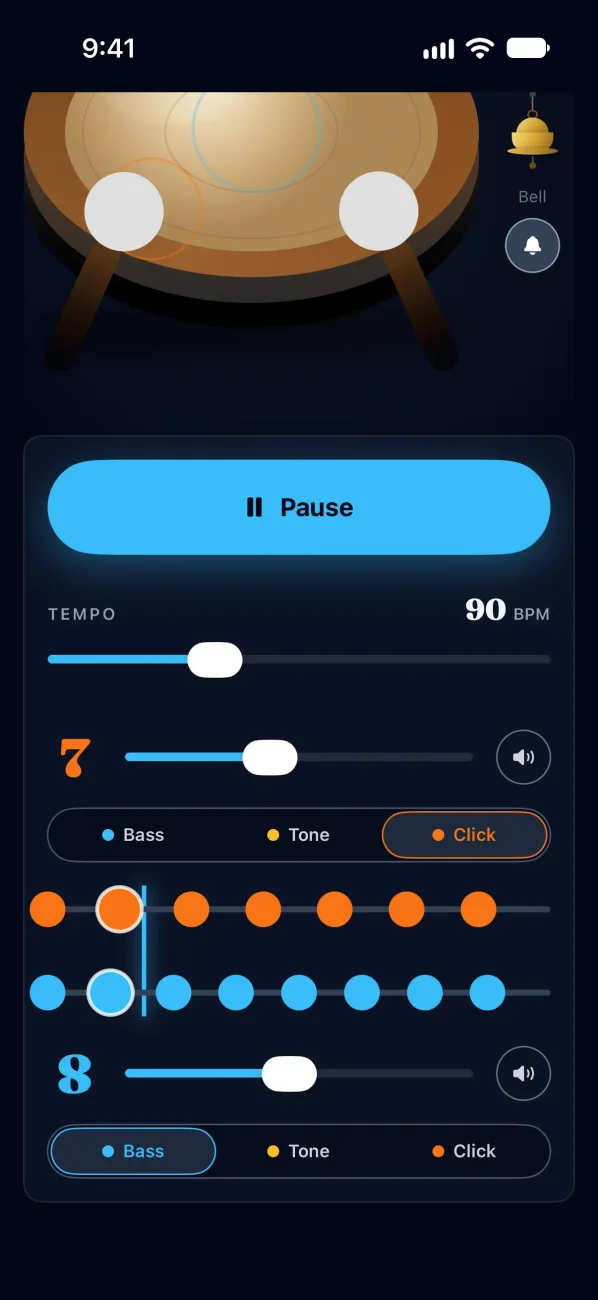
Tap the drum directly — a deep bass hit at the center, a ringing tone in the middle zone, or a sharp click at the rim — or program two independent step lines and let them play together. The bottom line sets the tempo and bar length; the top line divides that same bar into its own number of steps, so the two lines can run genuine polyrhythms (3 against 4, 5 against 4, whatever you like) while always landing together on beat one.
Every sound is synthesized live in real time — there are no samples anywhere in the app, and every hit is generated fresh from the same physically-informed synthesis model. No accounts, no network access, no data collection of any kind.
Features:
• Tap the drum directly for bass, tone, and click sounds
• Two independently-configurable step sequencer lines with adjustable step count, sound, and mute
• True polyrhythms that stay locked together at the start of every bar
• Full keyboard control with a hardware keyboard attached (Q/W/E and I/O/P play the drum directly; Space, ⌘↑/⌘↓, and ⌘M control playback)
• No ads, no in-app purchases, no data collected
All audio is synthesized in real time — there are no audio samples anywhere in the app. There is no networking, no accounts, and no data collection of any kind.
The drum is played by tapping directly on it: center for a bass hit, the middle zone for tone, the rim for a click. The bottom step line sets tempo/bar length; the top line divides the same bar into its own step count, producing polyrhythms.
With a hardware keyboard attached, the same shortcuts as the Mac version work: Q/W/E and I/O/P strike the left/right mallet's zones, arrow keys give a quick per-side strike, Space toggles play/pause, ⌘↑/⌘↓ adjust tempo, ⌘M toggles mute.
What’s new
Version 1.3 · Nov 25, 2026
A tidier sequencer panel: each line's controls sit in one row with its mute button, and the chime on beat one is now a bell button under the bell. Hi Colin!
App privacy
What Adam Bailey declares on the App Store about how this app handles data.
-
Data not collected
The developer does not collect any data from this app.
Privacy practices may vary, for example with the features you use or your age.
Information
- Seller
- Adam Bailey
- Category
- Music
- Version
- 1.3
- Updated
- Nov 25, 2026
- Released
- Nov 3, 2026
- Size
- 2.0 MB
- Requires
- iOS 17.0 or later
- Age rating
- 4+
- Languages
- English
- Copyright
- © 2026 Adam Bailey
You might also like
-
 Chordical - SynthesizerSynth, chords and progressions
-
 Frame Drum!Play Bendir, Duff, and more!
-
 Pure AcidBassline Synth & Drums (AUv3)
-
 Radio Adfree: App Without AdsInternet Radio & Podcasts
-
 TouchOSCModular control surface
-
 SampleTank CSSound and groove workstation
-
 World Piano: Keyboard & BeatsAUv3 Synth & Drum Machine
-
 AudioKit Synth One SynthesizerFeature-packed Pro Synthesizer
-
 n-Track Studio DAW: Make MusicMusic Recording & Beat Maker
-
 Pro Microphone: Voice RecordAcapella and karaoke recording