FramePath
A planning app for filmmakers.
Designed for iPhone, iPad, Mac
Free · In-app purchases
- Age rating4+
- CategoryPhoto & Video
- DeveloperMIIKKA SAMULI PUTAALA
- LanguagesEnglish
- Size213.6 MB
Links to the official App Store page
Download.org hosts no file of FramePath. The button opens its official App Store page, published by MIIKKA SAMULI PUTAALA. Listing last checked on Nov 17, 2026.
Screenshots

About
FramePath is the pre-production toolkit for filmmakers who work fast. Drop in a Fountain script or write from scratch, and FramePath gives you a scene breakdown, a shot list, character sheets and a storyboard — all of it editable, all of it in sync across your iPhone, iPad and Mac.
FREE TO START
Download FramePath and plan up to three projects with the full script, shot list, character and Shoot Mode workflow. Your first AI shot generation comes with a welcome allotment of tokens, on us. Upgrade to Pro whenever you need more.
WHAT YOU CAN DO
• Import Fountain screenplays or write directly in the Story Editor — insert, reorder, duplicate and batch-edit elements
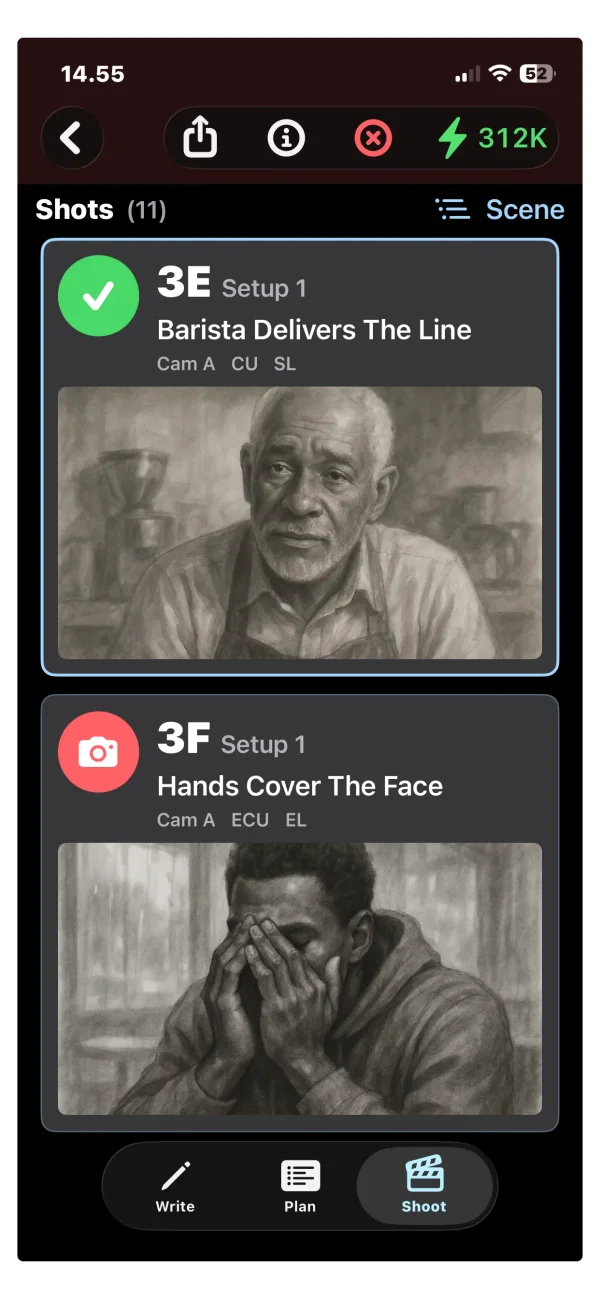
• Break each scene into shots: size, angle, movement, framing and lens
• Choose lenses per shot from a lens package tied to your project
• Build character sheets with avatars, roles and per-scene notes
• Storyboard every shot: on iPad, draw with Apple Pencil over a reference photo (Pro); on iPhone, capture location photos with the camera and review your frames
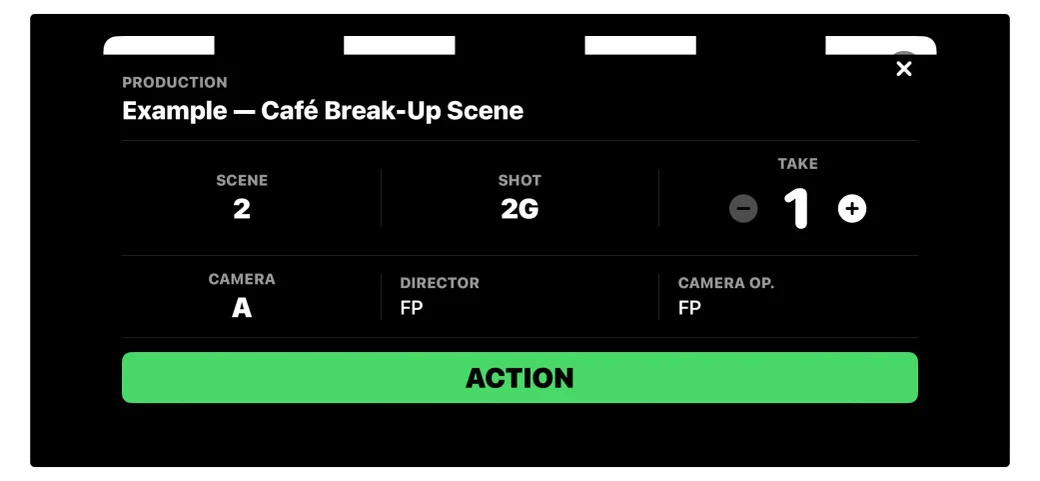
• Shoot Mode — a full-screen per-shot view and clapperboard for use on set
• Export a shot list as PDF or CSV, a Fountain script, or a storyboard PDF with 4, 6 or 12 frames per page (storyboard PDF is Pro)
• Drag an image from Files onto a shot card on iPad to set its storyboard frame
• Everything syncs privately across your devices via iCloud
AI THAT KNOWS WHEN TO STAY OUT OF THE WAY
Ask FramePath to generate a shot list for a scene. Choose how much coverage you want — minimal, standard or full — and how many camera setups to plan for. Then refine it: re-run, add coverage, or polish the shots you have without losing your own edits. With a lens package active, the AI assigns focal lengths from the lenses you actually own. It answers in the language of your scene. AI is a tool you invoke — never something that changes your script without asking.
FRAMEPATH PRO — 7-DAY FREE TRIAL, THEN MONTHLY
• Unlimited projects (Free includes 3)
• 300,000 AI tokens per billing cycle
• Lens Kits: build custom lens collections and assemble each project's lens package
• Storyboard drawing, reference photos and storyboard PDF export
• Family Sharing supported
• Cancel anytime in App Store settings
The subscription renews monthly until cancelled; the price is shown in the app before you subscribe.
TOP-UP TOKEN PACKS
Need more AI without subscribing? Buy a top-up pack at any time. Tokens never expire.
• 150,000 tokens
• 300,000 tokens
• 700,000 tokens
PRIVACY-FIRST
Sign in with Apple. Your projects live in your own iCloud account; AI generation sends only the scene text you submit to our secure backend. No ad tracking and no third-party analytics. Full privacy policy: https://framepath.fi/privacy/
Terms of Use: https://www.apple.com/legal/internet-services/itunes/dev/stdeula/
Questions, feedback or bug reports? Tap Help & Info in the app and choose Get Support, or write to support@framepath.fi.
What’s new
Version 1.2 · Oct 24, 2026
FramePath 1.2 — share projects, organise your list, plan shots faster.
PROJECT PACKAGES
• Export a project as one .framepath file and send it by AirDrop, Mail or Files
• Open it on another iPhone, iPad or Mac to import it as a new project
• Free for everyone
YOUR PROJECT LIST
• Add a logline and a thumbnail to each project
• Archive finished projects and bring them back any time
• Sort by date modified, date created or name, and search by name
• A steadier iCloud sync indicator for large projects
SHOT LIST
• Show one scene at a time
• Select every shot at once, or select a range
MORE
• Fountain synopses import into scene descriptions
• Faster text editing in long scenes
• An occasional short survey can appear on the project list; you can dismiss it
• Rate FramePath from Help & Info
• Refreshed User Guide
App privacy
What MIIKKA SAMULI PUTAALA declares on the App Store about how this app handles data.
-
Data linked to you
May be collected and linked to your identity.
- Purchases
- Contact info
- User content
- Identifiers
- Usage data
- Diagnostics
Privacy practices may vary, for example with the features you use or your age.
Information
- Seller
- MIIKKA SAMULI PUTAALA
- Category
- Photo & Video
- Version
- 1.2
- Updated
- Oct 24, 2026
- Released
- Jul 14, 2026
- Size
- 213.6 MB
- Requires
- iOS 26.4 or later
- Age rating
- 4+
- Price
- Free
- In-app purchases
- Yes
- Languages
- English
- Copyright
- © 2026 Miikka Putaala
You might also like
-
 CamPlot CalculatorsDoF, exposure, media & sensor
-
 Studio: Set Designer & PlannerCreate. Collaborate. Produce.
-
 CamPlot Creator - Plot ToolDirector's multicam diagrams
-
 CamPlot Director's ViewfinderReal Cine Cameras & Lenses
-
 Production Shot ListsPlan complex shots
-
 CineMonVideo & Audio Monitor/Recorder
-
 Luminis Light MeterPhoto & Video
-
 CineMeter Pro: Color MeterND Filter & Kelvin Light App
-
 Beeble CameraCamera Tracking App for Beeble
-
 Color Temperature Meter+Kelvin & Tint · White Balance