
FrameShot: Video to Frames
Every frame at your interval
Designed for iPhone, iPad
Free · In-app purchases
- Age rating4+
- CategoryPhoto & Video
- DeveloperJoCoding, Inc.
- LanguagesEnglish+ 32 more
- Size34.9 MB
Links to the official App Store page
Download.org hosts no file of FrameShot: Video to Frames. The button opens its official App Store page, published by JoCoding, Inc. Listing last checked on Nov 26, 2026.
Screenshots
About
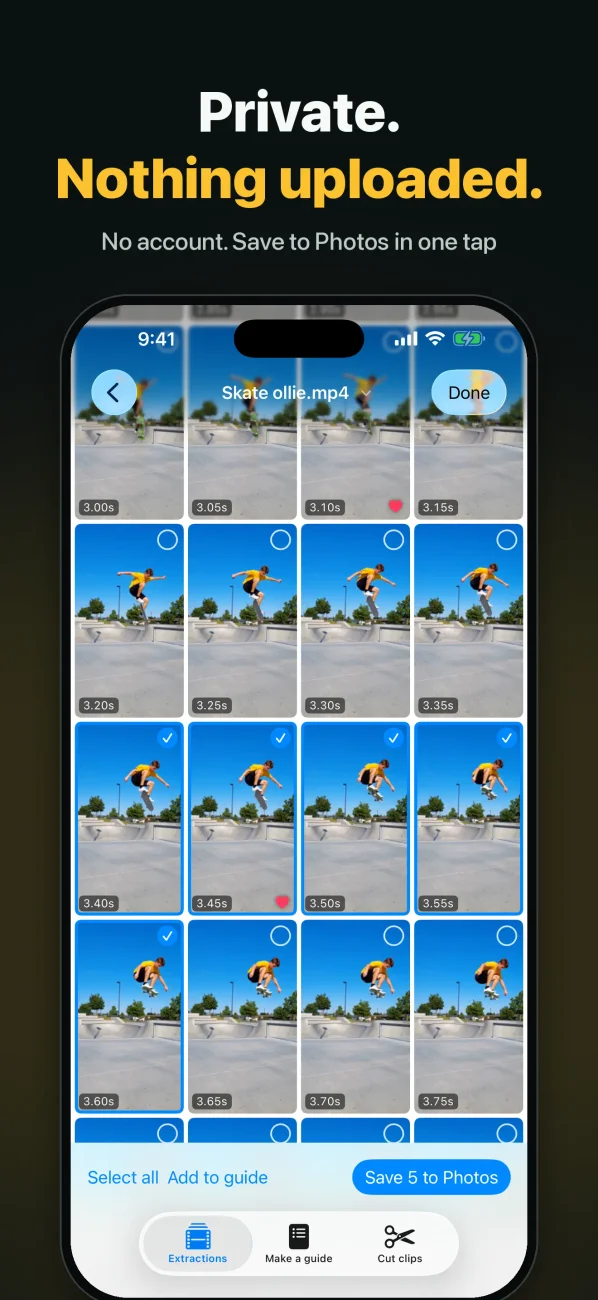
Pausing a video and screenshotting it gets you one frame, roughly where you stopped. FrameShot gets you all of them, exactly where you asked.
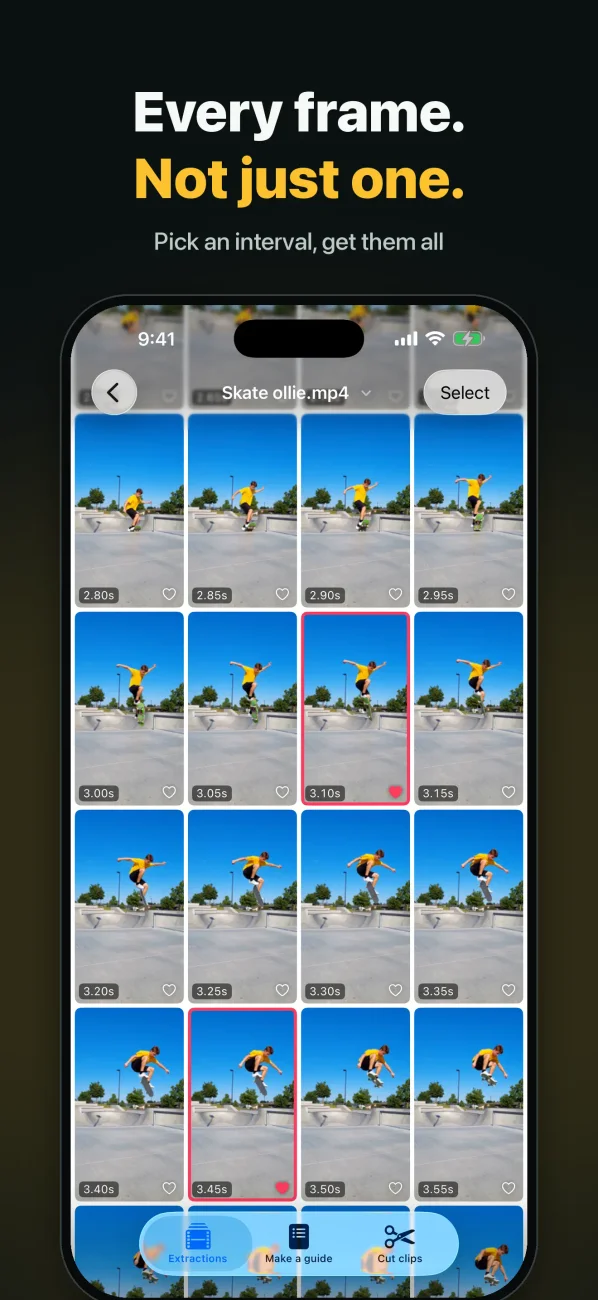
Pick a video, set an interval, and FrameShot writes out every frame on that grid. A 5-second clip at 0.05s gives you 101 images: 0.00, 0.05, 0.10, and so on to the end. The count is shown before extraction starts, so it is never a surprise.
EXACT TIMES, NOT THE NEAREST KEYFRAME
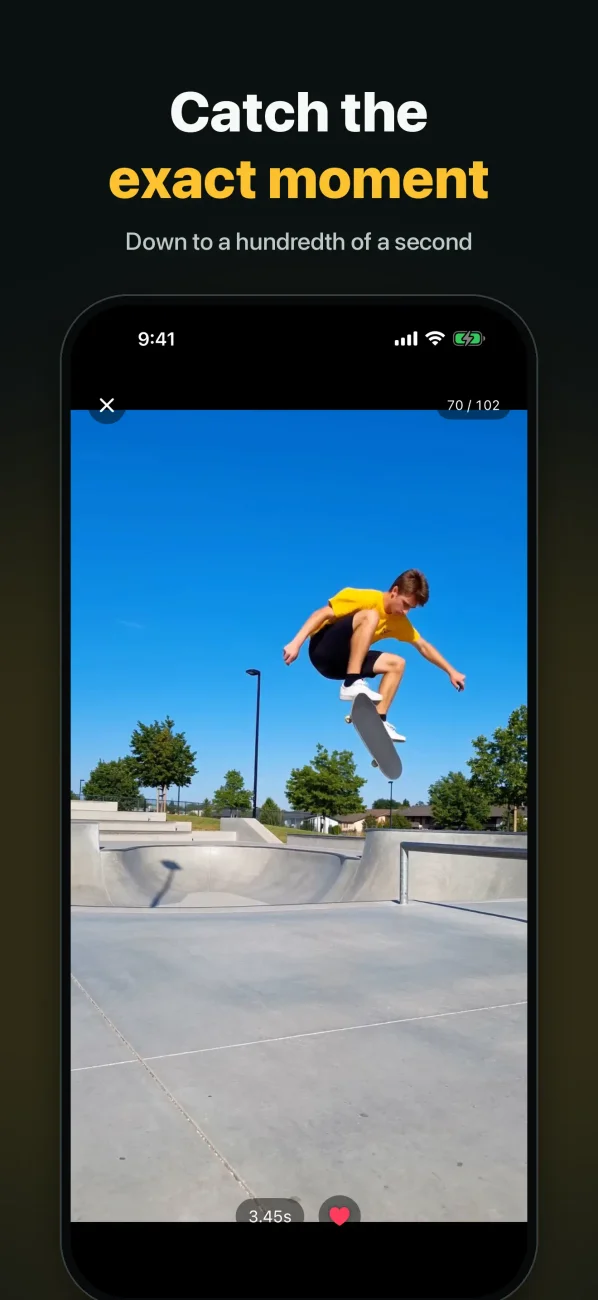
Frames are decoded at the times you ask for, not snapped to the nearest keyframe the way most tools do. That is the difference between 101 genuinely different images and a handful of repeats — and it is what lets you catch the moment that is impossible to scrub to by hand: the peak of a jump, a hair flip mid-air, the exact frame a ball leaves the bat.
BUILT FOR A WHOLE BATCH AT ONCE
The point is not one frame. It is every frame of a moment, laid out together, so you can pick the best one — or keep them all.
WHAT YOU CAN DO
- Set any interval, from a hundredth of a second upwards
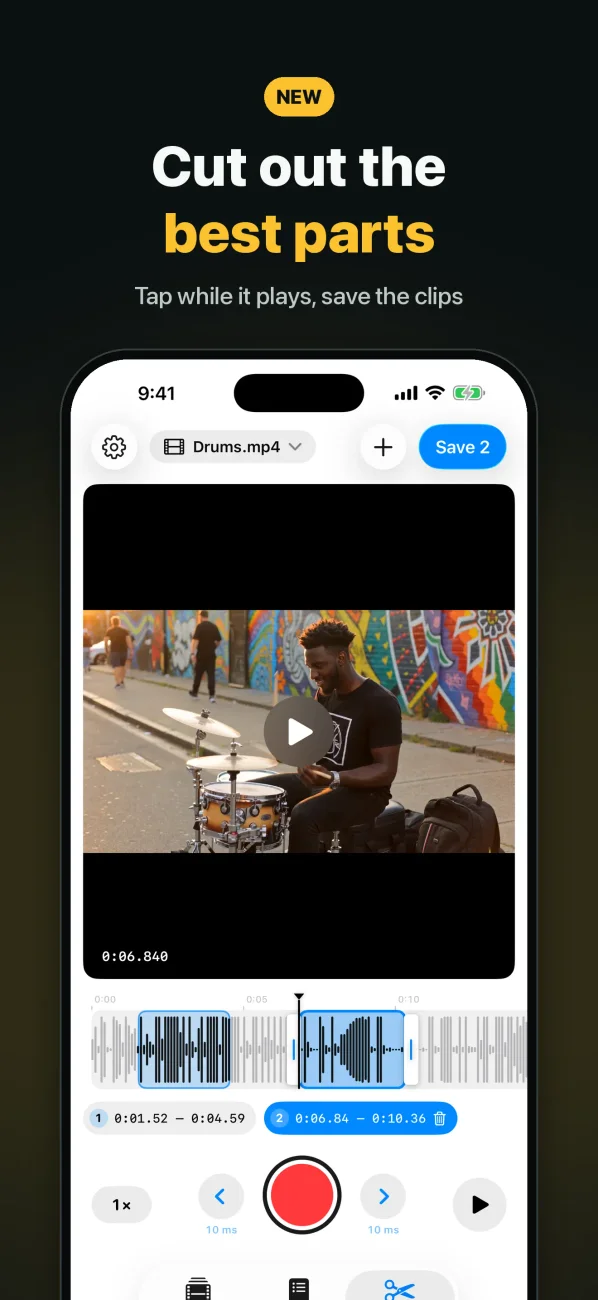
- Cut the best parts of a video into clips: mark them while it plays, then save
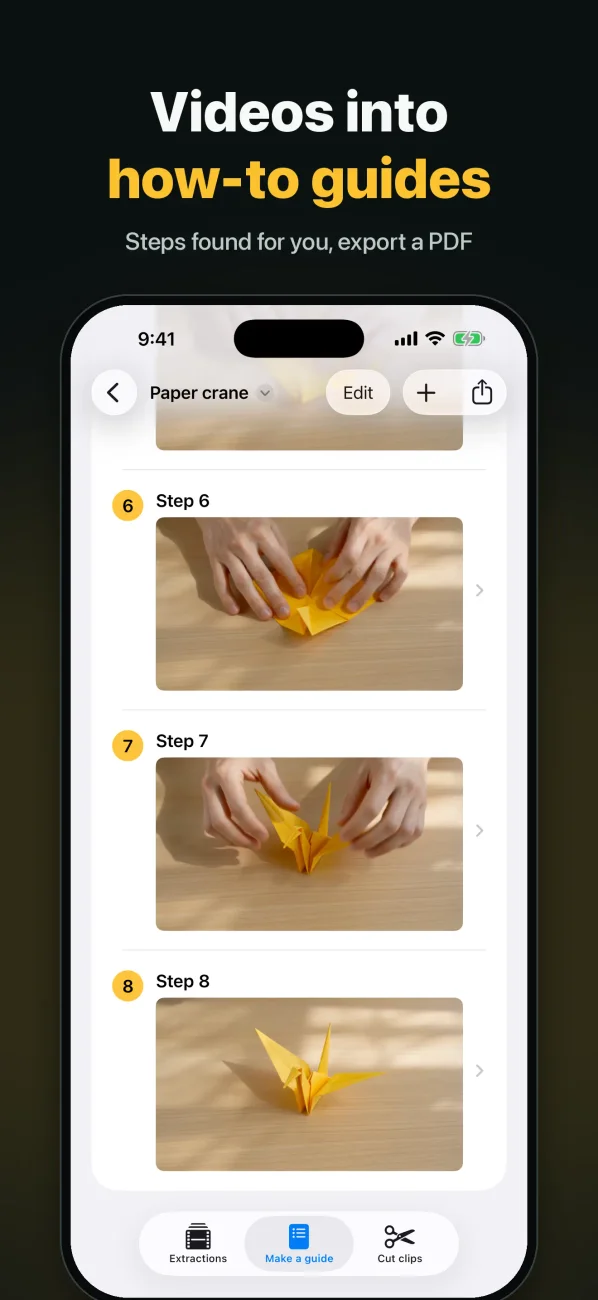
- Turn a how-to video into a step-by-step guide and export it as a PDF
- Trim to a range instead of extracting the whole video
- See the frame count and estimated size before you start
- Swipe through frames full screen, and like the ones you want to keep
- Save frames to Photos, all of them or only the ones you pick
- Choose JPEG, PNG or HEIC, with quality and resolution to match
YOUR VIDEO STAYS ON YOUR DEVICE
Everything is decoded on your iPhone or iPad. Nothing is uploaded, nothing is shared, and there is no account.
FREE, WITH AN OPTIONAL UNLOCK
Three extractions a day, and one short ad before each save to Photos. Past the third extraction you can watch a short ad for one more. A one-off purchase removes the daily limit, the ad before saving, and every other ad, permanently. Nothing here is a subscription.
What’s new
Version 1.6.0 · Nov 25, 2026
• New Snap moments tab: play a video and tap the shutter at the exact moment you want. The video keeps playing, so you can catch several in one go.
• Step one frame at a time, or zoom the filmstrip, to land on the precise frame.
• Every snap waits in a tray: save them all to your photos, or share one.
App privacy
What JoCoding, Inc. declares on the App Store about how this app handles data.
-
Data used to track you
May be used to track you across apps and websites owned by other companies.
- Location
- Identifiers
- Usage data
-
Data linked to you
May be collected and linked to your identity.
- Purchases
- Location
- Identifiers
- Usage data
-
Data not linked to you
May be collected but is not linked to your identity.
- Diagnostics
- Other data
Privacy practices may vary, for example with the features you use or your age.
Information
- Seller
- JoCoding, Inc.
- Category
- Photo & Video
- Version
- 1.6.0
- Updated
- Nov 25, 2026
- Released
- Sep 2, 2026
- Size
- 34.9 MB
- Requires
- iOS 17.0 or later
- Age rating
- 4+
- Price
- Free
- In-app purchases
- Yes
- Languages
- English, Arabic, Catalan, Croatian, Czech, Danish, Dutch, Finnish, French, German, Greek, Hebrew + 21 more
- Copyright
- © 2026 JoCoding, Inc.
You might also like
-
 Frame by Frame Video to FramesSave the perfect frame
-
 FrameShot - Photos from VideosGrab frames as photos in hd
-
 Photo IntervalExtract photos from video
-
 Framely - Extract FramesSave video frames as photos
-
 Hikarista – Best Video MomentsExtract frames & scenes via AI
-
 Frame Extractor: Video PhotoGrab HD stills from any clip
-
 Dissect: Decode MotionDecode any motion
-
 Frame Grabber & Photo EnhancerUnblur, Video Frame Extractor
-
 Video to Photo Frame GrabberExtract 4K Photos from Video
-
 Video to Photo Converter EasyExtract Photos from Video