Free Brain: Screen Time Simple
Simple Screen Time Lock
Designed for iPhone, iPad
Free · In-app purchases
- Age rating4+
- CategoryProductivity
- DeveloperIA AI
- LanguagesEnglish
- Size14.6 MB
Links to the official App Store page
Download.org hosts no file of Free Brain: Screen Time Simple. The button opens its official App Store page, published by IA AI. Listing last checked on Nov 12, 2026.
Screenshots


About
Your phone should be a tool, not a reflex.
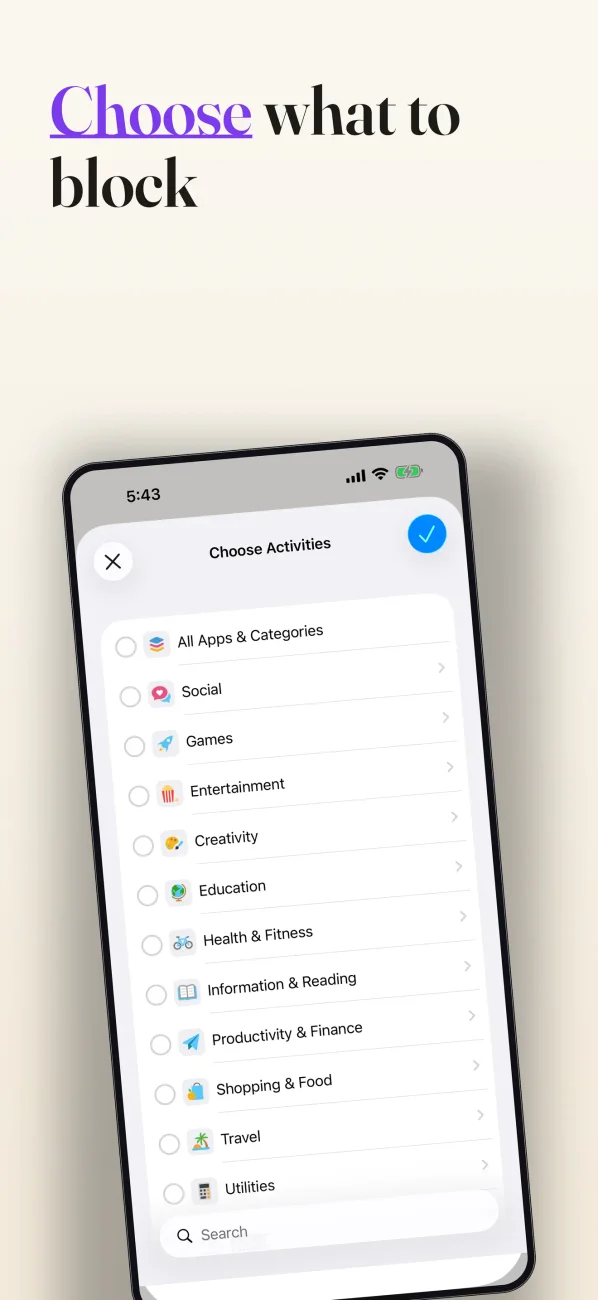
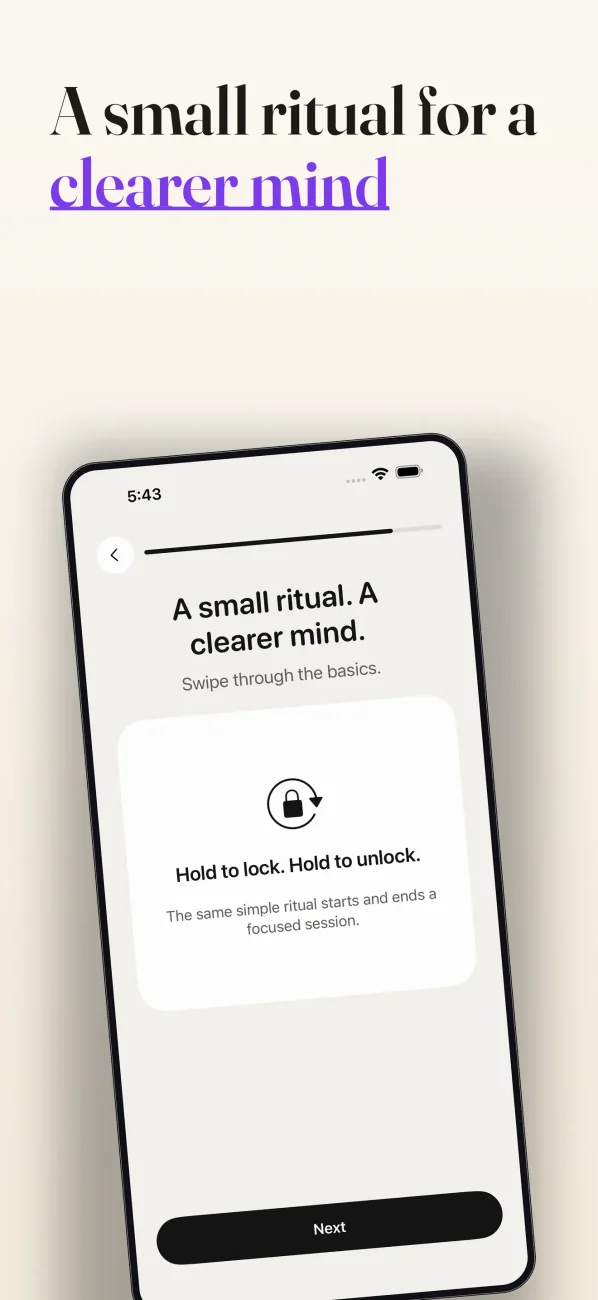
Free Brain helps you step out of automatic scrolling by adding a small, deliberate pause between impulse and action. Choose the apps and websites that pull you away, then hold to lock them when it is time to focus. When you want to unlock, hold again.
That friction is the feature. A tap is easy to do without thinking. A hold gives you a moment to remember what you meant to do.
FOCUS ON YOUR TERMS
Free Brain is built for individual self-control. You choose what to block on your own device, when to block it, and how much friction you want. It is not a tool for monitoring or controlling another person.
CREATE MODES FOR REAL LIFE
Different moments need different boundaries. Make named Modes for work, study, sleep, reading, mindfulness, or anything else. Each Mode can contain the apps, app categories, and websites you choose.
Choose between blocking selected distractions or allowing only the selections you need. Change a Mode whenever your routine changes.
HOLD TO LOCK. HOLD TO UNLOCK.
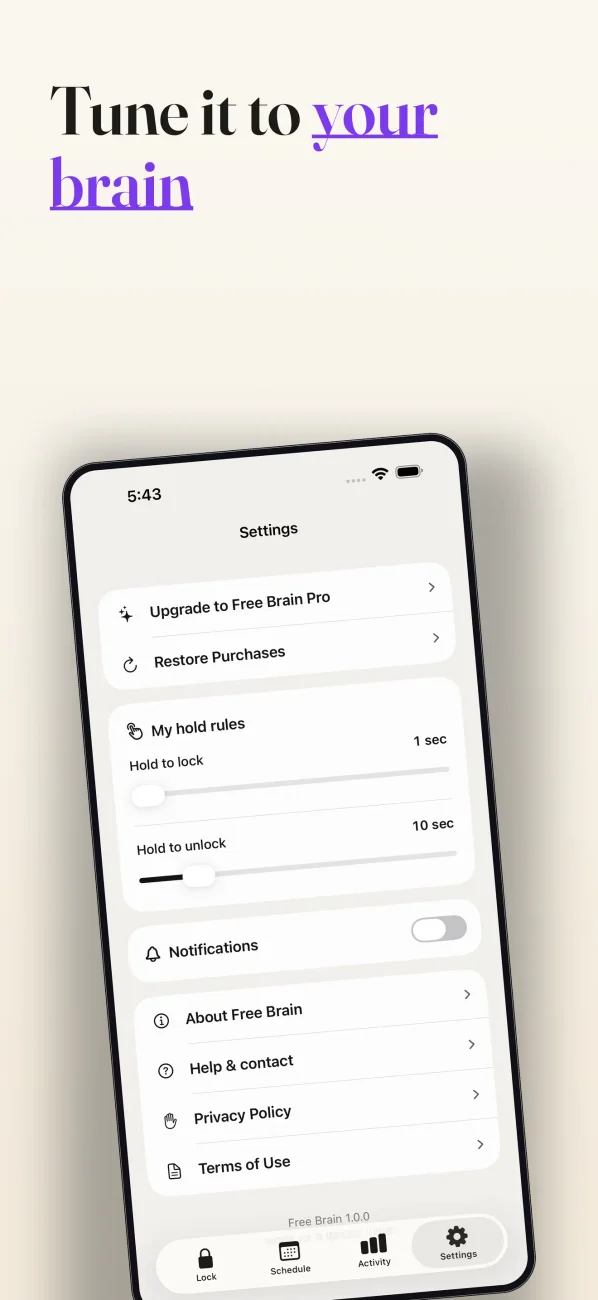
Start a focus session with one simple ritual: press and hold. Set separate lock and unlock hold durations from 1 to 60 seconds. Keep it short when you only need a gentle pause, or make it longer when you want a stronger commitment.
The same honest rule applies on the way out. Free Brain does not pretend that an app can make decisions for you. It creates enough space for you to make the decision consciously.
SCHEDULE THE FOCUS YOU WANT TO KEEP
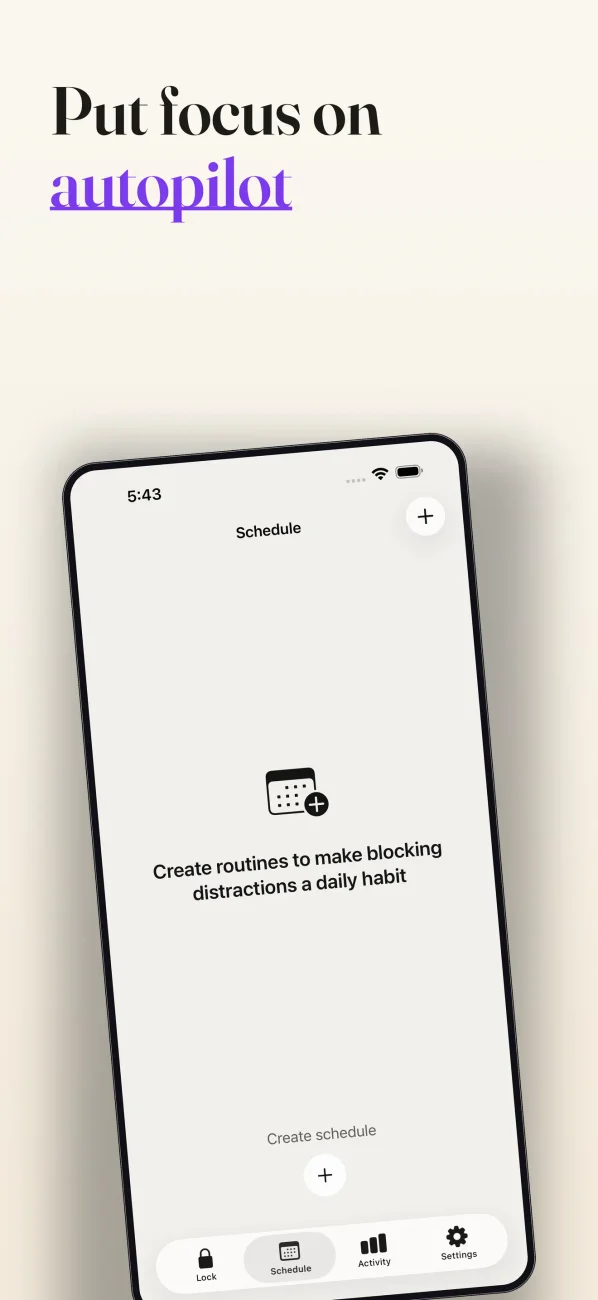
Turn useful intentions into a repeatable rhythm with recurring Schedules. Pair a schedule with any Mode, choose the days and start time, then set an end time or keep the Mode active until you deliberately unlock it.
Use a Work Mode on weekday mornings, a Wind Down Mode at night, or a Study Mode for the days you want uninterrupted time.
SEE THE TIME YOU PROTECTED
Activity turns completed lock sessions into a clear view of your progress. Review weekly, monthly, and lifetime locked-time stats, see daily patterns, and notice the routines that are helping you protect your attention.
Your Activity history stays on your device.
PRIVATE BY DESIGN
Free Brain uses Apple's Screen Time frameworks to apply shields to the apps and websites you select. Screen Time access is requested by you and used for your own device. Your selected apps, Modes, Schedules, and Activity history are stored locally; Free Brain does not receive a readable list of the apps you choose.
NO ACCOUNT REQUIRED
Start using Free Brain without creating an account or signing in. Your focus setup belongs to you and stays with the app on your device.
FREE BRAIN PRO
Free Brain offers weekly, monthly, and annual subscription options, plus a one-time lifetime purchase. Available trials, localized prices, renewal details, and included Pro features are shown on the purchase screen before you confirm. Payment is handled through your Apple Account. Subscriptions renew automatically unless canceled at least 24 hours before the end of the current period and can be managed in your Apple Account settings.
Free Brain is a self-management and productivity tool. It is not medical care, treatment, or a substitute for professional advice.
Make your phone a tool again. Choose what matters, hold to begin, and give your attention somewhere better to go.
Terms of Use (EULA): https://free-brain-legal.vercel.app/terms
Privacy Policy: https://free-brain-legal.vercel.app/privacy
What’s new
Version 1.0.3 · Oct 26, 2026
What's new in 1.0.3:
- Dark mode: Free Brain now follows your iPhone's Light/Dark setting, or pick Light or Dark in Settings → Appearance
- Drag your modes to reorder them; the top one is your default
- Stability improvements
App privacy
What IA AI declares on the App Store about how this app handles data.
-
Data not linked to you
May be collected but is not linked to your identity.
- Purchases
Privacy practices may vary, for example with the features you use or your age.
Information
- Seller
- Icarus Universe LLC
- Category
- Productivity
- Version
- 1.0.3
- Updated
- Oct 26, 2026
- Released
- Jul 22, 2026
- Size
- 14.6 MB
- Requires
- iOS 17.0 or later
- Age rating
- 4+
- Price
- Free
- In-app purchases
- Yes
- Languages
- English
- Copyright
- © 2026 Icarus Universe
You might also like
-
 Focus BreakFocus timer with guided breaks
-
 still – phone-down study timerput phone down. stay focused.
-
 Rain Sounds: Focus & SleepNature Noise, Study & Relax
-
 Boredom: stop phone addictionScreen time down, focus back
-
 Breezly - Breathing CoachAnxiety, Sleep, Focus Daily
-
 Starship -Your Stars On GitHubEffortlessly Organize Repos
-
 Dumb Phone Mode | UnpluggerMinimal use. No scroll. Focus
-
 HabitTick-Habit Tracker & TodoPlanner, Daily Routine & Goals
-
 Downtime: Focus App BlockerWebsite & Screen Time Control
-
 Vellum AssistantYour personal intelligence