FreeSlots Share Availability
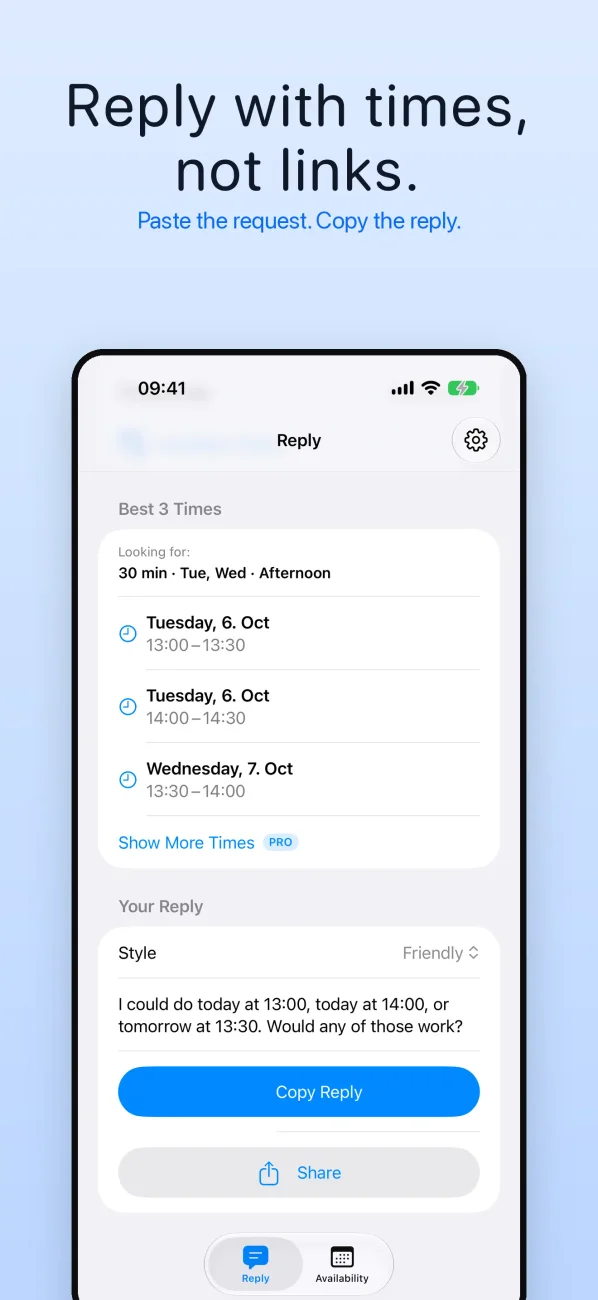
Reply with times, not links
Designed for iPhone
In-app purchases
- Age rating4+
- CategoryProductivity
- DeveloperChristopher Koch
- LanguagesEnglish
- Size3.0 MB
Links to the official App Store page
Download.org hosts no file of FreeSlots Share Availability. The button opens its official App Store page, published by Christopher Koch. Listing last checked on Nov 23, 2026.
Screenshots
About
Someone asks when you're free. FreeSlots checks your calendar and gives you a few good options you can send immediately.
No booking links. No account. No calendar upload.
REPLY WITH TIMES, NOT LINKS
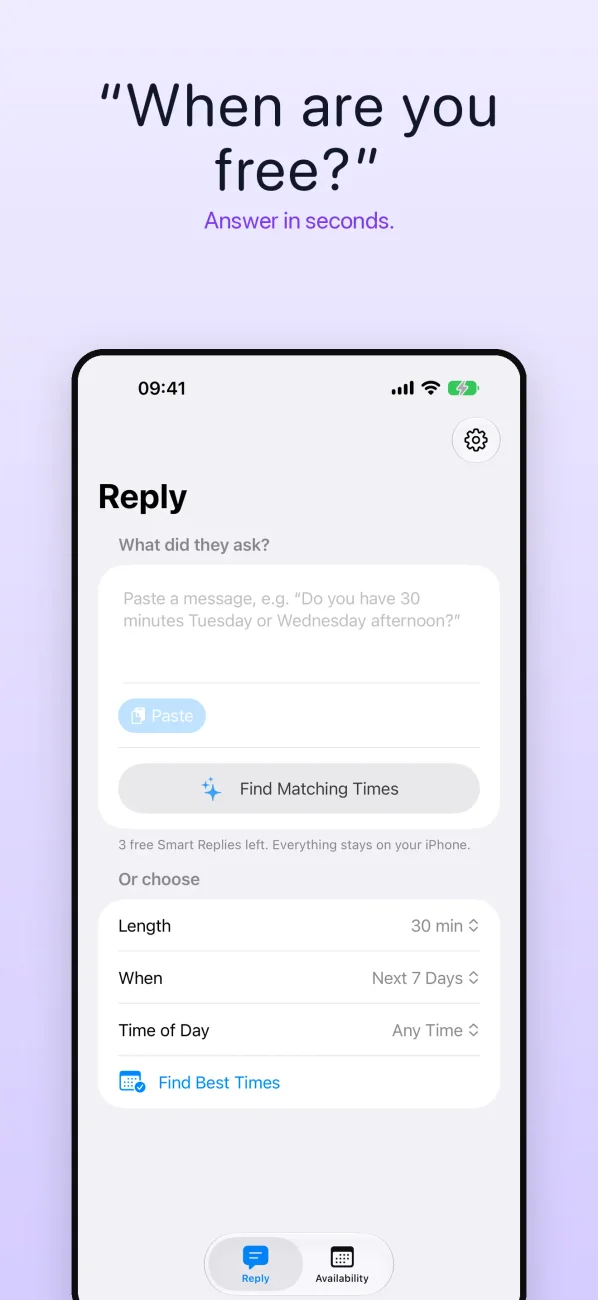
1. Paste the message: "Do you have 30 minutes Tuesday or Wednesday afternoon?"
2. FreeSlots understands the request and checks all your calendars.
3. You get the best 3 times, spread across days, never on top of a meeting.
4. Tap Copy Reply: "I could do Tuesday at 14:00, Wednesday at 13:30, or Wednesday at 15:00. Would any of those work?"
Smart Reply understands durations, days, mornings and afternoons, "after 3", "before lunch" and "except Friday". On iPhones with Apple Intelligence it also reads vague or long messages and email threads, entirely on device.
REPLY FROM ANY APP
Select a message in Mail, WhatsApp or Slack, tap Share → FreeSlots, and copy your reply without switching apps. Or ask Siri: "Find best times in FreeSlots".
IN THEIR LANGUAGE, IN THEIR TIME ZONE
Replies match the message: English, German (du or Sie), French or Spanish. If they mention where they are, FreeSlots adds their local times.
SHARE YOUR WHOLE WEEK
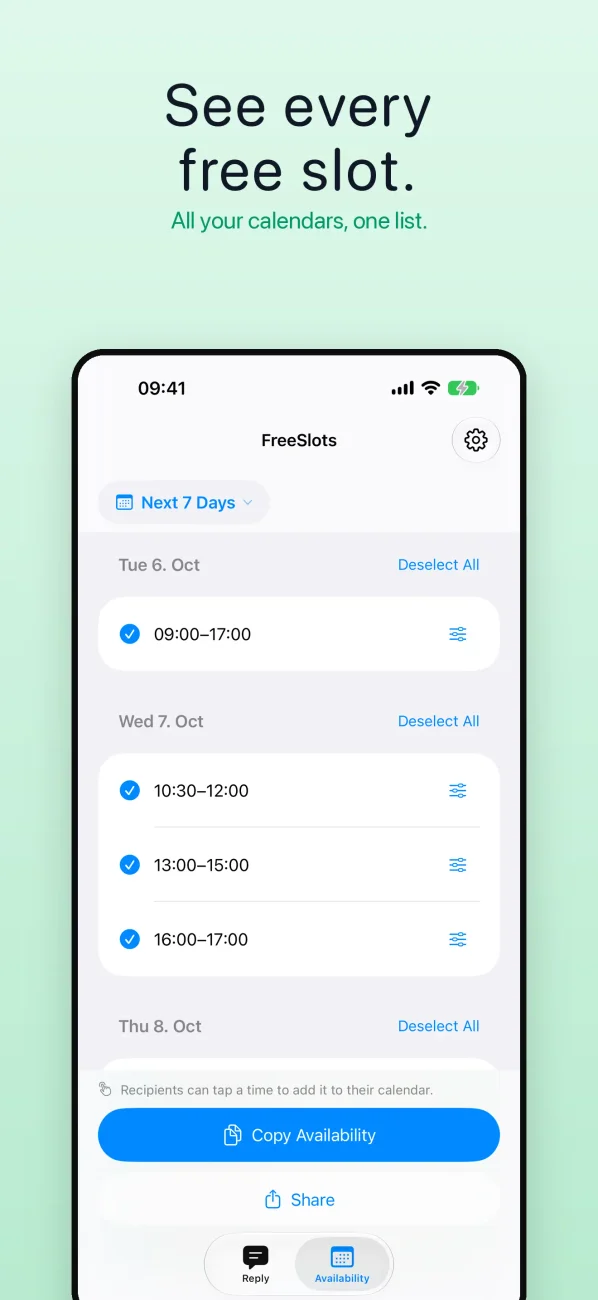
The Availability tab lists every free slot for today, this week or any range. Pick and trim slots, then paste them into Messages, WhatsApp, Mail or Slack. With "Tap to Add", recipients can tap a time to add it to their calendar.
YOUR RULES
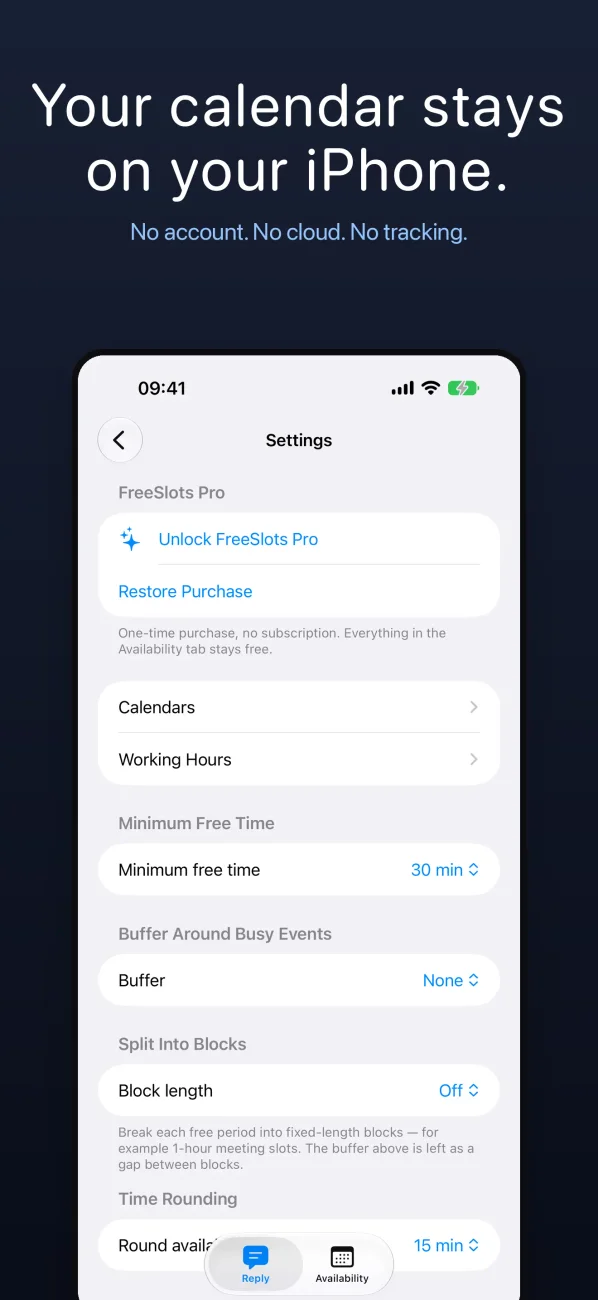
• Working hours: only offer times you actually want to meet.
• Buffers around busy events.
• Minimum slot length and fixed-length blocks.
• Choose which calendars count.
COMPLETELY PRIVATE
Your calendar never leaves your iPhone. FreeSlots reads when you're busy, not what you're doing. No account, no cloud, no tracking, no ads. Works fully offline.
FREE, WITH AN OPTIONAL ONE-TIME PRO
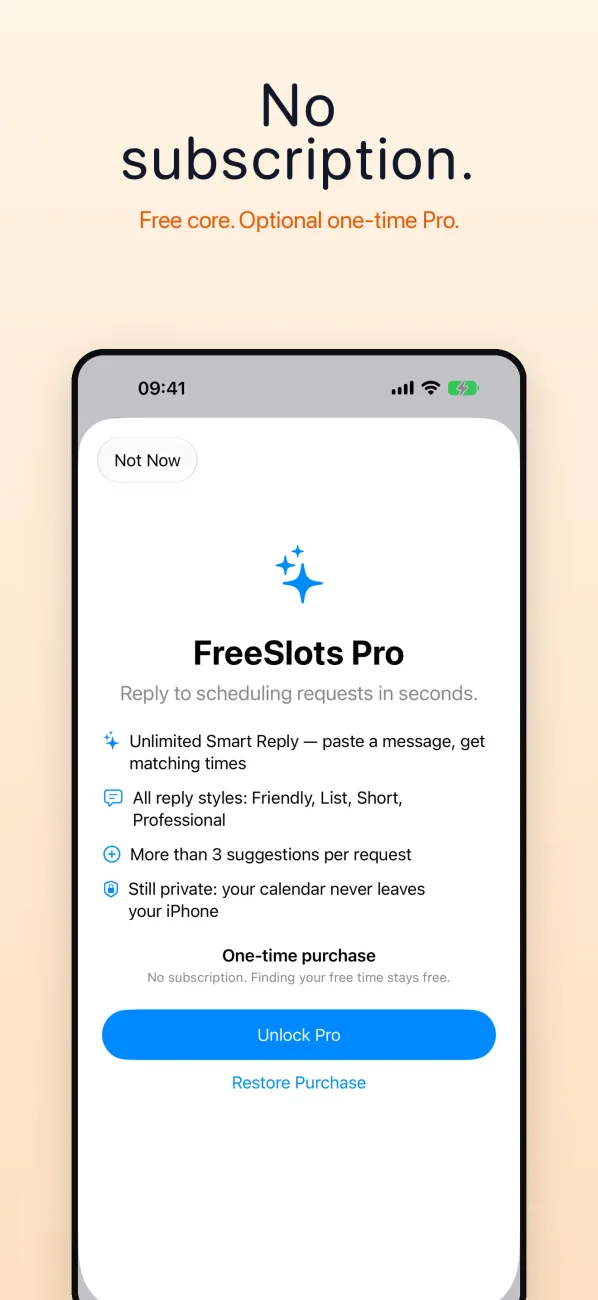
Finding free time, the Best 3 quick search (also via Siri: "Find best times in FreeSlots") and Friendly or List replies are free. Smart Reply includes 2 free tries.
FreeSlots Pro is a one-time purchase, no subscription: unlimited Smart Reply, Short and Professional reply styles, more than 3 suggestions per request, recipient time zones, and creating replies from a message with Siri & Shortcuts.
Bought FreeSlots before it was free? You get Pro automatically.
What’s new
Version 2.1.1 · Nov 2, 2026
• Smart Reply understands more phrasing, like "1.5 hours", "2–4pm" or "Friday doesn't work"
• Never shows a day as free when a selected calendar was removed
• Working hours fix on clock-change days
• A free Smart Reply try is no longer used up without a calendar
• Share FreeSlots and discover more apps in Settings
App privacy
What Christopher Koch declares on the App Store about how this app handles data.
-
Data not collected
The developer does not collect any data from this app.
Privacy practices may vary, for example with the features you use or your age.
Information
- Seller
- Christopher Koch
- Category
- Productivity
- Version
- 2.1.1
- Updated
- Nov 2, 2026
- Released
- Sep 22, 2026
- Size
- 3.0 MB
- Requires
- iOS 18.0 or later
- Age rating
- 4+
- In-app purchases
- Yes
- Languages
- English
- Copyright
- © 2026 Christopher Koch
You might also like
-
 TypiconMake your text stand out!
-
 Barcode & LabelEnvelope Mailing Address Print
-
 BUSY – Advanced Focus TimerUltimate Distraction Blocker
-
 PaperChillFind, Manage & Scan Documents
-
 Teleprompter App - AutokueScripts, Captions & Recording
-
 Mouse Jiggler UndetectableKeeps Your Computer Awake
-
 ABUS OneBeyond Security
-
 Fluke ConnectSafer. Smarter. Faster.
-
 HanseMerkur ServiceAppProductivity
-
 AI Keyboard Assistant - KeybotVirtual Chatbot Translator