FretBuzz Chords
An app for jazz guitar
Designed for iPhone, iPad, iPod touch
$4.99
- Age rating4+
- CategoryEducation
- DeveloperAltug Basaran
- LanguagesEnglish
- Size2.0 MB
Links to the official App Store page
Download.org hosts no file of FretBuzz Chords. The button opens its official App Store page, published by Altug Basaran. Listing last checked on Nov 12, 2026.
Screenshots
About
FretBuzz is an application for learning jazz guitar chords and their inversions.
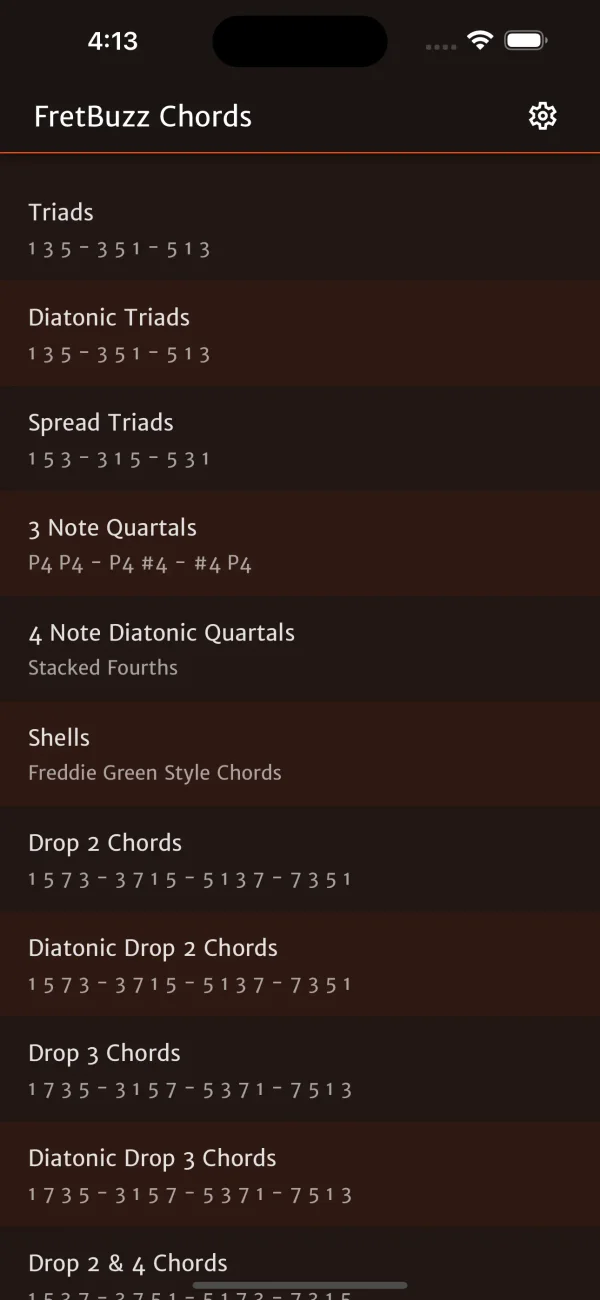
It covers:
- Triads
- Diatonic Triads
- Spread Triads
- Quartals: Three note chords by fourths, p4 p4, p4 #4, #4 p4.
- Four Note Diatonic Quartals
- Shells (Freddie Green Chords)
- Drop 2 Chords
- Diatonic Drop 2 Chords
- Drop 3 Chords
- Diatonic Drop 3 Chords
- Drop 2 & 4 Chords
- Rootless Voicings (Bill Evan's A and B Form piano voicings adapted for guitar.)
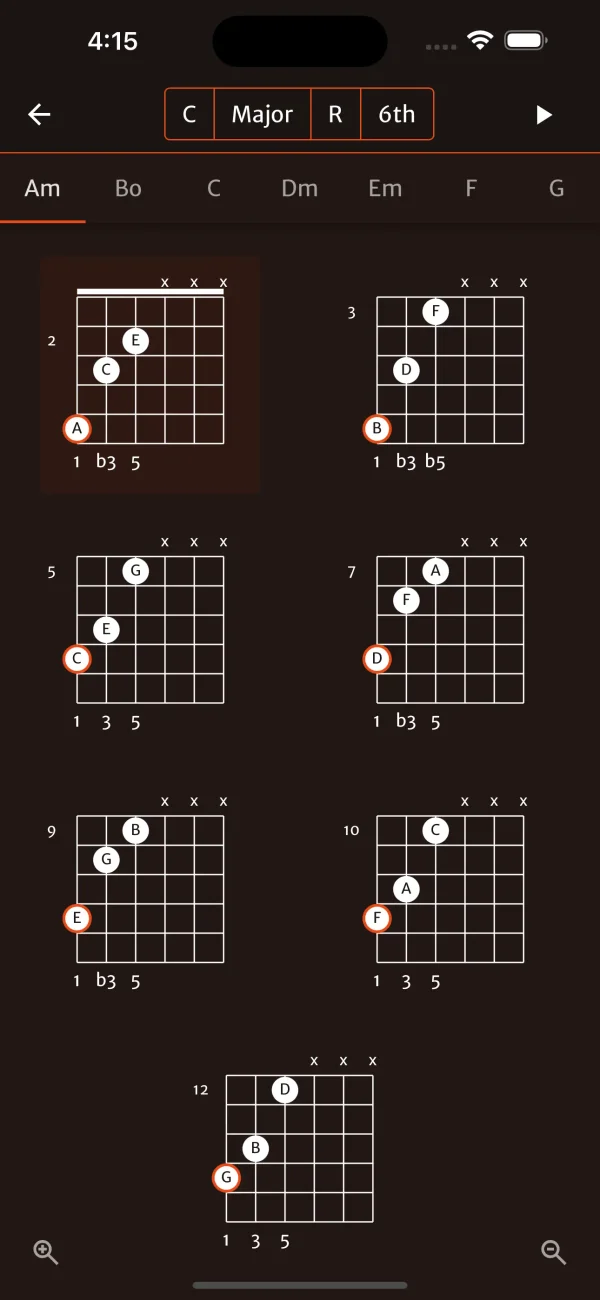
All possible inversions of a chord is covered.
Triads have three inversions, seventh chords have four inversions, etc.
All possible string combinations of a chord is covered.
Triads can be played on string sets 6-5-4, 5-4-3, 4-3-2 and 3-2-1.
Drop 3 chords can be played on string sets 6-4-3-2 and 5-3-2-1, etc.
This is not a "One Million Three Hundred And Sixty Six Chords For Guitar" application.
And also this application does not have any open string chords.
Rather this application covers the basic building blocks of jazz guitar chord vocabulary.
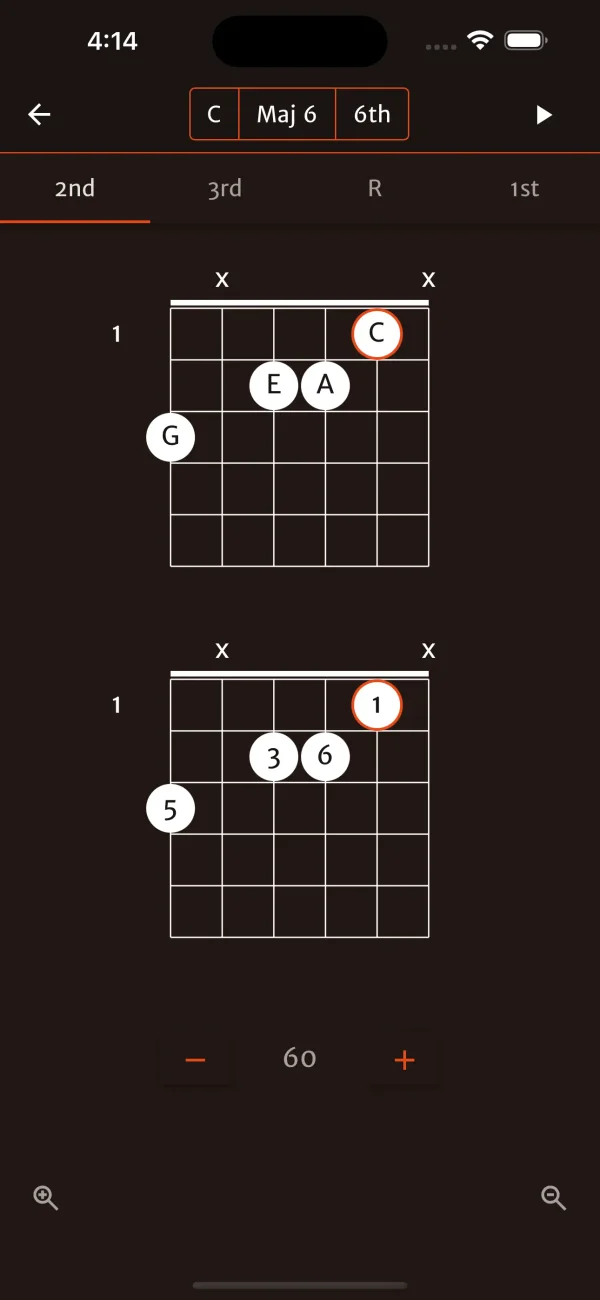
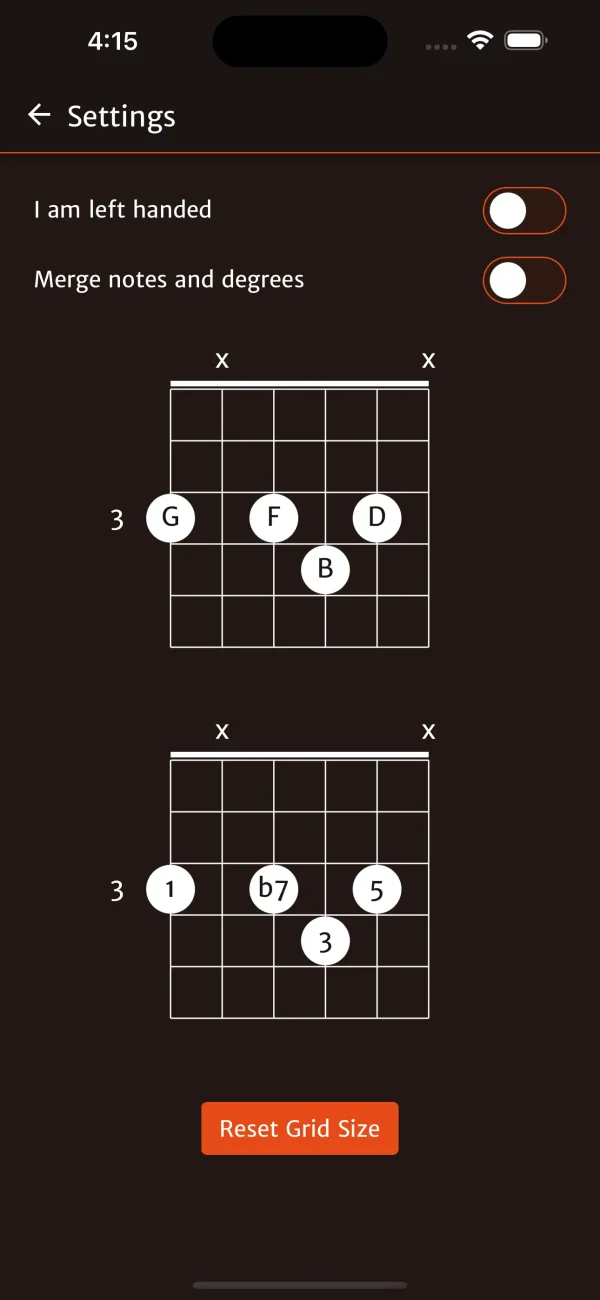
Two chord diagrams are shown for each chord. The above chord diagram shows the chord notes while the below diagram shows the degrees within the chord. This way you can form an understanding of the structure of each chord you practice and you can use this understanding to create other chords.
The play button plays the inversions in succession - in a loop with a metronome beat - and switches the tabs/inversions accordingly so that you can practice along the app. In this mode you do not have to change the tabs/inversions manually.
You can also set the tempo of the play along. The tempo can be adjusted as low as 40 bpm, especially useful when learning new chords/shapes.
Tapping on a chord diagram plays the entire chord.
Tapping on a degree/chord note plays the individual degree/note.
I made this so that I can practice when I am away from my guitar, and also for making sure I am not playing wrong notes when practicing.
There is also a mini tutorial on how to create altered chords from basic chord shapes.
You can resize the chord diagrams for your device.
There is also a left handed option in the settings.
What’s new
Version 1.0.2 · Oct 13, 2025
- Added Diatonic Shells.
- Added EQ settings to adjust guitar tone.
- Fixed play button not working after app is resumed from background.
App privacy
What Altug Basaran declares on the App Store about how this app handles data.
-
Data not collected
The developer does not collect any data from this app.
Privacy practices may vary, for example with the features you use or your age.
Information
- Seller
- Altug Basaran
- Category
- Education
- Version
- 1.0.2
- Updated
- Oct 13, 2025
- Released
- Mar 29, 2023
- Size
- 2.0 MB
- Requires
- iOS 16 or later
- Age rating
- 4+
- Price
- $4.99
- Languages
- English
- Copyright
- © 2023 Altuğ Başaran
You might also like
-
 TriadsProLearn Practice Master Triads
-
 xplooorImage Recognition and Learning
-
 Mushroom Identification ScanIdentify Mushrooms by Photo
-
 n8nify: Workflow AutomationPractice Errors & Quizzes
-
 EngLang: Spelling LearnerEnglish Word Learning App
-
 Beautiful NumbersSee how math comes alive
-
 Estonian - Listening SpeakingEstonian audio, video lessons
-
 Jazz-A-Minute (J.A.M.)Jazz. Clear at Last
-
 Let's Go Baduk SchoolEducation
-
 Learn EstonianLearn Estonian Language