
FrictionBlock: App Blocker
Screen Time Focus Helper
Designed for iPhone, iPad
Free · In-app purchases
- Age rating4+
- CategoryProductivity
- DeveloperBeijing Baitemi Technology Co., Ltd
- LanguagesEnglish+ 16 more
- Size14.2 MB
Links to the official App Store page
Download.org hosts no file of FrictionBlock: App Blocker. The button opens its official App Store page, published by Beijing Baitemi Technology Co., Ltd. Listing last checked on Nov 18, 2026.
Screenshots

About
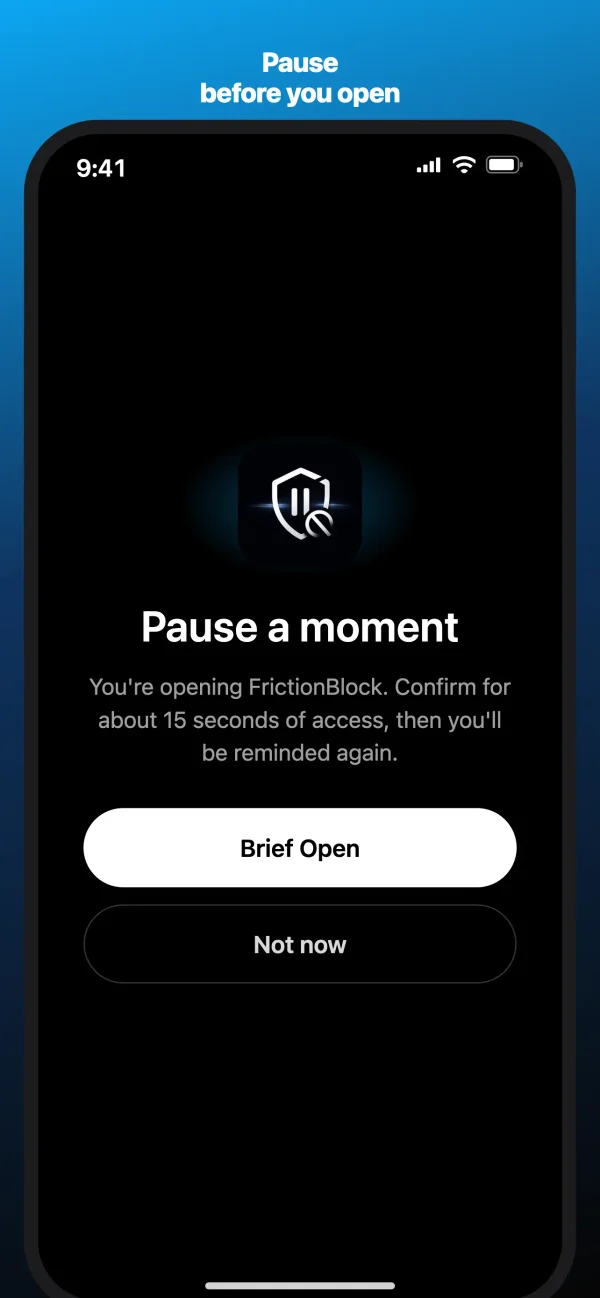
FrictionBlock is a gentle screen time and focus helper that adds a pause before opening distracting apps, so you can decide whether it is an intentional choice or just muscle memory.
Hard blockers are easy to disable when they feel too strict. FrictionBlock is softer: choose the apps that pull you in, then add a small moment of friction before opening them.
Use it for social media, video, shopping, games, or any app you open on autopilot.
Key features:
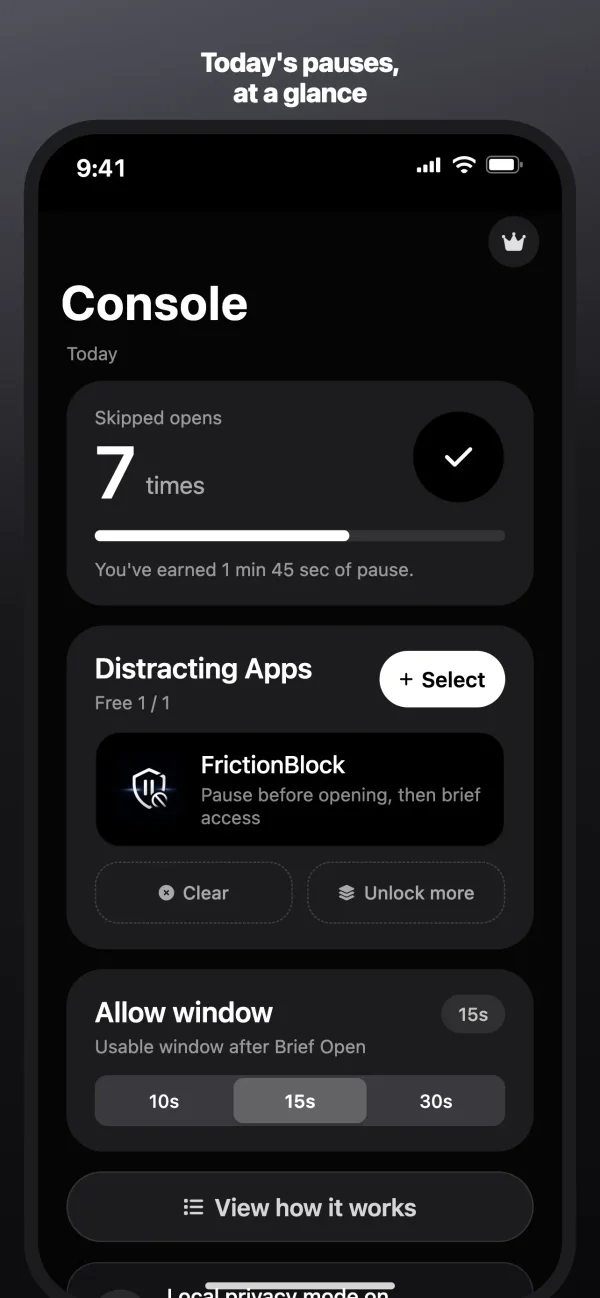
- Add friction before selected apps
- Start free with one app
- Upgrade to add more apps
- Choose a short pause window
- See how many times you chose not to open today
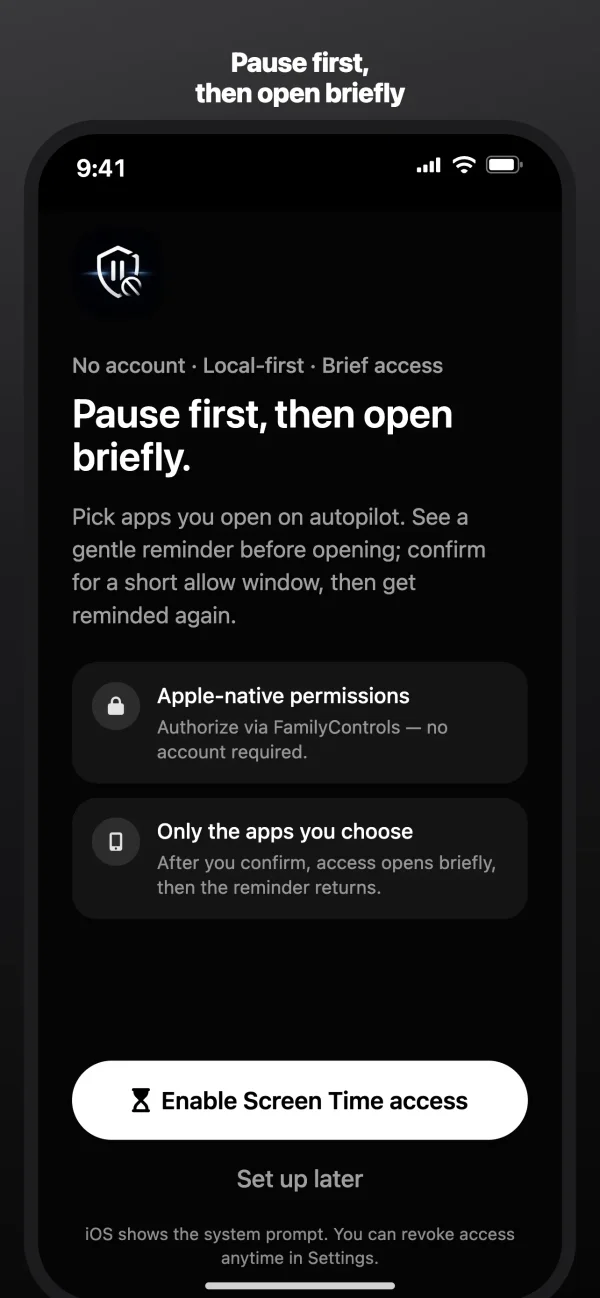
- No account required
- Local-first privacy
- Built on Apple's Screen Time APIs
FrictionBlock cannot read your private messages, passwords, browsing content, or what you do inside other apps. Your selected apps and pause stats stay on device.
FrictionBlock is not a medical device and does not diagnose, treat, or cure ADHD or any health condition. It is a lightweight focus tool for building more intentional phone habits.
Auto-Renewable Subscription Information:
1. Subscription: FrictionBlock Premium (Yearly)
2. Length: 1 year. During an active subscription period, you can unlock Premium features such as managing more than 1 distracting app.
3. Price: USD 19.99 per year (or the equivalent local price shown in the App Store). A one-time Lifetime purchase (USD 39.99 or local equivalent) is also available and is not auto-renewable.
4. Payment: Payment will be charged to your Apple ID account at confirmation of purchase.
5. Cancellation: To cancel auto-renewal, turn it off at least 24 hours before the end of the current period in Settings → Apple ID → Subscriptions. After cancellation, no further charges will be made for that subscription. If you do not cancel at least 24 hours before renewal, the subscription renews automatically.
6. Renewal: Within 24 hours before the current period ends, Apple will charge your Apple ID and extend Premium by one year upon successful payment.
7. Privacy Policy: https://baitemi.com/frictionblock/privacy
8. Terms of Use / Subscription Terms: https://baitemi.com/frictionblock/terms
App privacy
What Beijing Baitemi Technology Co., Ltd declares on the App Store about how this app handles data.
-
Data not collected
The developer does not collect any data from this app.
Privacy practices may vary, for example with the features you use or your age.
Information
- Seller
- Beijing Baitemi Technology Co., Ltd
- Category
- Productivity
- Version
- 1.0
- Updated
- Jul 25, 2026
- Released
- Jul 25, 2026
- Size
- 14.2 MB
- Requires
- iOS 17.0 or later
- Age rating
- 4+
- Price
- Free
- In-app purchases
- Yes
- Languages
- English, Arabic, French, German, Hindi, Indonesian, Italian, Japanese, Korean, Portuguese, Russian, Simplified Chinese + 5 more
- Copyright
- © Baitemi
You might also like
-
 GuardRail: Screen Time PauseGentle App Limits for Focus
-
 Orynt: Limit Screen TimeWebsite & App Blocker
-
 Tico - 远离屏幕 自律神器Productivity
-
 Pause - Bedtime App BlockerLock Phone & Sleep Sounds
-
 ScrollMindScreen Time & App Limits
-
 Bracer: App Blocker, Watch KeyThe key is on your wrist
-
 HoldOn: Block Apps & Save TimeSlow Down Before You Open Apps
-
 ClassTime LockLock & Focus. Stay Productive.
-
 Armadillo: Block Apps & SitesSet an end to doomscrolling!
-
 Pawl: App Blocker With a KeyBlock any app website or vice