
Fuji Frame
AI film recipes for Fujifilm
Designed for iPhone
Free · In-app purchases
- Age rating4+
- CategoryPhoto & Video
- DeveloperBrandon Chase
- LanguagesEnglish
- Size9.2 MB
Links to the official App Store page
Download.org hosts no file of Fuji Frame. The button opens its official App Store page, published by Brandon Chase. Listing last checked on Nov 18, 2026.
Screenshots


About
Fuji Frame — AI film-simulation recipes for Fujifilm
Turn any look you love into a Fujifilm recipe — then send it straight to your camera.
Fuji Frame is the fastest way to create, collect, and load film-simulation recipes for your Fujifilm X-series and GFX cameras. Point it at a frame from your favorite movie, a scan from a film camera, or just describe the vibe in words — and let AI build a complete, camera-ready recipe in seconds.
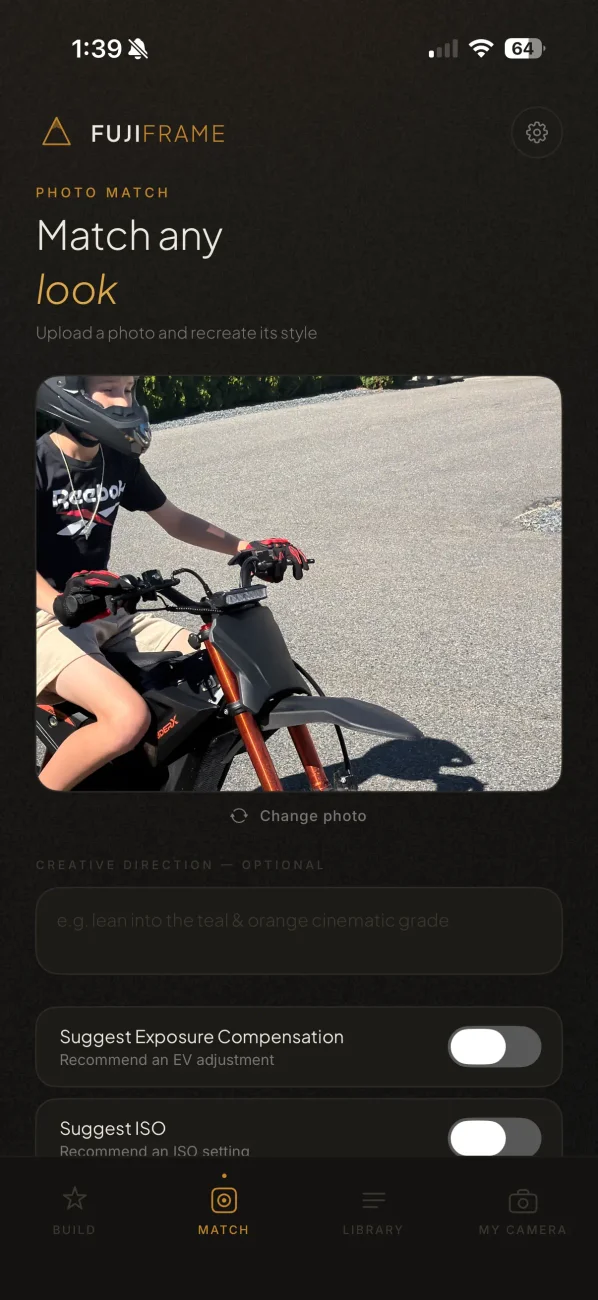
MATCH ANY LOOK FROM A PHOTO OR SCREENSHOT
This is where Fuji Frame shines. Upload:
• A screenshot from a film or TV show
• A photo shot on a real film camera (Portra, Gold, Velvia, CineStill…)
• Any reference image whose color you want to chase
Fuji Frame analyzes the white balance, contrast curve, color palette, skin tones, and grain, then generates a Fujifilm recipe engineered to emulate that look in-camera. It even explains the key moves it made — including how it approximates cinema-style split-toning on a stills body.
BUILD FROM A DESCRIPTION
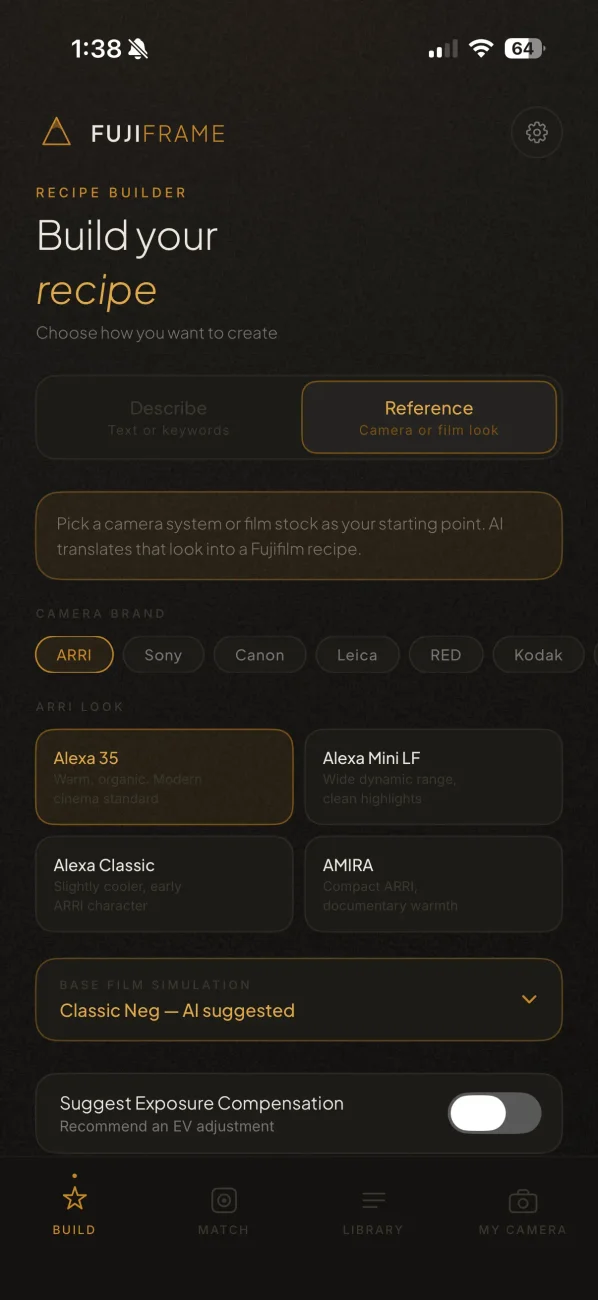
No reference image? Just describe what you want — "warm 70s Kodak Gold," "moody teal cinema," "soft pastel portrait" — and AI returns a tuned recipe with film simulation, tone curves, color, grain, and white balance already dialed in.
WRITE RECIPES TO YOUR CAMERA OVER USB
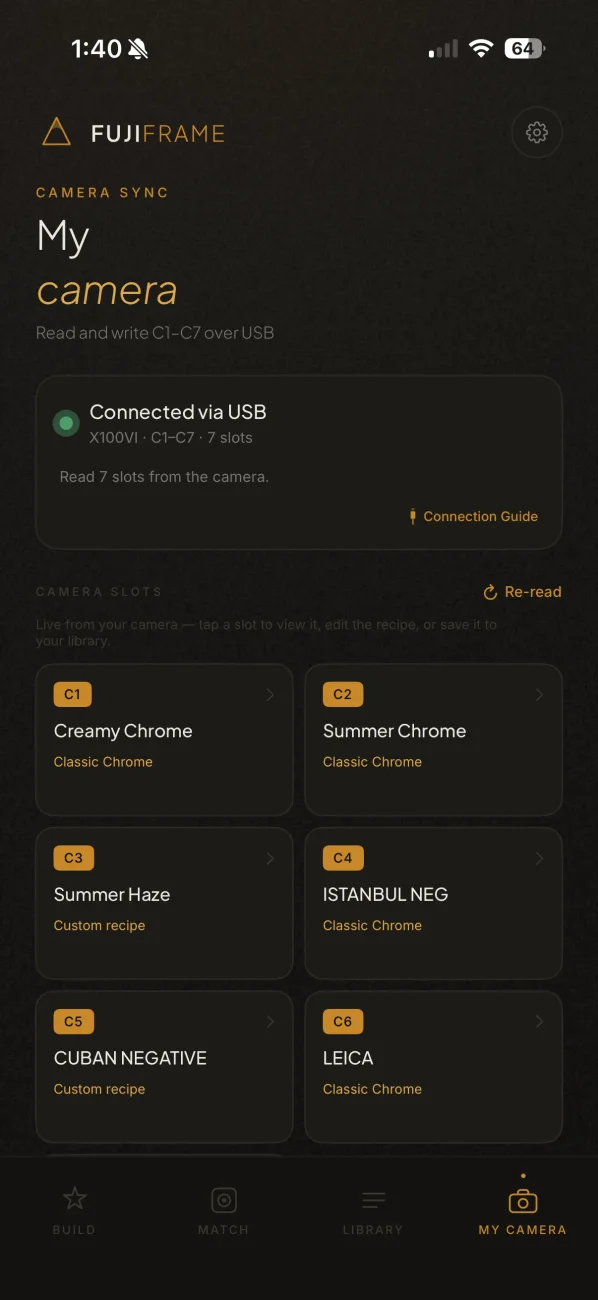
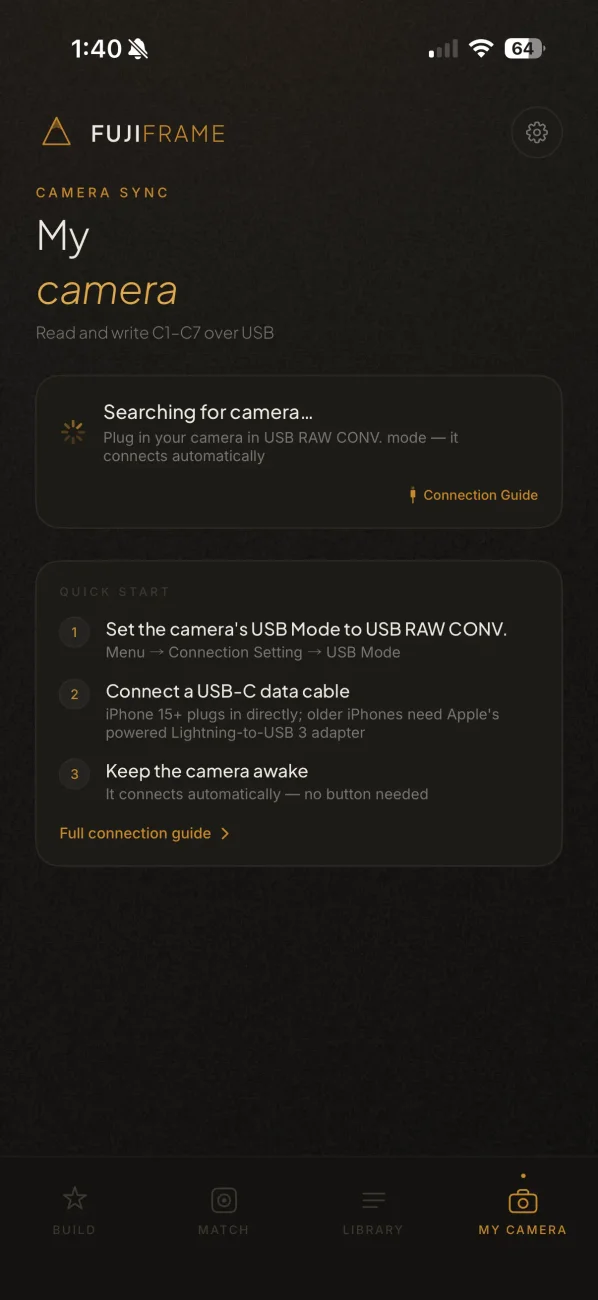
Connect a compatible Fujifilm camera with a USB-C cable and Fuji Frame reads your C1–C7 custom slots live — names and all — and writes recipes straight into them. No more typing fifteen settings by hand.
• Read every custom slot and see what's loaded
• Write any recipe from your library to a slot
• Rename and clear slots
• See at a glance which recipes are in sync
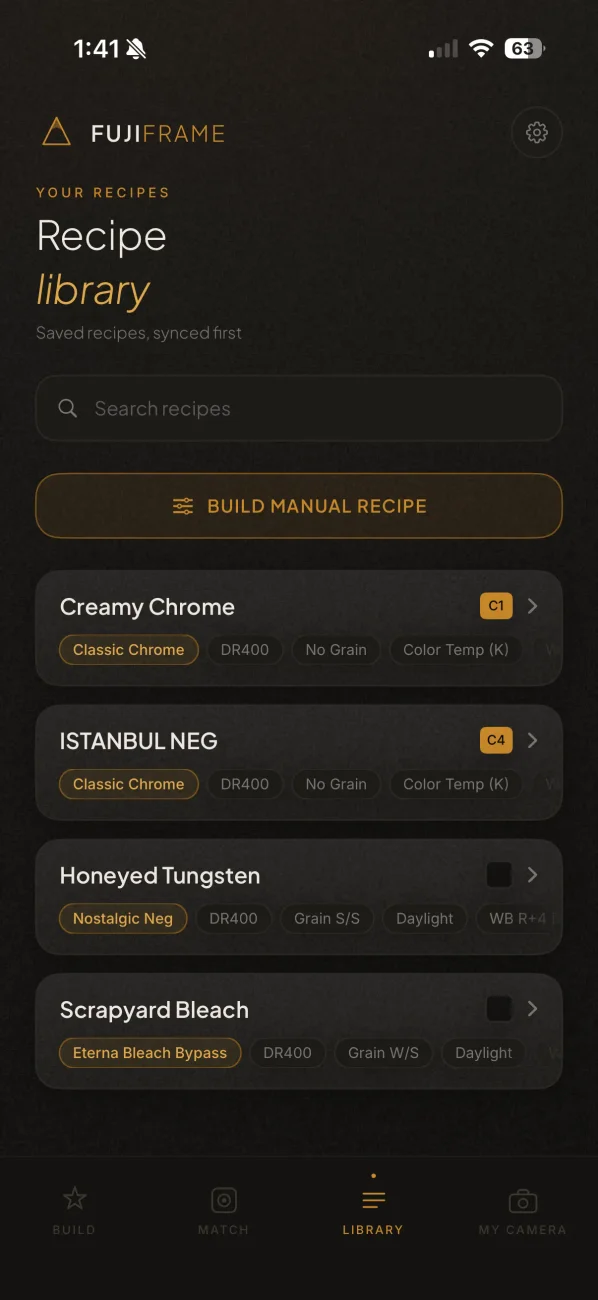
A RECIPE LIBRARY THAT STAYS WITH YOU
• Save unlimited recipes
• Search and organize your collection
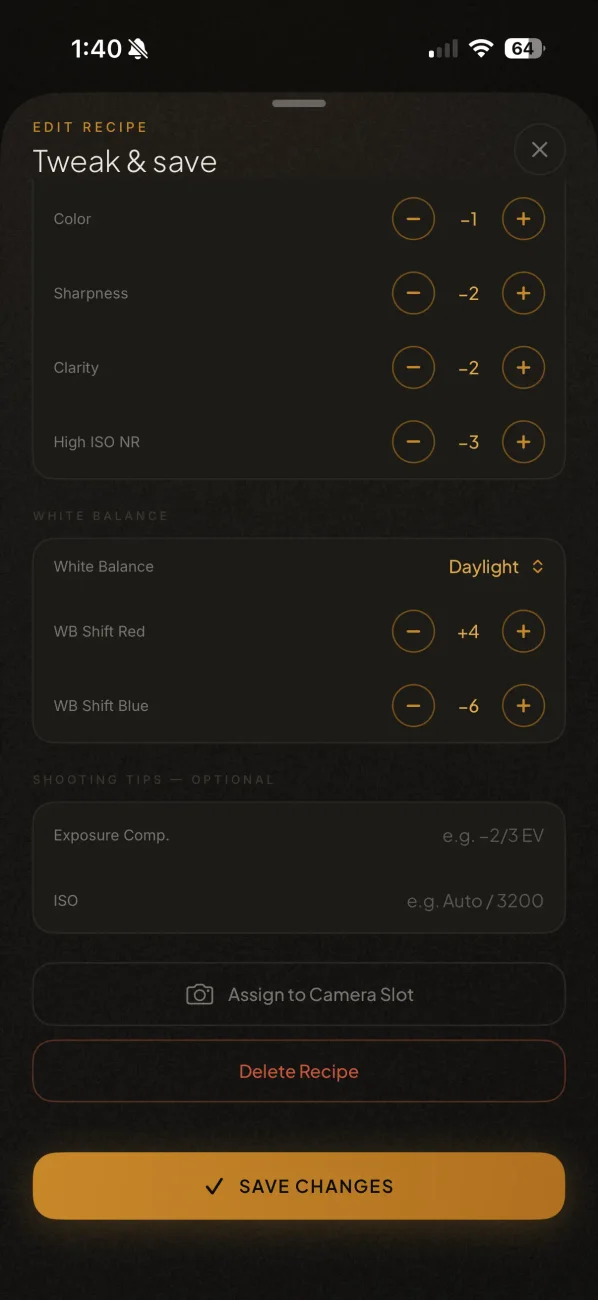
• Tweak any recipe with full manual controls
• Sign in to sync across your devices
FULL FUJIFILM PARAMETER SUPPORT
Every recipe covers the settings that matter:
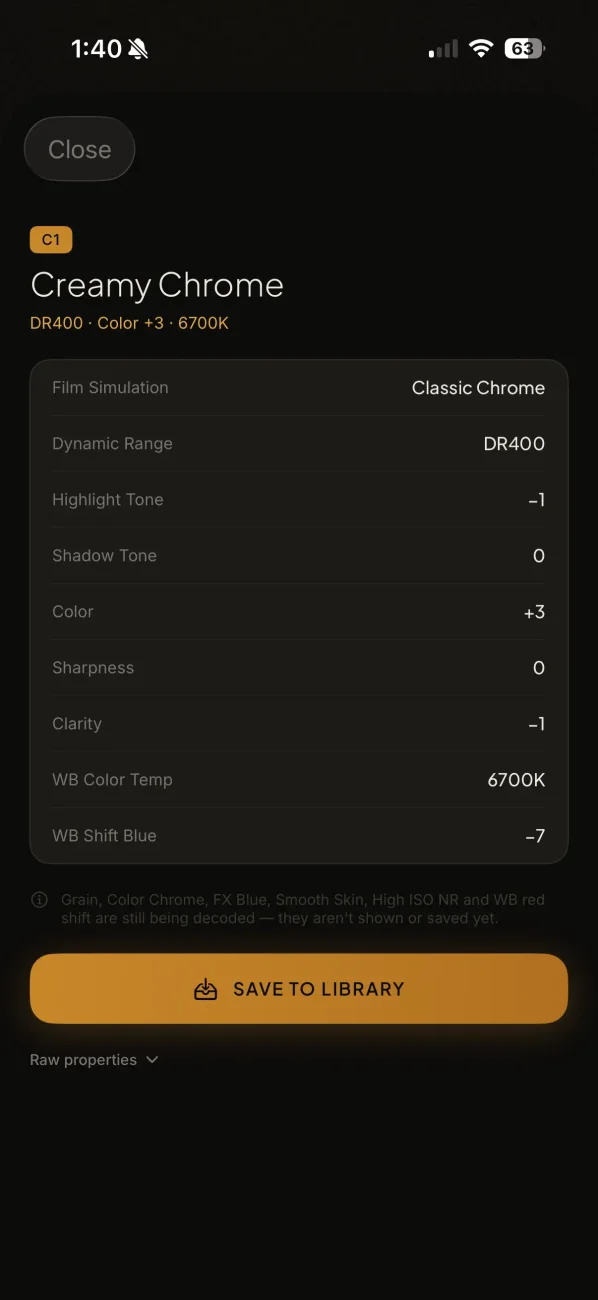
• All film simulations — Provia, Velvia, Astia, Classic Chrome, Classic Neg, Nostalgic Neg, Eterna, Eterna Bleach Bypass, Reala Ace, Acros, Monochrome (+ filters), and Sepia
• Dynamic Range and Grain (strength & size)
• Color Chrome Effect & Color Chrome FX Blue
• Highlight, Shadow, Color, Sharpness, Clarity, High ISO NR
• White Balance with Kelvin and Red/Blue fine-tuning
DESIGNED FOR PHOTOGRAPHERS
A calm, tactile interface built around your images — fast to use in the field, and beautiful enough to live on your home screen.
WHO IT'S FOR
Fujifilm shooters who love the straight-out-of-camera film-simulation workflow, anyone chasing a cinematic or film-stock look, and recipe collectors who want their whole library a tap away — and on the camera.
Bring the look of your favorite films and film stocks to every frame. Download Fuji Frame and start matching.
EULA: https://www.apple.com/legal/internet-services/itunes/dev/stdeula/
App privacy
What Brandon Chase declares on the App Store about how this app handles data.
-
Data not collected
The developer does not collect any data from this app.
Privacy practices may vary, for example with the features you use or your age.
Information
- Seller
- Brandon Chase
- Category
- Photo & Video
- Version
- 1.0.1
- Updated
- Jun 30, 2026
- Released
- Jun 29, 2026
- Size
- 9.2 MB
- Requires
- iOS 17.6 or later
- Age rating
- 4+
- Price
- Free
- In-app purchases
- Yes
- Languages
- English
- Copyright
- © 2026 Chase Cap Holdings, LLC. All rights reserved.
You might also like
-
 Fujipic - Film RecipesFilm simulations for Fujipic
-
 Color X: Film RecipesFujifilm recipes & video looks
-
 Simu — Film Simulation RecipesScreenshots to Fujifilm C1–C7
-
 Filmsim RecipesFilm simulation recipes
-
 Community for FujiFilm simulation recipes
-
 Fuji Recipes - Film simulationCamera Control
-
 Camset – Fuji & Ricoh RecipesFujifilm & Ricoh film recipes
-
 FujiStyle - Film Recipes FrameApply Recipe to Camera
-
 Fuji X Weekly — Film RecipesFuji X Camera Settings
-
 Color Grade Video - PeekLutCinematic LUTs & Log Grading