
Fusion Link: Driver
Your jobs, your terms, one app
Designed for iPhone, iPad, iPod touch
Free
- Age rating4+
- CategoryBusiness
- DeveloperRandy See
- LanguagesEnglish
- Size4.5 MB
Links to the official App Store page
Download.org hosts no file of Fusion Link: Driver. The button opens its official App Store page, published by Randy See. Listing last checked on Nov 13, 2026.
Screenshots
About
One app for all your chauffeur jobs.
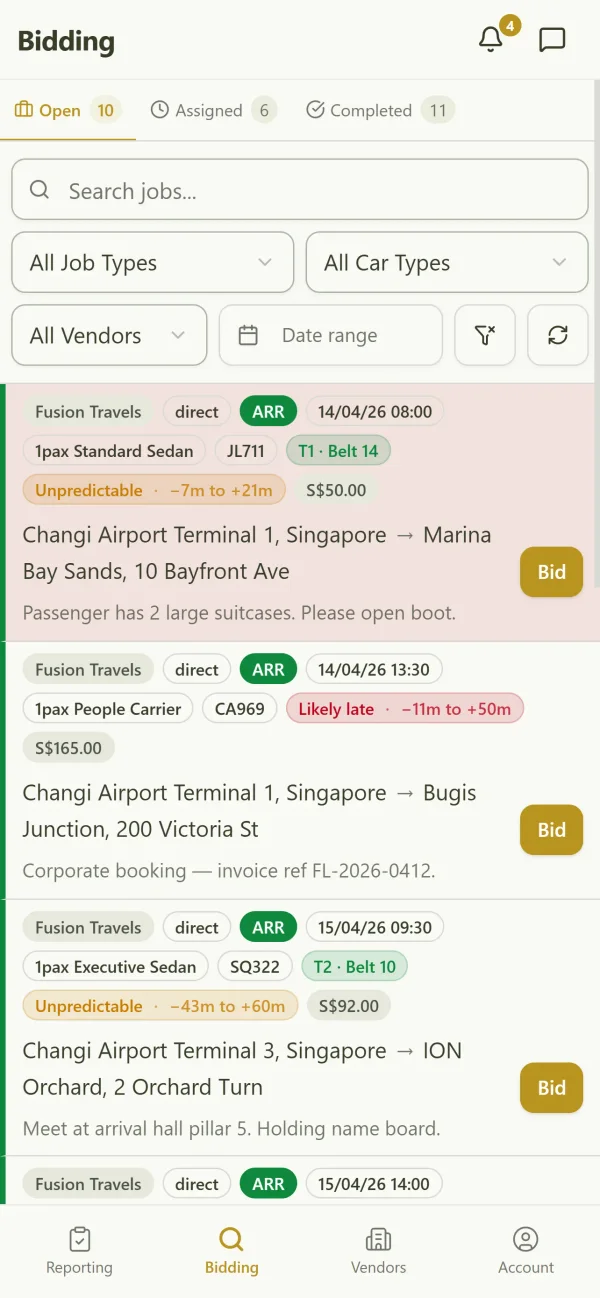
See every available job from multiple transport vendors in a single feed. Browse, bid, and accept instantly. No more juggling WhatsApp groups and spreadsheets.
FIND JOBS FAST
View open jobs from all your vendors in one real-time feed. Filter by job type, car class, date, or vendor. Bid with one tap.
EVERYTHING YOU NEED FOR EVERY TRIP
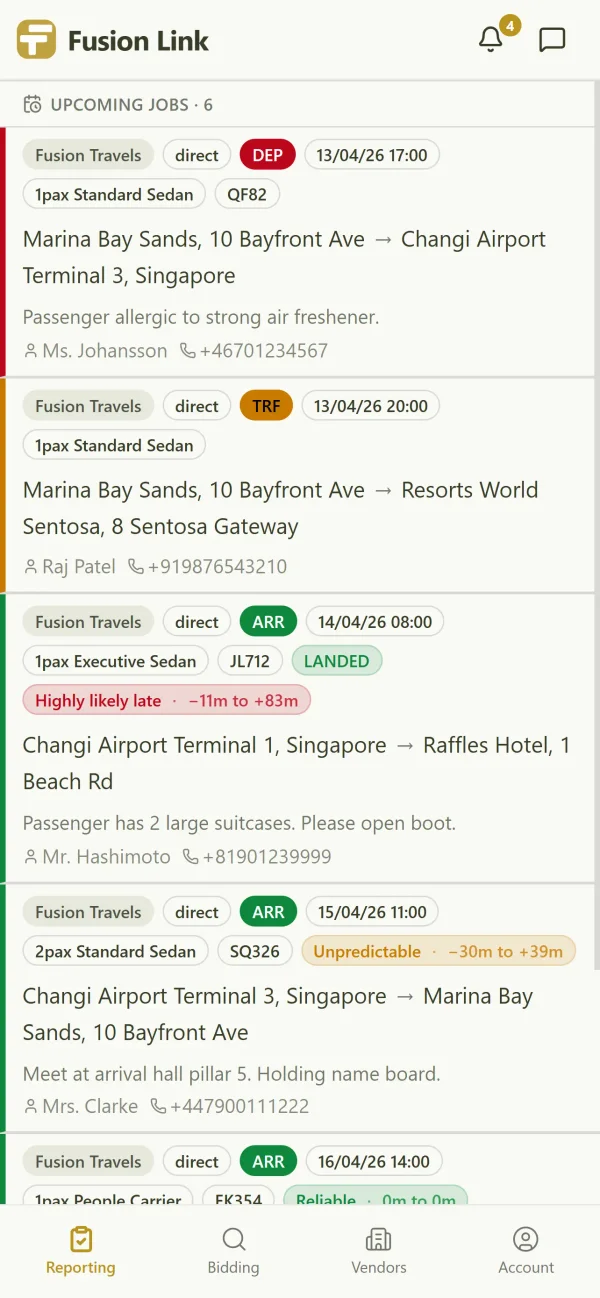
Passenger info, pickup and dropoff addresses, flight numbers, navigation links, and vendor notes — all in one place. Mark jobs as in-progress and completed right from your phone.
REAL-TIME GPS TRACKING
Live location tracking during active jobs with checkpoint proof. Your vendor sees exactly where you are.
STAY CONNECTED
Built-in chat with your vendor's ops team. Get instant push notifications for new job assignments, bid confirmations, and schedule changes.
WORK FOR MULTIPLE VENDORS
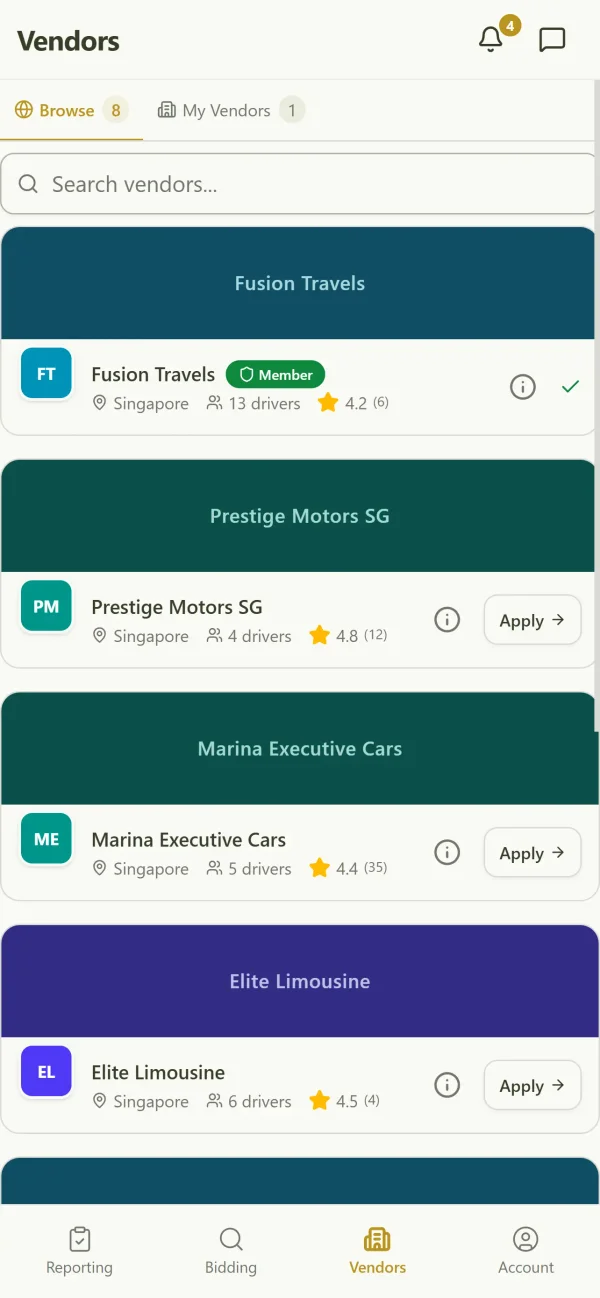
Join as many transport companies as you want. Track your memberships, roles, and job history across all of them.
EXTRA INCOME ON YOUR TERMS
When you have downtime, browse overflow jobs posted by operators who need cover. Pick up extra work when it suits you.
PROFESSIONAL GRADE
Photo proof at pickup and completion. GPS tracking with route history. Digital 4L display. Account management with full job reporting.
Sign in securely with Apple, Google, or email. Available as a web app and native mobile app.
What’s new
Version 1.1.13 · Sep 2, 2026
Calls now start and end the way you expect them to.
If the person calling you hung up — or a colleague picked the call up first — your iPhone used to keep showing the incoming call screen until you answered a conversation that was already over. It now clears itself.
Ending a call from the iPhone call screen now really ends it. Previously the call stayed open on the other person's phone, and both of you looked busy to everyone else until it timed out.
Answering no longer risks dropping the call you just picked up, and a call that briefly loses signal now reconnects instead of hanging up on you.
Location sharing is more reliable too.
Sharing now keeps its own record of where you've been, so a weak signal or a dropped connection no longer loses positions — they're sent as soon as you're back on. It also keeps running when the app reloads itself in the background.
And if sharing ever stops, the app now tells you, instead of leaving you invisible to your vendor without knowing it. Allowing location "Always" lets sharing restart by itself after your phone closes the app.
App privacy
What Randy See declares on the App Store about how this app handles data.
-
Data linked to you
May be collected and linked to your identity.
- Location
- Contact info
- User content
- Identifiers
- Usage data
-
Data not linked to you
May be collected but is not linked to your identity.
- Diagnostics
Privacy practices may vary, for example with the features you use or your age.
Information
- Seller
- Randy See
- Category
- Business
- Version
- 1.1.13
- Updated
- Sep 2, 2026
- Released
- Apr 22, 2026
- Size
- 4.5 MB
- Requires
- iOS 15.0 or later
- Age rating
- 4+
- Price
- Free
- Languages
- English
- Copyright
- © 2026 Meng Tech LLC
You might also like
-
 UGKS DriverJobs, trips & pay for drivers
-
 Li-nk DriverBusiness
-
 Moby Limo ChauffeurBusiness
-
 KOI ChauffeurManage your KOI Rides
-
 taskr: Household OrganizerChores, lists & tasks, shared
-
 GalaxyGo DriverDeliver on your schedule
-
 Shiftino: Shift ChecklistsPhoto-proof team task tracking
-
 Fusion Nest - LinkBusiness
-
 SpeedDash DriverBusiness
-
 Smile Taxi DriverDrive with Smile Taxi