
Gallery GO Vault
Private photo & video vault
Designed for iPhone, iPad
Free · In-app purchases
- Age rating4+
- CategoryPhoto & Video
- DeveloperRICARDO DAVID CURTIS
- LanguagesEnglish
- Size2.1 MB
Links to the official App Store page
Download.org hosts no file of Gallery GO Vault. The button opens its official App Store page, published by RICARDO DAVID CURTIS. Listing last checked on Nov 18, 2026.
Screenshots


About
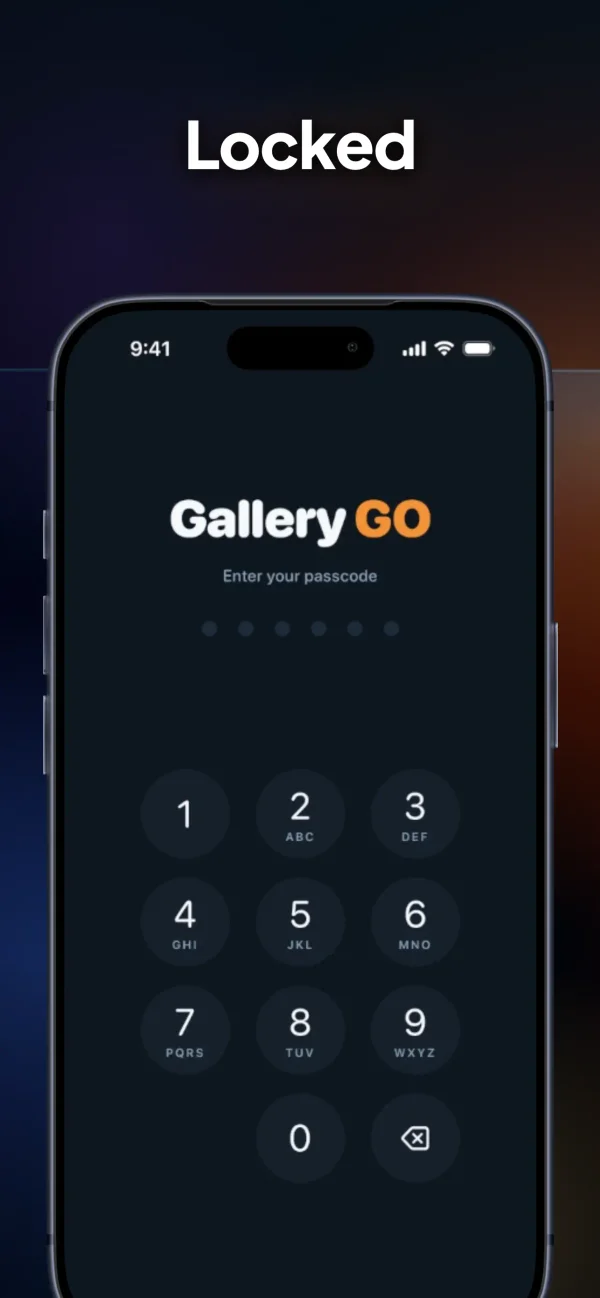
Gallery GO is a private, passcode-protected vault for the photos and videos you keep to yourself.
Everything you import is stored only on your device — no cloud, no accounts, no copies. Lock it with your own 6-digit passcode and Face ID, organize it into folders, and browse it in an edge-to-edge grid you resize with a pinch.
Made for iPhone Duo. Unfold, and Gallery GO opens as two panes — your folder tree on the left, the file grid on the right, with search in the sidebar. Fold it shut and it's the single-column app you know.
Getting media in is easy: import from Photos, the camera, or a USB drive. AirDrop or share a file and "Copy to Gallery GO" drops it straight into your last-used folder — duplicates are skipped automatically. Or use Import from Mac: open an address in any browser on your Mac over Wi-Fi and send photos and videos across. Nothing to install on the Mac.
Stay organized with nested folders and key images — move folders anywhere and drag them into your own order — sort each folder by name, date, or a stable random shuffle — every folder remembers its order — and find any file by name right from Home.
Turn any folder into a fullscreen slideshow with Dissolve, Slide, Zoom or Cut transitions — photos and videos alike, with shuffle and repeat. Videos play in full with simple controls that fade away while you watch, you can scrub to any moment, even mid-slideshow, and video thumbnails show each file's name and length. Print any folder as a classic contact-sheet PDF, up to 80 frames per page.
Every feature is included. There are no subscriptions, no in-app purchases and no limit on how many photos and videos you can keep.
KEY FEATURES
• Made for iPhone Duo — two panes when unfolded, one column when folded
• Passcode + Face ID / Touch ID lock, auto-locks in background
• True on-device storage — media never leaves your phone
• Unlimited photos and videos
• Import from Photos, camera, USB, AirDrop/share, or a Mac over Wi-Fi
• Folders and subfolders with key images; move and reorder them
• Pinch-to-resize grid, 2–8 columns; per-folder sorting and file-name search
• Fullscreen slideshows with transitions, shuffle, repeat
• See exactly how much space your vault uses, by photos, videos and thumbnails
• Contact-sheet PDF export (up to 80 frames per page)
• Native iPhone and iPad support
Privacy: no ads, no analytics, no tracking, no third-party SDKs. Your media never leaves your device.
Terms of Use (Apple Standard EULA): https://www.apple.com/legal/internet-services/itunes/dev/stdeula/
Privacy Policy: https://gallerygo.up.railway.app/#privacy
What’s new
Version 1.0.3 · Oct 18, 2026
New: download any folder as a ZIP. Long-press a folder or use its ••• menu and choose Download — subfolders, file names and folder structure are all kept, and the Files save screen lets you pick where it goes: iCloud Drive, On My iPhone, a USB drive, and more.
Also in this update: videos now play alongside music and podcasts instead of pausing them, and playback picks back up after a call or Siri.
App privacy
What RICARDO DAVID CURTIS declares on the App Store about how this app handles data.
-
Data not collected
The developer does not collect any data from this app.
Privacy practices may vary, for example with the features you use or your age.
Information
- Seller
- RICARDO DAVID CURTIS
- Category
- Photo & Video
- Version
- 1.0.3
- Updated
- Oct 18, 2026
- Released
- Sep 21, 2026
- Size
- 2.1 MB
- Requires
- iOS 18.0 or later
- Age rating
- 4+
- Price
- Free
- In-app purchases
- Yes
- Languages
- English
- Copyright
- © 2026 Massive Prime
You might also like
-
 Oryn: GalleryYour Media, and nothing else
-
 Private Play: Video VaultHide Photos & Video Player
-
 Folder CameraOrganize as You Snap
-
 Gallery - Album, Photo VaultPhoto & Video
-
 EternalbumThe all in One Album
-
 Slidy – Photo SlideshowSimple. Beautiful. Slideshow.
-
 Photo Album Private ManagerMost Private Photo Manager
-
 GIF Cracker - GIF to VideoGIFs to Video and Photo
-
 PotPlayer - HD Video PlayerMx Video Player & Music Player
-
 PortraitAI: AI Photo PortraitGet Your Portraits