- Age rating4+
- CategoryFinance
- LanguagesEnglish
- Size6.5 MB
Links to the official App Store page
Download.org hosts no file of Gastos Spending Tracker. The button opens its official App Store page, published by . Listing last checked on Nov 12, 2026.
Screenshots
About
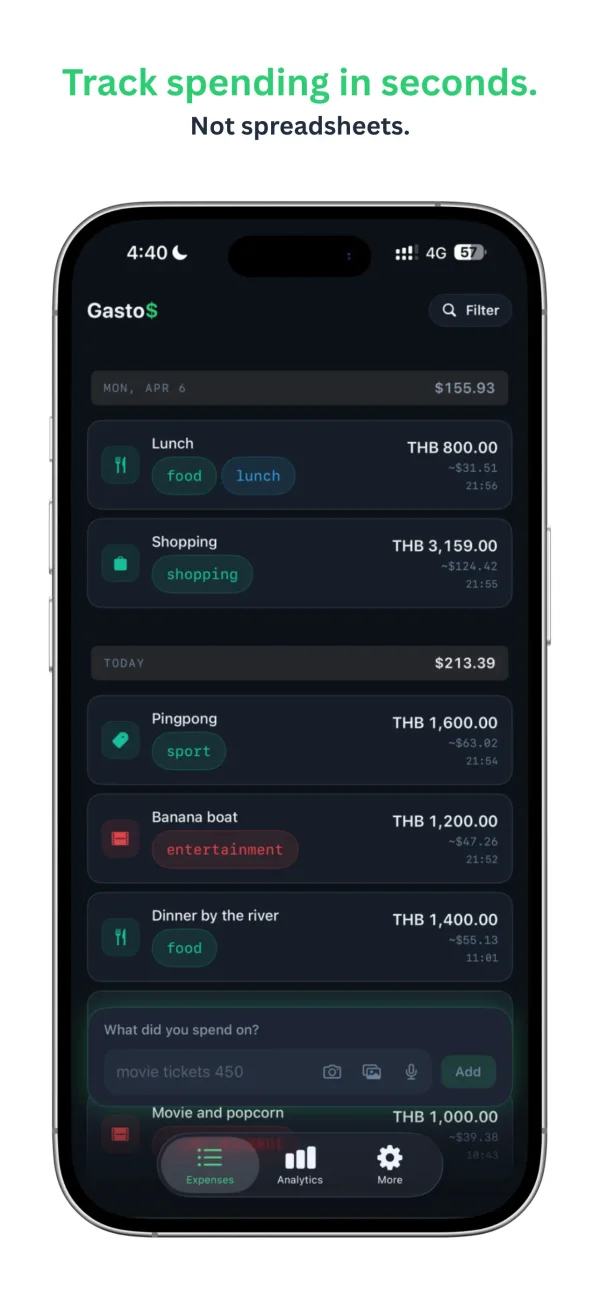
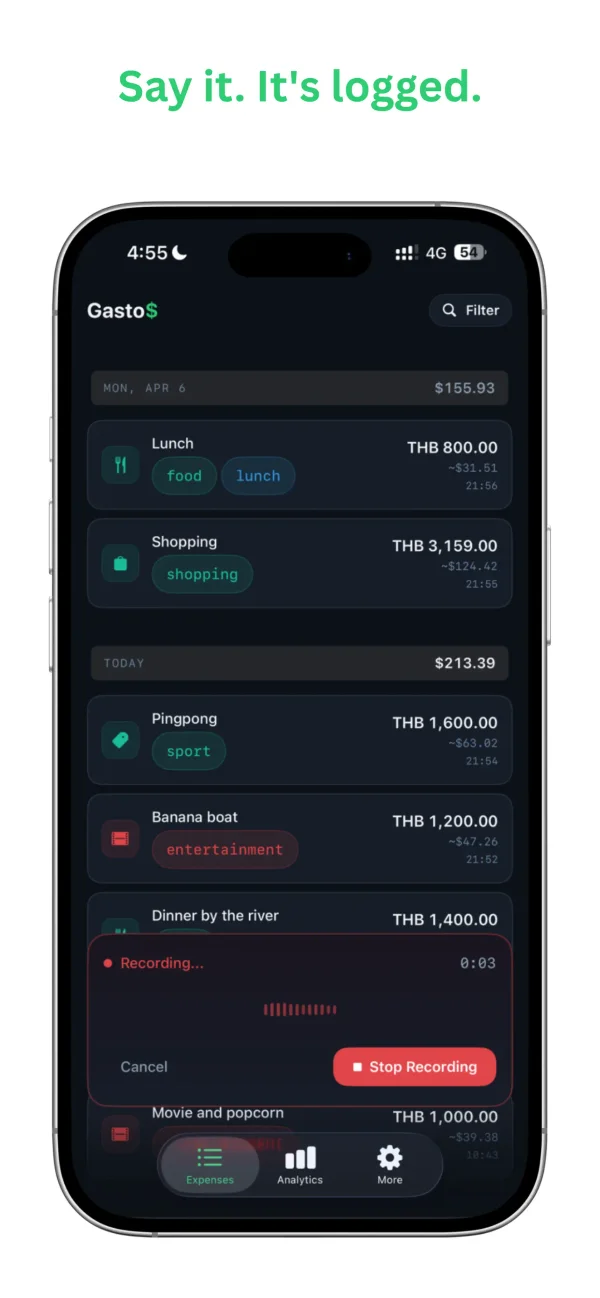
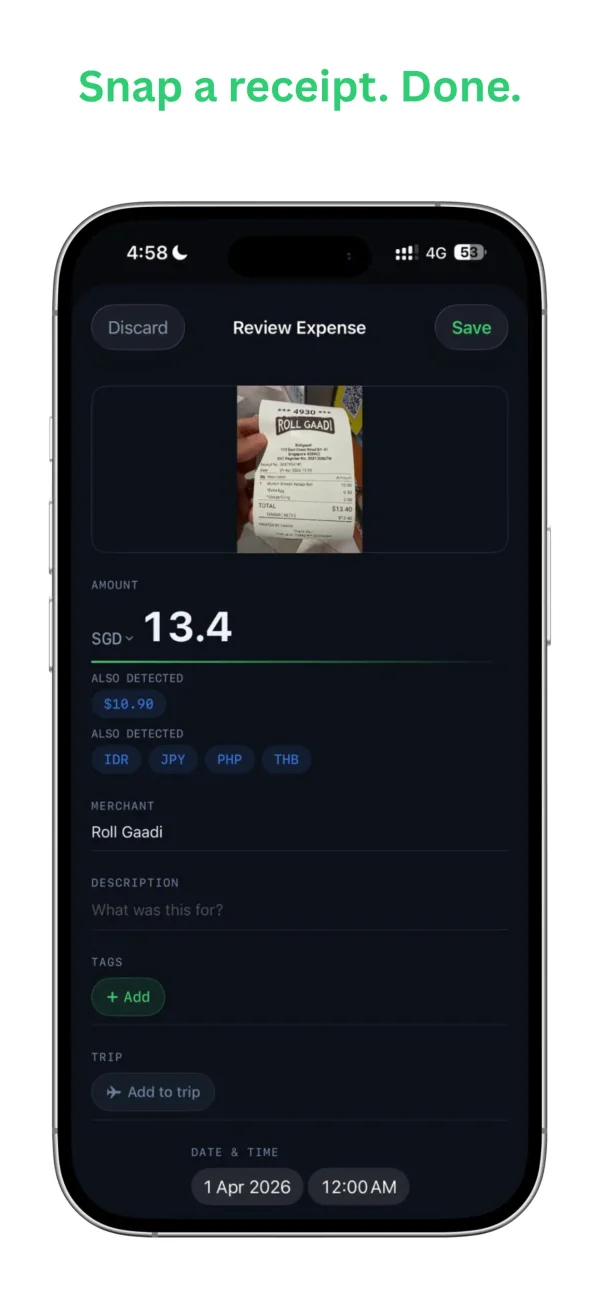
Track your spending in seconds — just type, snap a receipt, or say it out loud. Gastos uses on-device AI to parse your expenses instantly. No accounts. No cloud. Your financial data never leaves your iPhone.
PRIVATE BY DESIGN
Every expense stays on your device. No sign-ups, no servers, no tracking SDKs. Gastos processes everything locally using Apple Intelligence — your receipts, your voice, your search queries. What you spend is nobody's business but yours.
THREE WAYS TO LOG
- Type "coffee 4.50" and it's saved instantly
- Snap a receipt — OCR extracts the merchant, amount, and date
- Say "lunch twenty dollars" — voice transcription does the rest
Every entry goes through a quick review so you're always in control.
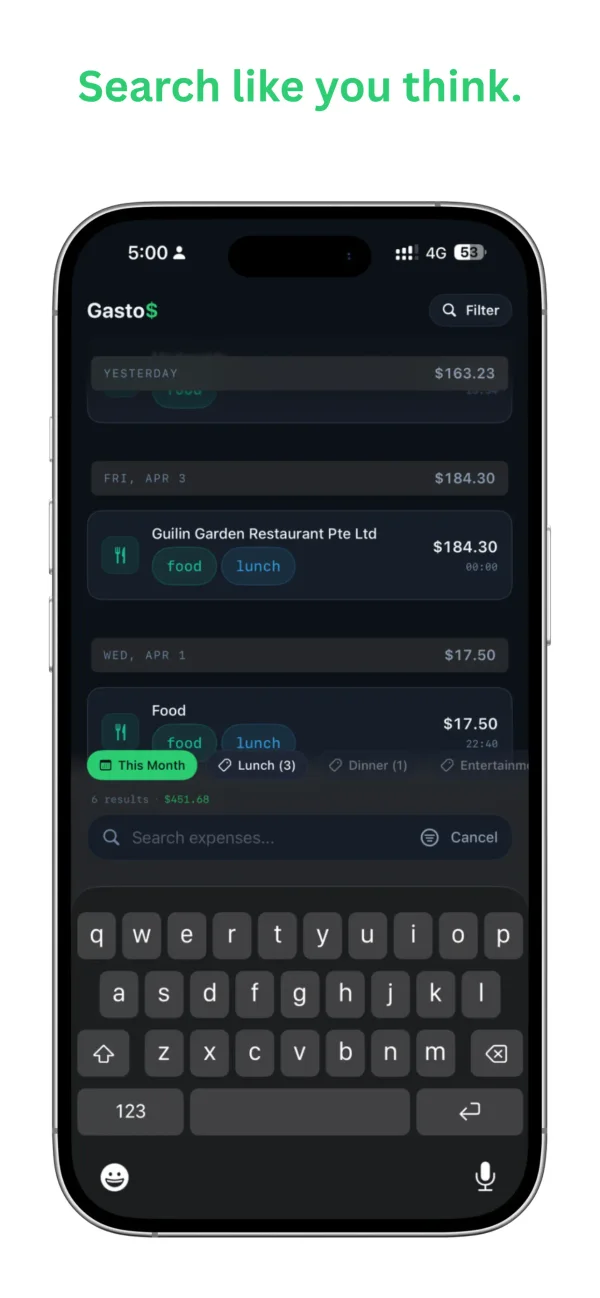
SMART SEARCH THAT ACTUALLY WORKS
Filter by date, tags, trips, or currency when you need precision.
TRAVEL MODE
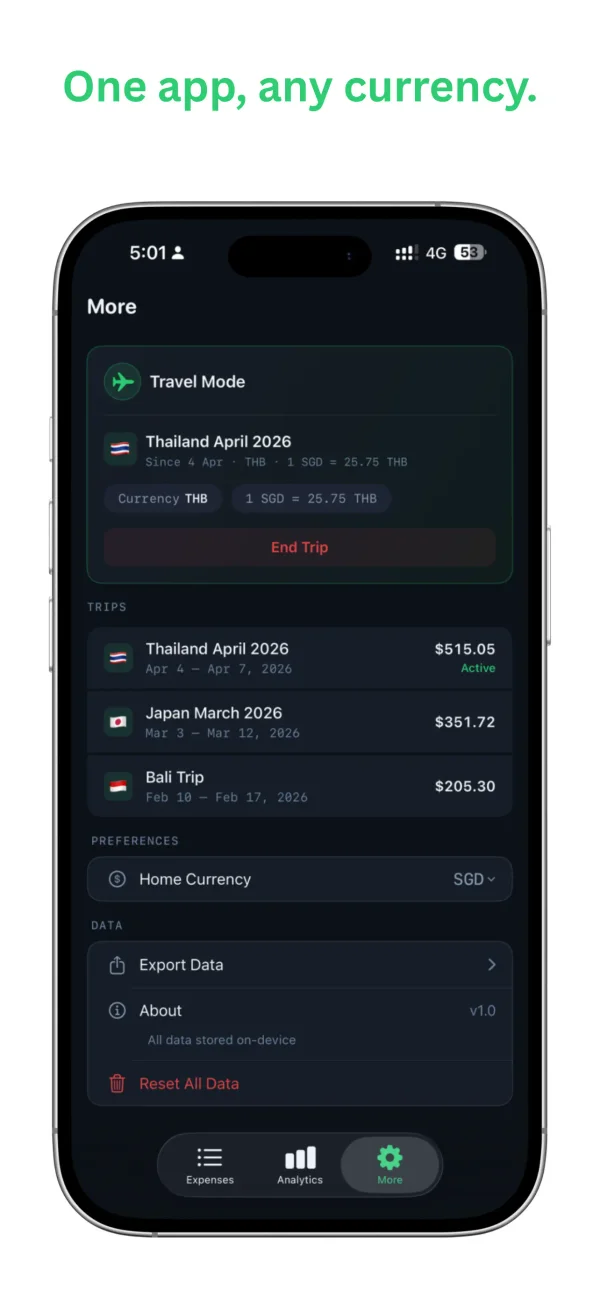
Traveling? Gastos detects your timezone change and suggests switching currencies. Log expenses in local currency while seeing the home equivalent in real time. Dual-currency display in your feed, trip-level analytics, and exchange rates that work offline.
CLEAR ANALYTICS
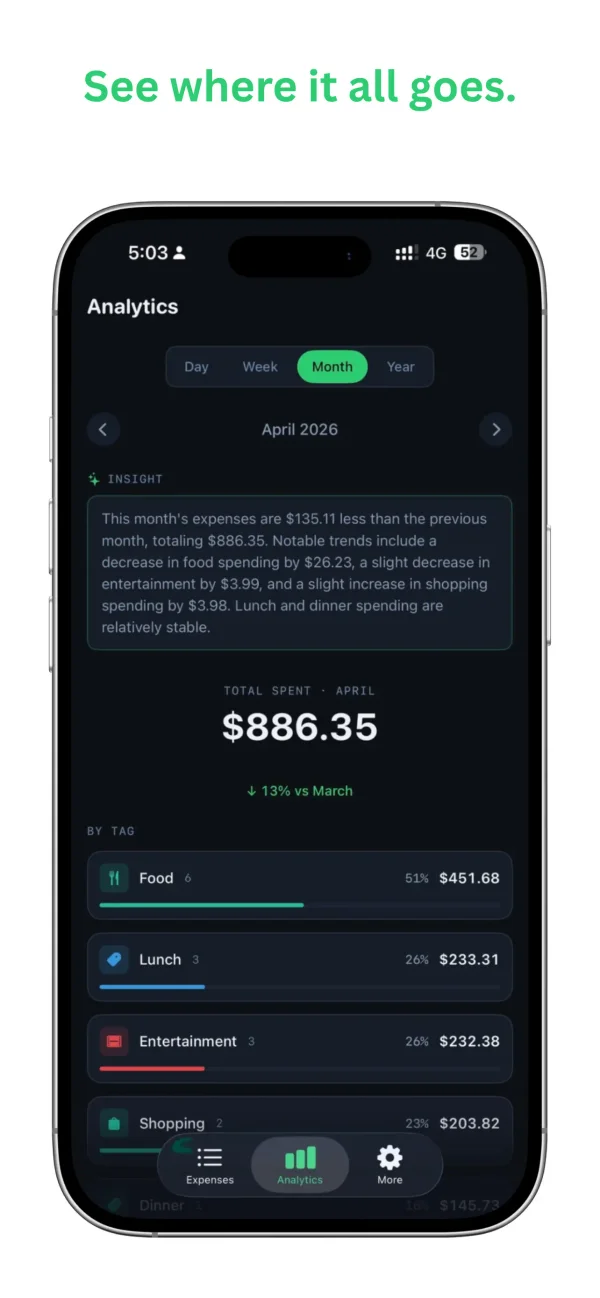
See where your money goes with tag-based breakdowns, period comparisons, and your largest expenses — all in one glance. No overwhelming dashboards. Just answers.
EXPORT ANYTIME
Your data is yours. Export to JSON or CSV whenever you want. Filter by date range or trip before exporting.
Gastos requires an iPhone with iOS 18 or later.
What’s new
Version 1.0.1 · Apr 12, 2026
Fixed an issue where the "Looks like you're traveling" prompt would keep appearing even when you weren't traveling. This mostly affected users in countries with multiple timezones (like Canada, the US, and Australia).
The app now uses your actual device timezone instead of guessing from your currency, and tapping "Not now" will actually stick.
App privacy
What declares on the App Store about how this app handles data.
-
Data not collected
The developer does not collect any data from this app.
Privacy practices may vary, for example with the features you use or your age.
Information
- Seller
- Edrian Bertulfo
- Category
- Finance
- Version
- 1.0.1
- Updated
- Apr 12, 2026
- Released
- Apr 9, 2026
- Size
- 6.5 MB
- Requires
- iOS 18.0 or later
- Age rating
- 4+
- Price
- Free
- Languages
- English
- Copyright
- © 2026 Edrian Bertulfo
You might also like
-
 RentWise: Landlord Rent AppRent, Tenant & Expense Tracker
-
 GrocSnap: Grocery TrackerScan Receipts & Compare Prices
-
 Finan360: Savings & GoalsTrack your savings progress
-
 SubBot - Subscription ManagerBill Tracker, Cancel Trials
-
 Invoiceflowie : invoice makerEstimates, Receipts & Billing
-
 Currency Converter: FX CalcForex, Exchange Rates, Money
-
 Expense Tracker - Easy MoneyControl your spending
-
 Classic Loan Calculator 2Optimize your finances, again.
-
 Cashy: Smart Budget & ExpensesAI Expense Tracker & Advisor
-
 No Spend Tracker - Save MoneyStop impulse buying & save