- Age rating4+
- CategoryUtilities
- DeveloperGeberit International AG
- LanguagesGerman+ 3 more
- Size5.5 MB
Links to the official App Store page
Download.org hosts no file of Geberit RoomScan. The button opens its official App Store page, published by Geberit International AG. Listing last checked on Nov 12, 2026.
Screenshots


About
Skip the tape measure. Geberit RoomScan uses the LiDAR scanner on your iPhone Pro to measure your bathroom – then sends it straight to the Geberit Bathroom Planner, so you can start designing your new bathroom based on accurate room measurements.
Every bathroom renovation starts with knowing your space. Measuring walls by hand is tedious and easy to get wrong. With Geberit RoomScan, you simply move around your bathroom with your iPhone and let the app capture the shape and dimensions of the room for you.
HOW IT WORKS
1. Scan your bathroom
Open the app, point your iPhone at the walls and move slowly around the room. Geberit RoomScan captures the room's shape and dimensions using LiDAR.
2. Check and save
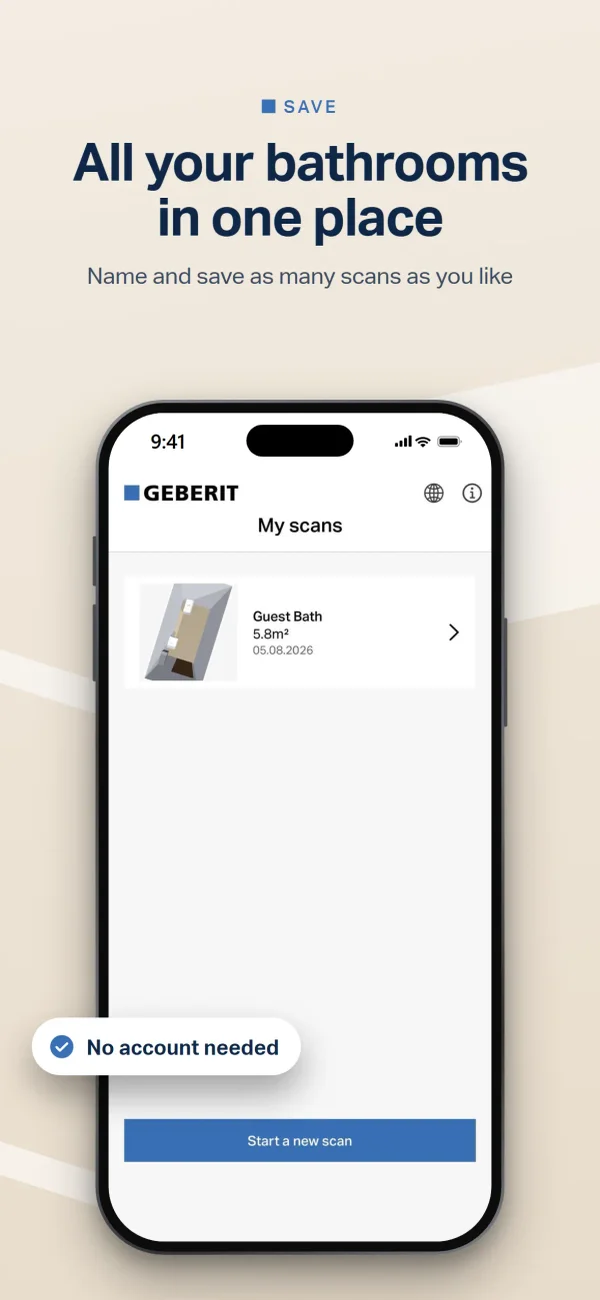
Review the result before saving. Not happy with it? Simply restart the scan. Then give your bathroom a name – pick one of our suggestions or enter your own.
3. Transfer to the Bathroom Planner
Open the Geberit Bathroom Planner on your computer and choose the LiDAR scan option – a QR code appears. In the app, open your saved bathroom, tap "Transfer to Bathroom Planner" and scan the QR code. Your room is transferred and ready for planning.
WHAT YOU CAN DO
• Measure your bathroom with your iPhone's LiDAR scanner – no tape measure, no sketching
• Review the room shape and dimensions before you save
• Save as many bathrooms as you like – handy if you're renovating more than one room
• Name your scans so you can easily tell them apart
• Transfer a saved bathroom to the planner with a quick QR code scan
• Transfer it again any time – your bathroom stays saved until you delete it
THEN, PLAN YOUR DREAM BATHROOM
Once your room is in the Geberit Bathroom Planner, you can fine-tune the measurements, add doors and windows, place real Geberit products in 3D and let AI create a realistic image of your new bathroom. Save your plan, share it with your partner or a showroom advisor, and receive a personal PDF summary by email.
SIMPLE AND PRIVATE
• Free to download and use
• No account or login needed – just open the app and start scanning
• Your scans are stored only on your iPhone. Deleting the app also deletes your saved scans.
COMPATIBILITY
Geberit RoomScan requires an iPhone Pro model with a LiDAR scanner (iPhone 12 Pro or later Pro models). Other iPhone models and iPad are not supported.
What’s new
Version 1.0.1 · Nov 4, 2026
You can now open Geberit RoomScan straight from the QR code in the Geberit bathroom planner - scan it with your iPhone camera and your room scan connects to your plan automatically.
App privacy
What Geberit International AG declares on the App Store about how this app handles data.
-
Data not linked to you
May be collected but is not linked to your identity.
- Identifiers
- Usage data
- Diagnostics
- Other data
Privacy practices may vary, for example with the features you use or your age.
Information
- Seller
- Geberit International AG
- Category
- Utilities
- Version
- 1.0.1
- Updated
- Nov 4, 2026
- Released
- Nov 2, 2026
- Size
- 5.5 MB
- Requires
- iOS 17.6 or later
- Age rating
- 4+
- Languages
- German, English, French, Italian
- Copyright
- © 2026 Geberit International AG