GemReader: Ebook Study Reader
EPUB & PDF, Notes, Flashcards
Designed for iPhone, iPad
Free
- Age rating4+
- CategoryBooks
- DeveloperJohan Christopher Nohall
- LanguagesEnglish+ 17 more
- Size88.1 MB
Links to the official App Store page
Download.org hosts no file of GemReader: Ebook Study Reader. The button opens its official App Store page, published by Johan Christopher Nohall. Listing last checked on Nov 23, 2026.
Screenshots


About
GemReader is an offline EPUB and PDF reader that saves everything you do inside a book — your form answers, highlights, notes, and flashcards. Built for people who read to learn, not just to finish.
No account. No tracking. Your library is encrypted on your device, and backups are optional.
YOUR HIGHLIGHTS ARE YOURS
Every highlight and note leaves whenever you want, free: Markdown, HTML, CSV, Anki or citations, into your Obsidian vault folder, or sent to your Readwise account. No export fees, no lock-in.
YOUR FORM ANSWERS ARE SAVED
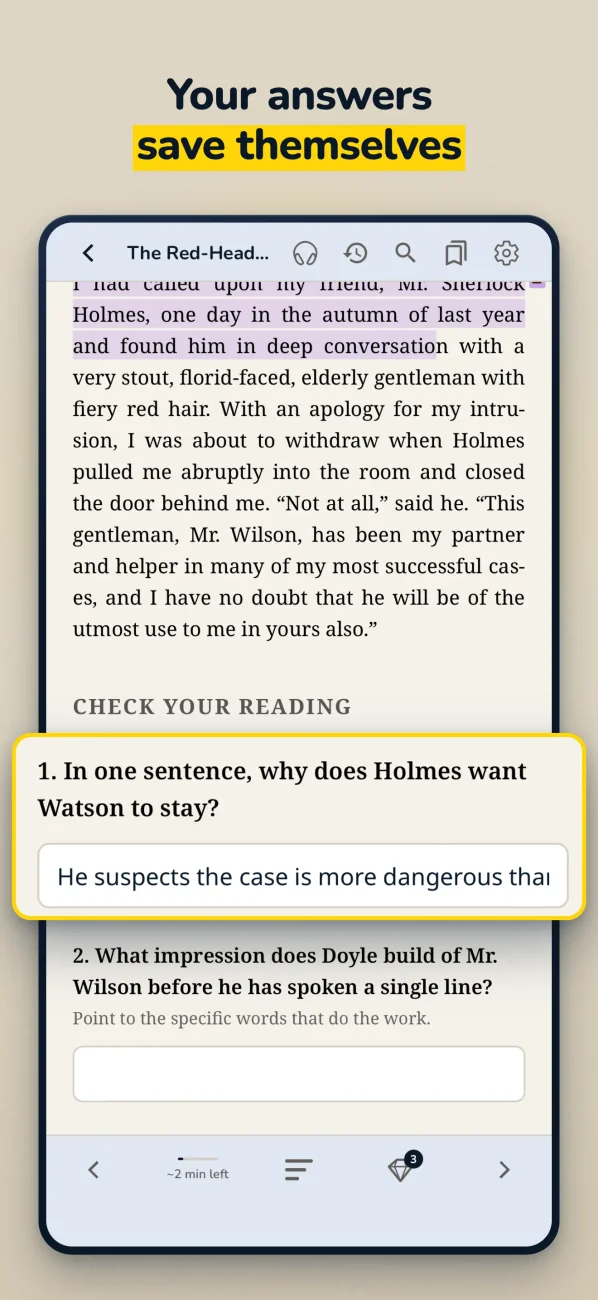
Most ebook readers throw away what you type. GemReader doesn't. Fill in a workbook exercise, close the book, come back a week later — your answers are exactly where you left them. Every text field, checkbox, dropdown, and radio button in an interactive EPUB is saved automatically.
HIGHLIGHT AND ANNOTATE
Highlight passages in six colors and attach a note to any highlight. Add standalone text notes, bookmarks, and notes pinned to images. Notes support Markdown. Tag anything you keep, name the highlight colors yourself, and see every highlight and note from your whole library in one searchable list. Keep PIN-locked notebooks, and store videos, diagrams and photos encrypted beside your books.
STUDY TOOLS BUILT IN
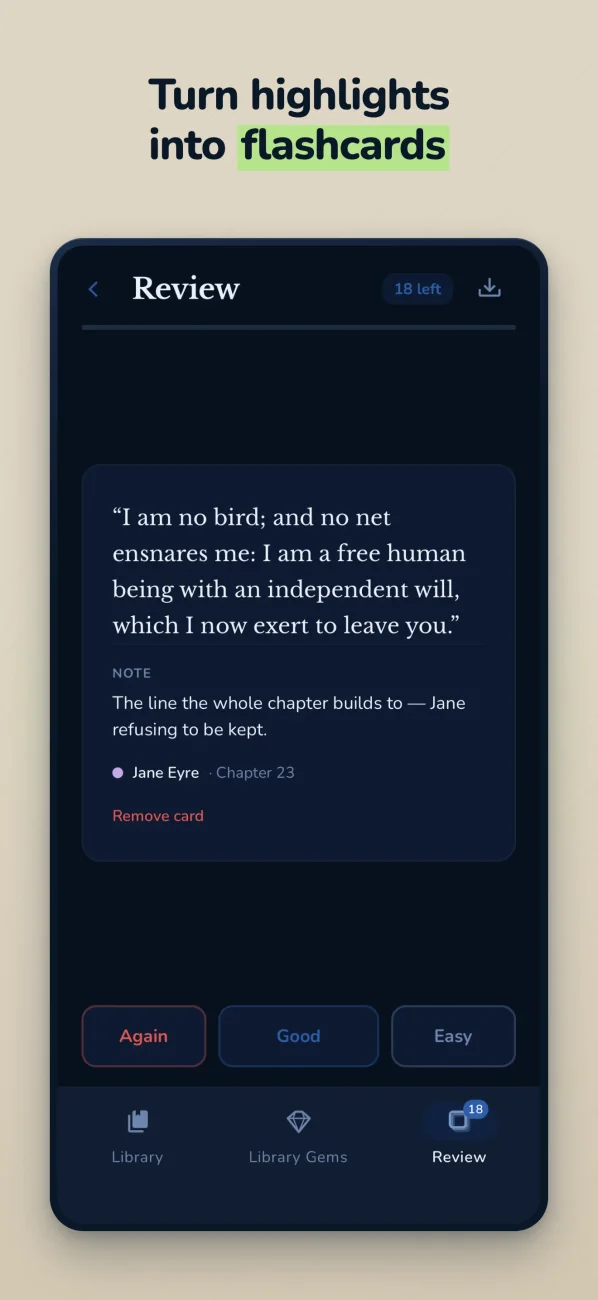
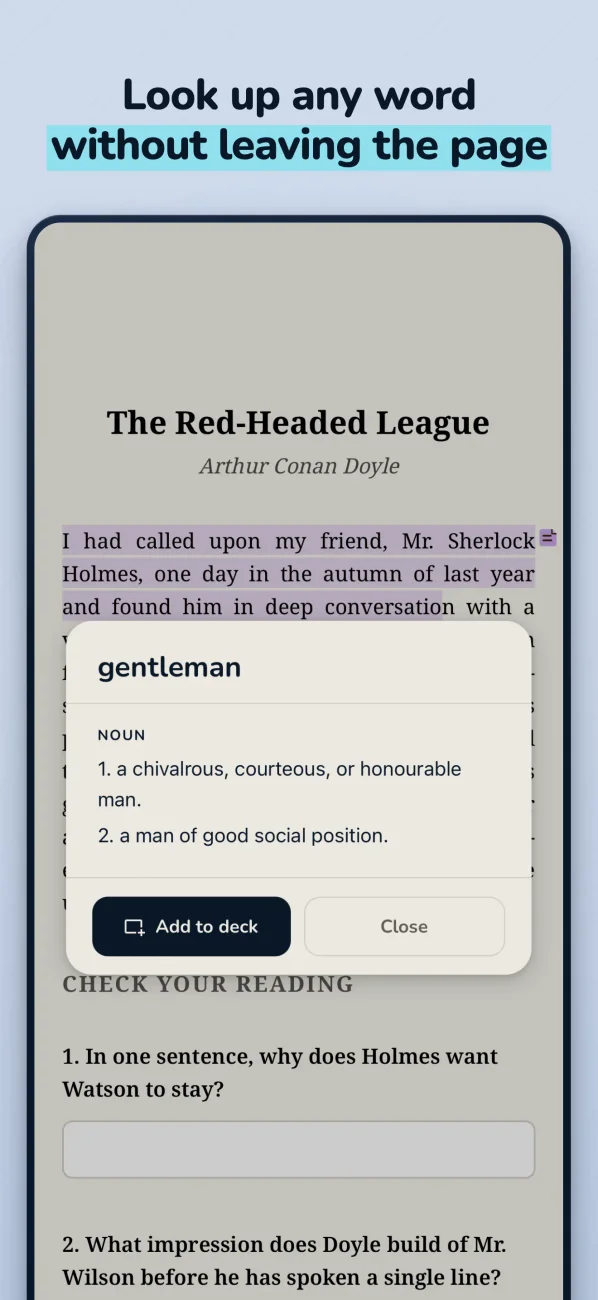
Look up any word in the in-book dictionary without leaving the page. Turn your highlights into flashcards and drill them with the built-in spaced repetition review deck. Import your existing .apkg and .txt decks too.
FREE BOOKS TO START WITH
Browse Project Gutenberg, Standard Ebooks and other open catalogs from inside the app and download straight into your library. Add any OPDS catalog you trust. Downloads are encrypted on arrival, like every other book.
LISTEN TO YOUR BOOKS
A neural text-to-speech voice reads any book aloud, generated entirely on your device — no cloud, no account, and no connection needed once the voice is installed. Books that ship with their own chapter audio play that instead, with lock-screen playback controls.
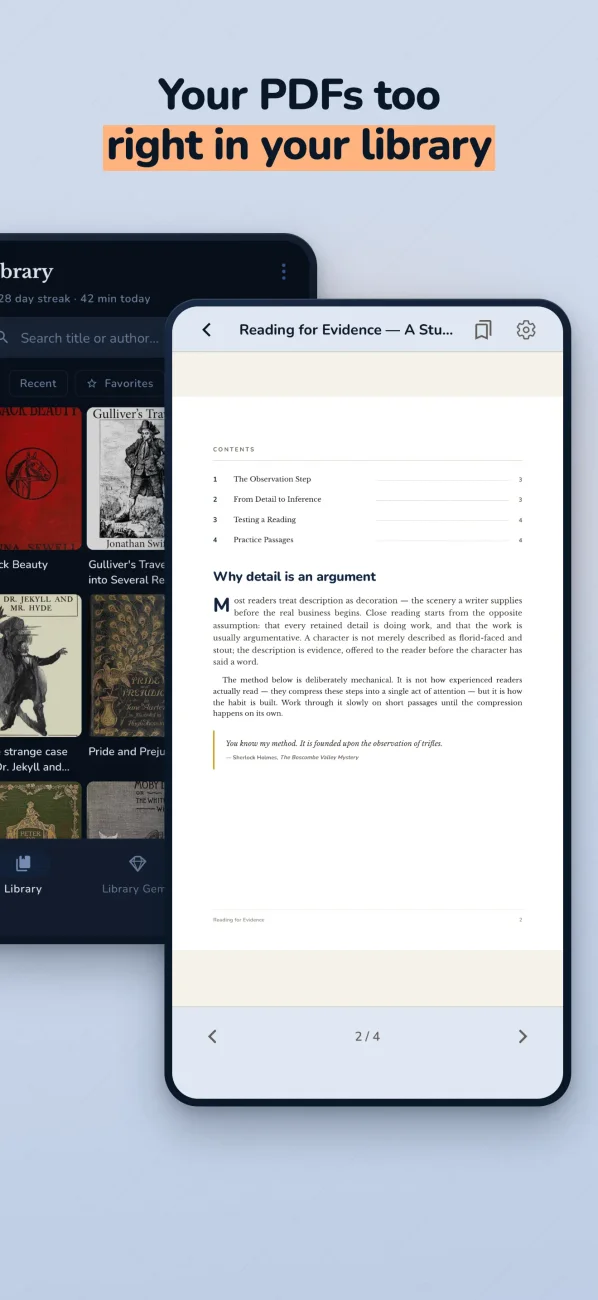
PDF READER INCLUDED
Open PDFs alongside your EPUBs. Fixed-layout rendering, working links and form fields, pinch-to-zoom, full-text search, and dark mode.
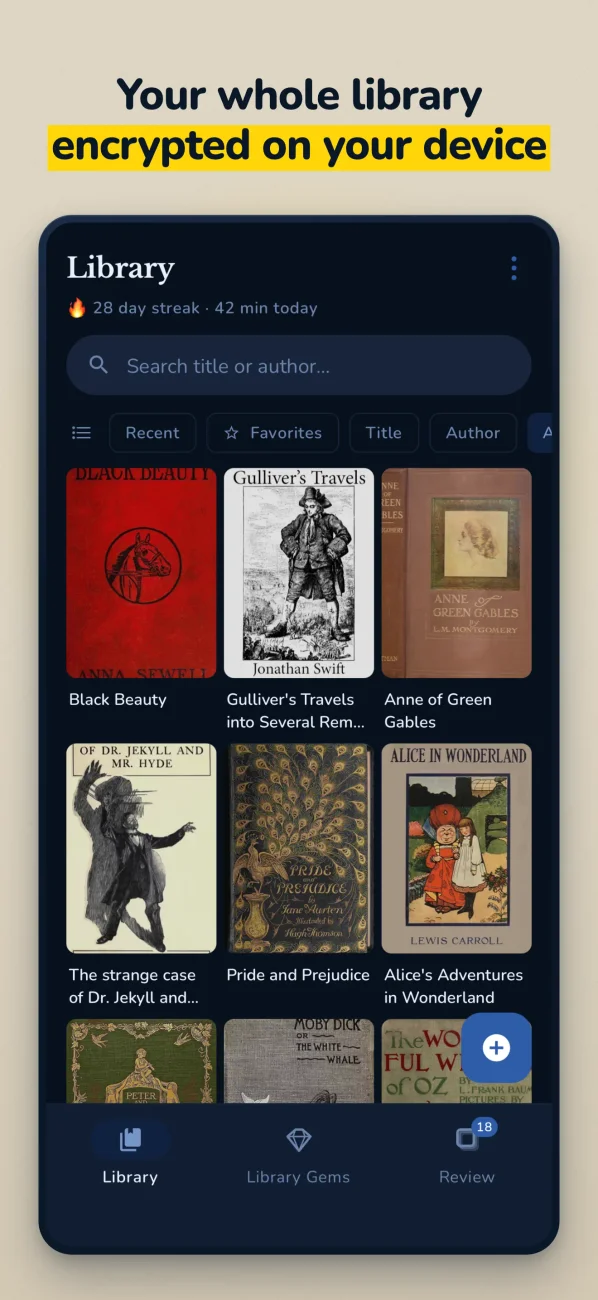
ENCRYPTED LIBRARY
Your books are encrypted at rest with AES-256-GCM. No plaintext file ever touches disk. Lock individual collections behind their own key, and lock the whole app with Face ID or a PIN when you put it down. Your books stay yours.
BUILT FOR OFFLINE READING
Everything works with the network off. No account is required, and nothing leaves your device unless you send it — to your own Google Drive or Readwise.
ORGANIZE A REAL LIBRARY
Grid and list views, nested collections with custom colors, cover art, full-text search across your library, table of contents, footnotes, image zoom, and reading history so you can jump back to where you were three chapters ago.
MADE COMFORTABLE TO READ
Light, dark, sepia, and high-contrast Ultra themes. Adjustable fonts, margins, and layout. Immersive full-screen reading. Tablet support on iPad. Interface in 18 languages.
SHARE WITHOUT THE CLOUD
Gem Beam hands a book, or a whole collection, to the phone next to you directly, device to device — no internet, no account, nothing leaving the room. Highlights, notes, reading position and study progress travel with them. You can also export a book as an encrypted .gem pack, optionally as a scannable QR code, or turn a favorite passage into a shareable quote card image.
WHO IT'S FOR
• Students working through interactive textbooks, workbooks, and study guides
• Language learners who need a dictionary, flashcards, and audio in one place
• Researchers and professionals who annotate heavily and need it to stay put
• Anyone who wants a private, offline ebook reader with no account attached
GemReader reads DRM-free EPUB, PDF, MOBI, AZW3, FB2, CBZ and TXT files. Import from your device, share into the app, or download from the catalogs above.
Note: iOS doesn't let apps block screenshots or screen recording.
What’s new
Version 1.56.2 · Nov 21, 2026
New in 1.56:
• Read it later: share a web link to GemReader, or use Save web article in the library's + menu. The article is saved as a book in a new Articles collection, reads offline, and works with highlights, read-aloud and flashcards. Nothing goes through a server.
• Daily reading: a book with one entry per calendar day, such as a devotional, opens on today's entry the first time you open it each day. A bell marks it until you have read in it that day, and your saved place is one tap away.
• Highlight export: HTML, CSV, Readwise, and an Obsidian vault folder that GemReader keeps up to date. All free.
• Book info: long-press a book to see its details, your progress, time read, gems and flashcards.
• Quote cards: an Edit button changes the title, author and quote text before you share.
• Bold word starts, under Font in the reading settings, for books in Latin, Greek and Cyrillic script.
• App Lock: an optional Duress PIN. Entering it erases every locked folder and its books, then opens the rest of the library as normal. After that, it is your App Lock PIN.
• Gem Beam: large books can be sent with their video and audio, up to 2 GB, and the receiving device checks for free space first. Beams between two iPhones can be faster, the steps are explained more clearly, and error screens offer Try again.
• Google Drive backup: large uploads wait for Wi-Fi unless you allow mobile data.
• Read-aloud: Chinese and Japanese are read without pauses between characters, Traditional Chinese uses a Taiwan voice, and a book with no matching voice shows a message instead of using the wrong one.
• Fonts: Korean punctuation is set in Korean style, and fonts that lack a book's letters are no longer offered.
• Chunked book storage is now called Private book storage. It stays on after a restart, library covers no longer go blank after books are converted, and moving books into a locked folder with it on no longer freezes the library.
• Installed dictionaries no longer have to be downloaded again after an app update.
• Very large EPUBs (2 to 4 GB) import, embedded videos keep playing after a reinstall or restore, and a note added in the image viewer opens right away.
• If the library list is ever lost, your book files are set aside for 30 days instead of being deleted.
• Ready for iOS 27.
App privacy
What Johan Christopher Nohall declares on the App Store about how this app handles data.
-
Data not collected
The developer does not collect any data from this app.
Privacy practices may vary, for example with the features you use or your age.
Information
- Seller
- Johan Christopher Nohall
- Category
- Books
- Version
- 1.56.2
- Updated
- Nov 21, 2026
- Released
- Nov 2, 2026
- Size
- 88.1 MB
- Requires
- iOS 18.0 or later
- Age rating
- 4+
- Price
- Free
- Languages
- English, Amharic, Arabic, Burmese, Cambodian, French, German, Hindi, Indonesian, Japanese, Korean, Portuguese + 6 more
- Copyright
- © 2026 Christopher Nohall
You might also like
-
 Last Page: EPUB & Book ReaderThe reader that writes back
-
 True EpubEPUB Document Reader
-
 Afterglow - EPUB ReaderYour books, in their own light
-
 OL ReaderListen to Your Books with AI
-
 catsreadBooks
-
 SorivBooks
-
 Nimbus Speed ReaderEPUB & PDF Books, Read Faster
-
 BeReader: EPUB & RSSPDF, MOBI, AZW3, TXT & Feeds
-
 ReadSense: Ebook & EPUB ReaderOne-Tap Meanings. No Spoilers
-
 SnailReadRead slowly, think deeply