- Age rating17+
- CategoryProductivity
- DeveloperGYEONG CHAE RA
- LanguagesEnglish+ 10 more
- Size5.9 MB
Links to the official App Store page
Download.org hosts no file of Genogram Maker. The button opens its official App Store page, published by GYEONG CHAE RA. Listing last checked on Nov 23, 2026.
Screenshots
About
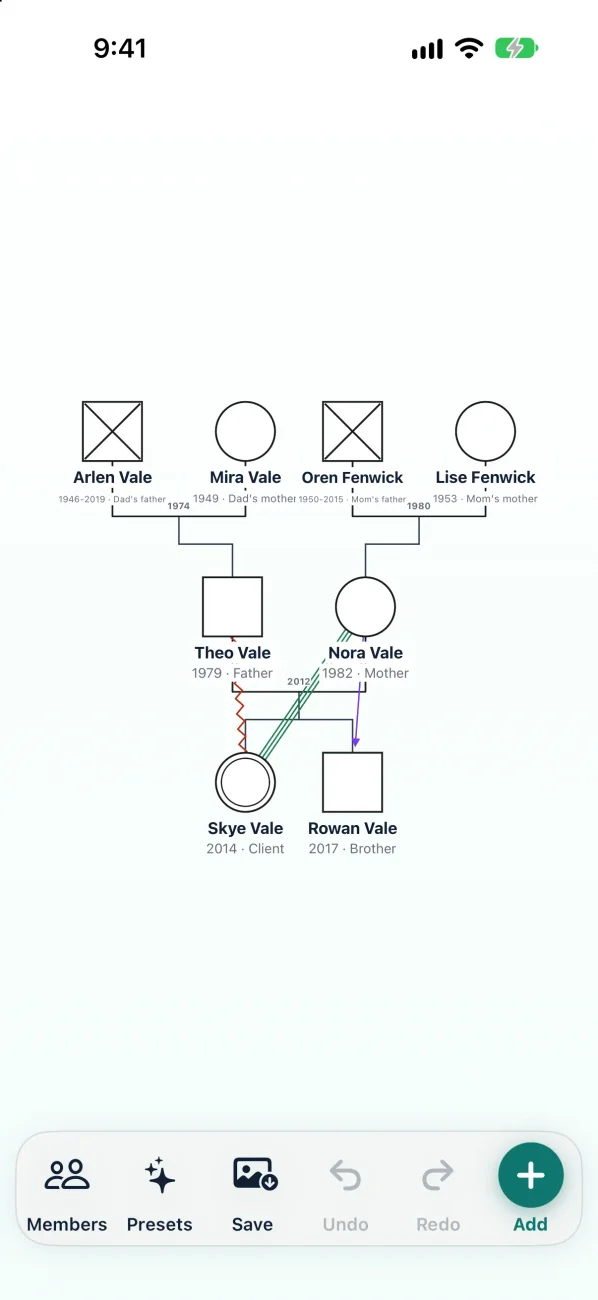
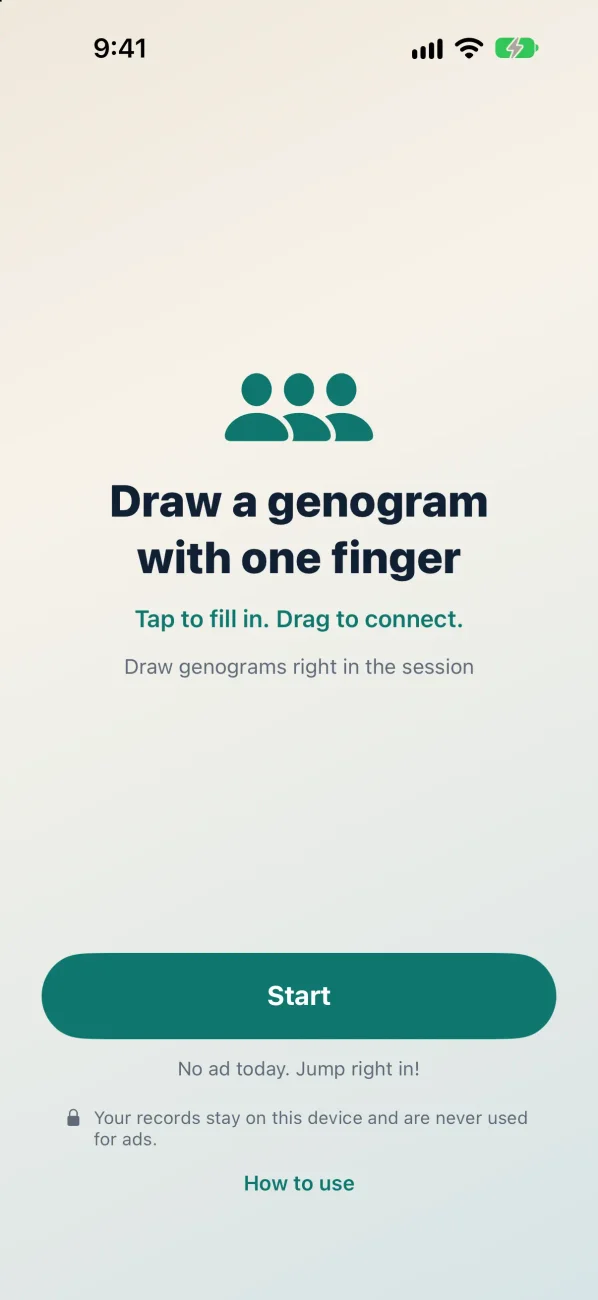
Genogram Maker lets you draw a genogram on your iPhone with one finger. It is built for counselors, social workers, and case managers who need a family map during an interview or while writing notes.
ONE-SCREEN INPUT
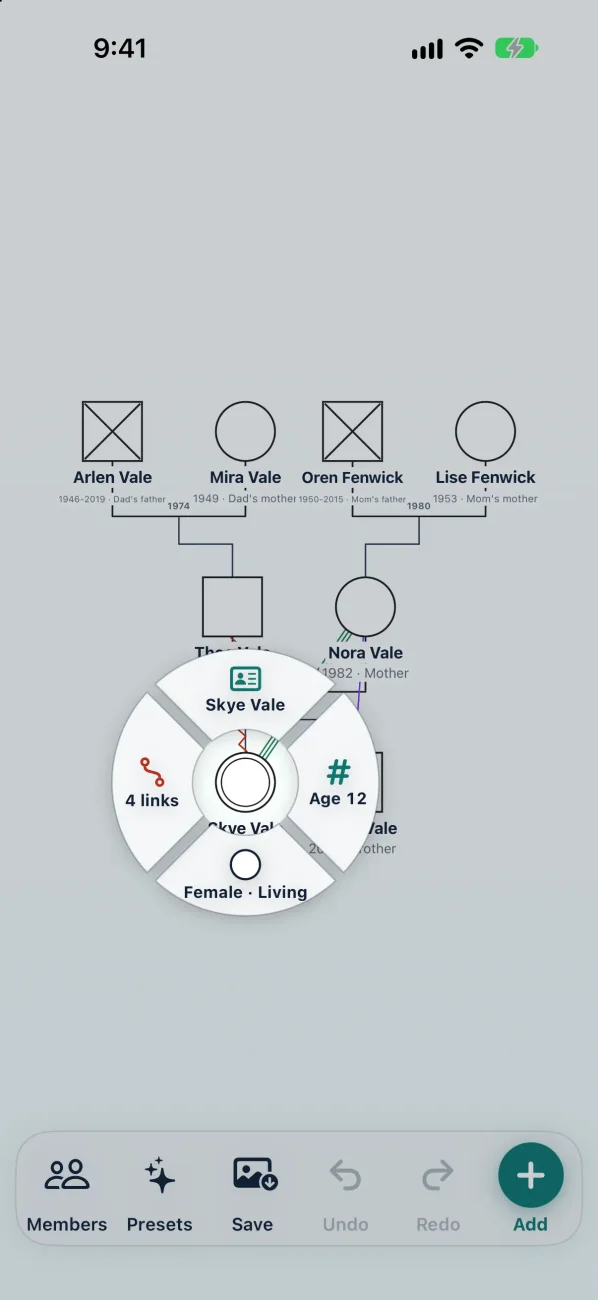
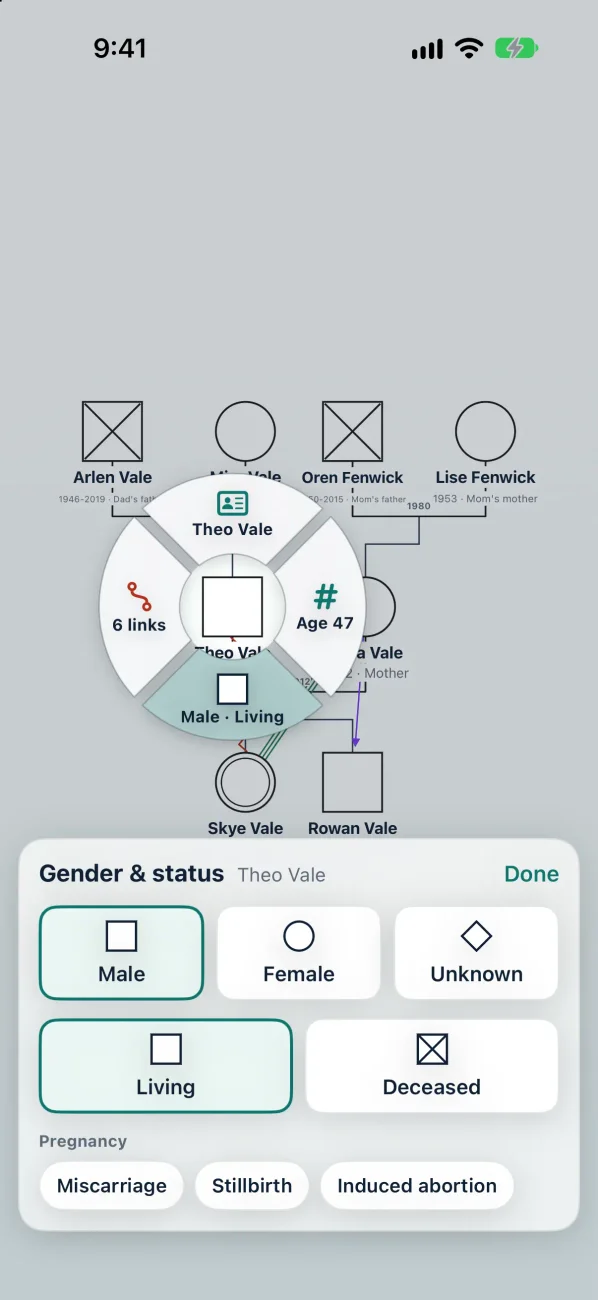
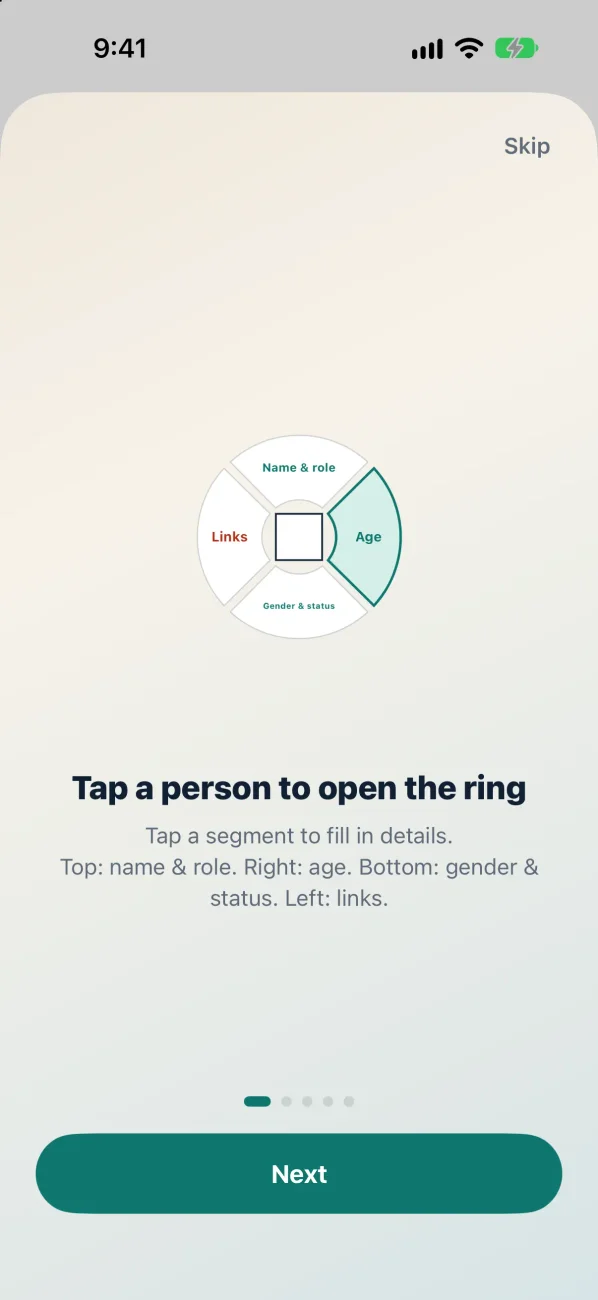
• Tap a person to open a four-part ring: name & role, age, gender & status, links
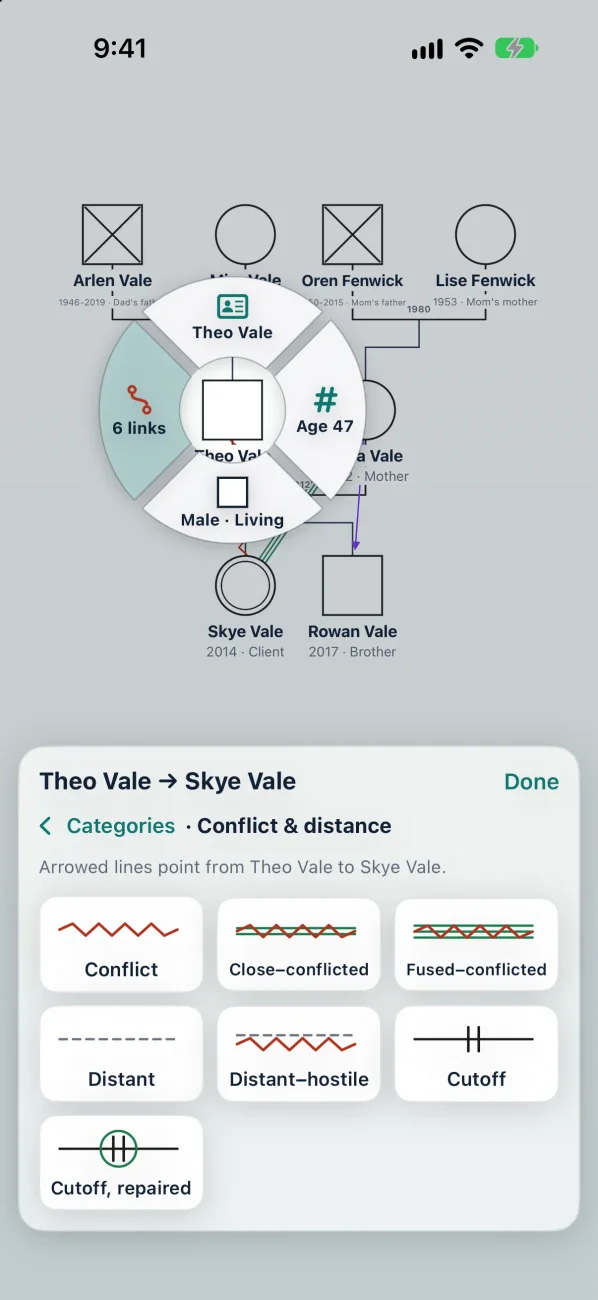
• Drag the links segment onto another person, then pick the relationship
• Presets for a 3- or 4-person family
• Undo and redo
• A short how-to guide for first-time users
GENOGRAM NOTATION
• Marriage, cohabitation, separation, divorce; parent–child, adoption, foster care; twins
• 28 relationship lines: close, conflict, distant, cutoff, focused, controlling, violence, abuse and more
• Client (index person) marker, year of death, miscarriage, stillbirth and induced abortion
SAVING
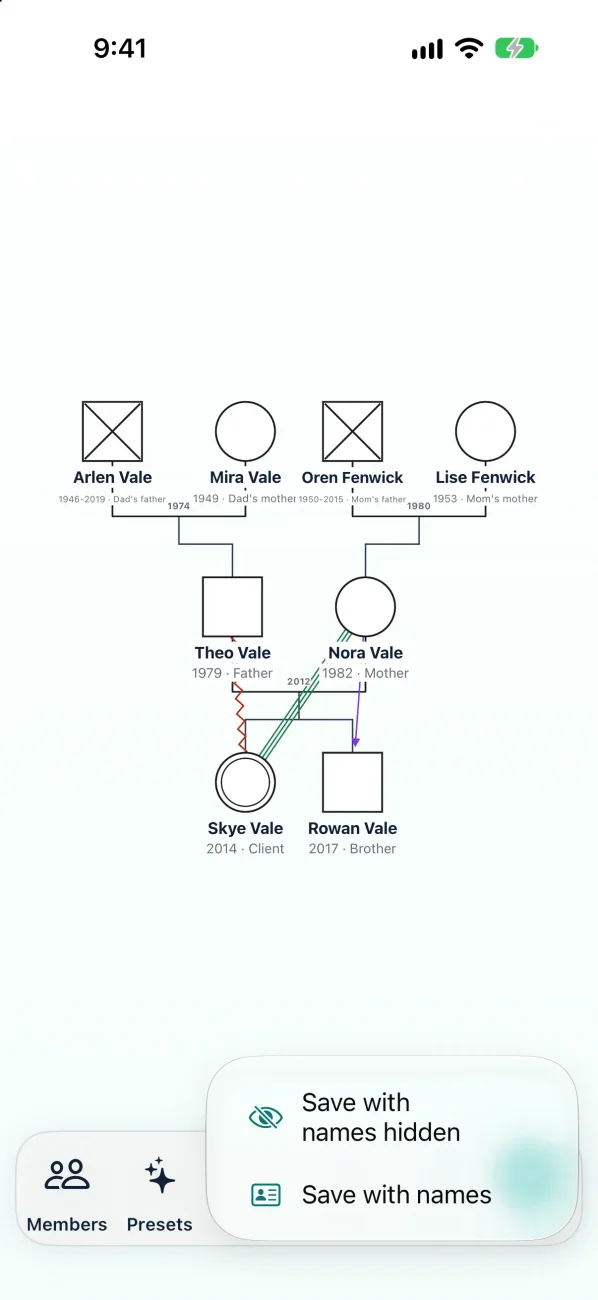
• Save the finished genogram to Photos as a JPG (add-only access; existing photos are never read)
• Save with names hidden for safer sharing and reporting
PRIVACY
• No sign-up, no login, no server. Nothing you enter is sent anywhere.
• Work in progress is kept only on this device, encrypted, excluded from backups, and deleted after 24 hours.
• Content is hidden in the app switcher.
• Images saved to Photos sync if iCloud Photos is on. Please check your organization's policy.
ADS
The app is free. A small banner sits at the top of the drawing screen, and once a day a full-screen ad plays when you tap "Watch an ad to start" on the start screen. Before the first ad loads, the app asks whether you allow tracking; ads are personalized only if you allow it. Your genogram content is never used for ads, and ads never appear in saved images.
What’s new
Version 1.0.3 · Nov 20, 2026
• Relationship lines that pass behind a person now break only around the symbol and name, so they look cleaner.
• Names and years now sit a little farther from the symbols for easier reading.
• Fixed an issue where the divorce or separation marks on the bottom couple line were cut off in saved images.
• In saved images, very long names are now shortened with "…" so they no longer overlap the name next to them.
App privacy
What GYEONG CHAE RA declares on the App Store about how this app handles data.
-
Data used to track you
May be used to track you across apps and websites owned by other companies.
- Identifiers
- Usage data
-
Data linked to you
May be collected and linked to your identity.
- Location
- Identifiers
- Usage data
-
Data not linked to you
May be collected but is not linked to your identity.
- Diagnostics
Privacy practices may vary, for example with the features you use or your age.
Information
- Seller
- GYEONG CHAE RA
- Category
- Productivity
- Version
- 1.0.3
- Updated
- Nov 20, 2026
- Released
- Nov 11, 2026
- Size
- 5.9 MB
- Requires
- iOS 17.0 or later
- Age rating
- 17+
- Price
- Free
- Languages
- English, French, Indonesian, Japanese, Korean, Portuguese, Simplified Chinese, Spanish, Thai, Traditional Chinese, Vietnamese
- Copyright
- © 2026 라라트윈스
You might also like
-
 BelioBirthday Reminder App
-
 AyudandoProductivity
-
 Birthrack: Birthday TrackerNever miss birthdays
-
 Flick - 플릭Productivity
-
 iZYREC Recorder AppRemote control for iZYREC
-
 FocusDown: Flip to Focus TimerADHD Study, Live Town Clock
-
 iPonto MobileProductivity
-
 MiniMoreMaxMake habits fit your life.
-
 맞춤법 검사기 - 우리말 맞춤법 검사기빠르고 편리한 맞춤법 검사기