GeoHook
Location-based Automation
Designed for iPhone, iPad
Free · In-app purchases
- Age rating4+
- CategoryUtilities
- Developercreative-it Software & Consulting e.U.
- LanguagesEnglish+ 1 more
- Size7.3 MB
Links to the official App Store page
Download.org hosts no file of GeoHook. The button opens its official App Store page, published by creative-it Software & Consulting e.U. Listing last checked on Nov 18, 2026.
Screenshots



About
On its own, iOS geofencing often reports arrivals and departures late — exits in particular can arrive several hundred meters down the road. GeoHook makes sure your automations fire on time: arrive, and the garage is already opening; drive off, and it closes right behind you.
WHAT GEOHOOK DOES DIFFERENTLY
• PRECISE ARRIVALS. As you approach an area, GeoHook switches to a high-accuracy iOS 17+ background location session ("Precision Monitoring") with exact-boundary detection, hysteresis, debounce and directional lead-in zones — so arrivals fire at the boundary, not minutes later.
• PRECISE EXITS WHEN YOU DRIVE OFF (Premium). When your car connects via CarPlay or its Bluetooth hands-free system while you are still inside an area, GeoHook turns on precise location for up to five minutes. The exit is typically detected a few dozen meters past the boundary, and your exit actions run right away. A Shortcuts automation with GeoHook's "Vehicle connected" action wakes GeoHook even when it isn't running. No extra hardware needed.
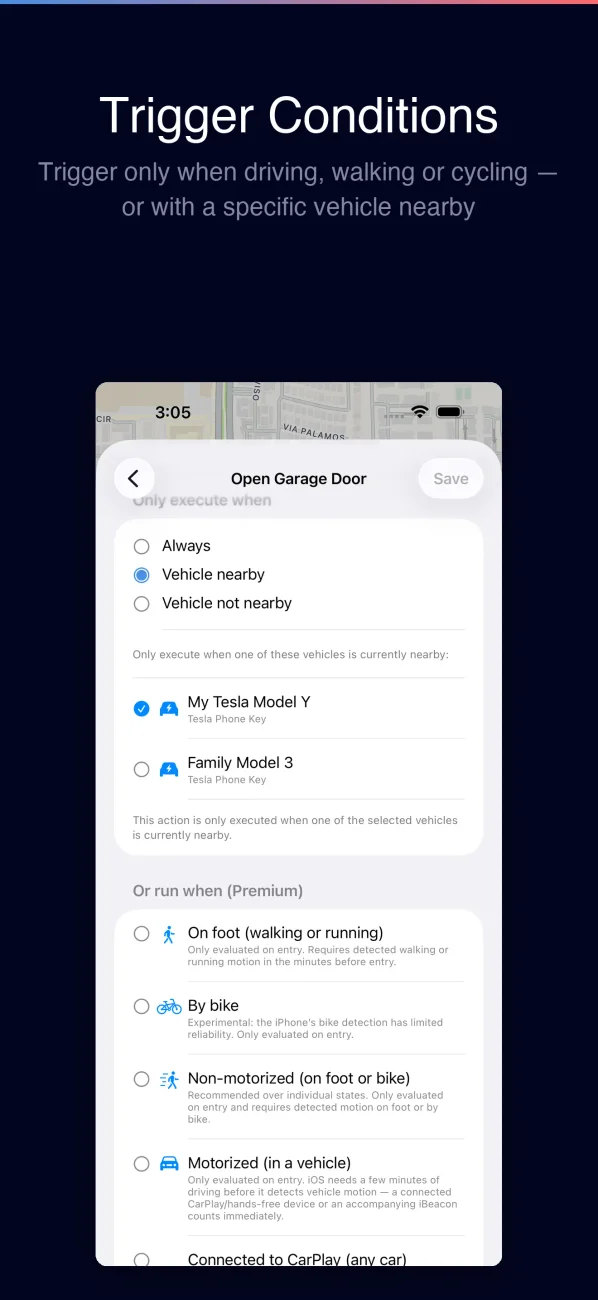
• YOUR CAR BECOMES A CONDITION. Fire a webhook only when your car is actually with you. GeoHook detects any car via CarPlay or its Bluetooth hands-free system (Premium), a Tesla via Phone Key, or any vehicle with an iBeacon on board. Your garage opens when you DRIVE home — not when you walk past.
• HOW YOU ARRIVE BECOMES A CONDITION (Premium). Trigger different actions depending on whether you arrive on foot, by bike or motorized — detected on-device from your iPhone's motion, no extra hardware needed. Open the garage when you come home from your bike ride and keep the garage closed when you're just walking the dog past the house.
• DRIVING FOCUS AS A CONDITION (Premium). Let webhooks depend on whether your iPhone's Driving Focus is active — set up once with a Shortcuts automation or a Focus filter.
WORKS WITH YOUR SETUP
Send HTTP webhooks (GET/POST/PUT/PATCH) to Home Assistant, Homey, IFTTT, n8n, Apple Shortcuts or any custom API. If it accepts a web request, GeoHook can trigger it.
BUILT FOR CONTROL & TRANSPARENCY
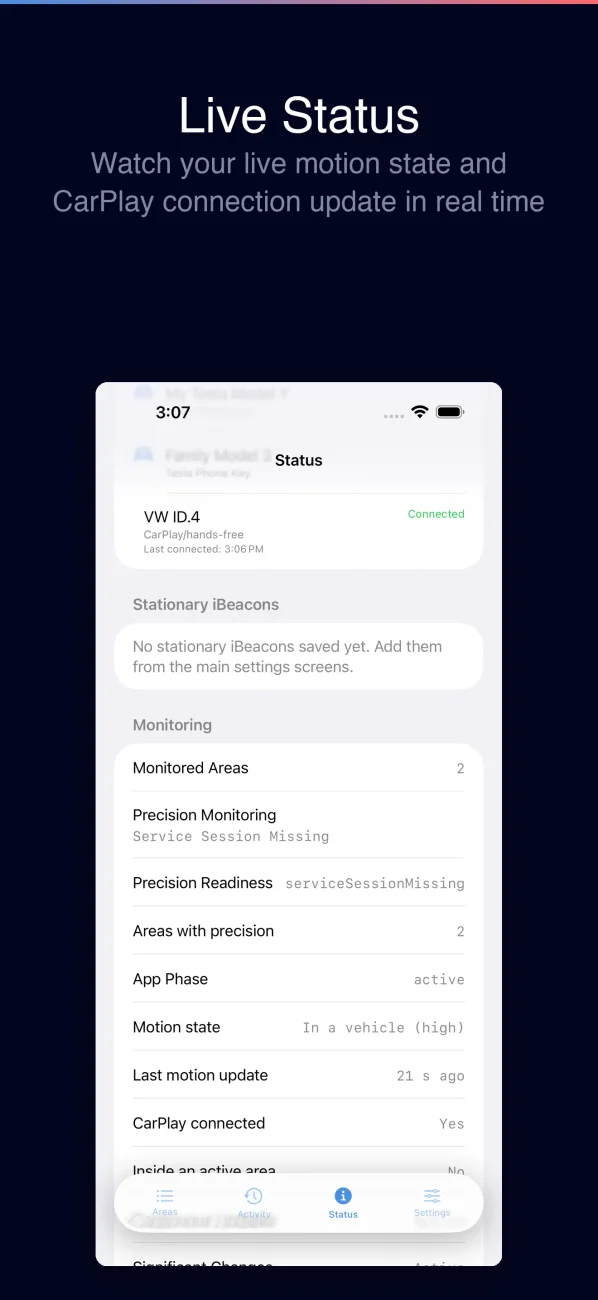
• Live status: watch your current motion state and CarPlay connection update in real time
• Flowchart view of your trigger logic — see exactly why an action fires or doesn't
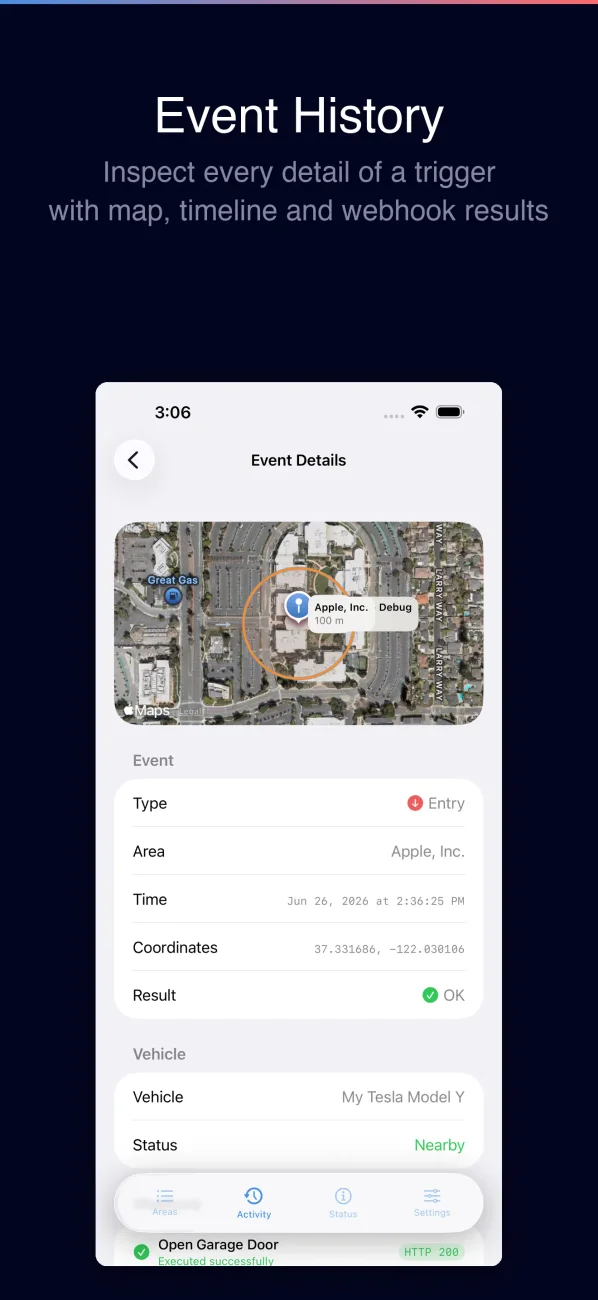
• Detailed event timeline with a map of each trigger point, distance and request metrics
• Per-area notifications and a status dashboard
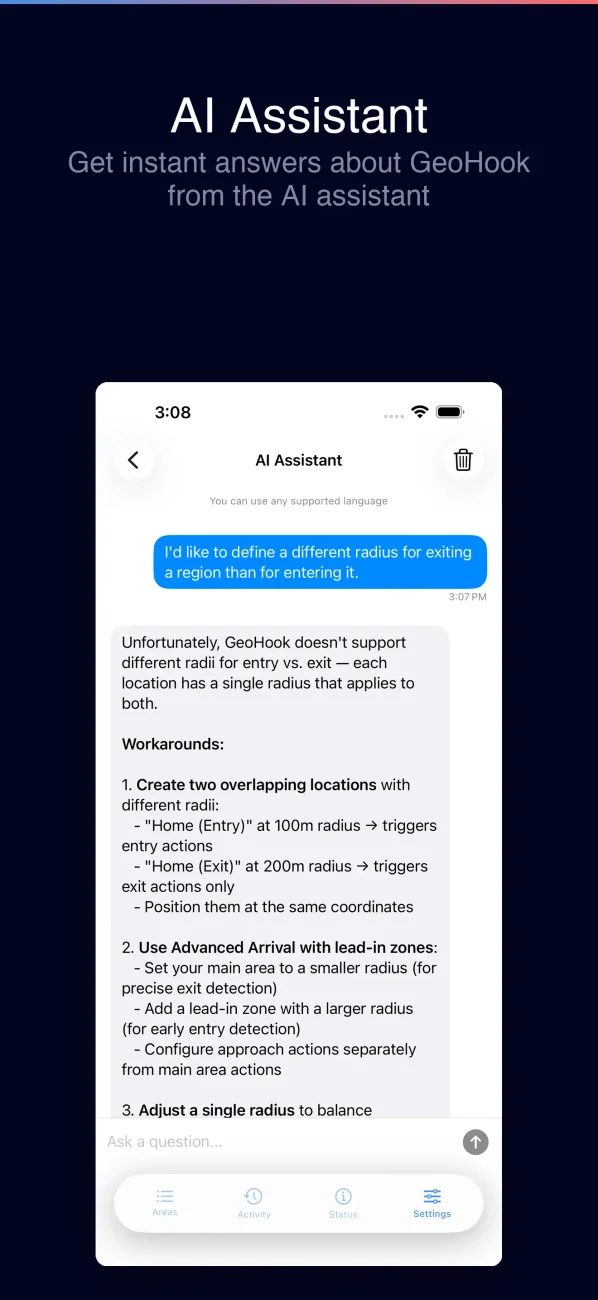
• AI help assistant on every screen — with a subscription and your consent, it checks your setup and finds out why something didn't fire
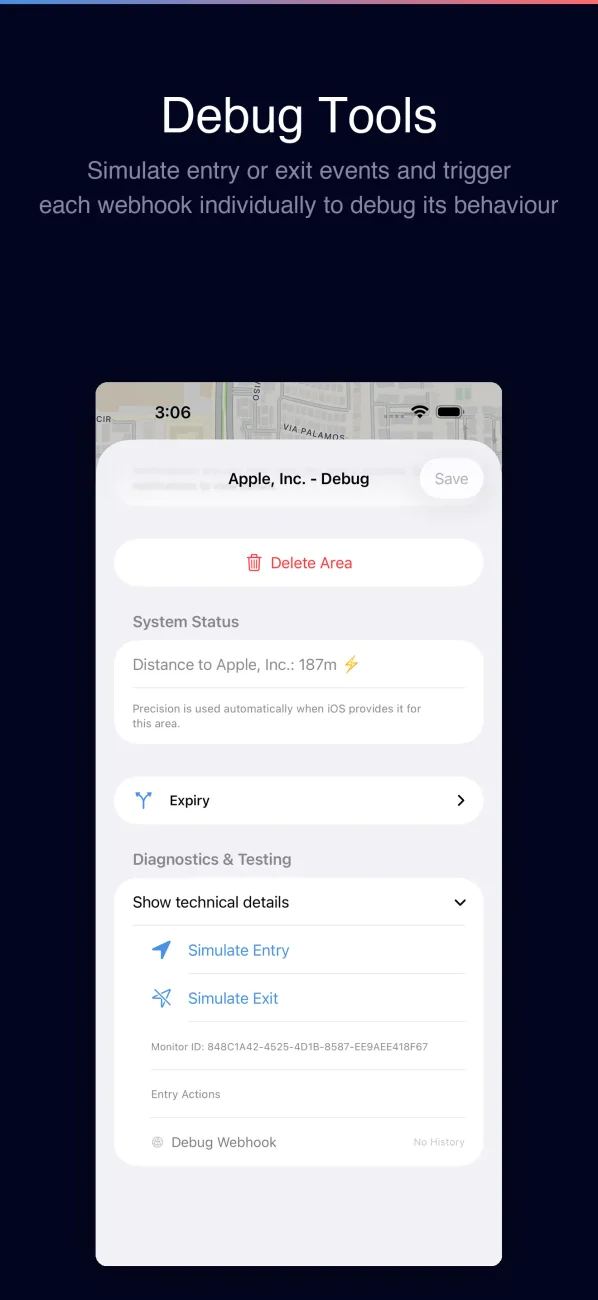
• In-app debug tools and optional extended support from our team
PRIVACY FIRST
GeoHook never uploads your location or motion data — no cloud location storage, no tracking, no ads. Requests go only to the endpoints you configure. Webhook credentials are stored in the iOS Keychain. GDPR compliant.
MORE
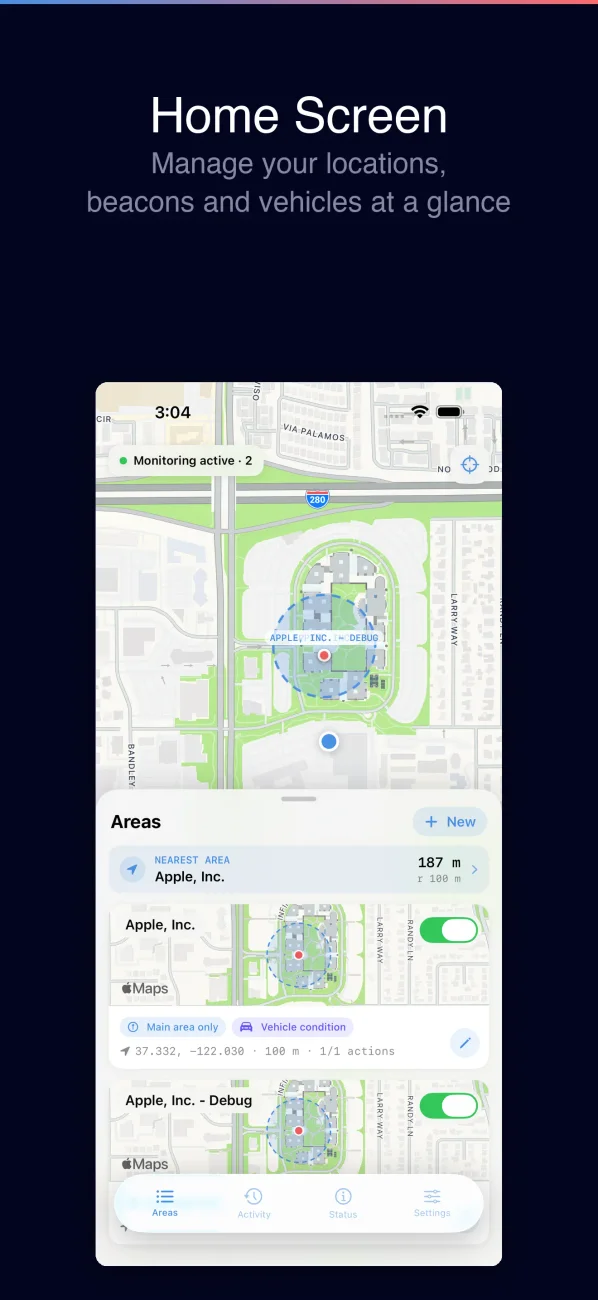
• Monitor up to 20 areas, with multiple webhooks per area
• iCloud config sync across your devices
• Smart battery management
• Apple Family Sharing support (Family plans)
PRICING
Core geofencing and webhooks are FREE FOREVER.
• GeoHook Premium (monthly, Family plan available): precise exit with your car, movement conditions, CarPlay/hands-free car detection, Driving Focus — plus everything from Tesla & iBeacon. Precise exit starts from the CarPlay/hands-free connection, which is why it is part of Premium.
• GeoHook Tesla & iBeacon (monthly): Tesla Phone Key detection, iBeacon vehicle and area detection.
Terms of Use (EULA): https://www.apple.com/legal/internet-services/itunes/dev/stdeula/
Tesla and Apple are trademarks of their respective owners. GeoHook is an independent app and is not affiliated with, endorsed, or sponsored by Tesla or Apple.
What’s new
Version 2.5 · Oct 29, 2026
Compatibility
- Support for iOS 27
New Features
- Precise exit with vehicle (Premium): When a selected vehicle connects via CarPlay or hands-free while you are inside an area, GeoHook starts precise location tracking for up to five minutes. The exit is detected right at the area boundary; the exit action runs only once the exit is detected. Several vehicles can be selected per location
- New Shortcuts action “Vehicle connected”: a Shortcuts automation on a Bluetooth or CarPlay connection gives GeoHook background running time, so precise exit also starts when GeoHook is not currently running
- Setup help in the vehicle selection: step-by-step instructions, a button that opens the Shortcuts app, and when the automation last woke GeoHook
- New “Precise exit with vehicle” guide in English and German, available directly from the app
- Separate notifications when a precision session starts for entry or exit; the event history shows whether a precision session was active for an entry or exit
- The help assistant can check your setup (with a subscription): with “Diagnostics” turned on, it sees permissions, configuration and recent triggers and finds the cause of problems. Settings → Support & Diagnostics shows exactly which data is sent; coordinates, full webhook URLs and credentials never leave the device
- Help assistant answers can be copied and shared. The assistant is now available on every screen by default through a floating button. Press and hold it to drag it anywhere on the screen; hide it in Settings → Support & Diagnostics
Improvements
- Deleting a vehicle now asks for confirmation and shows which actions will be disabled or changed and for which locations precise exit will be turned off. Actions whose only condition was the deleted vehicle are disabled so they do not fire without a vehicle
- Tesla vehicles are recognized as “Tesla” during iBeacon setup
- The chat in Settings and the floating chat button now show the same conversation
- The help assistant now runs on Anthropic's Claude Haiku 5.5 AI model
Bug Fixes
- Vehicle setup now lists only CarPlay and hands-free connections. Bluetooth music-only ports are hidden and matching ports are grouped together
- When approaching through a lead-in area, precise tracking switched off and back on with every location update and sent the precision session start notification several times in a row. Precise tracking now stays on until you arrive, and the notification is sent only once
App privacy
What creative-it Software & Consulting e.U. declares on the App Store about how this app handles data.
-
Data not collected
The developer does not collect any data from this app.
Privacy practices may vary, for example with the features you use or your age.
Information
- Seller
- creative-it
- Category
- Utilities
- Version
- 2.5
- Updated
- Oct 29, 2026
- Released
- Jan 19, 2026
- Size
- 7.3 MB
- Requires
- iOS 17.6 or later
- Age rating
- 4+
- Price
- Free
- In-app purchases
- Yes
- Languages
- English, German
- Copyright
- © 2026 creative-it Software & Consulting e.U.
You might also like
-
 LocHookBackground location webhooks
-
 mDNS-BrowserBrowse local network services
-
 Network MonitorUtilities
-
 Welding Sheet Metal CalculatorBend, Flat Pattern & Fab Math
-
 BeaconatorBroadcast & Scan iBeacons
-
 BleD ConfigCreate Bluetooth LE Controller
-
 MyBeaconerMyBeaconer
-
 RadToolRadiation Safe Distance
-
 Driver Talk: Car IntercomFamily Walkie Talkie & Mic
-
 Domus (872e4c)A Home Assistant alternative