
Geoid Globe: World Clock
Time zones, true Earth shape
Designed for iPhone, iPad, Mac
Free
- Age rating4+
- CategoryProductivity
- DeveloperOLEG STASYUK
- LanguagesEnglish+ 3 more
- Size47.7 MB
Links to the official App Store page
Download.org hosts no file of Geoid Globe: World Clock. The button opens its official App Store page, published by OLEG STASYUK. Listing last checked on Nov 12, 2026.
Screenshots

About
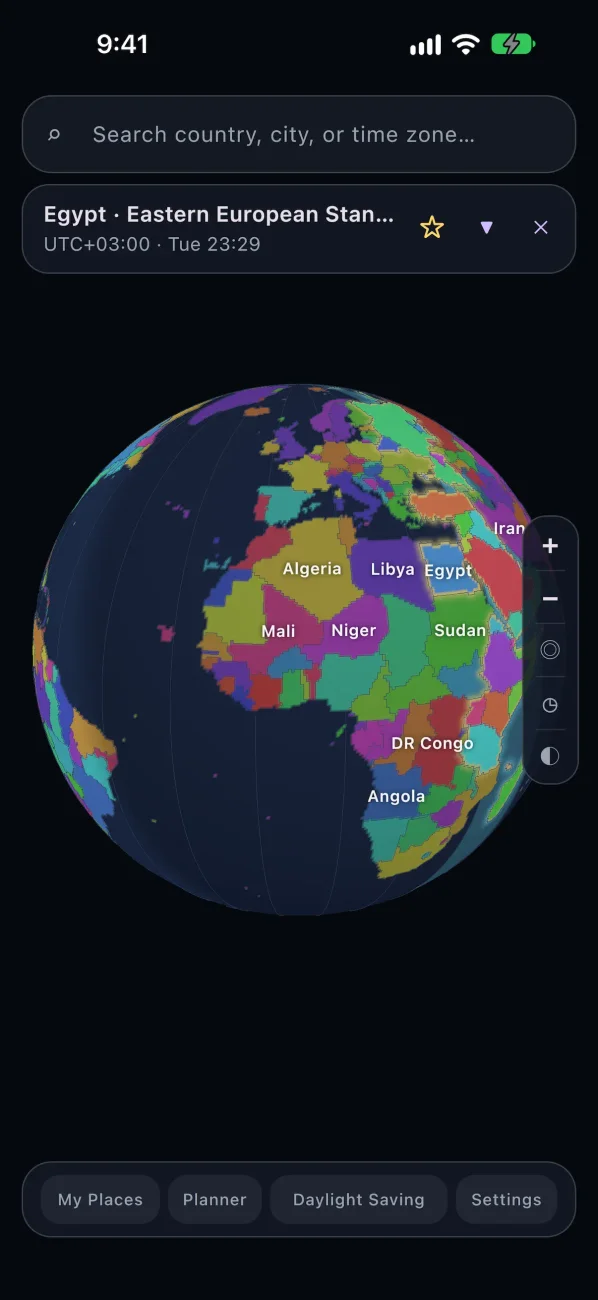
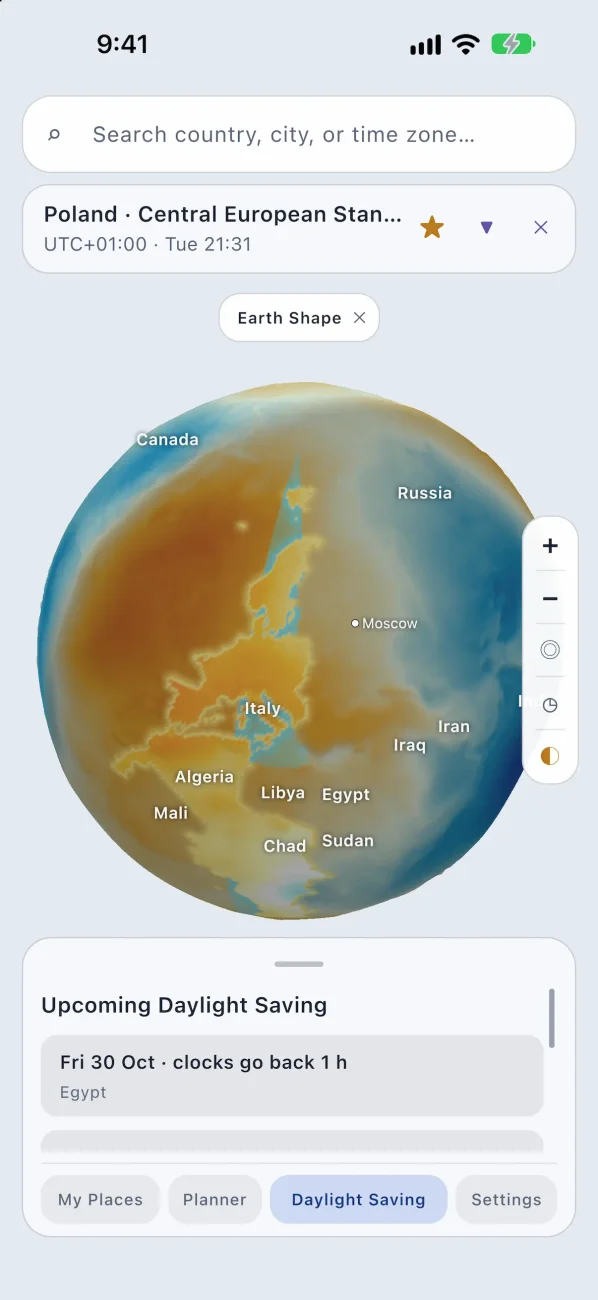
See the time everywhere on one interactive 3D globe. Geoid Globe shows every time zone, its UTC offset and the local time, and it shows Earth's true shape: the geoid. Spin the globe, tap a zone, and save the places you follow.
WORLD CLOCKS
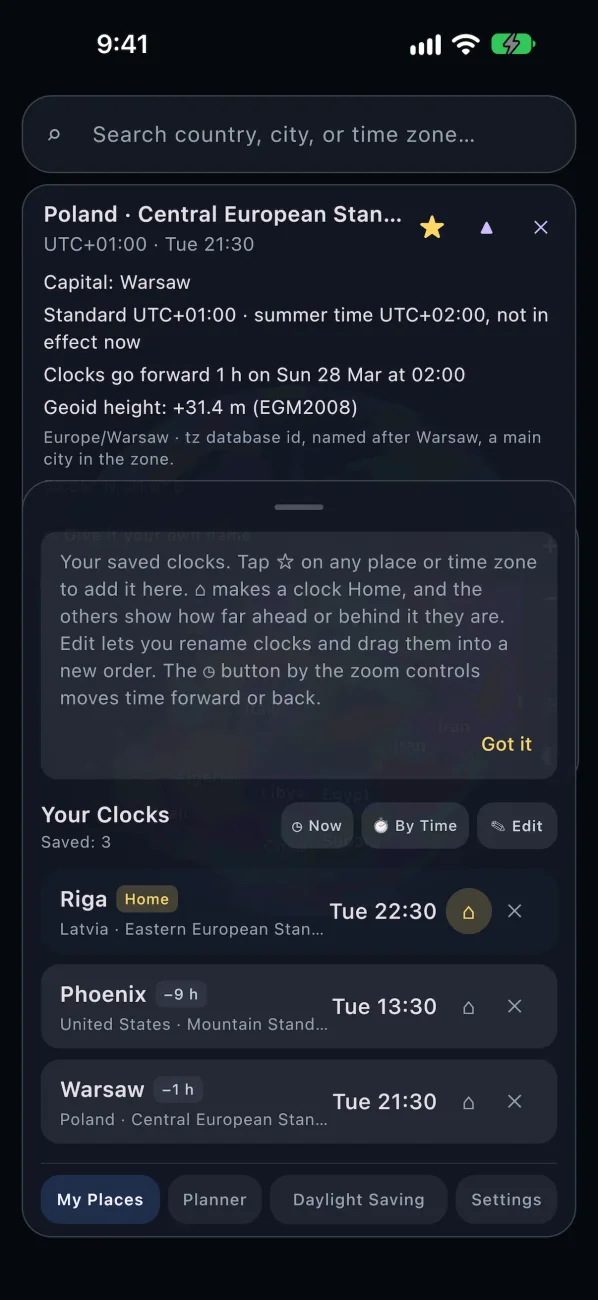
• My Places: save clocks for the cities and zones you follow, and set one as Home.
• Current time zone: follows your phone, so it stays right when you travel.
• Separate Homes for your places and your time zones. Each clock shows how far ahead or behind its Home it is.
• Edit: rename clocks, drag them into a new order, and resize the panel.
• Hide any clock from the widgets.
• Move the time forward or back to see the hour on every clock.
• 12-hour or 24-hour clock.
PLANNER
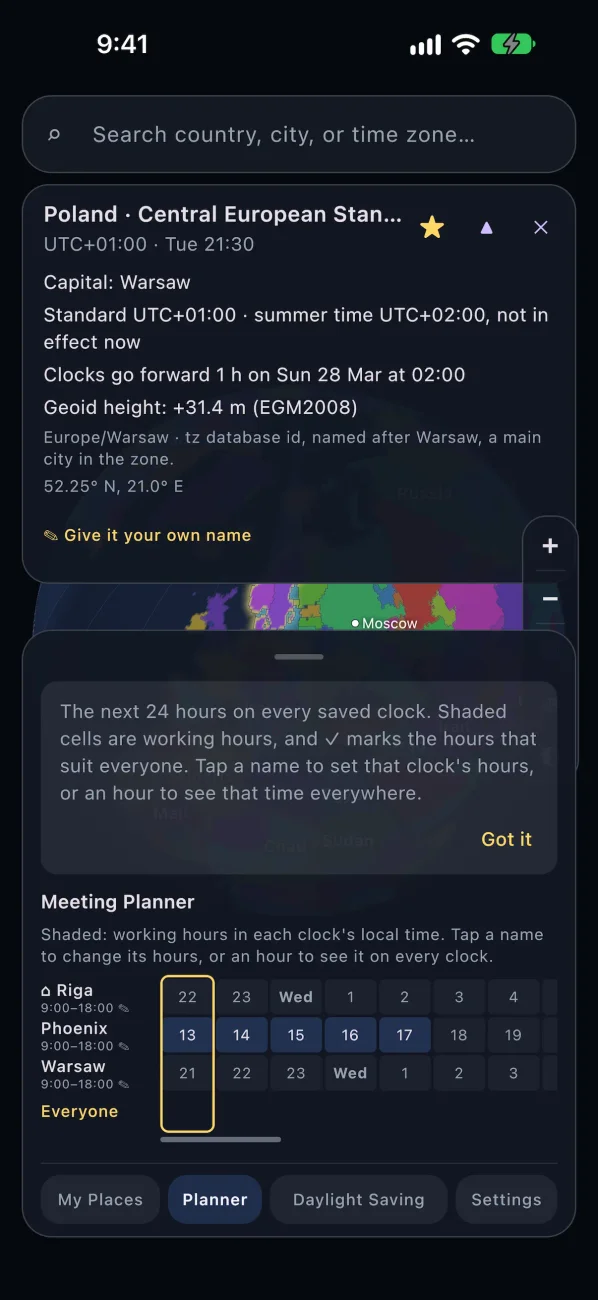
• The next 24 hours on every saved clock, in one grid.
• Set working hours for everyone, or for each clock on its own, including hours that run past midnight.
• Hours that suit everyone are marked.
• Tap an hour to see that time on every clock.
FIND ANY PLACE
• Search by country, city or time zone.
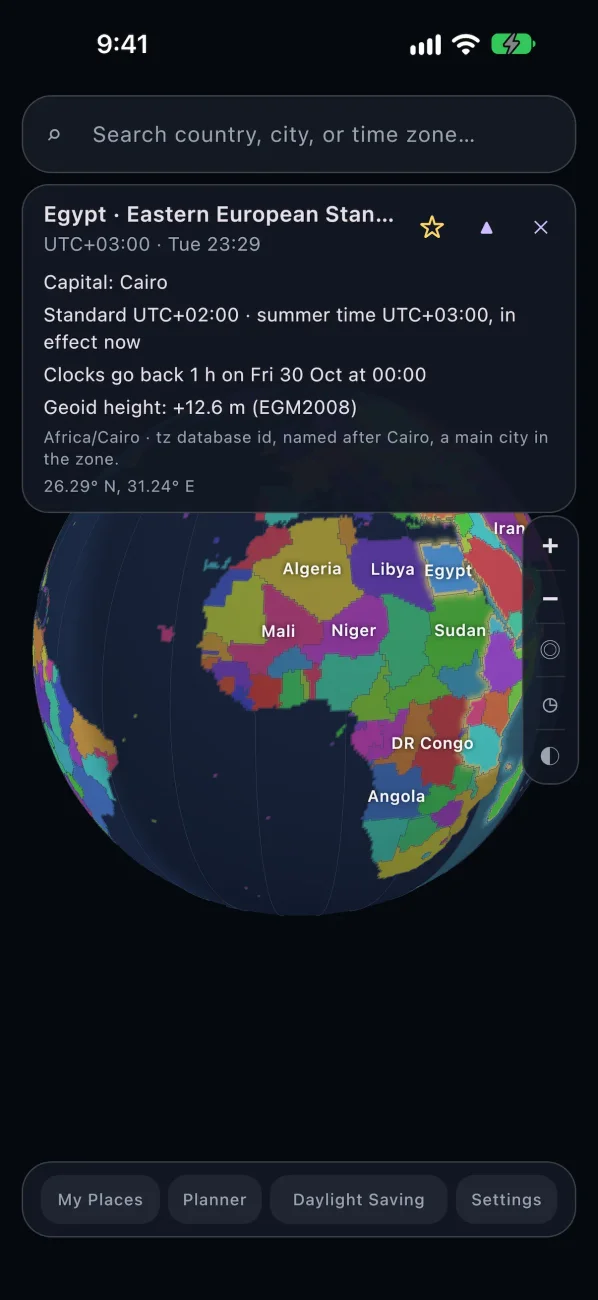
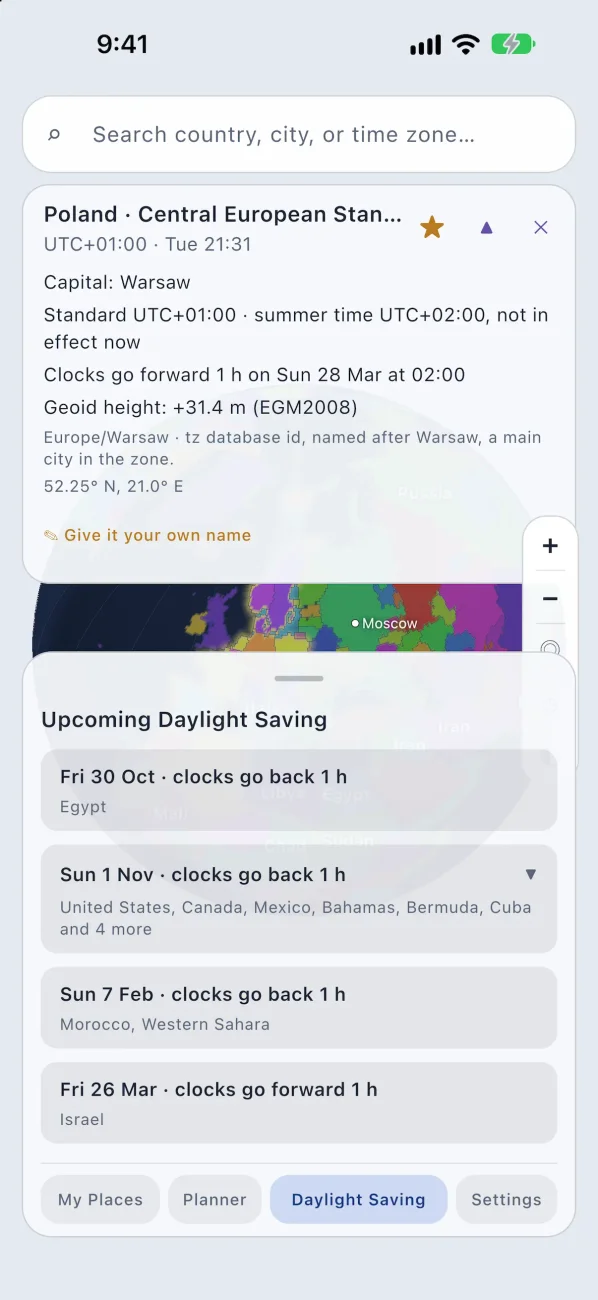
• Tap a time zone to see its capital and its UTC offsets.
• Tap a country for facts about its history, economy, landmarks and cuisine.
• Country and city names in your language.
DAYLIGHT SAVING
• See the upcoming clock changes for each zone and when they happen.
EARTH'S TRUE SHAPE
• Show the geoid, the surface where sea level would settle under gravity alone, next to the smooth WGS84 ellipsoid.
• Tap the globe to read the geoid height at that spot.
• Height view: land and sea floor in colour, with a legend, hill shading and its own exaggeration slider.
• Rivers on the globe, with more of them as you zoom in.
HOME SCREEN WIDGETS
• My Places and Planner widgets. Move their time with −1 h and +1 h, and tap a widget to open it in the app.
APP
• A short welcome tour, repeatable from Settings.
• Light or dark theme.
• Find out when a new version is out, and update in a tap.
• Works on iPhone and iPad, in any orientation, including Split View.
What’s new
Version 1.0.8 · Nov 10, 2026
• Country facts: tap a country for its history, economy, landmarks and cuisine
• Current time zone in My Places follows your phone, so it stays right when you travel
• Separate Home for your places and for your time zones
• Hide any clock from the widgets
• Height view with colour, a legend, hill shading and its own exaggeration slider
• Rivers on the globe, and a sharper globe
• Country and city names in your language
• A welcome tour, repeatable from Settings
• Find out when a new version is out, and update in a tap
• iPad works in any orientation, including Split View
• Faster start and a smoother time slider
App privacy
What OLEG STASYUK declares on the App Store about how this app handles data.
-
Data not linked to you
May be collected but is not linked to your identity.
- Identifiers
- Diagnostics
Privacy practices may vary, for example with the features you use or your age.
Information
- Seller
- OsiVibeCode LLC
- Category
- Productivity
- Version
- 1.0.8
- Updated
- Nov 10, 2026
- Released
- Nov 9, 2026
- Size
- 47.7 MB
- Requires
- iOS 16.0 or later
- Age rating
- 4+
- Price
- Free
- Languages
- English, French, German, Russian
- Copyright
- © 2026 OsiVibeCode LLC
You might also like
-
 Nova – Notes & TâchesProductivity
-
 Tik8 To-Do List: Daily PlannerTasks, reminders & week plan
-
 JotStayQuick Notes to Lock Screen
-
 Slate To-Do: List WidgetsTick off right in the widget
-
 Horizontal - CalendrierProductivity
-
 Monolist: To Do List & TasksSmart Reminders & Rich Notes
-
 Don't Forget Notes: WidgetsSticky notes on Home & Lock
-
 Foodle - The Original ListThe fastest list in the West
-
 Simple Notes WidgetChecklist widget & sync
-
 My Tasks – To-Do List OfflineOffline to-do list & reminders