Geometry & Formula Calculator
Unit Converter and Show Work
Designed for iPhone, iPad
Free
- Age rating4+
- CategoryEducation
- DeveloperTarek Haidar
- LanguagesEnglish
- Size3.0 MB
Links to the official App Store page
Download.org hosts no file of Geometry & Formula Calculator. The button opens its official App Store page, published by Tarek Haidar. Listing last checked on Nov 14, 2026.
Screenshots

About
Formula is a teaching-style geometry and math calculator that shows its work — and it's free for a limited time.
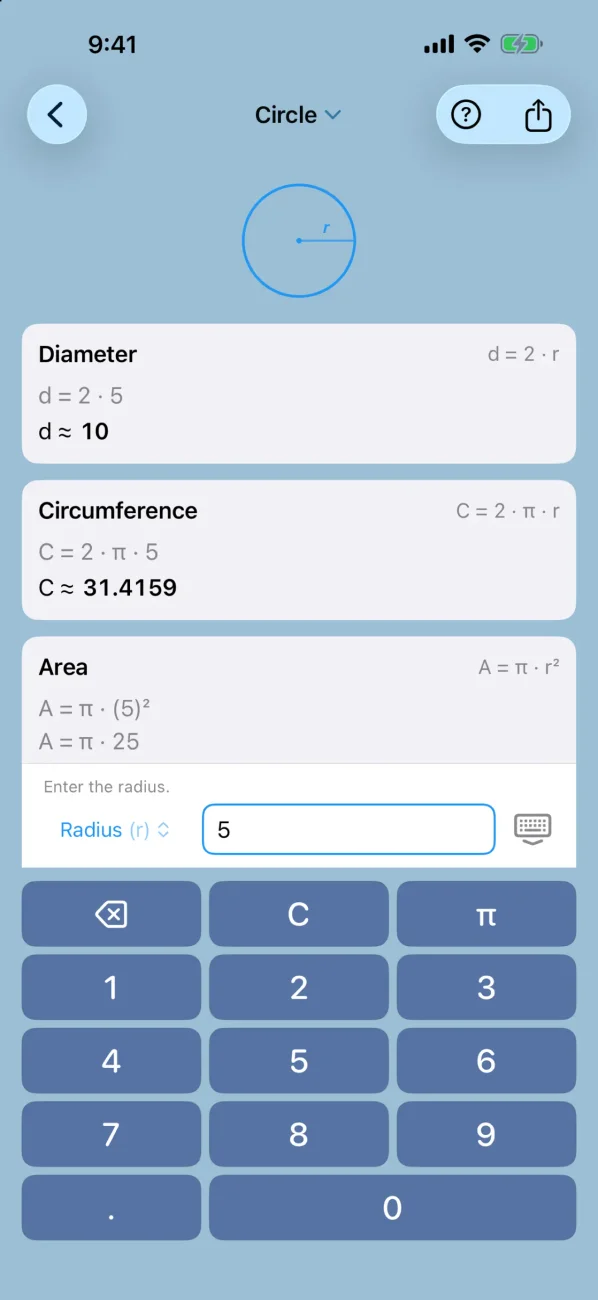
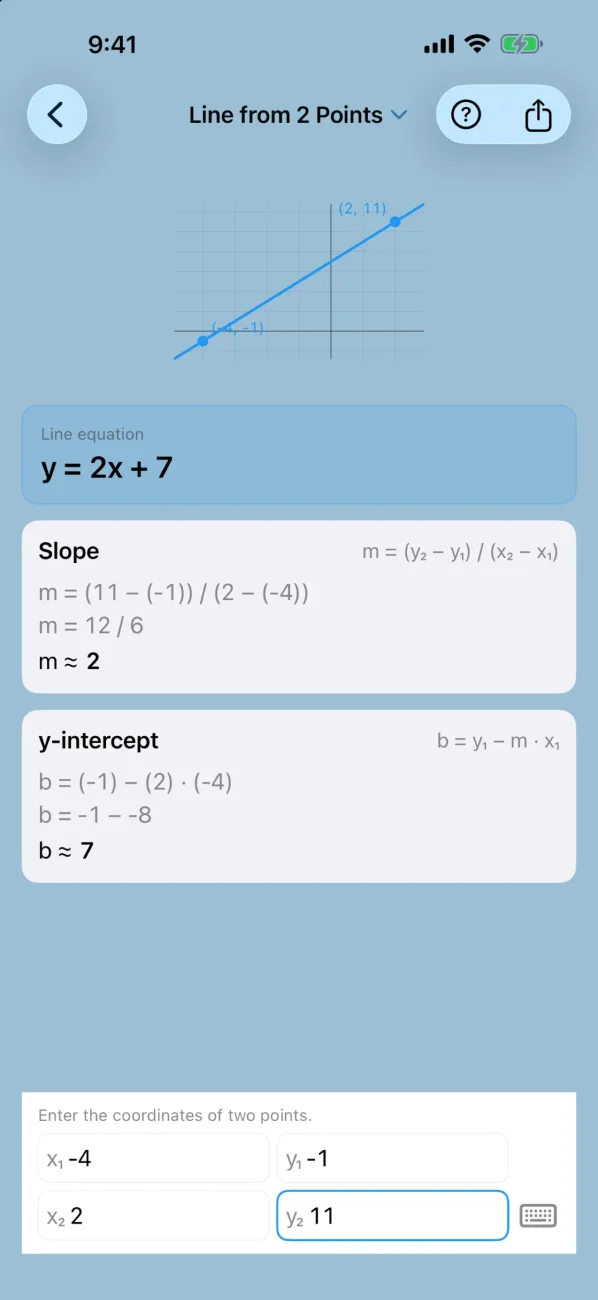
Every result walks you through the formula, the substitution, the intermediate step, and the final answer — the same way a teacher writes it on the board. Built for students, parents helping with homework, and anyone who'd rather understand the answer than just see it.
WHAT YOU CAN CALCULATE
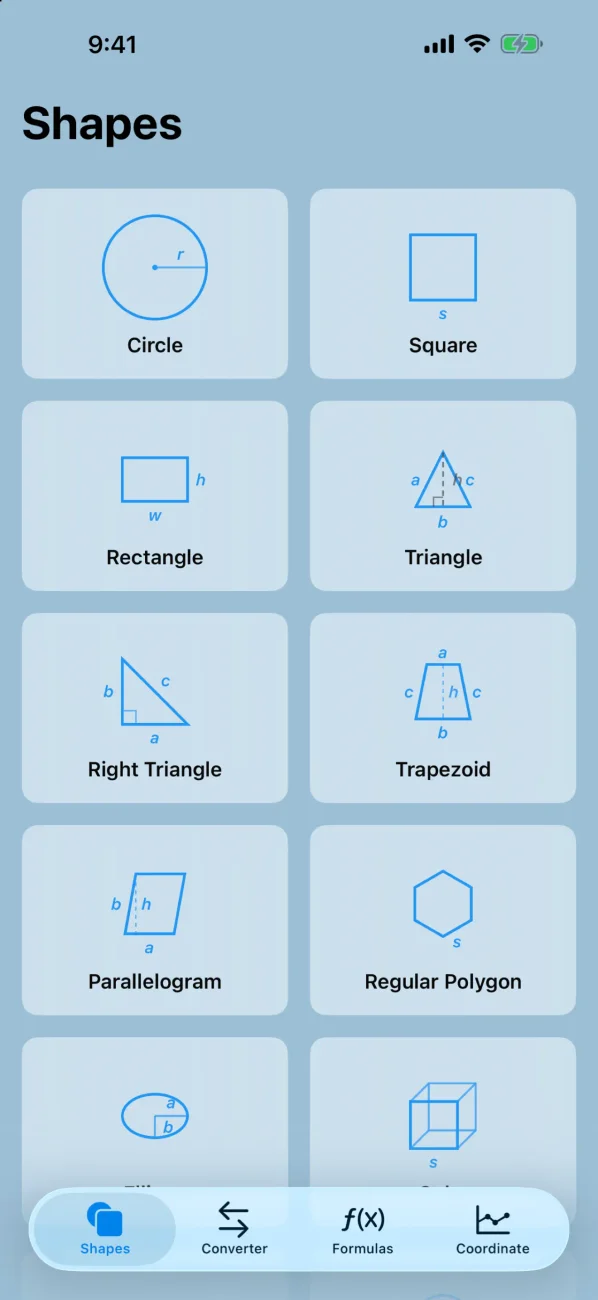
Shapes — 17 shapes across 2D and 3D:
• 2D: Circle, Square, Rectangle, Triangle, Right Triangle, Trapezoid, Parallelogram, Regular Polygon, Ellipse
• 3D: Cube, Rectangular Prism, Sphere, Cylinder, Cone, Square Pyramid, Triangular Prism, Triangular Pyramid
Get perimeter, area, surface area, volume, diagonal, slant height — whichever applies. Many shapes work in any direction: enter the area, get the side.
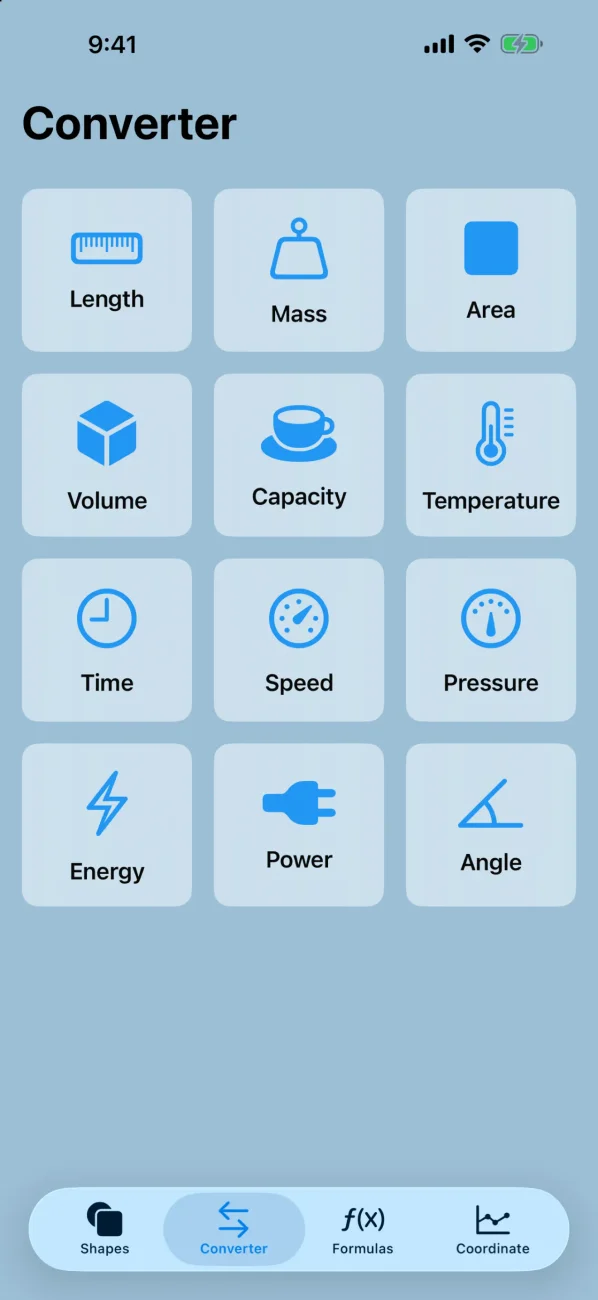
Unit Converter — 12 categories:
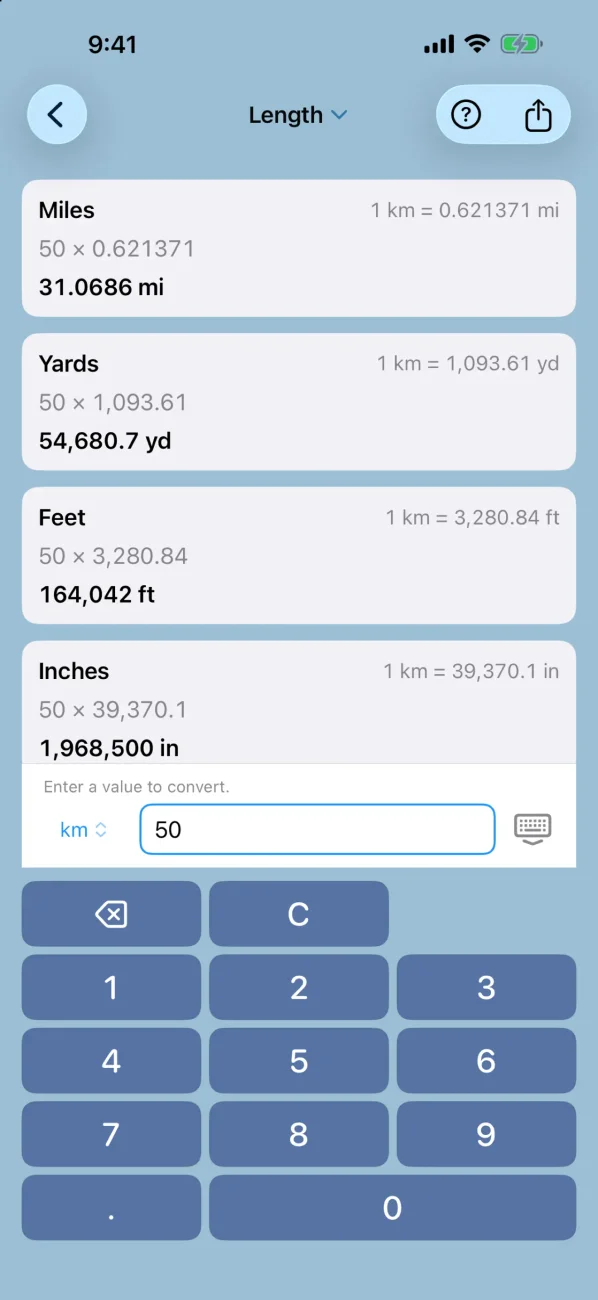
Length, Mass, Area, Volume, Capacity (cooking: tsp, tbsp, cups, mL, L…), Temperature, Time, Speed, Pressure, Energy, Power, Angle. Every conversion shows the factor and the multiplication, and results list the other measurement system first — metric to imperial or imperial to metric — with the closest-sized units at the top.
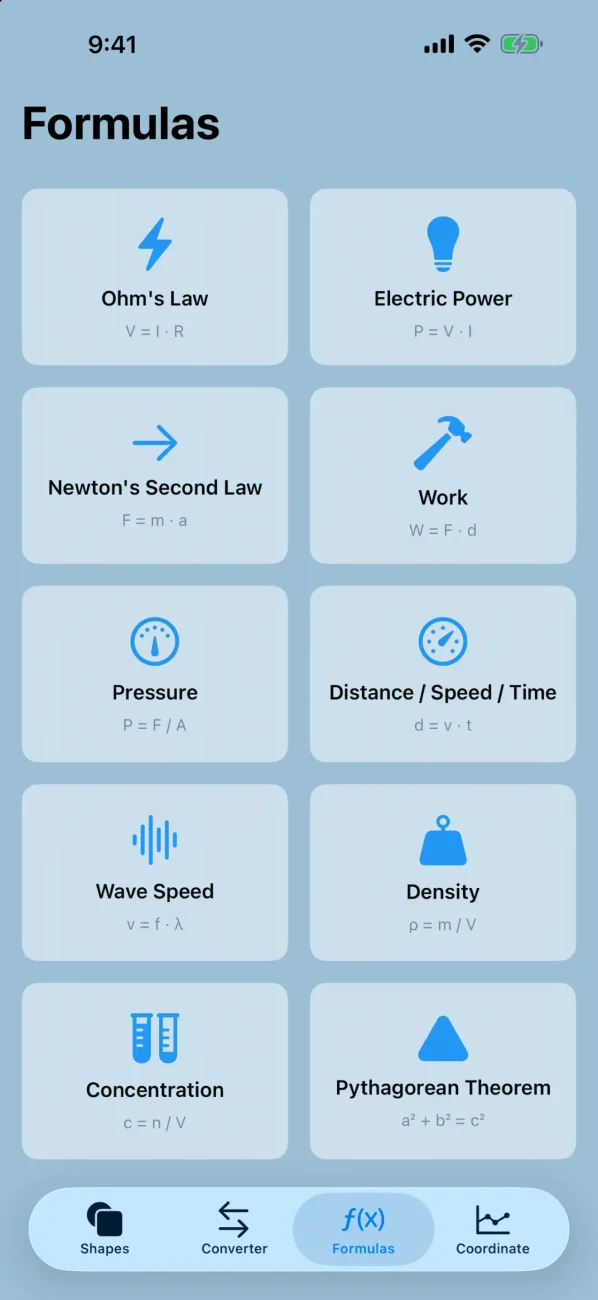
Physics Formulas — 10 staples:
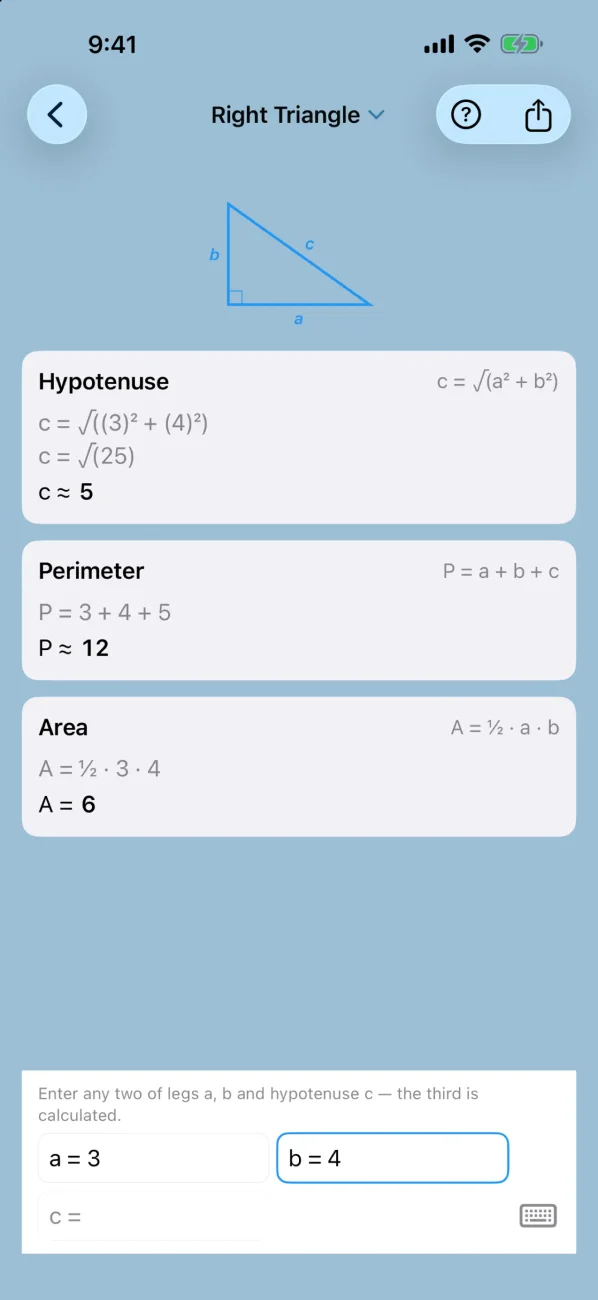
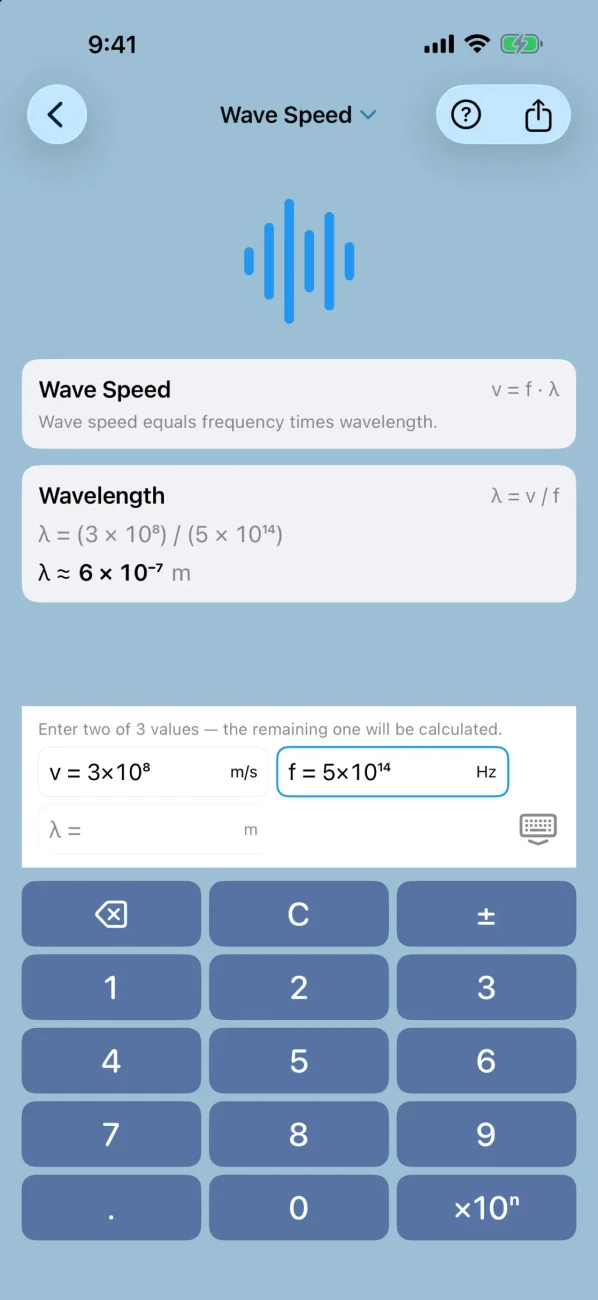
Ohm's Law, Electric Power, Newton's Second Law, Work, Pressure, Distance/Speed/Time, Wave Speed, Density, Concentration, Pythagorean Theorem. Enter any two of the three values and the third is solved for you, with full show-work. A ×10ⁿ key handles scientific notation, so values like 3 × 10⁸ m/s or 6 × 10⁻⁷ m are easy to enter and read.
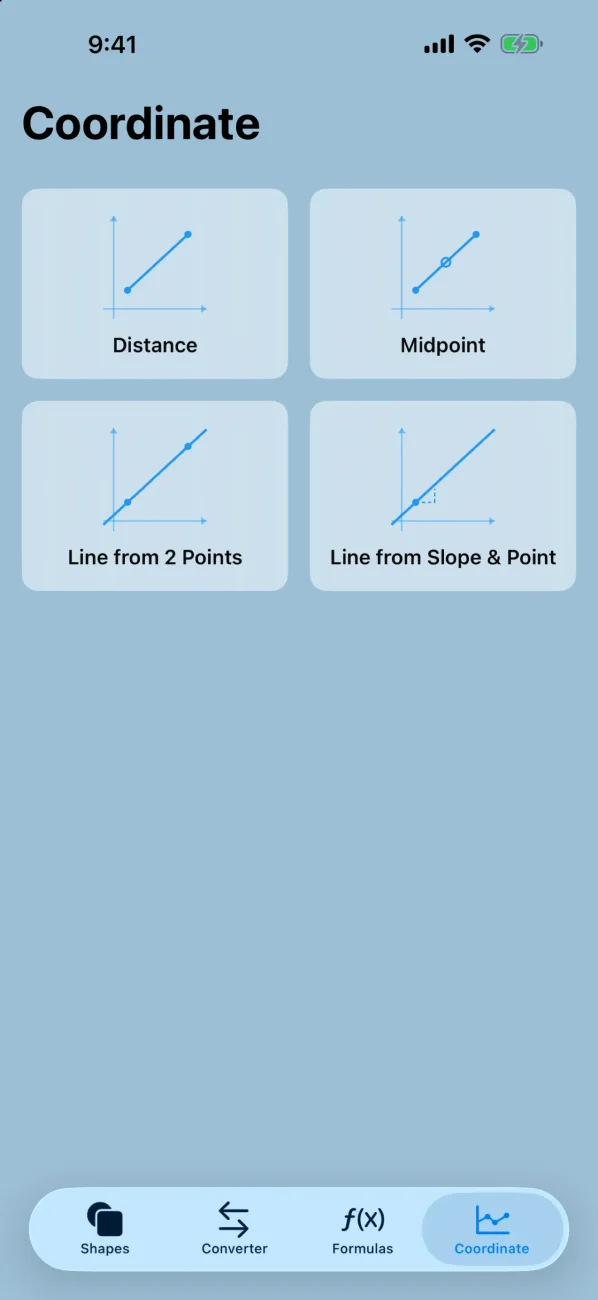
Coordinate Geometry — four operations:
Distance, Midpoint, Line Equation from two points, and Line Equation from a slope and a point. Each plots your points on an auto-scaled coordinate plane.
DESIGNED FOR LEARNING
• Show-work on every result: formula → substitution → step → answer
• Share your work: send the full worked solution to a classmate or paste it into your homework. Touch and hold any result to copy it.
• Custom keypad with π, ±, ×10ⁿ, and a clear key in the same place on every screen
• Visual diagrams that change to fit your input
• Multi-field shapes fill in what they can work out
• Help on every tab — tap "?" to see what each screen needs and what you get back
• Remembers your last tab and units between launches
• Universal: iPhone and iPad
FREE FOR A LIMITED TIME — NO ADS, NO TRACKING, NO ACCOUNTS
No subscriptions, no in-app purchases, no analytics, no third-party SDKs. The app collects no data.
From the maker of Fraction Calculator with Work.
What’s new
Version 1.1 · Oct 16, 2026
• Scientific notation — a new ×10ⁿ key on Formulas. Type 3, ×10ⁿ, 8 for 3 × 10⁸; tap ± after ×10ⁿ for a negative power. Very small and very large results now display in scientific notation too, and the worked solution shows your numbers the way you typed them.
• Usability improvements — roomier input fields so long and negative numbers are always fully visible, a ± key on formulas where negative values make sense, and clearer help screens.
• Share your work — a share button on every calculator screen sends the full worked solution (formulas, your numbers, and answers) as text. Touch and hold any result to copy just that one.
• Bug fixes.
App privacy
What Tarek Haidar declares on the App Store about how this app handles data.
-
Data not collected
The developer does not collect any data from this app.
Privacy practices may vary, for example with the features you use or your age.
Information
- Seller
- Tarek Haidar
- Category
- Education
- Version
- 1.1
- Updated
- Oct 16, 2026
- Released
- Jun 17, 2026
- Size
- 3.0 MB
- Requires
- iOS 26.2 or later
- Age rating
- 4+
- Price
- Free
- Languages
- English
- Copyright
- © 2026 Tarek Haidar
You might also like
-
 Trigonometry 360Unit Circle, Quiz & Angles
-
 Grammar SpyEnglish Grammar Practice
-
 Trigonometry Quick ReferenceEducation
-
 Trigonometry Toolkit by CSLearn Trig by Doing
-
 SLICE: Fraction & Math PuzzlesLearn Ratio, Percent & Odds
-
 Geometry AI Solver: Arc AcePhoto Homework Help & Tutor
-
 CircleMapMaster Unit Circle & Polar
-
 Algebra Calculator: AlgebraXEducation
-
 Matemáticas InfinitasEducation
-
 English Grammar For SpeakingEnglish Grammar For Speaking