
- Age rating4+
- CategoryNavigation
- DeveloperDavid LaPorte
- LanguagesEnglish
- Size41.4 MB
Links to the official App Store page
Download.org hosts no file of GeoRecords. The button opens its official App Store page, published by David LaPorte. Listing last checked on Nov 21, 2026.
Screenshots




About
Explore the world and capture every milestone with GeoRecords! Whether you're crossing a new degree of latitude, traveling the furthest from home, or reaching new heights, GeoRecords keeps a detailed record of all your location-based achievements that automatically syncs across all your devices.
Key Features
Precise Location Tracking
Automatically track your position and receive notifications whenever you set a new record, even in the background. Customize the minimum threshold for latitude, longitude, or altitude changes to match your exploration style.
Visited Regions
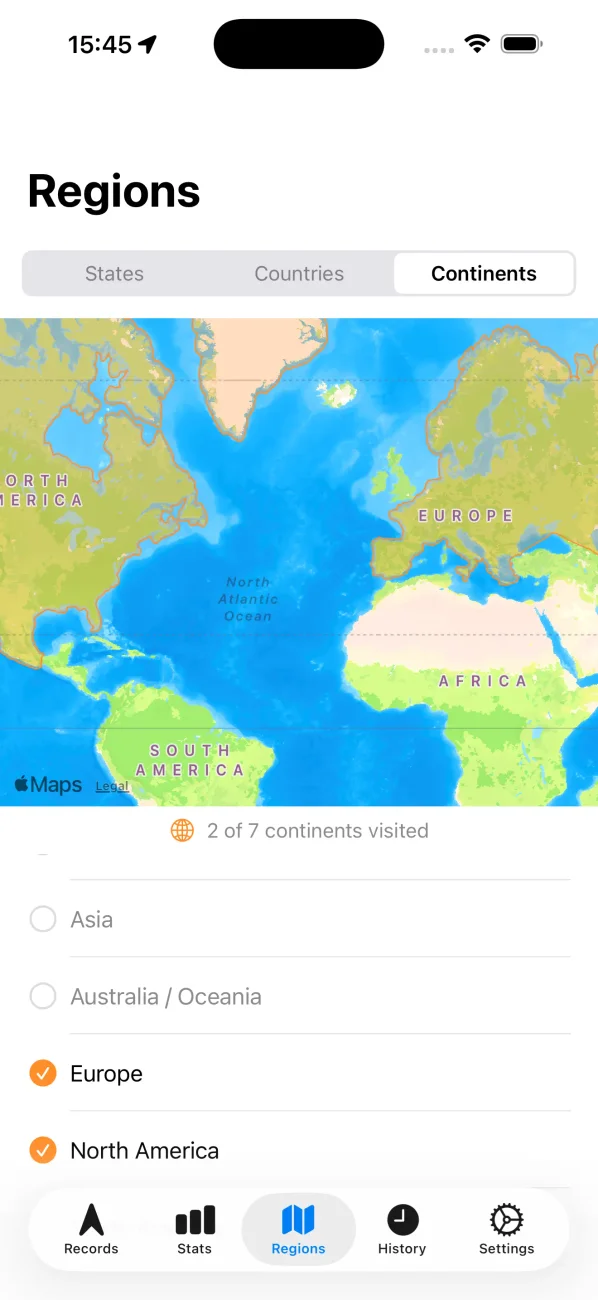
See where you've been with interactive maps showing your visited US states, countries, and continents. Import region data automatically from your photo library, or let the app track new regions as you travel.
Statistics & Charts
Visualize your exploration history with beautiful charts. See how far north, south, east, and west you've traveled relative to home, track your highest elevations, and watch your progress over time.
Seamless iCloud Sync
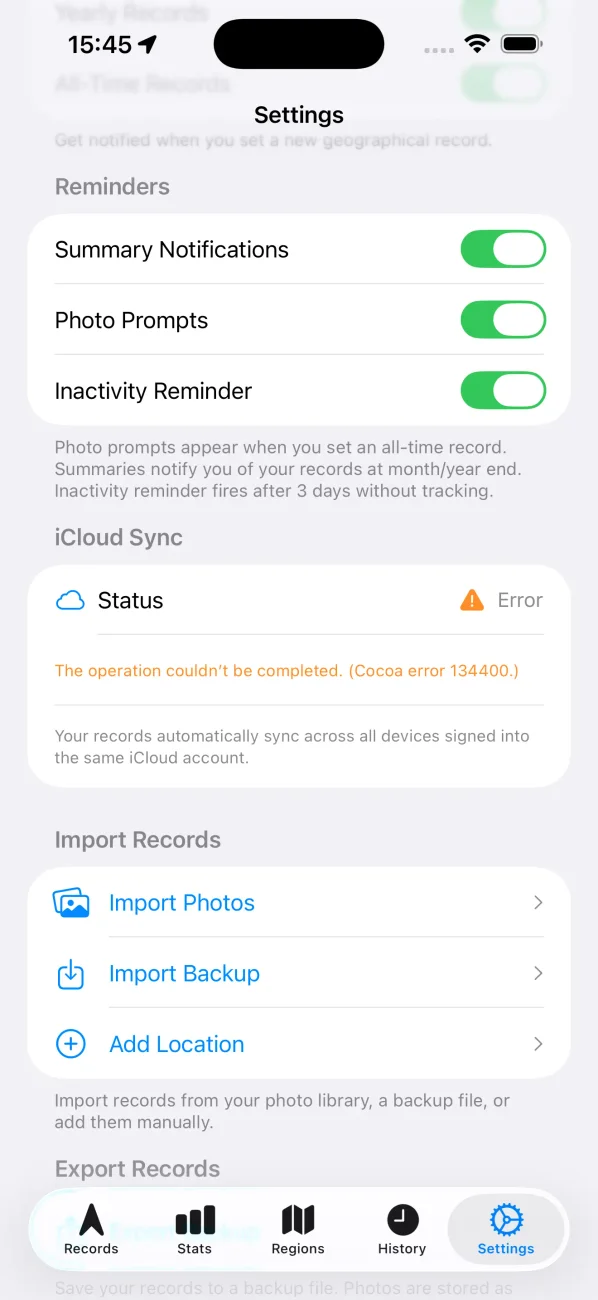
Your records and visited regions automatically sync across all your Apple devices via iCloud. Set a record on your iPhone, and instantly see it on your iPad. Reinstall the app or switch to a new device, and your complete history—including photo references—is automatically restored.
Photo Integration
Attach photos to your records to remember each milestone. Photos sync seamlessly across devices using iCloud Photo Library, so your memories follow you everywhere. Import historical records and visited regions directly from photos with GPS information, or search for locations by name.
Home Screen Widgets
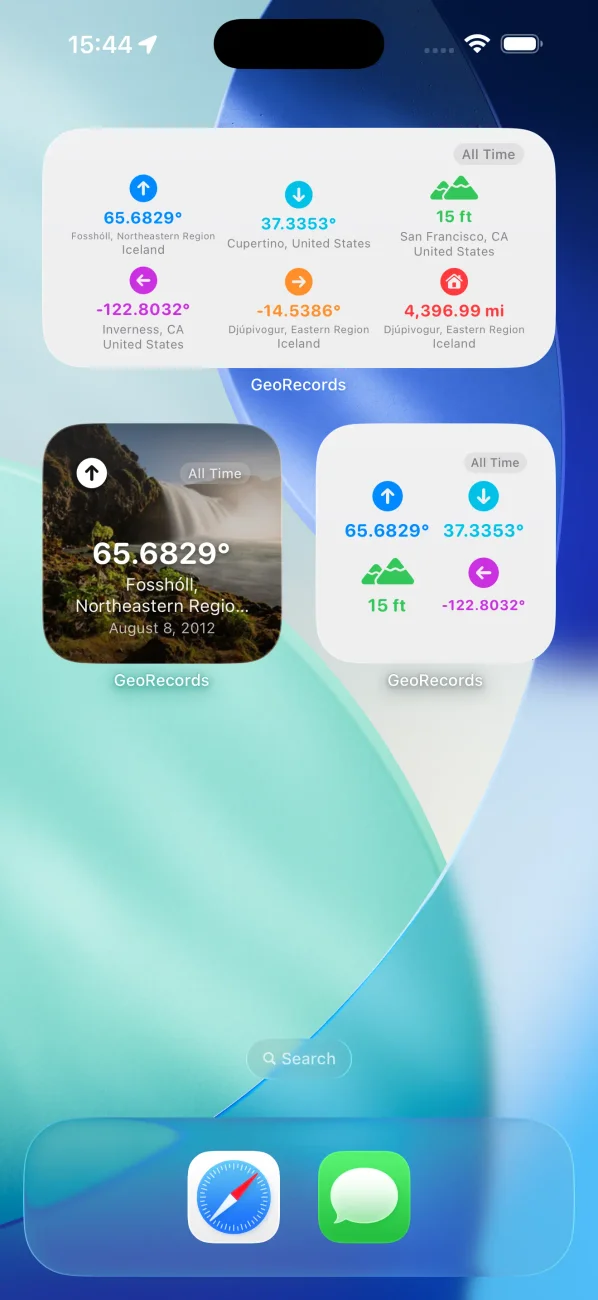
Add beautiful widgets to your home screen to see your records at a glance. The single record widget displays your achievement with its attached photo, while the multi-record widget shows all your extremes in a compact view.
Smart Notifications
Get instant alerts when you set a new record, plus optional monthly and yearly summary notifications to review your progress and celebrate your achievements.
Complete History
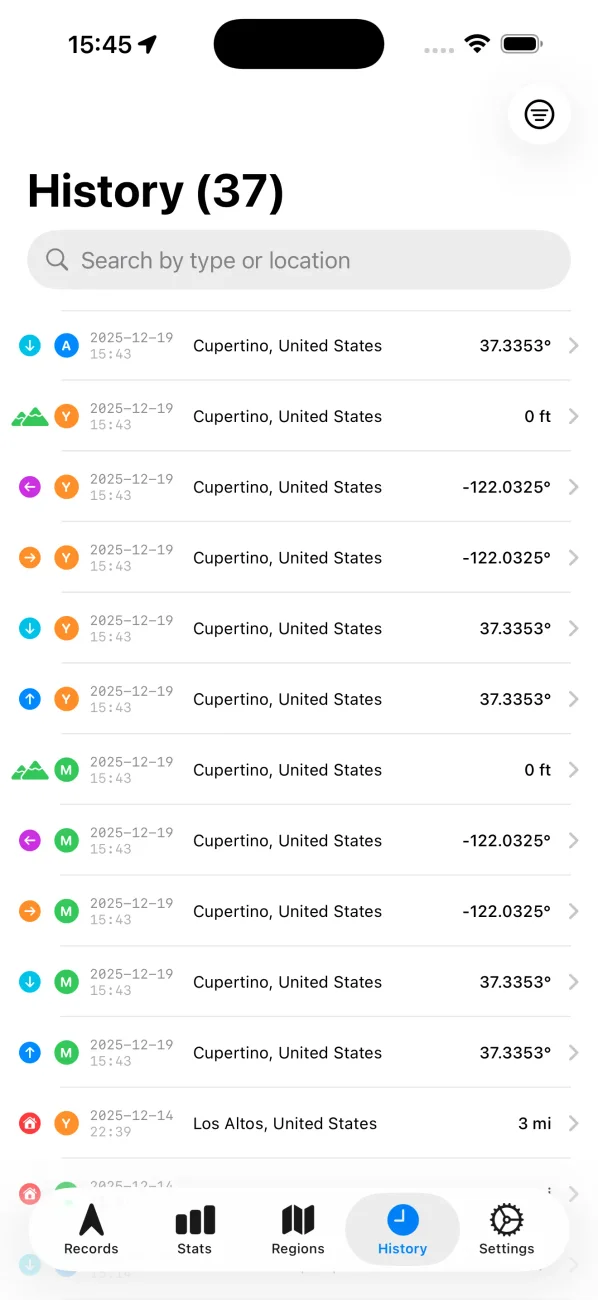
Browse a detailed chronological history of all your achievements, complete with timestamps, coordinates, altitude, location names, and photos. Filter by time frame and dive into map views of each record.
Battery-Efficient Background Tracking
GeoRecords uses iOS significant location change monitoring to track your movement while minimizing battery impact. Records and visited regions update automatically in the background, even when you're not actively using the app.
What’s new
Version 1.9.0 · Nov 17, 2026
- iPad and iPhone Duo: list-and-detail layouts for Records, Regions and History, a Stats grid, and layouts that follow the Duo as it folds and rotates.
- Record and region pages: photo or map first, then the heading and facts; cards show how far you beat your last record and how far from home; share a record as an image.
- Regions: tap an unvisited region for its distance, visit counts on cards, geographic continent outlines, and a Cards or List setting.
- History: search, month sections, swipe to delete, and a Filters menu for type, source and time frame.
- Stats: period summary, Records Set and Regions charts, last month's daily charts, and correct per-period counts.
- Notifications, widgets and Siri: notifications open the right screen, widgets update instantly, Lock Screen widgets, and Siri answers about your records and regions.
- Data safety: phantom-record cleanup, automatic snapshots before destructive actions, clearer iCloud errors with copyable diagnostics.
- Settings: reorganized into Display, Add Records and Backup, plus the version number, widget map framing and a configurable inactivity reminder.
App privacy
What David LaPorte declares on the App Store about how this app handles data.
-
Data not collected
The developer does not collect any data from this app.
Privacy practices may vary, for example with the features you use or your age.
Information
- Seller
- David LaPorte
- Category
- Navigation
- Version
- 1.9.0
- Updated
- Nov 17, 2026
- Released
- Mar 16, 2025
- Size
- 41.4 MB
- Requires
- iOS 18.2 or later
- Age rating
- 4+
- Price
- Free
- Languages
- English
- Copyright
- © 2026 davidlaporte.org
You might also like
-
 Pit Stop: Road Trip Exit GuideWhat's at every exit ahead
-
 World Translator LiteTravel
-
 Pinewood Lodge CampgroundYour guide to Pinewood Lodge
-
 Only In BostonTravel
-
 Daallo AirlinesTravel
-
 Quick-ChargeEV Charging & Station Finder
-
 University of UtahTravel
-
 ValleyBikeValleyBike Bikeshare
-
 OutlyTake Your Outly Maps Offline!
-
 GoSure SafeNavigation