- Age rating12+
- CategoryPhoto & Video
- DeveloperAPP TEAM
- LanguagesEnglish
- Size16.6 MB
Links to the official App Store page
Download.org hosts no file of GeoStamp Live Camera. The button opens its official App Store page, published by APP TEAM. Listing last checked on Nov 8, 2026.
Screenshots


About
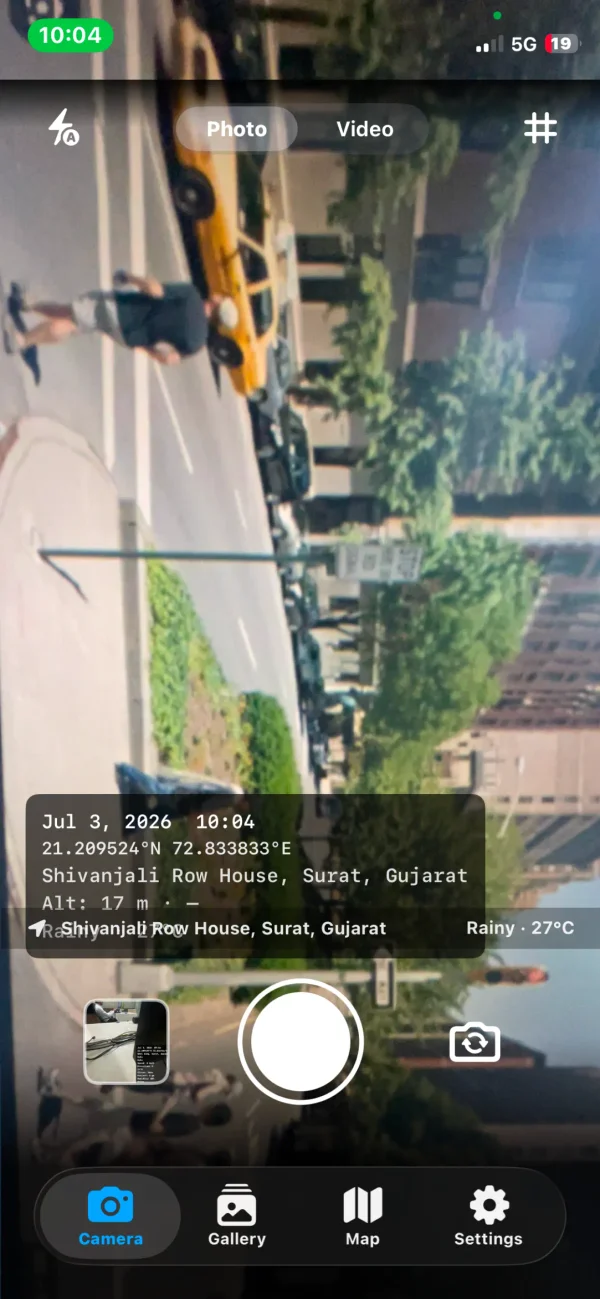
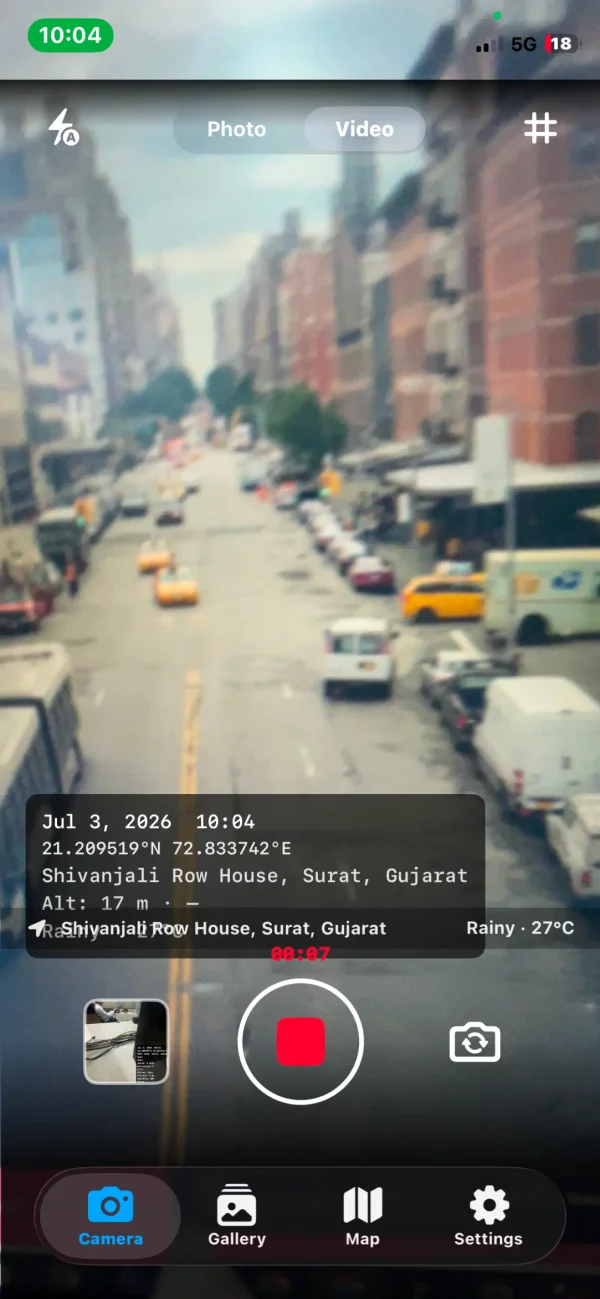
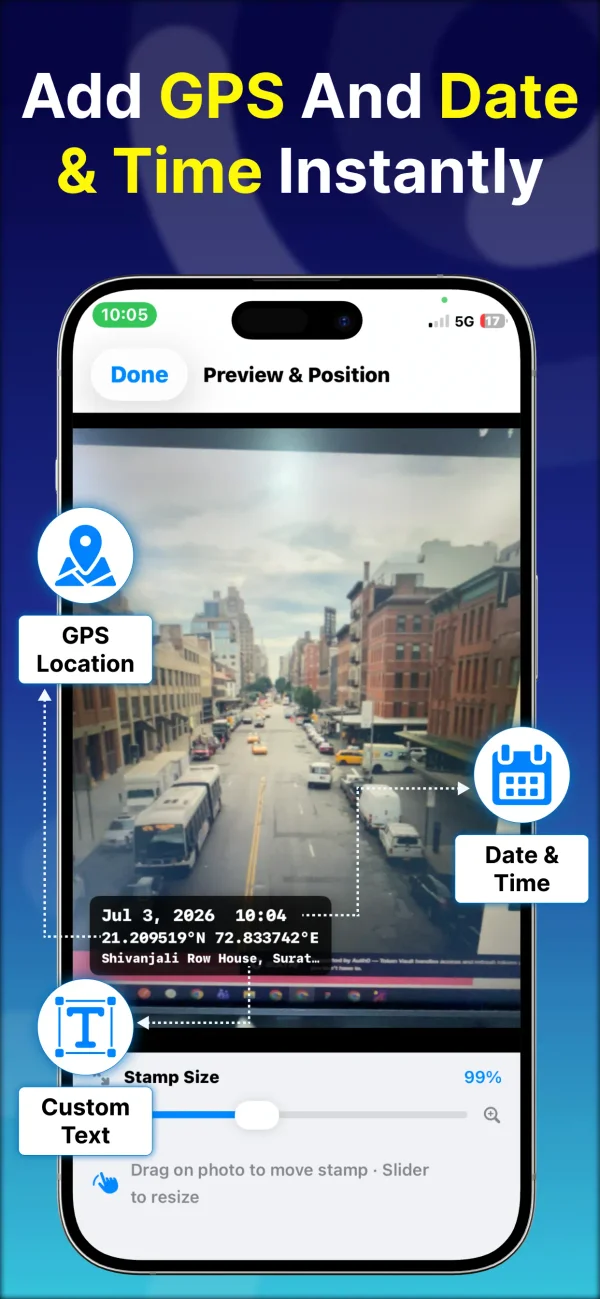
GeoStamp turns your iPhone into a professional geo-tagging camera. Every photo and video you capture is automatically stamped with GPS coordinates, address, date, time, altitude, speed, and live weather — right on the image itself.
No more guessing where a photo was taken. No more manual notes. Just point, shoot, and your location data is burned into the image forever.
-> LIVE GPS STAMP ON EVERY SHOT
• GPS coordinates (latitude & longitude) stamped on photo
• Full street address auto-resolved from GPS
• Date & time in your preferred format
• Altitude and speed (great for field work and travel)
• Live weather: temperature, humidity, weather condition
• Compass direction overlay
• Map thumbnail embedded in stamp
-> PROFESSIONAL STAMP TEMPLATES
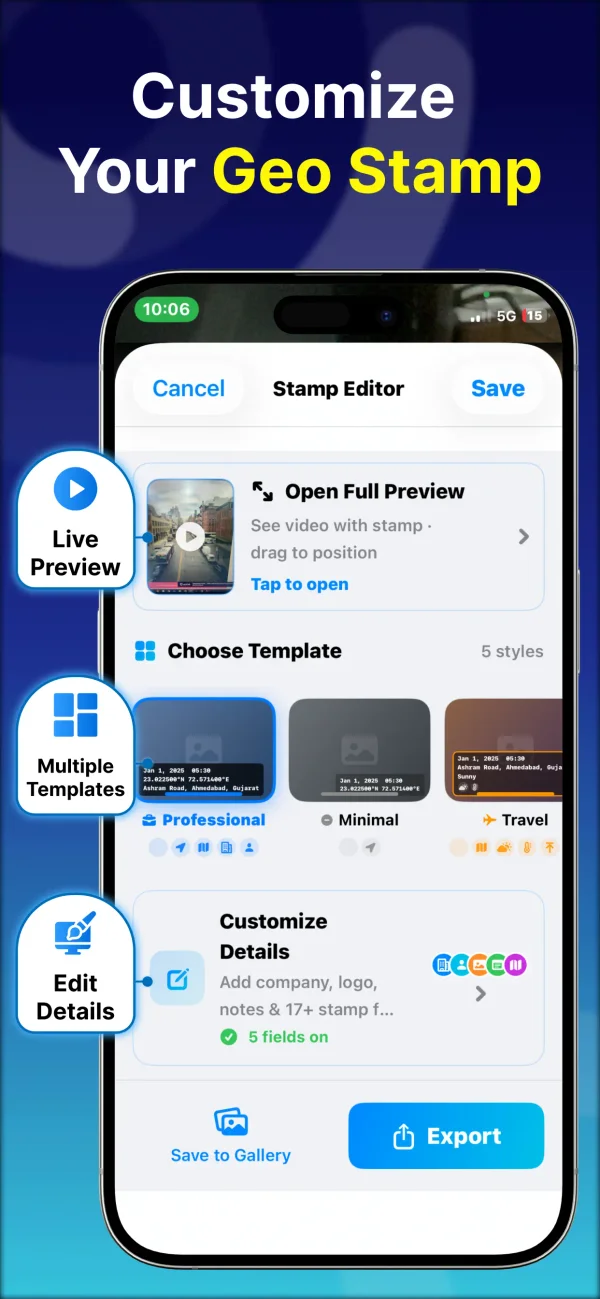
Choose from 5 ready-made templates — or build your own:
• Professional — clean black stamp with company & employee info
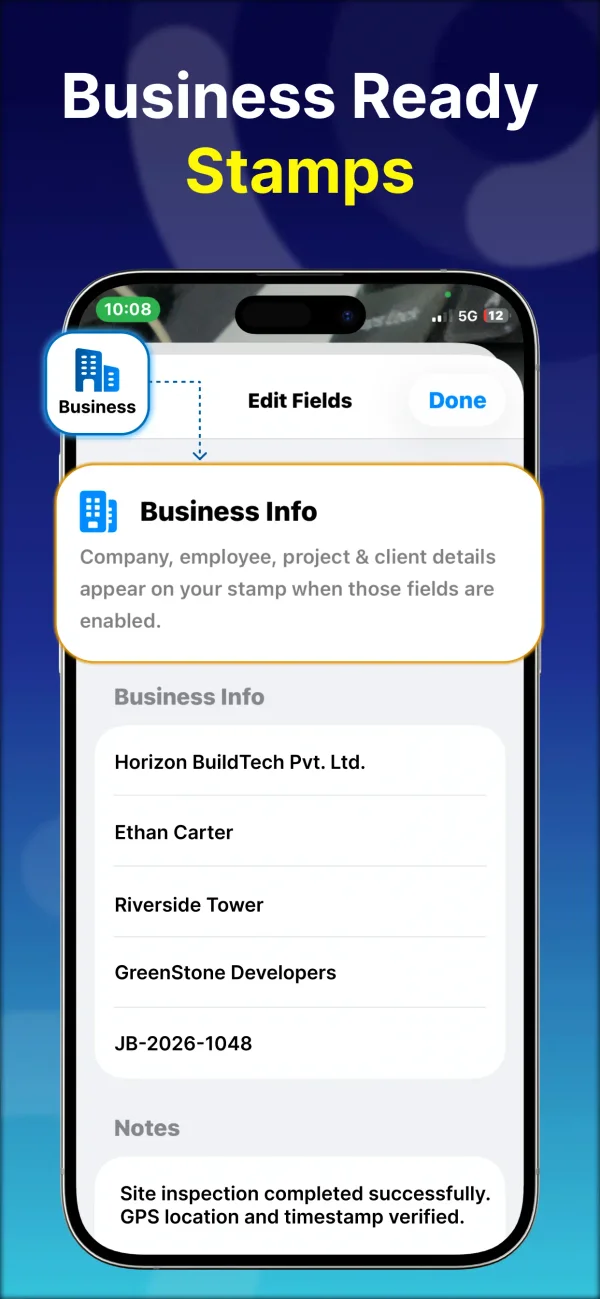
• Inspection — full business details: company, employee, project, client, job number, notes
• Work Proof — green-accented stamp for field workers and contractors
• Travel — weather, altitude, speed, and address for adventurers
• Minimal — just date and GPS coordinates, nothing more
Every template is fully customizable: position (top/bottom/left/right/center), font size, background opacity, border, accent color, and watermark text.
-> BUILT FOR BUSINESS & FIELD WORK
GeoStamp is the go-to tool for:
• Construction & site inspection teams
• Real estate agents documenting properties
• Insurance adjusters capturing evidence
• Field service technicians proving job completion
• Delivery drivers confirming drop-off locations
• Contractors showing work-in-progress
• Property managers recording site conditions
Add your company name, employee name, project name, client name, and job number to every photo. Generate PDF reports from your geo-tagged media library.
-> PHOTO & VIDEO — BOTH SUPPORTED
• Full-resolution photo capture with live stamp overlay
• Video recording with GPS stamp
• Tap-to-focus with focus ring
• Flash control (auto / on / off)
• Front & rear camera switching
• Rule-of-thirds grid overlay
• Front camera selfie support
-> MAP VIEW & GALLERY
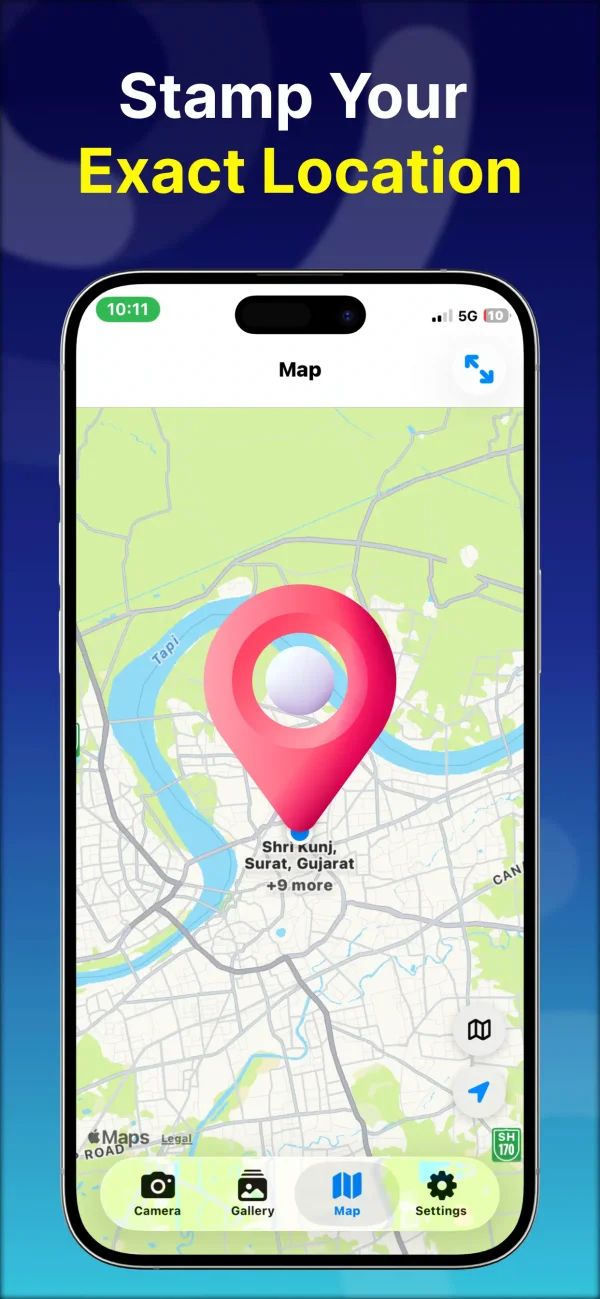
• Interactive Apple Maps view showing all your geo-tagged media
• Tap any pin to view the photo or video taken at that location
• Gallery with grid view, search, filter, and sort
• Filter by: All, Photos, Videos, Favorites
• Sort by: Date, Location, Project
• Batch export and share multiple files at once
• Pull-to-refresh gallery
-> PRIVACY FIRST — NO CLOUD
• All data stays on your device — always
• No account required
• No cloud uploads, no servers, no tracking
• Your photos, your GPS data, your control
-> WIDGETS
• Home Screen widget showing your latest geo-tagged photo
-> GEOSTAMP PREMIUM
Upgrade to unlock the full power of geo-tagged documentation:
- Unlimited photo & video export (free: 10 exports)
- Watermark-free export
- Batch processing — export multiple files at once
- Map thumbnail stamp on every photo
- Weather stamp (temperature, humidity)
- Altitude & speed stamp
- Custom templates — create and save your own
- Logo stamp — add your company logo
- Ad-free experience
Plans available: Weekly, Monthly, Yearly (Best Value)
PERFECT FOR:
Field workers • Inspectors • Contractors • Real estate agents • Insurance adjusters • Travelers • Photographers • Property managers • Delivery drivers • Construction teams • Site surveyors • Journalists
Download GeoStamp and start capturing location-verified photos and videos today.
Privacy Policy : https://sites.google.com/view/geocameratc/home
Apple Terms of Use : https://www.apple.com/legal/internet-services/itunes/dev/stdeula/
What’s new
Version 1.3 · Sep 29, 2026
We’re always working to make your experience better!
This update brings improved performance, smoother functionality, bug fixes, and a few behind-the-scenes enhancements. Thanks for being with us and continuing to use our app!
App privacy
What APP TEAM declares on the App Store about how this app handles data.
-
Data used to track you
May be used to track you across apps and websites owned by other companies.
- Usage data
-
Data not linked to you
May be collected but is not linked to your identity.
- Usage data
Privacy practices may vary, for example with the features you use or your age.
Information
- Seller
- APP TEAM
- Category
- Photo & Video
- Version
- 1.3
- Updated
- Sep 29, 2026
- Released
- Jul 9, 2026
- Size
- 16.6 MB
- Requires
- iOS 17.6 or later
- Age rating
- 12+
- In-app purchases
- Yes
- Languages
- English
- Copyright
- © AppTeam
You might also like
-
 GeoStamp Cam: GPS Photo VideoGPS Map Camera & Geotag Photo
-
 Stamp Camera Date and LocationCapture and Mark Moments
-
 GPS Camera - Photo StampGPS Watermark & Map Album
-
 GPSMark: GPS Map Camera StampTimestamp Photos, Geo Location
-
 TrueStamp: GPS Map CameraTimestamp Photo & PDF Proof
-
 Geo Stamp: Timestamp on CameraTimestamp Camera Basic
-
 GPS Camera - Timestamp & MapPhoto & Video
-
 GPS Photo: Geo Stamp CameraLocation, Date & Time Stamp
-
 GPS Map Camera : Timestamp CamGPS Photo Location: Timestamp
-
 Diora 3D Photo ReframeExplore Every Angle with AI