
- Age rating4+
- CategoryUtilities
- DeveloperLeung Man Ho Thomas
- LanguagesEnglish
- Size24.9 MB
Links to the official App Store page
Download.org hosts no file of GIF Can. The button opens its official App Store page, published by Leung Man Ho Thomas. Listing last checked on Nov 16, 2026.
Screenshots





About
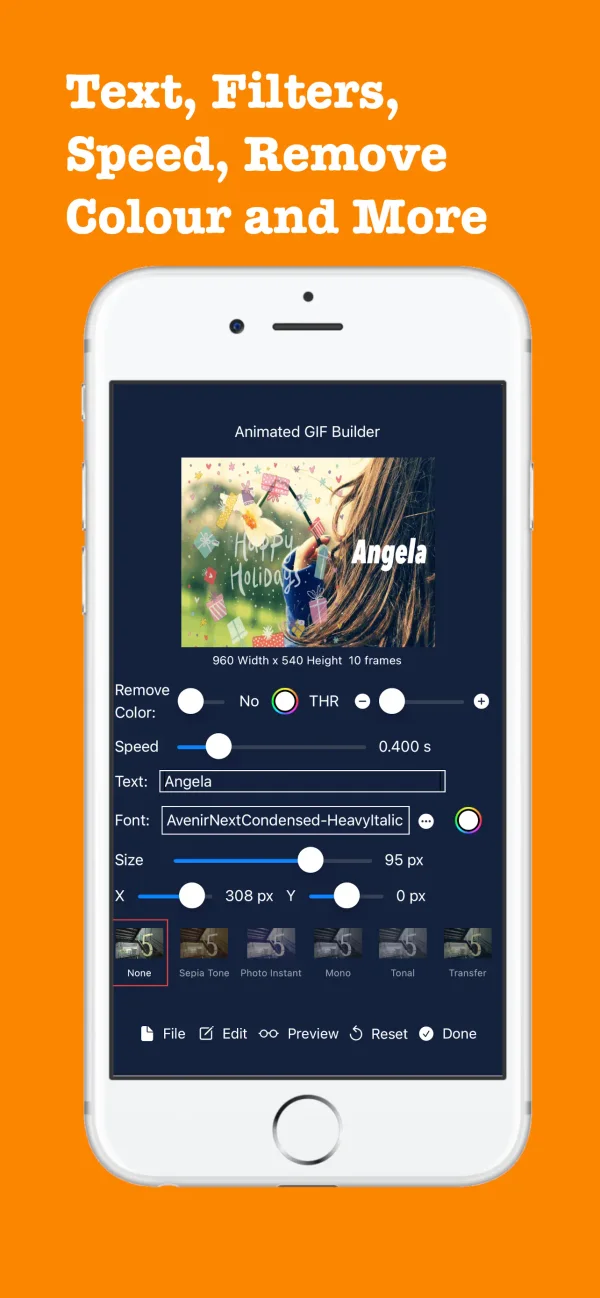
The "GIF CAN" app creates your own unique GIF animations with our versatile GIF file editor. Whether you want to use your own photos or download clips, our app makes it easy to create and share fun moments with your friends. Get started today and let your creativity shine!
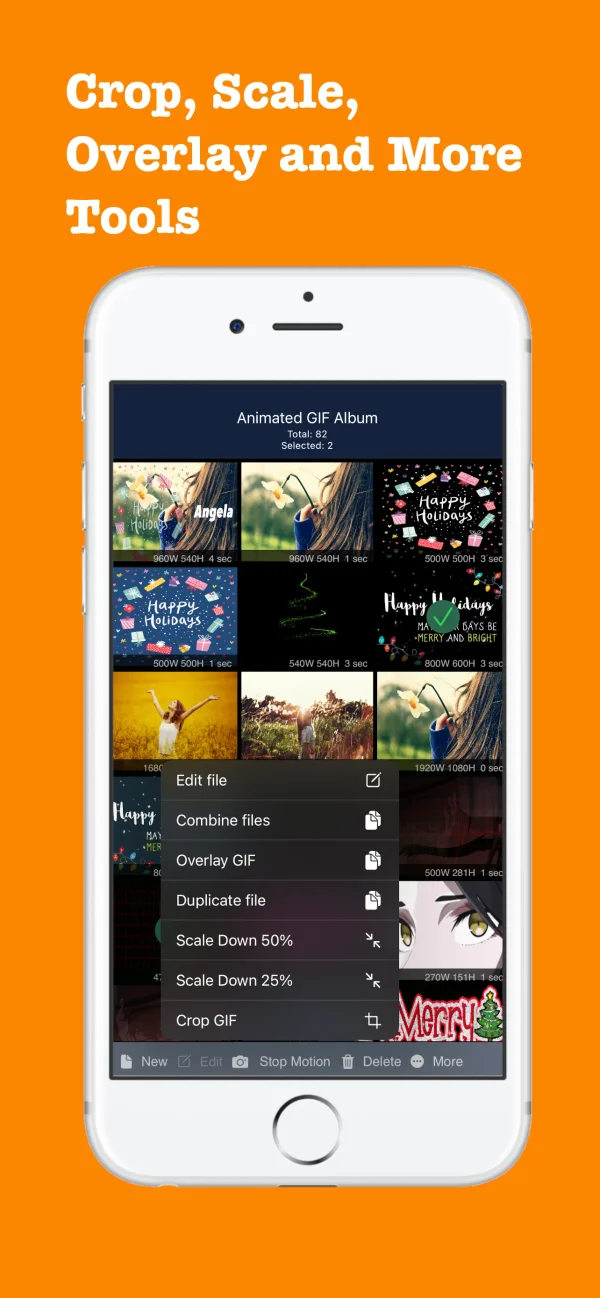
Create animated GIF and Stop motion from photos
- Filter effect
- Overlay the text and the emoji
- Edit key frames display sequence, duplicate and remove key frame
- No Advertisement
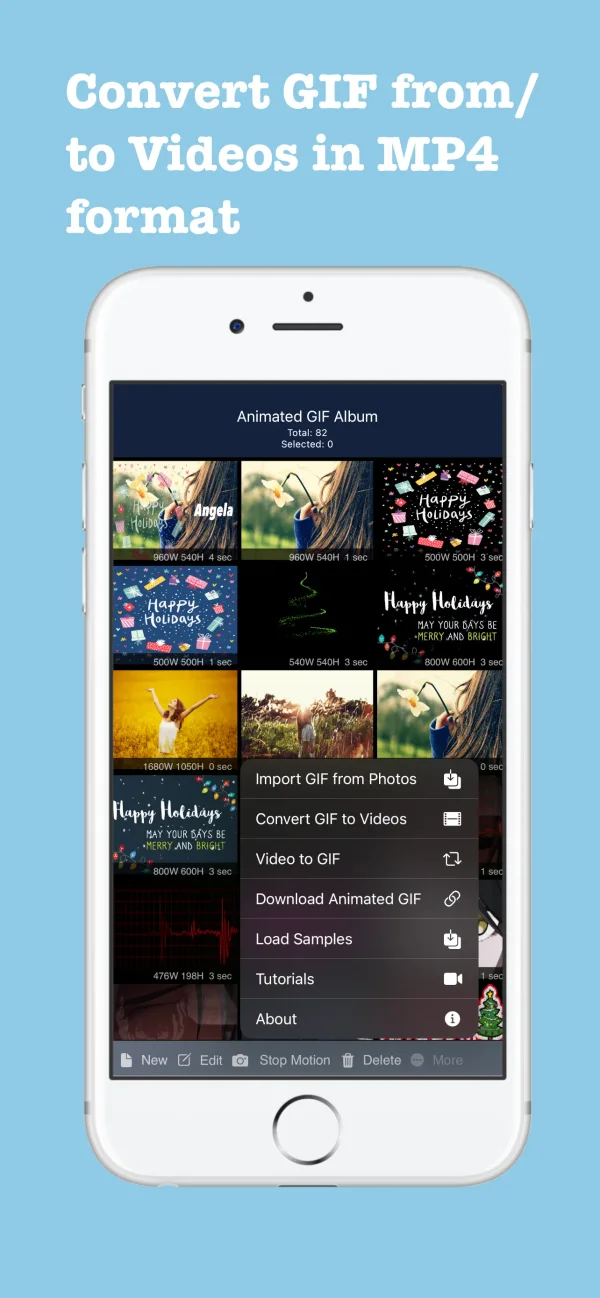
- Convert MP4 to GIF
- Convert GIF to MP4
- Transitions
- Edit keyframes
What’s new
Version 1.4.0 · May 1, 2024
This app has been updated by Apple to prepare for watchOS 27 compatibility. No new features are included.
Added Transitions for keyframes editing:
1. Circle
2. Ellipse
3. Rectangle
4. Rounded Rectangle
5. Star
6. move in from left to right
7. move in from right to left
8. Fade in
9. Fade out
Bugs Fixed
1. Stop motion - Background Image scaling issue
2. Typo and UX
App privacy
What Leung Man Ho Thomas declares on the App Store about how this app handles data.
-
Data not collected
The developer does not collect any data from this app.
Privacy practices may vary, for example with the features you use or your age.
Information
- Seller
- Leung Man Ho Thomas
- Category
- Utilities
- Version
- 1.4.0
- Updated
- May 1, 2024
- Released
- Nov 13, 2020
- Size
- 24.9 MB
- Requires
- iOS 16.0 or later
- Age rating
- 4+
- Price
- Free
- Languages
- English
- Copyright
- © Thomas Leung
You might also like
-
 GIFCraft - GIF Maker & EditorPhoto/Video to GIF, Easy & Pro
-
 Link Gopher - extract URLPage scraper & scanner
-
 Sofatap: Remote for PC & TVMouse & Keyboard for Computers
-
 GifMagic - Easy GIF MakerGIF Meme & Boomerang creator
-
 Home: InventorySmart Inventory Management
-
 SnapToGifUtilities
-
 DialAIPowered by GPT-3.5 & GPT-4
-
 FlowMountMount, sync, and manage
-
 Multic LEDMulti-Color LED Screen Control
-
 GIF Creater ToolCreate GIFs from Videos&Photos