GigaGuard: Data Usage Widget
Multi-SIM tracker & pace alert
Designed for iPhone, iPad
Free · In-app purchases
- Age rating4+
- CategoryUtilities
- DeveloperSami Kuribara
- LanguagesEnglish+ 12 more
- Size5.9 MB
Links to the official App Store page
Download.org hosts no file of GigaGuard: Data Usage Widget. The button opens its official App Store page, published by Sami Kuribara. Listing last checked on Nov 25, 2026.
Screenshots
About
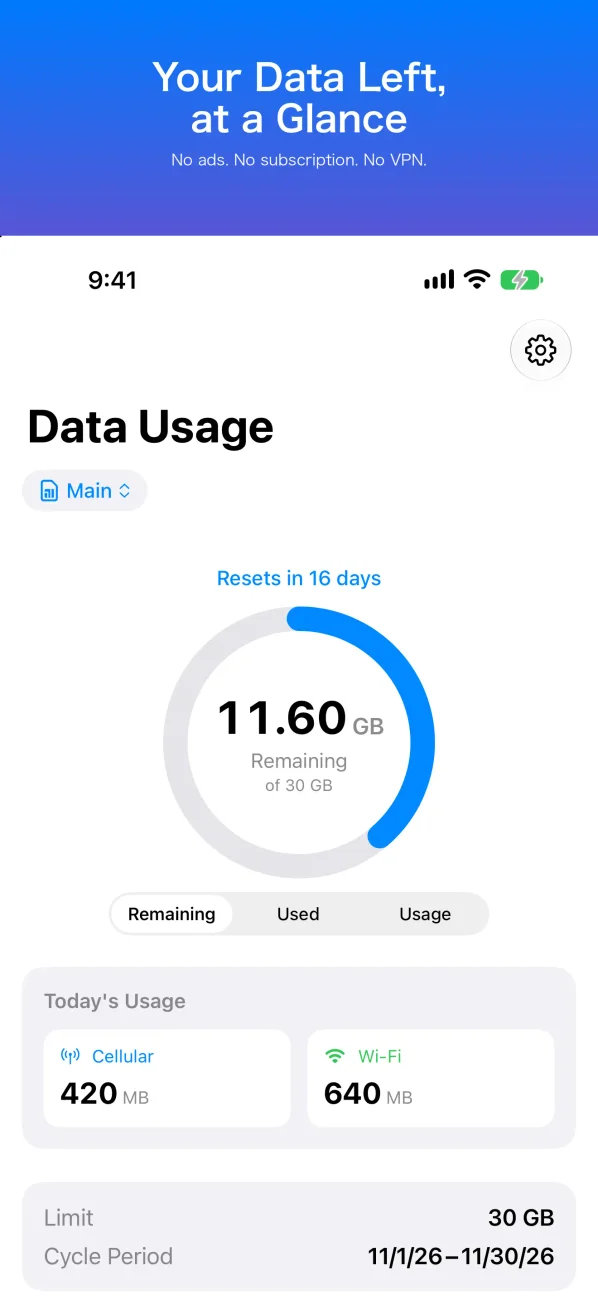
See your remaining data at a glance — right on your Home Screen.
No ads. No subscription. No VPN. A data usage widget you can match to your carrier's numbers.
[Now on iPad]
Cellular iPads track their plan just like iPhone. On Wi-Fi iPads, Wi-Fi usage is recorded day by day, and you can manage a pocket Wi-Fi or tethering data cap as a plan.
TIRED OF…
• Trackers that never match what your carrier says?
• Ads, or features moved behind a subscription after you paid?
• Apps that count Wi-Fi as mobile data?
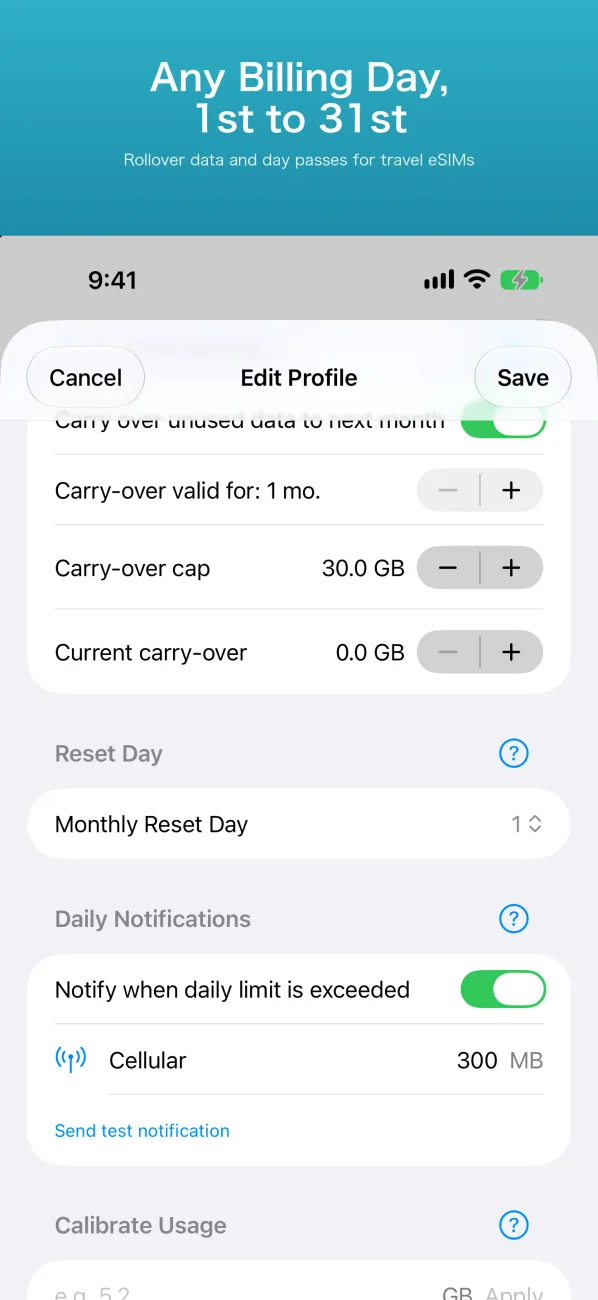
• Billing cycles stuck on the 1st?
WHAT GIGAGUARD DOES
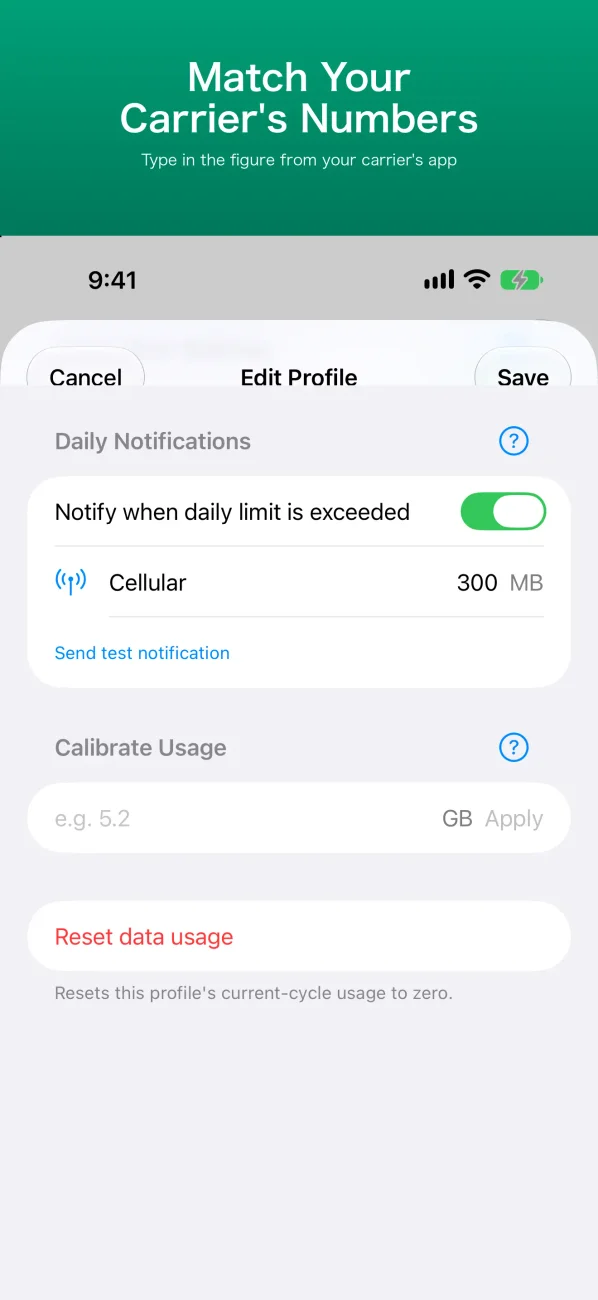
• Calibrate to your carrier — on-device measurement always drifts a little. Type in the usage shown in your carrier's app and GigaGuard matches it.
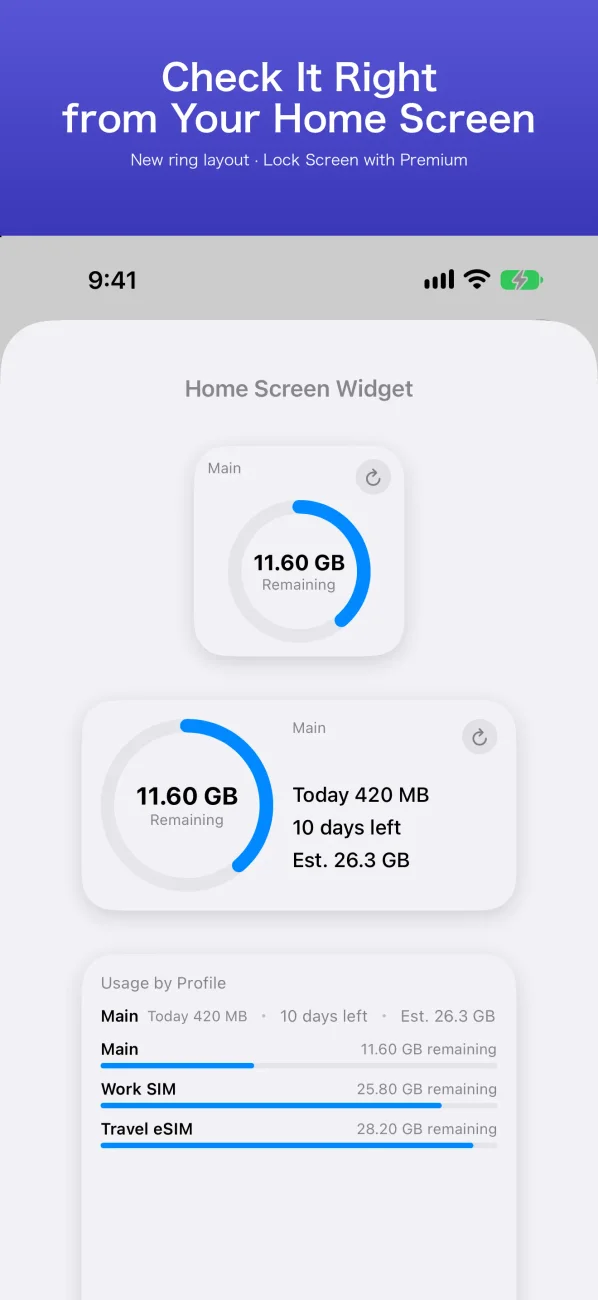
• Widgets for the Home Screen and Apple Watch (Lock Screen widgets with Premium). Choose from four layouts, including a ring, show today's Wi-Fi usage, and refresh without opening the app.
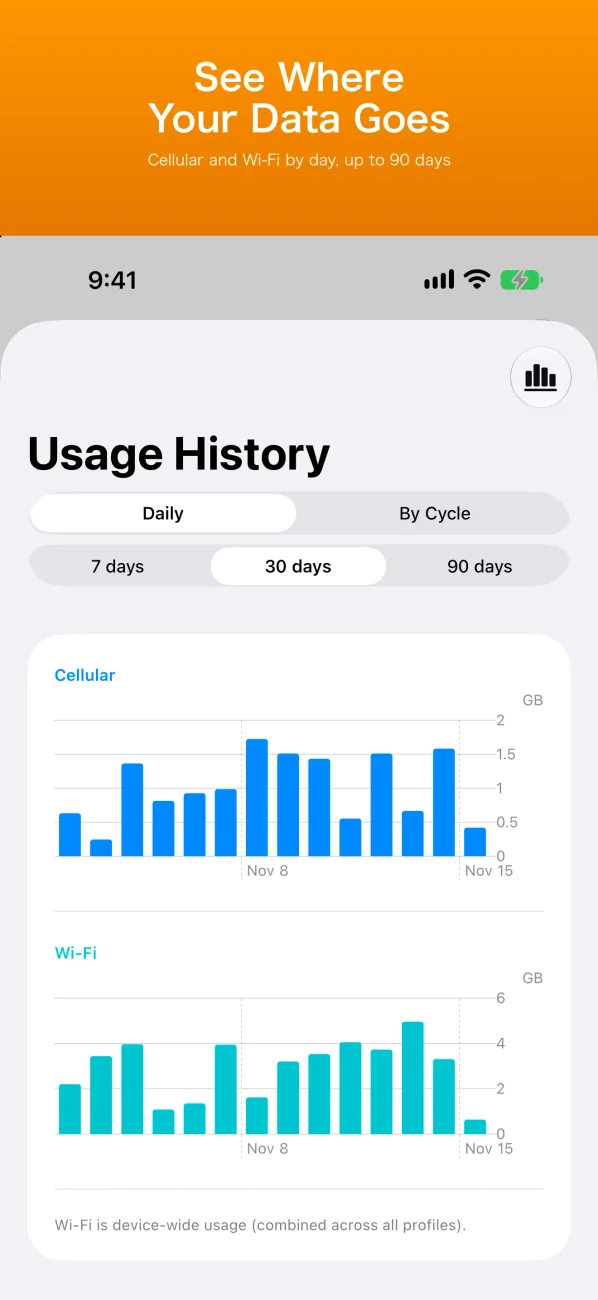
• Cellular and Wi-Fi tracked separately — only mobile data counts toward your plan.
• Any billing day from the 1st to the 31st, rollover data, and day passes for prepaid or travel eSIMs.
• Pace forecast: see where you'll end the cycle and the day you'd hit your cap.
• A daily limit alert, plus alerts at the percentages you choose (Premium).
• Daily usage history as bars, a line or a running total, with Wi-Fi alongside cellular, plus per-cycle history (Premium).
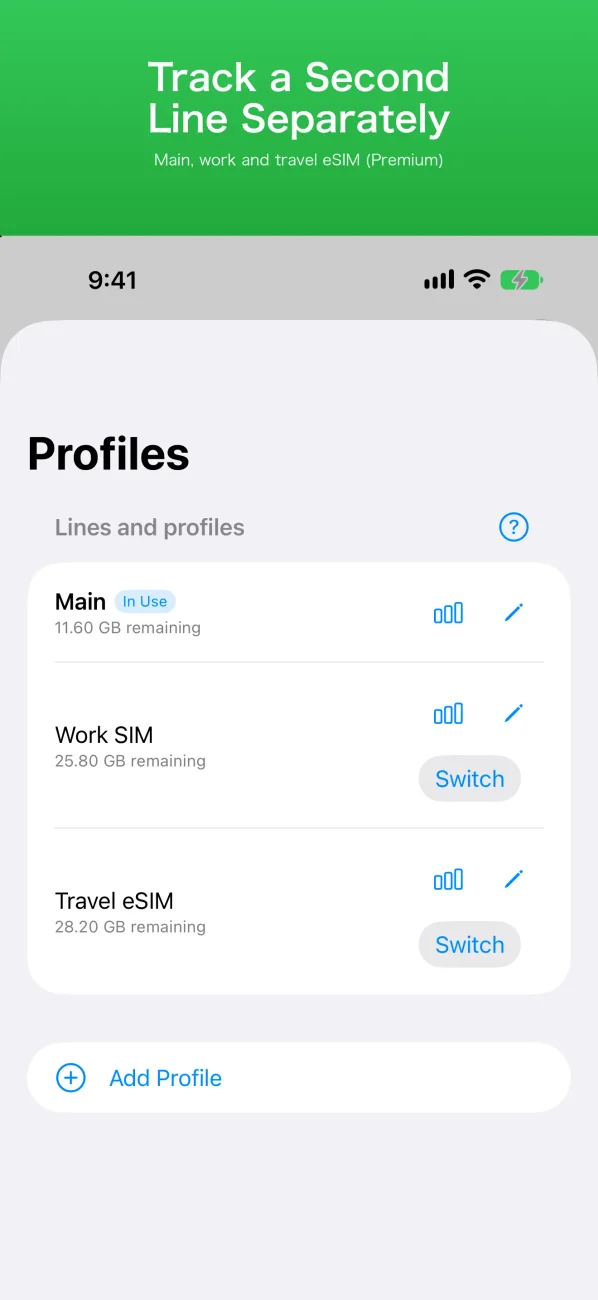
• Up to 20 lines — main, work and travel eSIM — each with its own plan (Premium).
• Siri Shortcuts: "Check remaining data in GigaGuard".
PRIVACY
• No VPN. GigaGuard never sits in the middle of your connection.
• No carrier login, no account.
• Your data stays on your iPhone. Nothing is sent to a server.
PRICING
Free to use. Premium is a one-time purchase — never a subscription. No ads.
PLEASE NOTE
iOS doesn't let apps read your carrier's official usage, so GigaGuard measures on-device and lets you calibrate. Usage is updated when you open the app or refresh the widget. Per-app usage is not available. For billing, always check your carrier's official app or website.
What’s new
Version 2.0.1 · Nov 24, 2026
Fixed an issue where unlimited plans showed an incorrect remaining amount on the main screen.
App privacy
What Sami Kuribara declares on the App Store about how this app handles data.
-
Data not collected
The developer does not collect any data from this app.
Privacy practices may vary, for example with the features you use or your age.
Information
- Seller
- Sami Kuribara
- Category
- Utilities
- Version
- 2.0.1
- Updated
- Nov 24, 2026
- Released
- Jun 29, 2026
- Size
- 5.9 MB
- Requires
- iOS 17.0 or later
- Age rating
- 4+
- Price
- Free
- In-app purchases
- Yes
- Languages
- English, French, German, Hindi, Italian, Japanese, Korean, Portuguese, Simplified Chinese, Spanish, Thai, Traditional Chinese + 1 more
- Copyright
- © 2025 Explorers Lab Inc.
You might also like
-
 NetUsageLogData Usage-Daily eSIM Quota
-
 DataWidgetRealtime Data Usage Widget
-
 Didget: Data Usage WidgetMobile Network Traffic Monitor
-
 Data Plan - Network UsageCellular, eSIM, Wi-Fi, VPN
-
 Data Remaining: Usage TrackerCellular & Wi-Fi Plan Monitor
-
 Data Usage: Cellular TrackerForecast & prevent overages
-
 Network Usage MonitorTrack WiFi and Cellular Usage
-
 Traffic Monitor with WidgetTrack Data Usage & Speed Test
-
 Usage Device MonitorWidgets for Lock & Home Screen
-
 Usage Device Monitor & StatusBattery, network, storage