
Gigways: Driver Tools & Trips
Track Miles, Pay & Expenses
Designed for iPhone, iPad, iPod touch
Free · In-app purchases
- Age rating4+
- CategoryFinance
- DeveloperGigways LLC
- LanguagesEnglish
- Size86.7 MB
Links to the official App Store page
Download.org hosts no file of Gigways: Driver Tools & Trips. The button opens its official App Store page, published by Gigways LLC. Listing last checked on Nov 25, 2026.
Screenshots


About
Track your miles, know what you actually made, and see where other drivers are before you head out. GigWays is built for people who drive for a living, whether that is rideshare, delivery, or both.
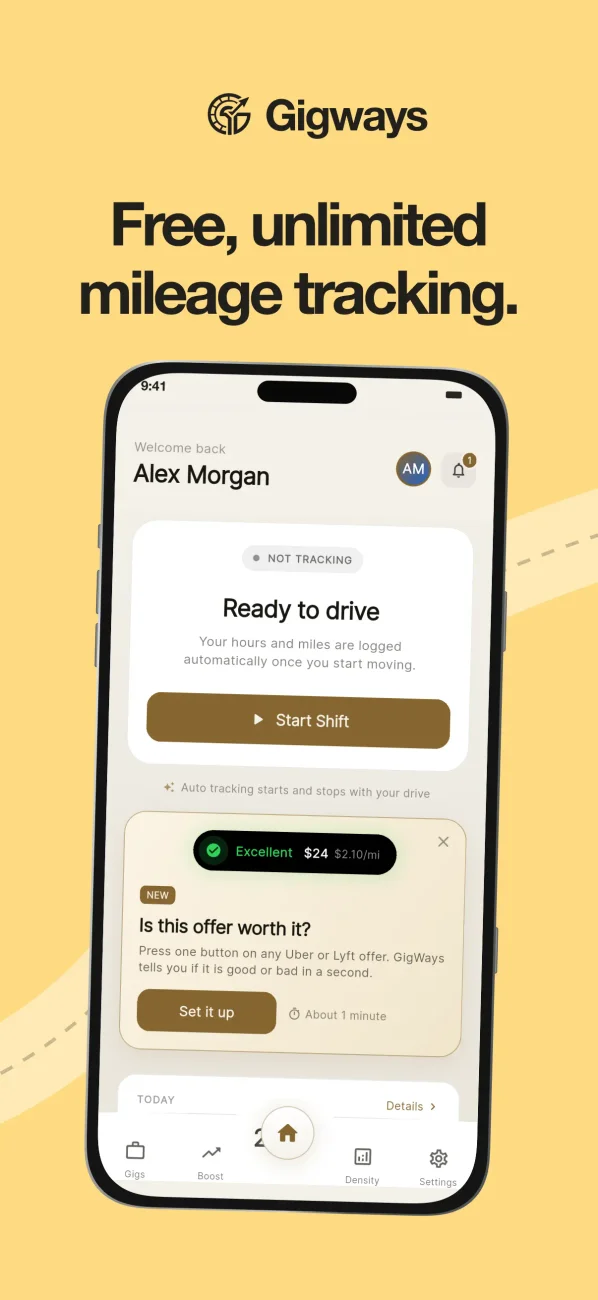
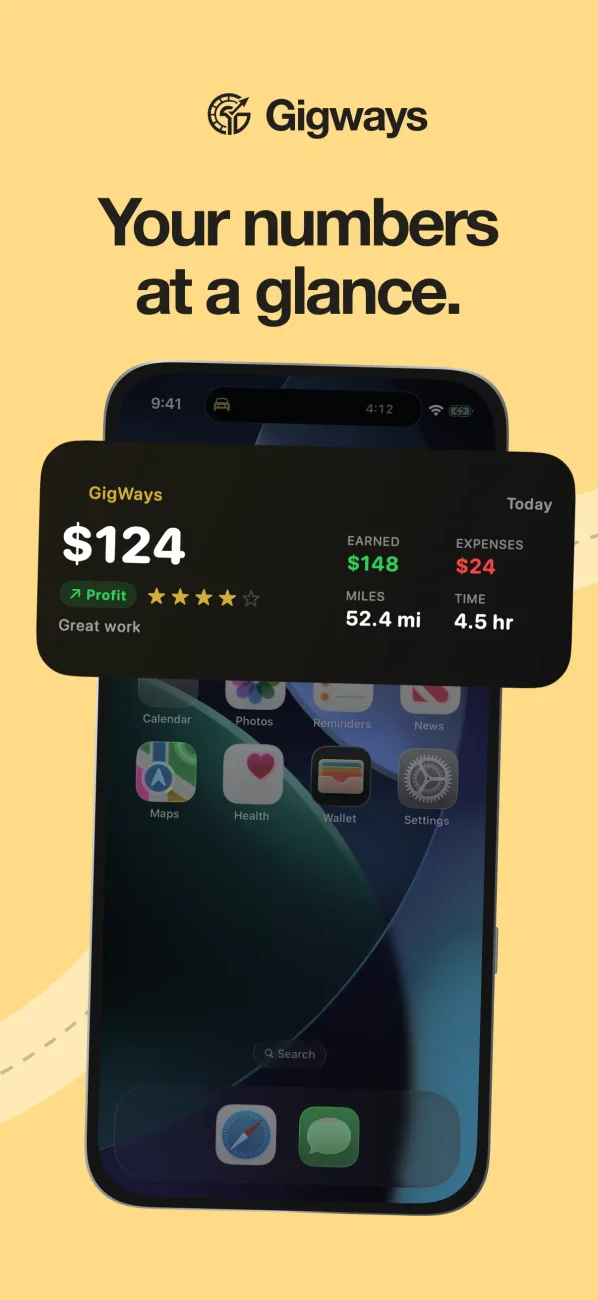
Start a shift with one tap and put your phone away. GigWays keeps counting your miles and hours in the background, and shows them live on your Lock Screen while you drive.
WHAT YOU GET
Automatic shift tracking
Tell GigWays you are driving and it takes over. Miles, hours, and your route are recorded in the background, even with the app closed. It can also notice when you start driving and offer to open a shift for you.
Your numbers, without the spreadsheet
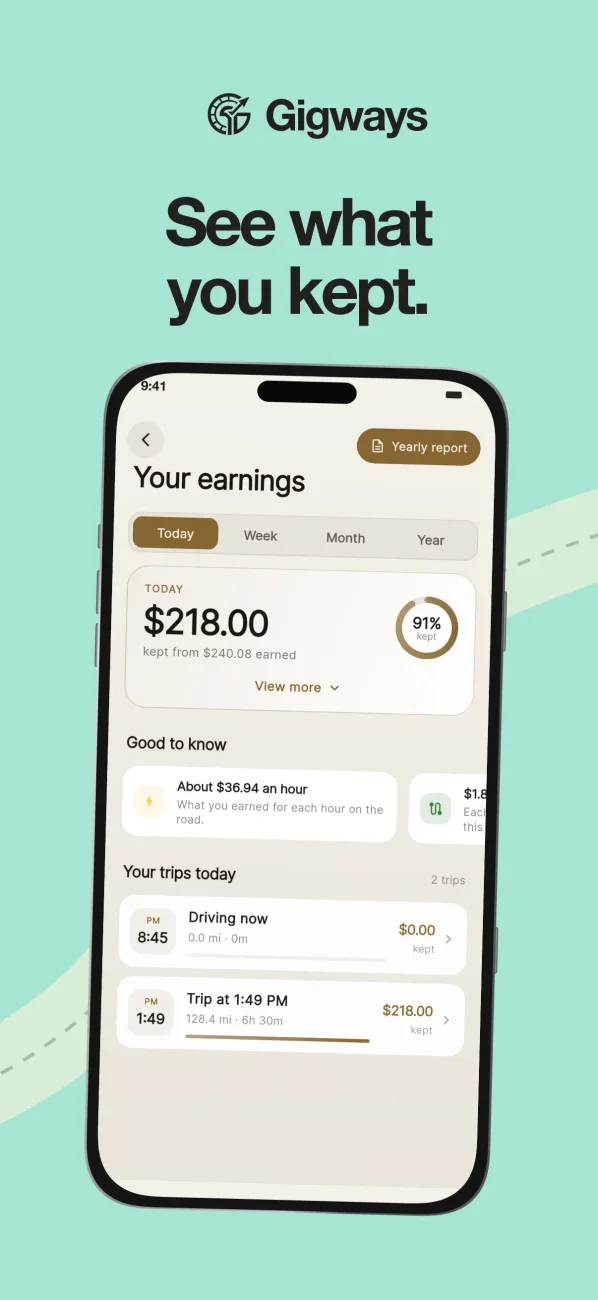
See today, this week, this month, and the full year. Miles driven, hours worked, money in, money out, and what you actually kept. Fix any entry that looks wrong in a couple of taps.
Live on your Lock Screen
Watch your miles and hours climb without unlocking your phone. End your shift straight from the Lock Screen or the Dynamic Island. Home screen widgets keep your net pay, miles, and last seven days one glance away.
A report you can hand to anyone
Download a clean PDF with a month by month breakdown of miles, hours, earnings, expenses, and net pay. Useful at tax time, and useful any time somebody asks you to show your work.
See who is out there
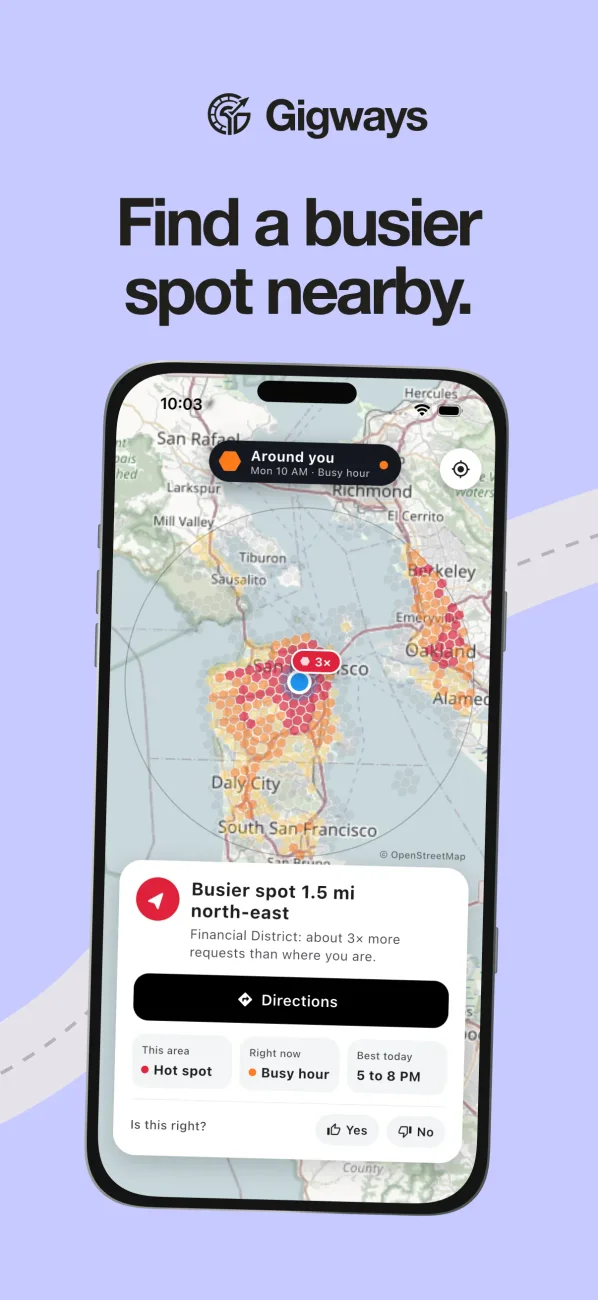
The driver map shows how many drivers are out near you right now. Filter it down to the apps you drive for, widen or tighten the search area, and decide where to go with something better than a guess.
Drivers in your state
A feed for drivers where you live. Ask what it is like out there, warn people about a slow zone, or just talk to somebody who gets it. Posts clear out after a day, so it stays current.
Local gigs worth your time
Browse local work with the pay shown up front. Labor, errands, skilled work, and more. Apply and message the person directly.
Plan your week
Set the days and hours you plan to work. GigWays reminds you before a shift and nudges you to take a break when you have been out a long time.
Pick your days off, together
Choose a day to sit out and see how many other drivers picked the same one, in your state and nationwide.
Ads on your car
Some drivers can get paid to run a vinyl ad while they drive. Campaigns depend on your city, and everything is tracked in the app.
Rides with people you know
Coordinate rides with friends you have added yourself. No strangers, no public listings.
FREE, AND PRO
Shift tracking, your insights, widgets, the community feed, the gig board, scheduling, and rest reminders are free.
GigWays Pro adds the live driver map, unlimited PDF reports, and unlimited gig posts and applications. Pricing is shown in the app before anything is charged.
THE APPS YOU DRIVE FOR
Tag the ones you use and the app fits itself around them: Uber, Lyft, DoorDash, Uber Eats, Instacart, Amazon Flex, Walmart Spark, Grubhub, Shipt, Roadie, Taskrabbit, and truck driving.
Terms of Use (EULA): https://www.apple.com/legal/internet-services/itunes/dev/stdeula/
What’s new
Version 2.8 · Nov 24, 2026
NEW: Smart Capture – know if an offer is worth it, in one tap
Uber or Lyft offer on your screen? Find out if it's a good one before you accept.
• One tap: press the Action Button, double-tap the back of your iPhone, tap the floating button, or say "Hey Siri, check GigWays offer"
• Instant rating: Great, Okay or Bad, based on your own minimum pay per mile and per hour
• See the real numbers: pay per mile, pay per hour, total miles and time, and what you keep after car costs
• Right on top of your driver app: the result shows in the Dynamic Island, on your Lock Screen or as a notification, and stays for 60 seconds
• Tap the result to see the full breakdown
• More ways to ask Siri: "Is this a good offer", "Check my offer", "Should I take this offer" and "Rate this offer"
• Your offer history: look back at every offer you checked
• Easy 3-step setup with a hands-on demo, no tech skills needed
Private by design: your screen is read on your iPhone and never uploaded.
Also in this update:
• Simpler home screen that shows you what's new first
• Bug fixes and speed improvements
Drive smarter, take better offers, earn more per mile.
App privacy
What Gigways LLC declares on the App Store about how this app handles data.
-
Data used to track you
May be used to track you across apps and websites owned by other companies.
- Contact info
- Identifiers
-
Data linked to you
May be collected and linked to your identity.
- Contact info
- Identifiers
Privacy practices may vary, for example with the features you use or your age.
Information
- Seller
- Gigways LLC
- Category
- Finance
- Version
- 2.8
- Updated
- Nov 24, 2026
- Released
- Sep 5, 2025
- Size
- 86.7 MB
- Requires
- iOS 15.0 or later
- Age rating
- 4+
- Price
- Free
- In-app purchases
- Yes
- Languages
- English
- Copyright
- © @gigways
You might also like
-
 GigReal Driver Mileage TrackerGig Pay/hr, Tax & Expense Log
-
 Lyft Direct Powered By PayfareGet paid instantly
-
 Gridwise: Gig Driver AssistantBoost Rideshare & Delivery Pay
-
 Solo: Your Gig Business AppAll Your Gig Jobs. One App
-
 MileIQ: Mileage Tracker & LogTrack Driving Miles & Expenses
-
 Mileage Tracker by EverlanceMile, Expense & Tax Deductions
-
 Jim: sell & get paid instantlyTap to Pay & Payment Links
-
 Amazon Flex Debit CardBy Green Dot Bank
-
 Stride: Mileage & Tax TrackerExpense & income tracking
-
 Instacart Shopper RewardsDiscover the new debit card.