- Age rating4+
- CategoryPhoto & Video
- DeveloperKjetil Dyrland
- LanguagesEnglish+ 9 more
- Size12.0 MB
Links to the official App Store page
Download.org hosts no file of Glimt - Disposable Camera. The button opens its official App Store page, published by Kjetil Dyrland. Listing last checked on Nov 18, 2026.
Screenshots

About
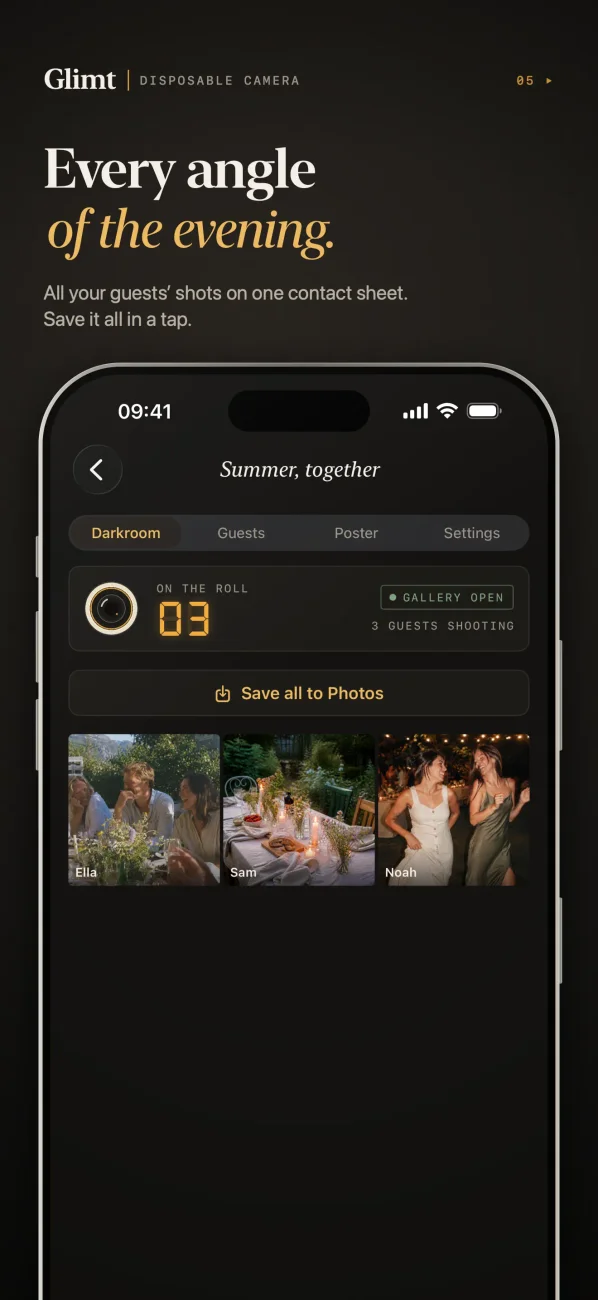
Glimt is the disposable camera for real-life events: weddings, birthdays, reunions and every party in between. Every guest shoots, nobody needs the app, and the photos stay in the darkroom until you develop the roll.
HOST AN EVENT
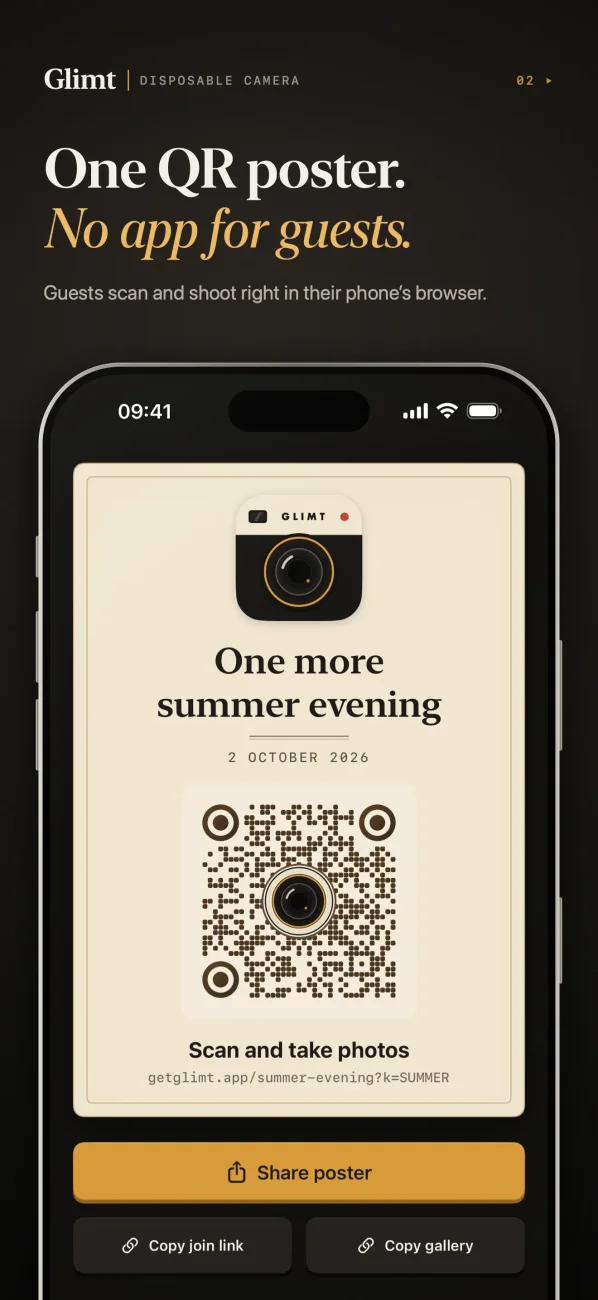
Create an event and hang the QR poster. Guests scan it and get a film roll right in their phone's browser (25 shots each by default) - no app, no account. Photos come out with a warm retro look and a burned-in date stamp, and there's no deleting: film has no retakes.
THE DARKROOM
Watch the shots arrive while the party is on. When the night is over, develop the roll: the whole contact sheet opens for every guest at once, and everyone can save the photos.
RSVP, IF YOU WANT IT
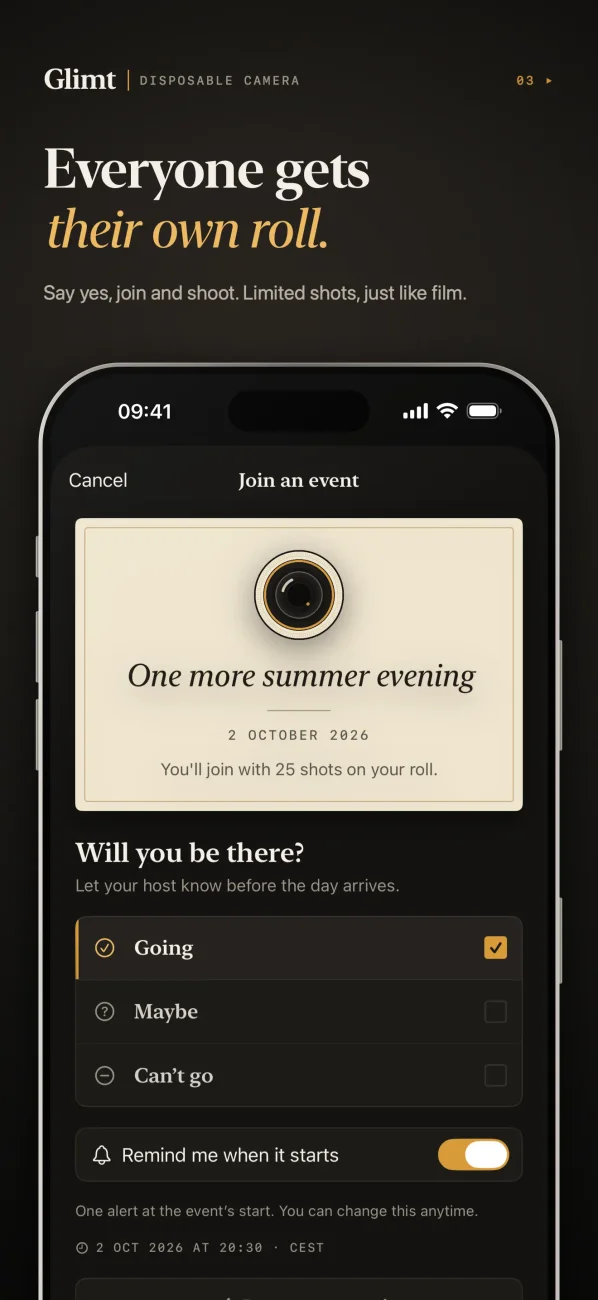
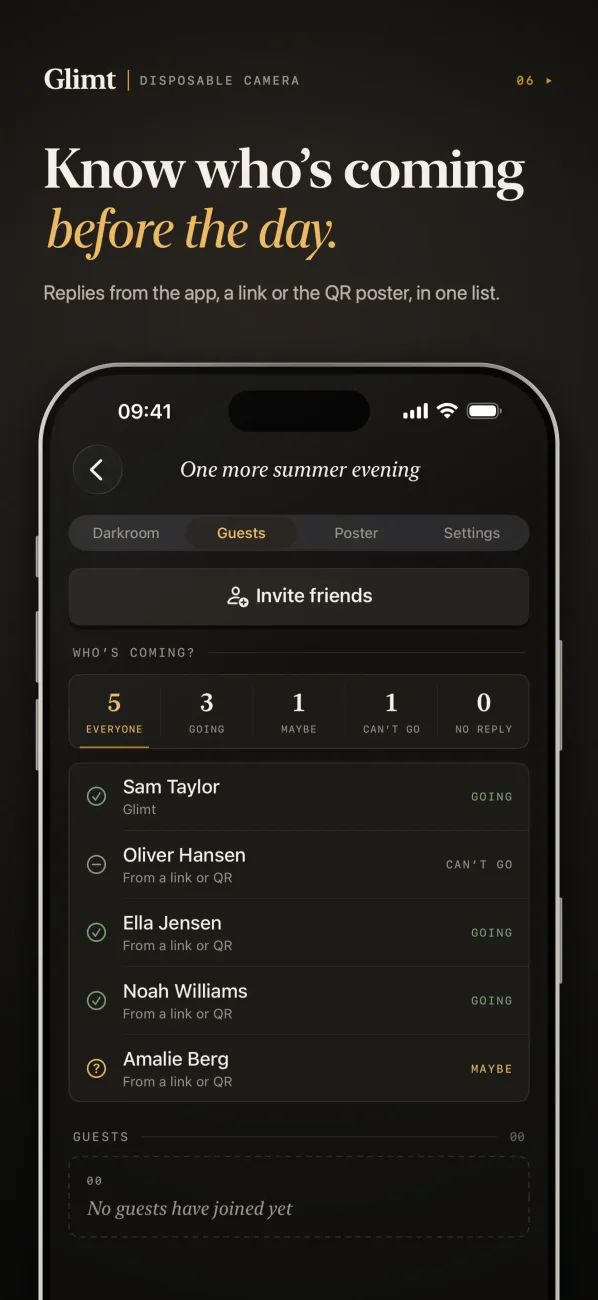
Turn on optional RSVPs for the QR link or app invitations. See who's going, maybe or can't make it in one private list. Guests can change their reply and choose one reminder when the event starts. Web guests can opt into a single email with the event link. Social alerts are off by default.
A FEED OF REAL PRINTS
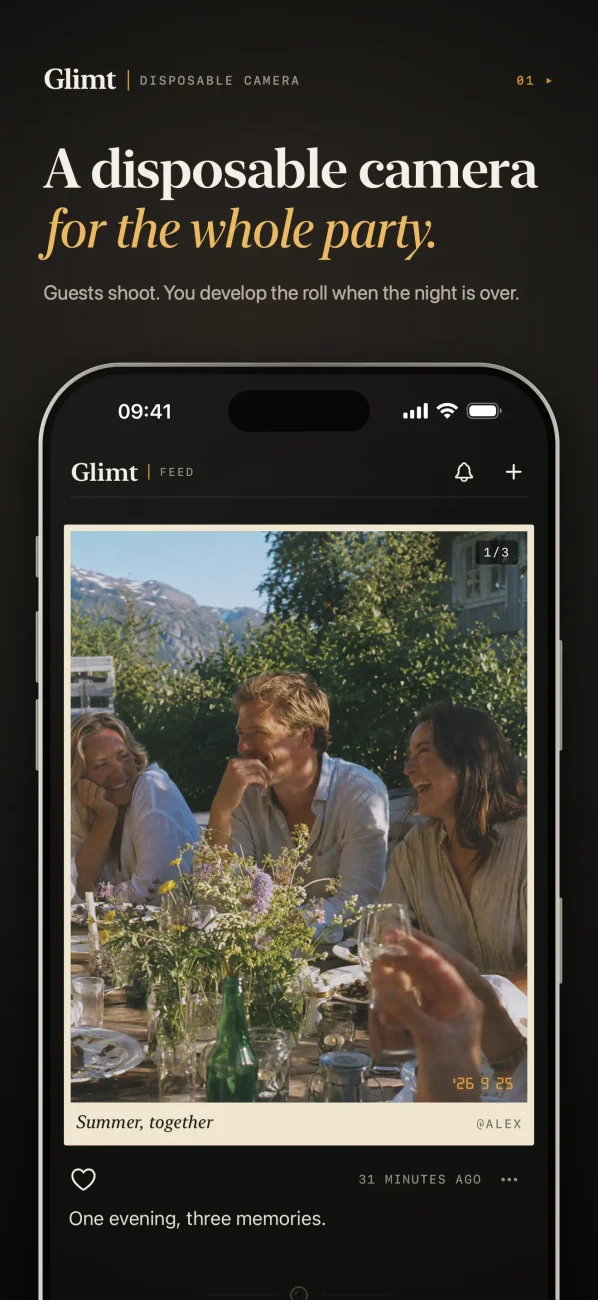
Every photo on Glimt comes from a real event roll. Post your favorite shots, tag the friends who were there, and keep the retro look - or show the original. Chronological, no algorithm.
GLIMT PRO - INCLUDED AT LAUNCH
Pro hosts get more events, bigger guest lists (up to 200) and their own crest inside the QR code. This version has no in-app purchases and nothing to buy: every account created during launch gets Glimt Pro free until April 2027, automatically.
Sign in with Apple or Google.
Terms: https://getglimt.app/terms
Privacy: https://getglimt.app/privacy
What’s new
Version 1.6.0 · Nov 12, 2026
Shared feed: hosts can now let everyone in the event see its feed and every photo as it’s taken, without waiting for the roll to be developed. It’s off by default: turn on “Share photos as they’re taken” when you create or edit an event.
Delete an event: hosts can now remove an event and its photos for everyone, from the darkroom's settings.
Share a moment: the day after an event, you can make a post from it, if you feel like it.
Older events: events and their photos are deleted six months after the event. You'll get reminders first, so there's time to save what you want to keep.
App privacy
What Kjetil Dyrland declares on the App Store about how this app handles data.
-
Data linked to you
May be collected and linked to your identity.
- Contact info
- User content
- Identifiers
Privacy practices may vary, for example with the features you use or your age.
Information
- Seller
- Kjetil Dyrland
- Category
- Photo & Video
- Version
- 1.6.0
- Updated
- Nov 12, 2026
- Released
- Jul 29, 2026
- Size
- 12.0 MB
- Requires
- iOS 17.0 or later
- Age rating
- 4+
- Price
- Free
- Languages
- English, Danish, Dutch, French, German, Italian, Norwegian Bokmål, Portuguese, Spanish, Swedish
- Copyright
- © 2026 Dyrland Data & AI
You might also like
-
 Dual Camera Reaction RecorderFront & Back at Once, PiP
-
 10AM - Disposable Event CameraBe present, not perfect
-
 Partyfilm: Disposable CameraParty & Wedding Photo Sharing
-
 Knips – Disposable CameraGuest photos, developed later
-
 ROLL: Event Disposable CameraShared wedding & party photos
-
 Wedding Photo-ChallengePhoto booth, guest book, games
-
 Vista: Wide Angle Photo CameraManual Controls & AI Enhance
-
 TheDay Disposable Camera EventWedding, Party & Event Photos
-
 Afters - shared party cameraOne roll, your whole crew
-
 Flash: Disposable CameraWedding & party guest photos