
- Age rating4+
- CategoryMedical
- DeveloperFokke Zandbergen
- LanguagesDutch+ 1 more
- Size8.0 MB
Links to the official App Store page
Download.org hosts no file of GluWink. The button opens its official App Store page, published by Fokke Zandbergen. Listing last checked on Nov 12, 2026.
Screenshots
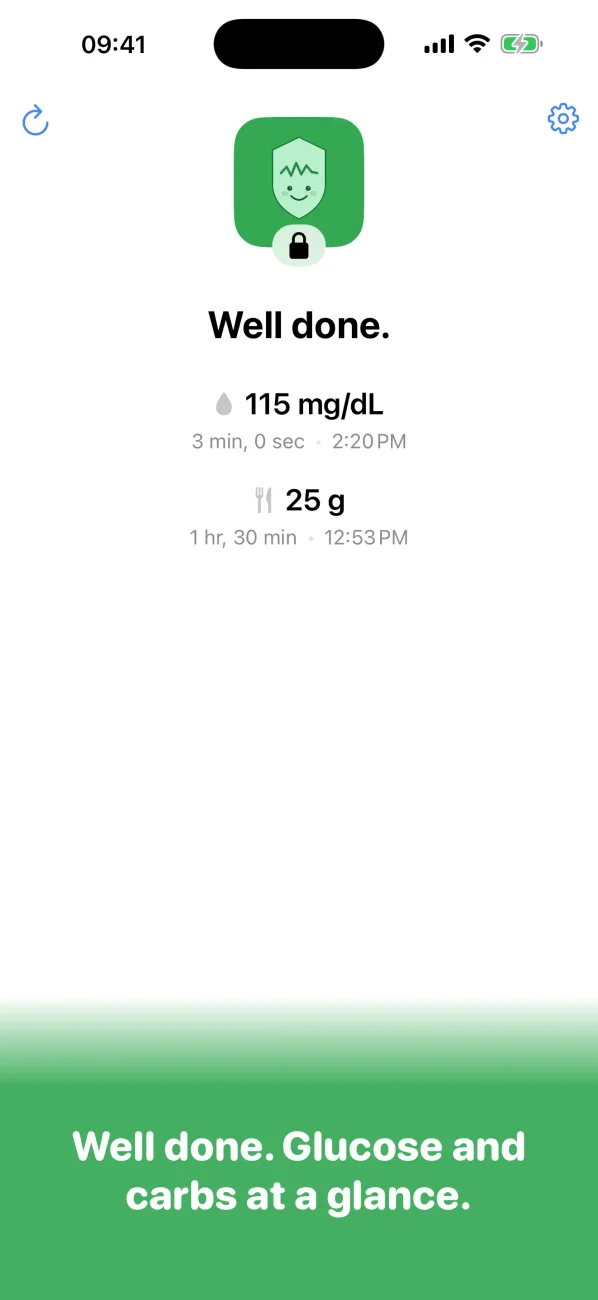
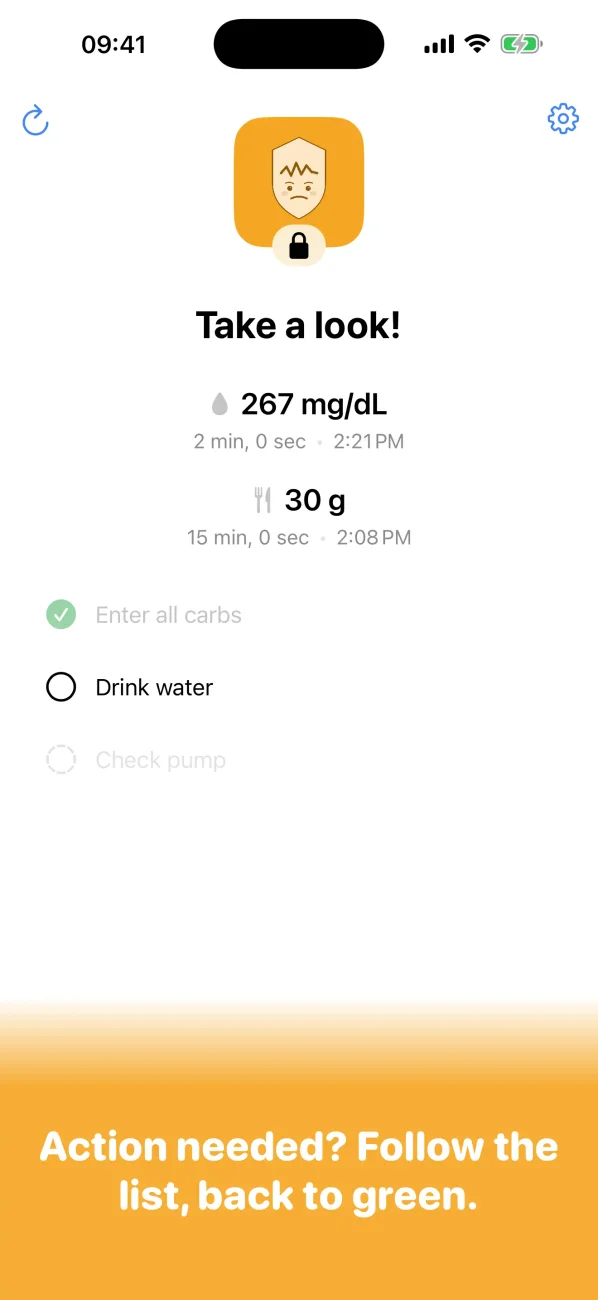
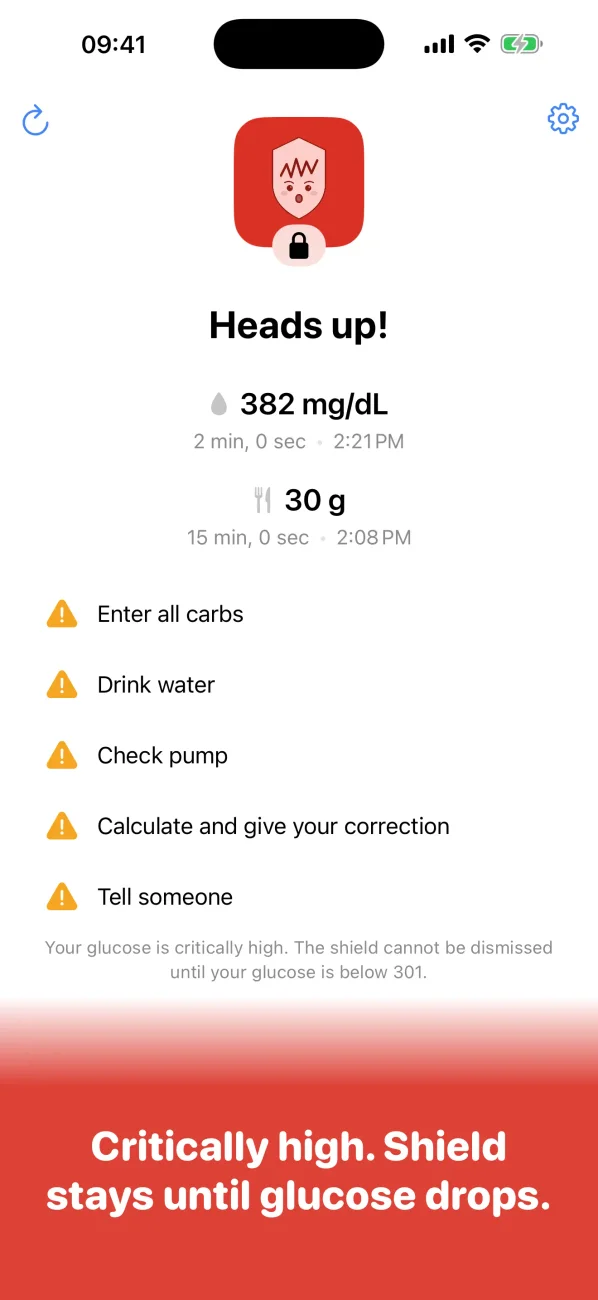


About
Make your iPhone and Apple Watch a tool for diabetes — not a distraction from it.
GluWink does three things, and nothing more:
1. Glucose and carbs visible everywhere. Home Screen, Lock Screen and StandBy widgets in every size. Complications on every Apple Watch face. An optional glucose number on the app icon badge. Turn carb features off in settings if you don't track carbs.
2. Clear status at a glance. Green: all clear. Orange: something needs attention — glucose is high or low, sensor is stale, or (if carb tracking is on) no carbs logged yet. Red: critical high — shield locked until glucose drops below your threshold. Every surface speaks the same three-color language.
3. Optional app blocking — your call. Choose to block other apps at configurable intervals, either always or only when something needs your attention. While blocking is active and the face is orange, GluWink locks other apps until the check-in is done. When the face is red, the check-in is off the table entirely until glucose drops back below the critical threshold — no passphrase override, no disarm. When everything is green — or you've turned blocking off entirely — your phone is just your phone.
— Built for two audiences —
For parents of children with Type 1:
• Set GluWink up once on the child's iPhone using Family Sharing.
• Pick which apps stay free to use (the CGM app, school apps, phone, messages).
• A passphrase only the parent knows protects the settings.
• The child cannot delete the app or skip the check-in.
• You can always glance at the home screen badge or a widget to see how things are going.
For adults managing their own Type 1:
• Authorize GluWink for yourself — no Family Sharing required.
• Have a partner, spouse, or friend set the passphrase. The friction is the point.
• You can always uninstall — GluWink is honest about that. It nudges, it doesn't imprison.
— Where the data comes from —
GluWink reads glucose and carbs from Apple Health. Most CGM apps (Dexcom, Libre, CamAPS, xDrip, Loop, iAPS, and others) already write to Apple Health. If yours does, GluWink is a one-tap connection.
Prefer Nightscout? Connect a Nightscout site instead — handy when a parent is monitoring a child remotely, or when the diabetes system writes to Nightscout but not Apple Health.
On Medtrum? Connect EasyView — works for patients and caregivers. On FreeStyle Libre? Connect LibreLinkUp — GluWink reads direct from Abbott's cloud. Any source can be on at once; the freshest reading wins.
Want to try the app first? Demo mode shows realistic glucose and carb data without any sensor.
— What you get —
• Friendly check-in shield with action items based on the current glucose and (optionally) last carbs.
• Three-way signal: green (all clear), orange (check-in needed), red (critical — shield locked until glucose drops). Thresholds are yours to set.
• Home Screen, Lock Screen, and StandBy widgets in every size, tinted with the same three-color attention signal.
• Apple Watch app and complications — glucose at a glance on every watch face, with optional carbs.
• Configurable thresholds, intervals, and (when carb tracking is on) a daily carb grace period.
• Block apps always, only when attention is needed, or not at all — you decide.
• English and Dutch throughout.
— Honest about what GluWink is not —
GluWink is not a medical device. It does not replace your CGM, your pump, your endocrinologist, or your judgment. It does not make treatment decisions. It surfaces information that's already on the phone and asks one question: did you do the diabetes thing yet?
— Open source —
GluWink is open source. Your data stays on your device (with HealthKit), on the Nightscout site you control, or on the LibreLinkUp or EasyView service you connect. There are no accounts, no servers run by us, no analytics, no ads. Source code, build instructions, and the rules engine are all on GitHub.
Type 1 diabetes is relentless. The phone doesn't have to be.
What’s new
Version 1.2.0 · Oct 27, 2026
• Refresh on demand: tap the new refresh button on the home screen (and in the Apple Watch app) to fetch your latest glucose right away.
• Low Power Mode note: when iOS is limiting background updates and your glucose reading is out of date, GluWink now tells you why. It also refreshes by itself as soon as you switch Low Power Mode off.
• More reliable updates: GluWink retries after short network hiccups and no longer gets stuck on a request that iOS suspended, so data catches up faster in the background and when you reopen the app.
• New Logs screen in Settings shows when and why data refreshed, which makes it easier to figure out why a reading is late.
App privacy
What Fokke Zandbergen declares on the App Store about how this app handles data.
-
Data not collected
The developer does not collect any data from this app.
Privacy practices may vary, for example with the features you use or your age.
Information
- Seller
- Fokke Zandbergen
- Category
- Medical
- Version
- 1.2.0
- Updated
- Oct 27, 2026
- Released
- Jun 5, 2026
- Size
- 8.0 MB
- Requires
- iOS 26.3.1 or later
- Age rating
- 4+
- Languages
- Dutch, English
- Copyright
- © 2026 Fokke Zandbergen
You might also like
-
 Nectar – Glucose TrackerBeautiful Live CGM Monitor
-
 GlucoWrist - Glucose TrackerBlood Sugar & Diabetes Log
-
 Dawn PhenomenonUnderstand overnight glucose
-
 OmniSite TrackerPump Site Rotation Made Easy
-
 SugrMonYour blood glucose monitor
-
 GlucoLiveBlood sugar in real time
-
 GlucoTrail: Glucose JournalPrivate journal, no account
-
 DiabetesFitTrack Glucose & Insulin
-
 Diabetes & Food Log: GlynceGlucose, CGM & Carb Tracker
-
 BolusSmartDiabetes and bolus management