gmCalSync: Group Calendar Sync
Group events on your calendar
Designed for iPhone, iPad
Free · In-app purchases
- Age rating4+
- CategoryProductivity
- DeveloperStatus Recap, LLC
- LanguagesEnglish
- Size17.7 MB
Links to the official App Store page
Download.org hosts no file of gmCalSync: Group Calendar Sync. The button opens its official App Store page, published by Status Recap, LLC. Listing last checked on Nov 24, 2026.
Screenshots

About
Every GroupMe calendar. Your calendar. Always up to date.
Your group posts a practice change, a game time, a meeting — and it disappears into the chat. gmCalSync turns the calendar events in your GroupMe groups into private calendar subscriptions that keep themselves current in Apple Calendar, Google Calendar, or Outlook.
Connect GroupMe once. Stop retyping events forever.
HOW IT WORKS
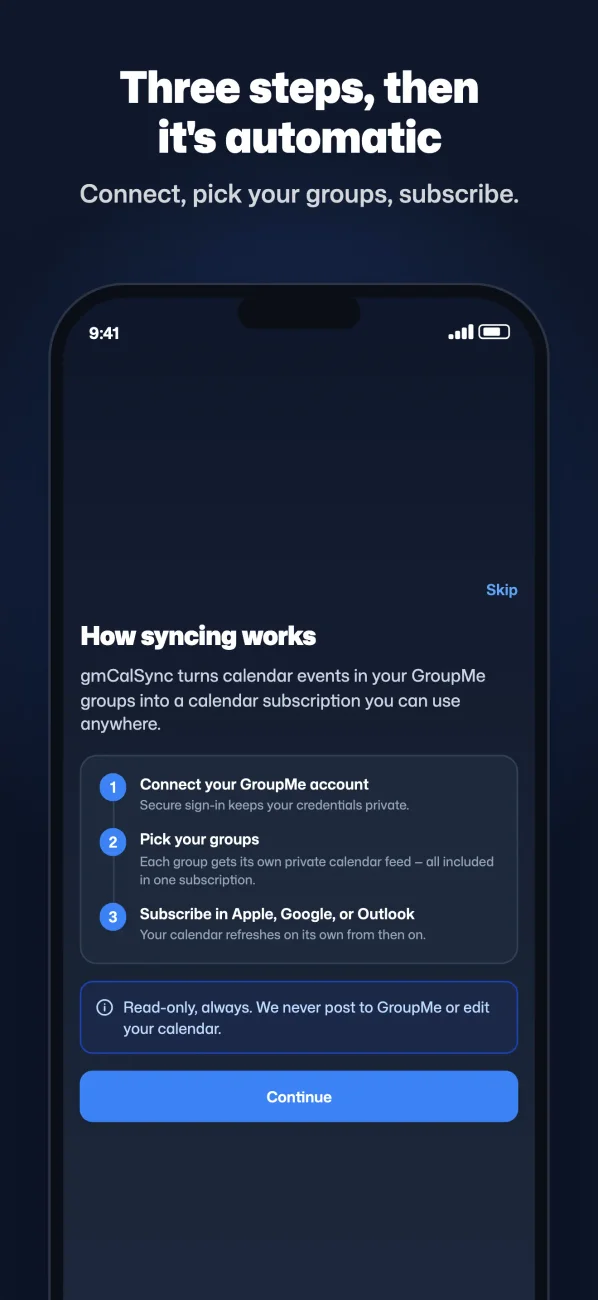
1. Sign in with Apple, Google, or email.
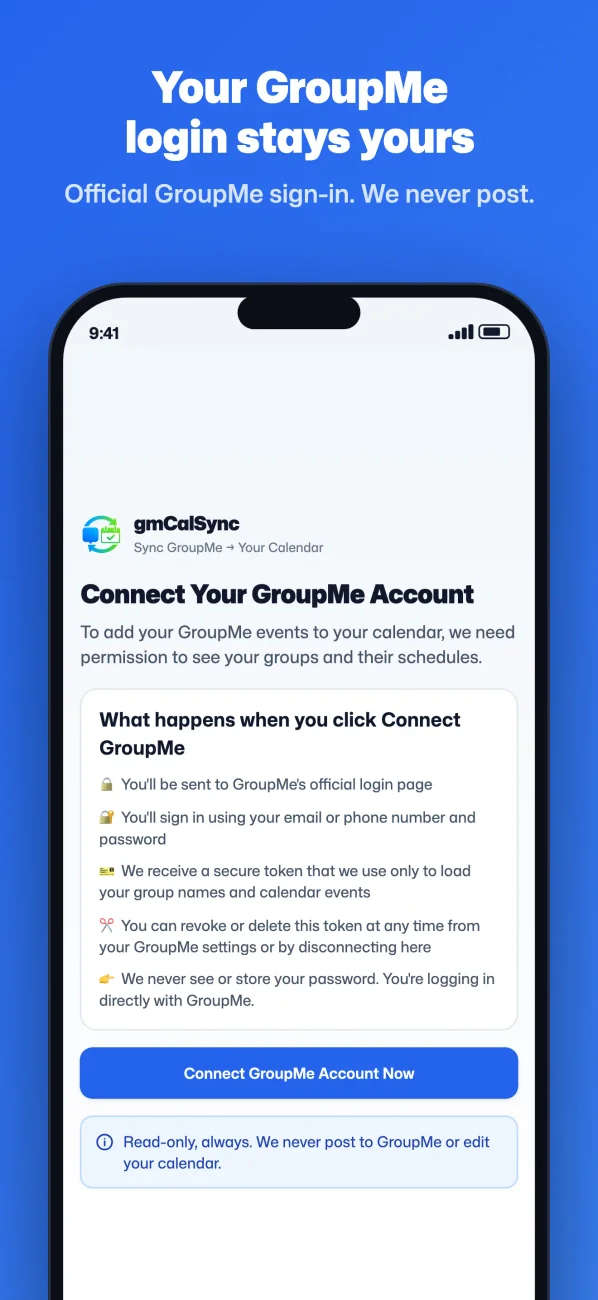
2. Connect your GroupMe account through GroupMe's own secure sign-in. We never see your password.
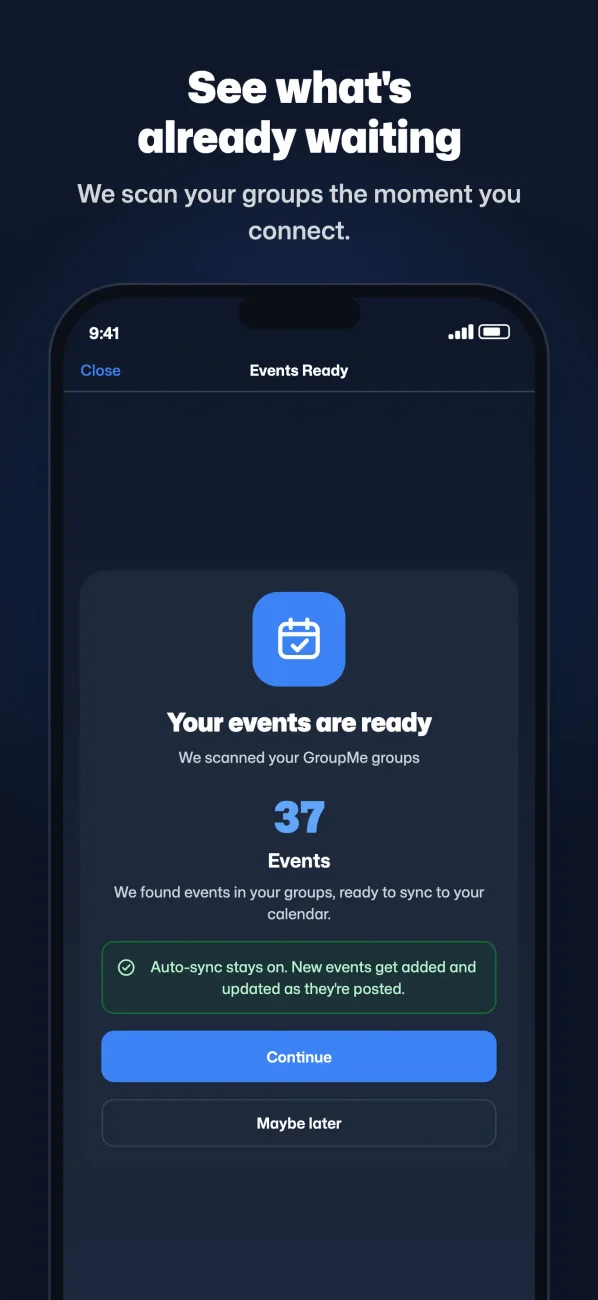
3. Pick your groups. Each one becomes its own private calendar feed.
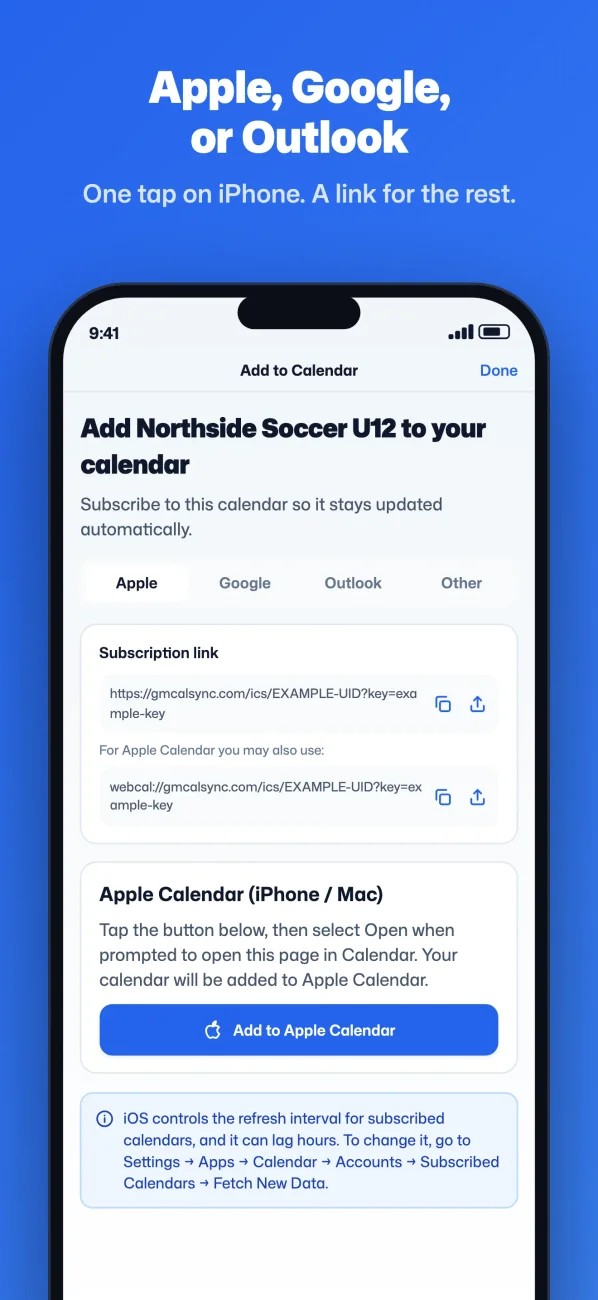
4. Subscribe in Apple Calendar with one tap, or paste the link into Google Calendar or Outlook.
That's it. From then on, new events posted in GroupMe show up in your calendar on its own, and edits follow along on the next refresh.
EVERY GROUP, ONE SUBSCRIPTION
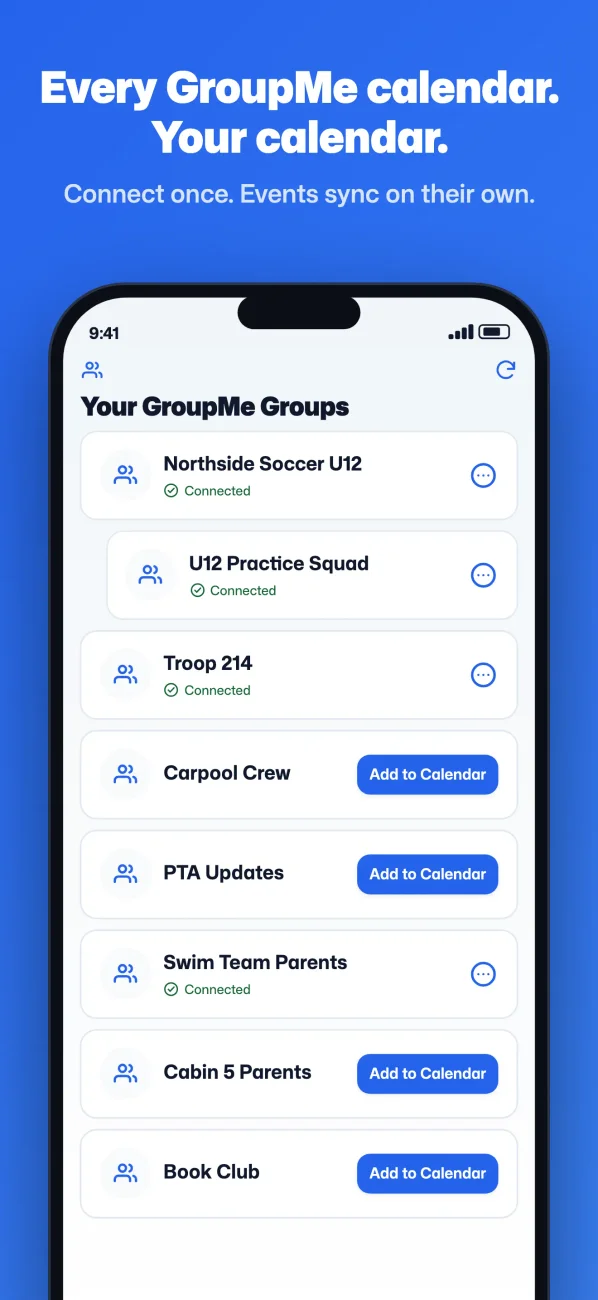
• Each GroupMe group gets its own calendar, so you can subscribe to some and skip others
• Subgroups are supported and stay grouped under their parent
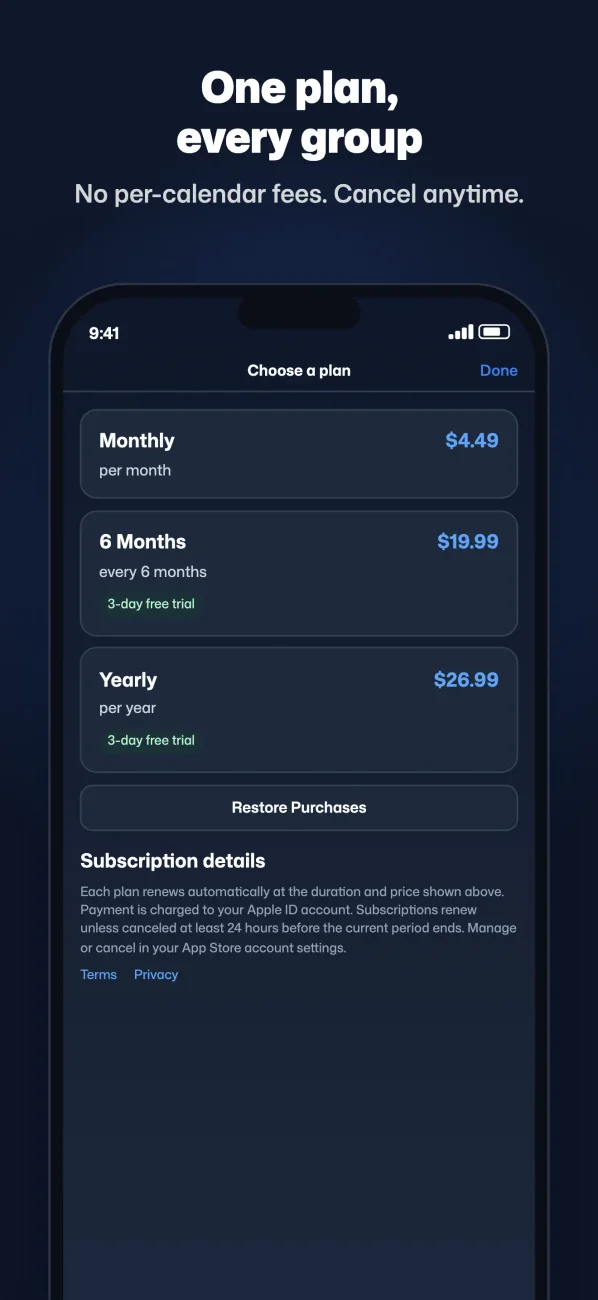
• No per-calendar fees — one plan covers every group on your account
• Add a group later and it works the same way
ONE CALENDAR, OR ONE PER GROUP
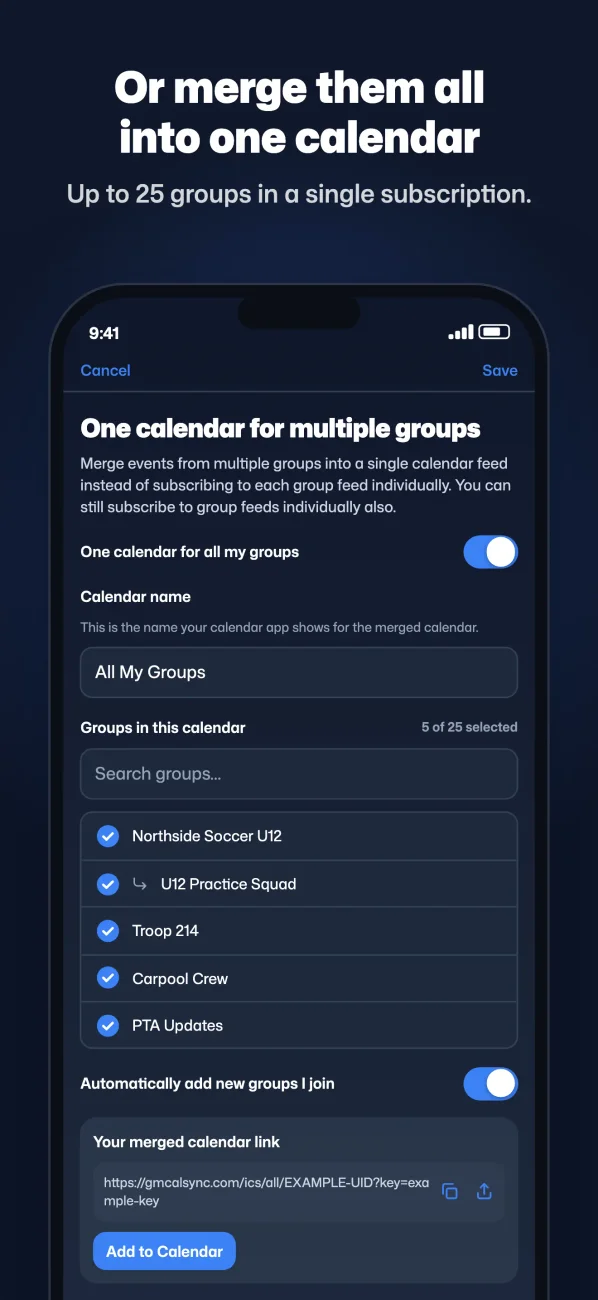
• Merge up to 25 groups into a single calendar subscription
• Every event carries a label for the group it came from — the group's name, or a short label you pick
• New groups you join can fold themselves into it automatically
• The merged calendar doesn't replace the per-group ones: keep subscribing to those too
WORKS WITH THE CALENDAR YOU ALREADY USE
• Apple Calendar on iPhone, iPad, and Mac — one tap to subscribe
• Google Calendar — add by URL, then it syncs to every device signed into your account
• Outlook on the web — subscribe from web
• Anything else that accepts a calendar URL, including many family and wall calendars
READ-ONLY, ON PURPOSE
• We read your GroupMe groups and their calendar events. That's all.
• We never post to GroupMe, never message anyone, and never edit your calendar
• Your calendar links are private to you, and you can rotate or remove them any time
• Disconnect GroupMe or delete your account from inside the app whenever you want
BUILT FOR THE PERSON WHO RUNS THE GROUP
Organizing a team, a troop, a class, or a carpool? Group plans let one subscription cover your whole group: share a join code or QR, approve members, and everyone gets their own calendar link. Manage members, admins, and approvals right in the app. (Group plans are purchased and upgraded on our website — the app shows and manages the plans you already have.)
CANCELLED EVENTS, HANDLED
Google Calendar likes to keep cancelled events on the grid. gmCalSync can prefix those titles with CANCELLED so nobody shows up to a game that isn't happening — or hide them entirely. Your choice, in Settings.
SUBSCRIPTION
gmCalSync is a subscription, available monthly, every six months, or yearly. The six-month and yearly plans include a 3-day free trial. One subscription covers every GroupMe group on your account.
Payment is charged to your Apple Account at confirmation of purchase. Subscriptions renew automatically unless auto-renew is turned off at least 24 hours before the end of the current period. Manage or cancel any time in your App Store account settings. Already subscribed on gmcalsync.com? Just sign in — your plan comes with you.
A NOTE ON REFRESH TIMING
Subscribed calendars are refreshed by your calendar app, not by us, and iOS in particular can lag by hours. You can shorten it in Settings → Apps → Calendar → Accounts → Subscribed Calendars → Fetch New Data. We explain this in the app when you add a calendar, because it is the single most common surprise.
Terms of Service: https://gmcalsync.com/terms
Privacy Policy: https://gmcalsync.com/privacy
Stop scrolling back through the chat to find out when practice is.
What’s new
Version 1.5 · Nov 24, 2026
Even easier to connect GroupMe
App privacy
What Status Recap, LLC declares on the App Store about how this app handles data.
-
Data linked to you
May be collected and linked to your identity.
- Purchases
- Contact info
- User content
- Identifiers
- Usage data
- Diagnostics
Privacy practices may vary, for example with the features you use or your age.
Information
- Seller
- Status Recap, LLC
- Category
- Productivity
- Version
- 1.5
- Updated
- Nov 24, 2026
- Released
- Sep 1, 2026
- Size
- 17.7 MB
- Requires
- iOS 17.0 or later
- Age rating
- 4+
- Price
- Free
- In-app purchases
- Yes
- Languages
- English
- Copyright
- © 2026 gmCalSync
You might also like
-
 Pictamail V3Productivity
-
 TMU CalculatorProductivity
-
 QuefulCarpool Reimagined
-
 Availability SyncEffortless Scheduling!
-
 Nudge: ADHD Cleaning PlannerChores, Schedule & Declutter
-
 Statusbrew Companion AppSocial Media Collaboration App
-
 Sticky Notes + WidgetsSimple stickies with reminders
-
 Monograph: Time and ExpensesStay on track & on time
-
 NVIDIA Marketplace AdminStore Admin
-
 Team ButterVirtual fundraising