Go Show Audio
Stage Audio for Performers
Designed for iPhone, iPad, iPod touch
Free · In-app purchases
- Age rating4+
- CategoryMusic
- DeveloperRichard Barker
- LanguagesEnglish
- Size32.8 MB
Links to the official App Store page
Download.org hosts no file of Go Show Audio. The button opens its official App Store page, published by Richard Barker. Listing last checked on Nov 23, 2026.
Screenshots

About
Go Show Audio is the offline audio player built for live performers...
Full access requires a monthly or lifetime subscription.
BUILT FOR THE STAGE, NOT THE GYM
Terms of Use: https://goshowaudio.com/terms
Privacy Policy: https://goshowaudio.com/privacy
Unlike generic music apps, Go Show Audio is designed for one thing: flawless live audio. Big buttons you can see from across the stage. A high-contrast dark theme that won't blind you in a dark venue. Landscape mode for the biggest possible view. And complete offline support so venue WiFi is never a concern.
CREATE AND MANAGE MULTIPLE SHOWS
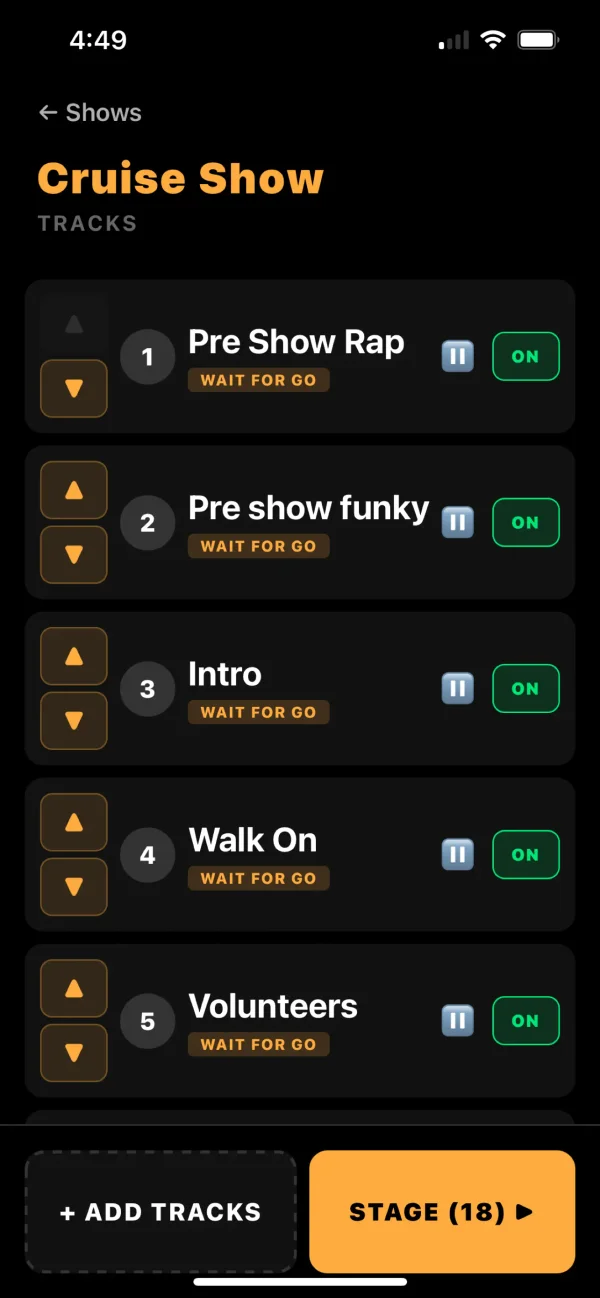
Build separate playlists for every gig. A wedding set, a corporate event, a theater production — each with its own tracks, cue order, and settings. Duplicate an entire show in one tap to create variations without starting from scratch.
PER-TRACK CONTROL
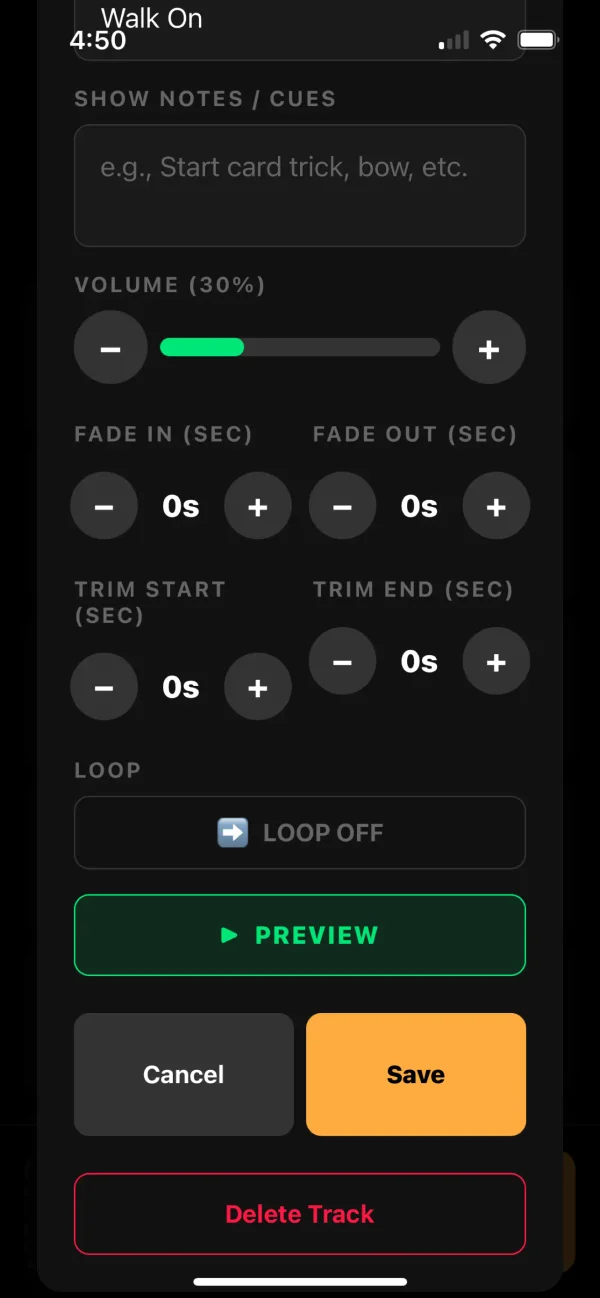
Every track has its own settings: volume control (including boost up to 200% for quiet tracks), fade in and fade out timing, trim start and end points, auto-follow or wait modes, loop mode for background music, and enable/disable without removing from your setlist.
WIRELESS REMOTE CONTROL
Control your show without touching your phone. Go Show Audio works with Audio Ape USB remotes, Bluetooth presentation remotes, and any standard media remote. Play, pause, next, and previous — all from a key fob in your pocket.
WORKS 100% OFFLINE
Every audio file is stored locally on your device. Turn on airplane mode and run your entire show with zero internet dependency. No buffering. No streaming failures. No mid-show phone calls.
STAGE MODE
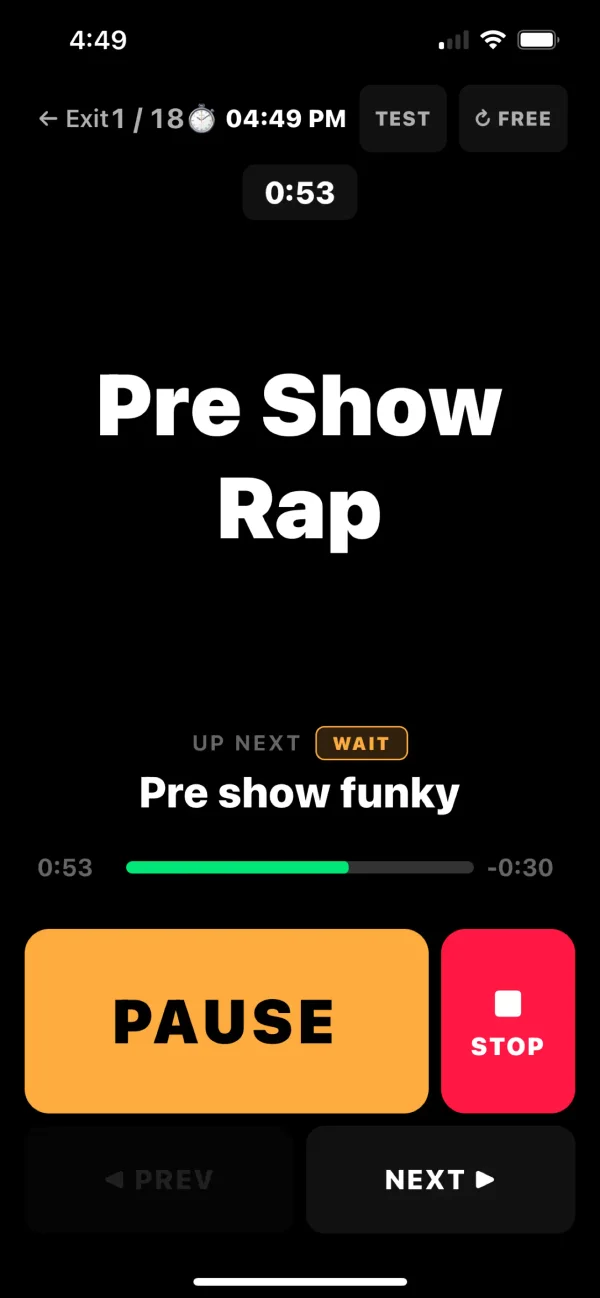
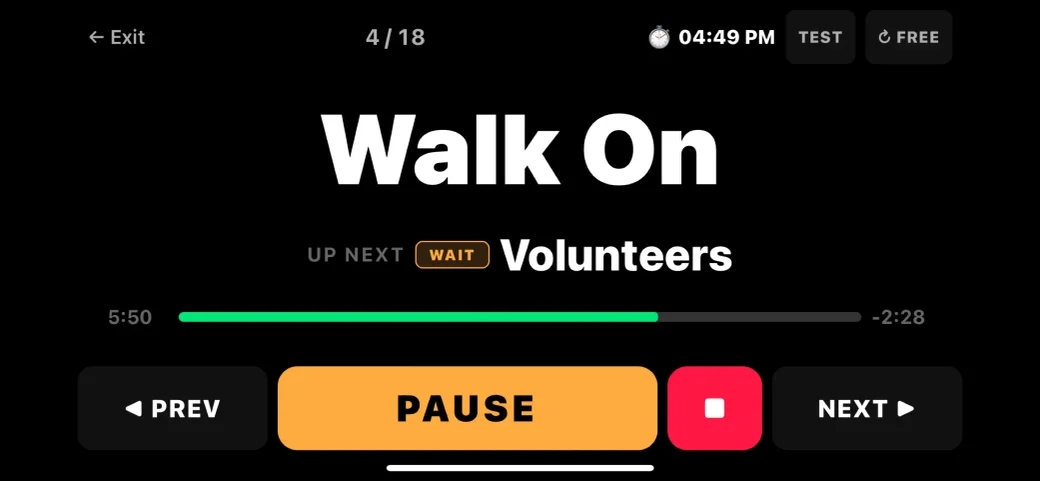
One-tap access to a distraction-free performance view. Giant track name, up-next indicator, progress bar, and oversized play/pause/next/stop buttons. The last 10 seconds flash red so you always know when a track is about to end.
Your show depends on your audio. Go Show Audio makes it bulletproof.
Full access requires a monthly ($9.99/mo) or lifetime ($99.99) subscription
What’s new
Version 1.0.8 · Nov 18, 2026
What's new in 1.0.8
- Program your remote: tap REMOTE on the Shows screen and choose what each button does. Center button: Play / Pause, Play / Stop, or Play / Stop and cue next. Next and Previous: fade out first, or cut clean.
- Two-press safety mode: when your remote is dark, the first press only lights it up, the second press fires the cue. No more accidental cues in the dark. Turn it on or off any time.
- Import a whole show: tap IMPORT SHOW, pick a folder from Files or iCloud Drive, and every track loads in running order.
- Repeat a cue: set any track to play 2 to 20 times, one PLAY each, before the show moves on. Stage Mode shows PLAY 2 OF 7.
- Send a show from your Mac: plug in your iPhone or iPad, drag your show into Go Show Audio in Finder, then tap IMPORT SHOW.
- New screen lock: hold your device the way you want, tap the padlock, and the stage screen stays put.
- Fades now always work: track volume tops out at 100%, so every fade out plays smoothly.
- Fixes: one remote press is always one action, and a second press during a fade can no longer skip two tracks.
App privacy
What Richard Barker declares on the App Store about how this app handles data.
-
Data not collected
The developer does not collect any data from this app.
Privacy practices may vary, for example with the features you use or your age.
Information
- Seller
- Richard Barker
- Category
- Music
- Version
- 1.0.8
- Updated
- Nov 18, 2026
- Released
- Apr 6, 2026
- Size
- 32.8 MB
- Requires
- iOS 15.1 or later
- Age rating
- 4+
- Price
- Free
- In-app purchases
- Yes
- Languages
- English
- Copyright
- © 2026 National Entertainment Group, Inc
You might also like
-
 ShowCue: Soundboard for ShowsSound effects & backing tracks
-
 CueSuiteMusic
-
 BrownBox: Line Array RiggingSoundvision trim & splay
-
 Lyrics SetListYour lyrics & setlists for Gig
-
 Speaker PositioningPlace your speakers perfectly
-
 Mak Audio CalculatorAudio-calcs for perfection
-
 CueMusicSegmenting Audio Player
-
 Sono - Soundboard & SFX PadCustom Sound Effects Board
-
 Audio Ape ProEasy to use show music app.
-
 LSV CueListMusic