
GoMind
Superfast mind map editor
Designed for iPhone, iPad, Mac, iPod touch
Free · In-app purchases
- Age rating4+
- CategoryUtilities
- DeveloperPOSH GROUP LIMITED
- LanguagesEnglish+ 15 more
- Size56.7 MB
Links to the official App Store page
Download.org hosts no file of GoMind. The button opens its official App Store page, published by POSH GROUP LIMITED. Listing last checked on Nov 27, 2026.
Screenshots

About
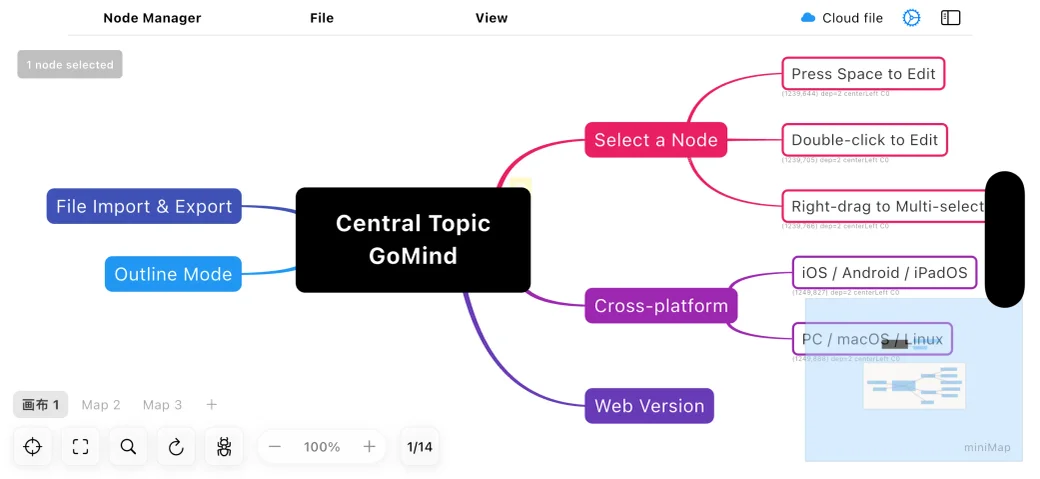
GoMind: Turn complex ideas into clear structure
Capture a thought before it fades. Connect brainstorming ideas, key points from your reading, and notes you want to revisit. Build a visual knowledge map that grows with what you learn.
SEE WHAT MATTERS
• Brainstorming and key notes: capture ideas, group related thoughts, and keep the points worth building on
• Study and exam revision: connect key concepts, group revision topics, and mark areas to revisit
• Business planning: map customer problems, assumptions, evidence, and next steps before you commit
• Work and meetings: organize decisions, reference material, and follow-up actions in one visual structure
• Personal growth: connect reading notes and insights to the goals you are working toward
Start with a single idea, an outline, or an imported file. Expand it on an unlimited canvas and explore the same information through different layouts.
BUILD MIND MAPS YOUR WAY
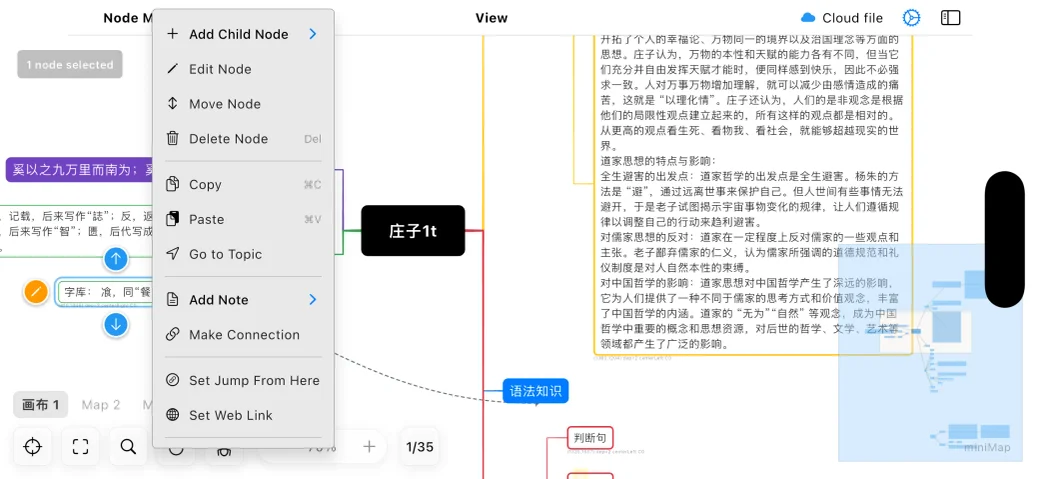
• Create, edit, and organize nodes freely, with multi-selection, batch actions, undo, and redo
• Choose from 17+ layout algorithms, including mind maps, timelines, fishbone diagrams, logic charts, organizational charts, and freeform layouts
• Personalize your map with themes, dark mode, custom node styles, colors, fonts, borders, and connection lines
• Organize complex information with multi-page documents, page links, cross-page navigation, custom relationships, and branch notes
MAKE YOUR CONTENT RICHER
• Add plain text, Markdown, HTML, code blocks, LaTeX formulas, and Mermaid diagrams to node notes
• Use images, SVG stickers, markers, labels, boundaries, and summaries to make important ideas stand out
• Attach web links to connect your map with useful resources, tasks, and references
AI-ASSISTED ORGANIZATION
Describe what you want to explore and use the AI sidebar to create, edit, organize, or review your mind map. Start from files or outlines, then refine the result around your own thinking. AI features and connections depend on your configuration and selected service.
IMPORT, EXPORT, AND SHARE
• Import XMind, Markdown, YAML, OPML, FreeMind, and plain text files
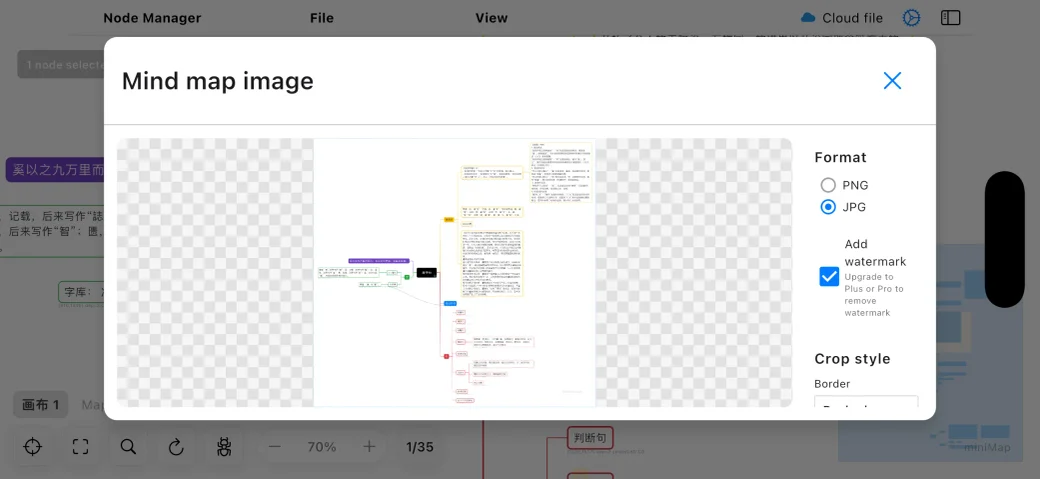
• Export to PNG, JPG, SVG, PDF, Markdown, and OPML
• Configure image size, background, borders, and selected content for sharing, printing, and further editing
• Import content into selected nodes or drag and drop files to get started quickly
LOCAL-FIRST, READY WHEN YOU ARE
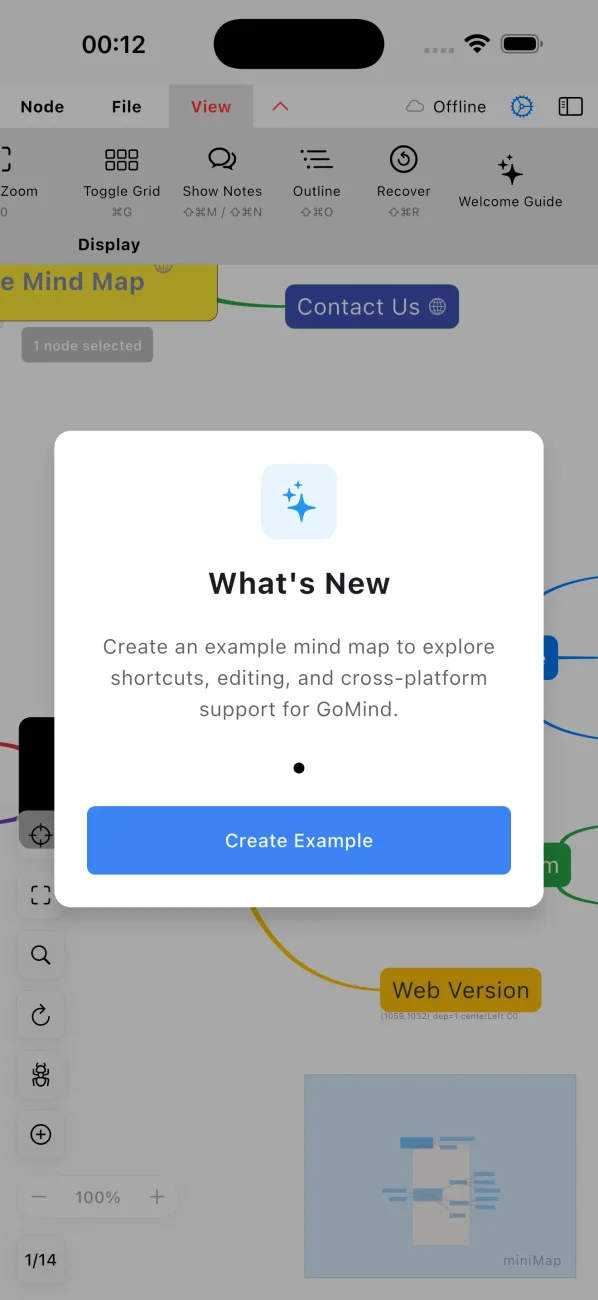
GoMind supports local saving, automatic saving, and recovery after unexpected exits. Optional cloud storage and cross-device sync let you continue organizing your ideas across devices. Enjoy a cross-platform workflow with multilingual support, customizable keyboard shortcuts, and touch-friendly interactions.
Turn scattered ideas into actionable structure. Download GoMind and start thinking, planning, learning, and communicating more clearly.
Terms of Use (EULA): https://www.apple.com/legal/internet-services/itunes/dev/stdeula/
What’s new
Version 2.18.15 · Nov 26, 2026
AI now creates mind maps on empty canvases automatically
AI replies appear beside the sidebar button for easy access
Canvas AI progress is visible through both robot frames
AI-generated mind map nodes are tracked for review
AI can read images and edit node extensions directly
AI editing from the canvas now avoids conflicts with existing content
AI endpoint settings include advanced configuration options
AI-generated content is displayed in the language of the document
AI progress is highlighted on the canvas for better visibility
Welcome Center cloud thumbnails stay visible during refresh
App privacy
What POSH GROUP LIMITED declares on the App Store about how this app handles data.
-
Data not collected
The developer does not collect any data from this app.
Privacy practices may vary, for example with the features you use or your age.
Information
- Seller
- POSH GROUP LIMITED
- Category
- Utilities
- Version
- 2.18.15
- Updated
- Nov 26, 2026
- Released
- Nov 10, 2025
- Size
- 56.7 MB
- Requires
- iOS 15.0 or later
- Age rating
- 4+
- Price
- Free
- In-app purchases
- Yes
- Languages
- English, Arabic, French, German, Italian, Japanese, Korean, Polish, Portuguese, Russian, Simplified Chinese, Spanish + 4 more
- Copyright
- © POSH 2025
You might also like
-
 备忘录记事君-便签笔记日记手帐清单Utilities
-
 日记路Utilities
-
 Photo Eraser:Remove Objects AIErase objects from any browser
-
 Hatire笔记Utilities
-
 ChipLog Pro - IC Chip ScannerIdentify Electronic Components
-
 AI Media Converter: MP4 to MP3Convert Video, Audio & Image
-
 网易叭哥说 - AI语音输入法Utilities
-
 Bubble Diagram MakerQuick Mind-Map & Venn Tool
-
 Screenlate: Screen TranslateTranslate screen and photos
-
 AI & Automation for ShortcutsSmart Actions & Data Storage