
- Age rating17+
- CategoryEducation
- DeveloperMichal Marcinkowski
- LanguagesEnglish+ 1 more
- Size3.5 MB
Links to the official App Store page
Download.org hosts no file of Good Cards. The button opens its official App Store page, published by Michal Marcinkowski. Listing last checked on Nov 12, 2026.
Screenshots

About
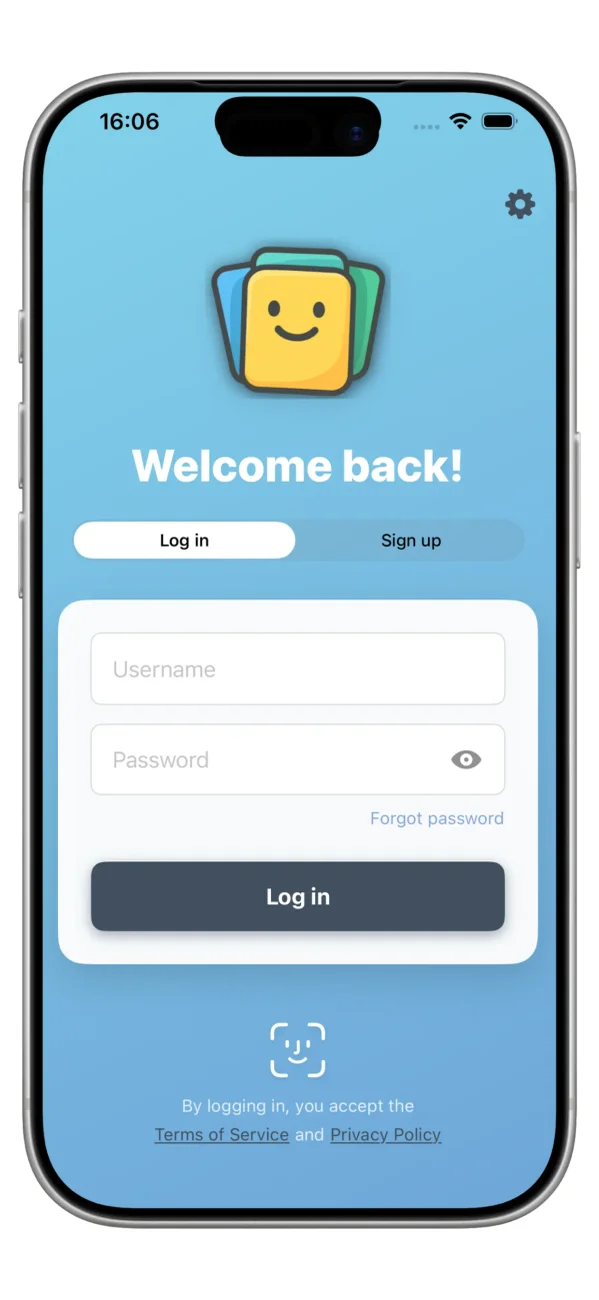
Good Cards helps you build your own flashcards and practise vocabulary at your own pace. Start with your notes, a photo, your voice or a topic you want to learn.
FIVE WAYS TO ADD FLASHCARDS
• TYPE: enter or paste terms and translations. If you only have the terms, use AI to fill in the translations.
• ADD PHOTO: take a photo, scan a document, select an image or import a PDF, TXT or TSV file. Crop images before text recognition and review the resulting flashcards.
• RECORD: dictate term–translation pairs or just the terms. Pause and resume, then stop to turn your dictation into flashcards.
• GENERATE: describe a topic, choose the languages and let AI prepare a set. Review and edit the result before saving.
• PUBLIC LIBRARY: browse public sets and add a copy to your own collection.
MAKE EACH SET YOUR OWN
Give it a name, choose the term and translation languages, set its colour and decide whether it is private or public. Edit existing cards, change their order and add more cards using any of the five methods. Available languages include English, Polish, German, Spanish, French, Italian and Norwegian.
FOCUS ON LEARNING
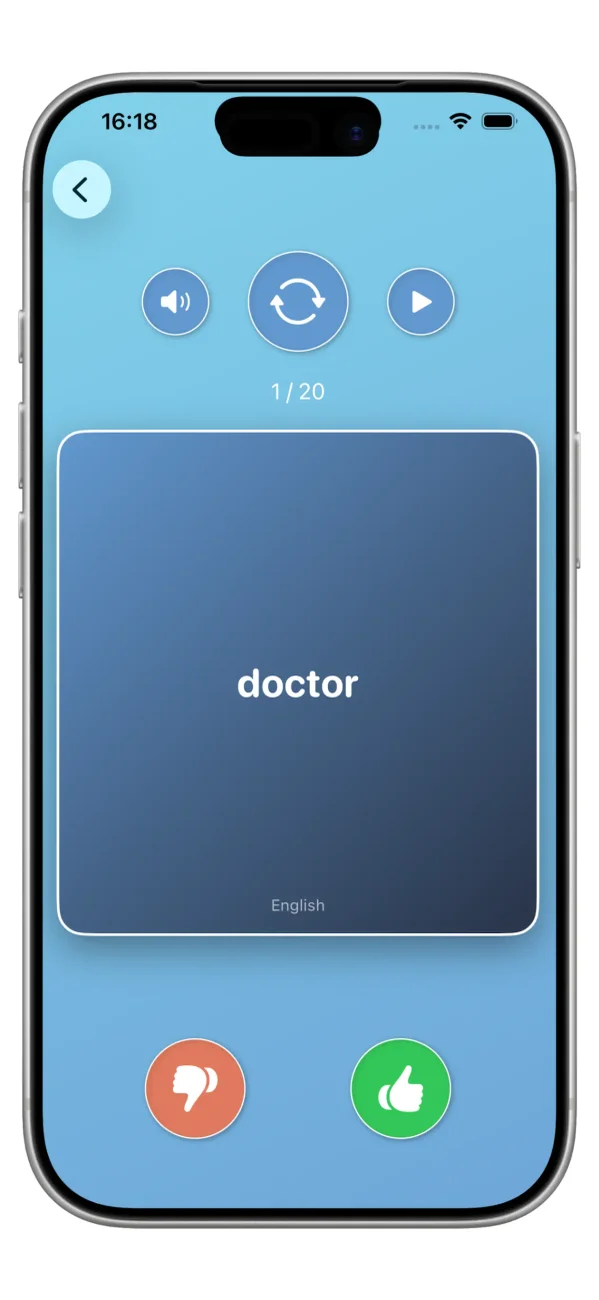
Reveal the translation with a tap or an up/down swipe. Swipe left or right to move between cards. Turn on pronunciation to hear the text currently on screen, use automatic playback and mark the cards you know or want to practise again. Animated gesture hints help you get started.
FIND YOUR PLACE
Expandable set groups keep the collection easy to browse. The Last studied shortcut takes you straight back to your most recently used set. The interface is available in English and Polish, with layouts for iPhone, iPad and the expanded iPhone Duo display.
An account is required. AI features, saving sets and downloading public sets require an internet connection. Camera, microphone and speech-recognition permissions are requested when you use the relevant features. You can change the app language, log out or delete your account in Settings.
What’s new
Version 3 · Oct 23, 2026
Version 3 brings a simpler way to create, organise and study flashcards.
• One clear screen with five ways to add cards: typing, photos and files, dictation, AI generation and the public library.
• Clearer set details, including the name, languages, privacy and colour.
• Updated camera, document scanning and image cropping, plus file import.
• Simpler dictation with pause, resume and stop.
• Redesigned editing: reorder existing cards and add more using any of the five methods.
• Expandable set groups and a Last studied shortcut.
• A calmer study screen with animated gesture hints. Turning on pronunciation now reads the card currently on screen.
• Settings on My sets, including app language, log out and account deletion.
• Updated English and Polish interfaces and a roomier study layout for the expanded iPhone Duo display.
App privacy
What Michal Marcinkowski declares on the App Store about how this app handles data.
-
Data linked to you
May be collected and linked to your identity.
- Contact info
- User content
- Identifiers
Privacy practices may vary, for example with the features you use or your age.
Information
- Seller
- Michal Marcinkowski
- Category
- Education
- Version
- 3
- Updated
- Oct 23, 2026
- Released
- Jul 4, 2026
- Size
- 3.5 MB
- Requires
- iOS 18.6 or later
- Age rating
- 17+
- Languages
- English, Polish
- Copyright
- © 2026 Michal Marcinkowski
You might also like
-
 LangChill: AI FlashcardsLook up any word. Remember it
-
 Flashcards – Study CardsSpaced repetition with Leitner
-
 Flash Cards • Study & LearnReal flashcard box experience
-
 Moje słówkaEducation
-
 Vocards: Vocabulary FlashcardsDaily words, spaced repetition
-
 My flashcards: VocabularyCreate your own flashcards!
-
 Biologia na maturęEducation
-
 Znaki Drogowe PL - Testy 2026Education
-
 effectLang: FlashcardsYour words, spaced repetition
-
 Minimalist FlashcardsMinimalist Flashcard App