Good Spend – Expense Tracker
Private. Offline. No account.
Designed for iPhone, iPad
Free · In-app purchases
- Age rating4+
- CategoryFinance
- DeveloperCARSTEN SACHSE
- LanguagesEnglish+ 6 more
- Size10.5 MB
Links to the official App Store page
Download.org hosts no file of Good Spend – Expense Tracker. The button opens its official App Store page, published by CARSTEN SACHSE. Listing last checked on Nov 23, 2026.
Screenshots
About
Good Spend is a focused personal finance tracker for people who want to know where their money goes — without handing their bank password to a third party. Manual entry, fully offline, no account required.
NO BANK LOGIN. EVER.
Good Spend never asks for banking credentials and needs no account. Your financial data does not leave your device. The adverts are non-personalised: no advertising identifier, no reading of your entries.
WHAT GOOD SPEND DOES FOR YOU
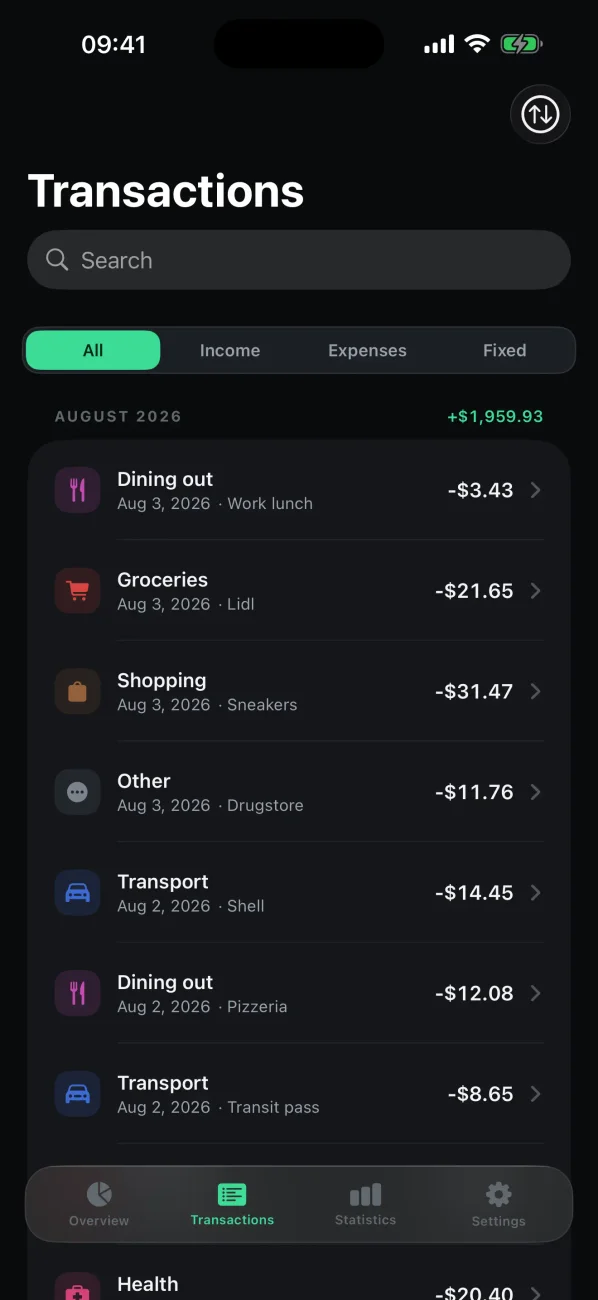
• Log income and expenses manually in seconds — categories, notes, fixed/variable, optional receipt photo
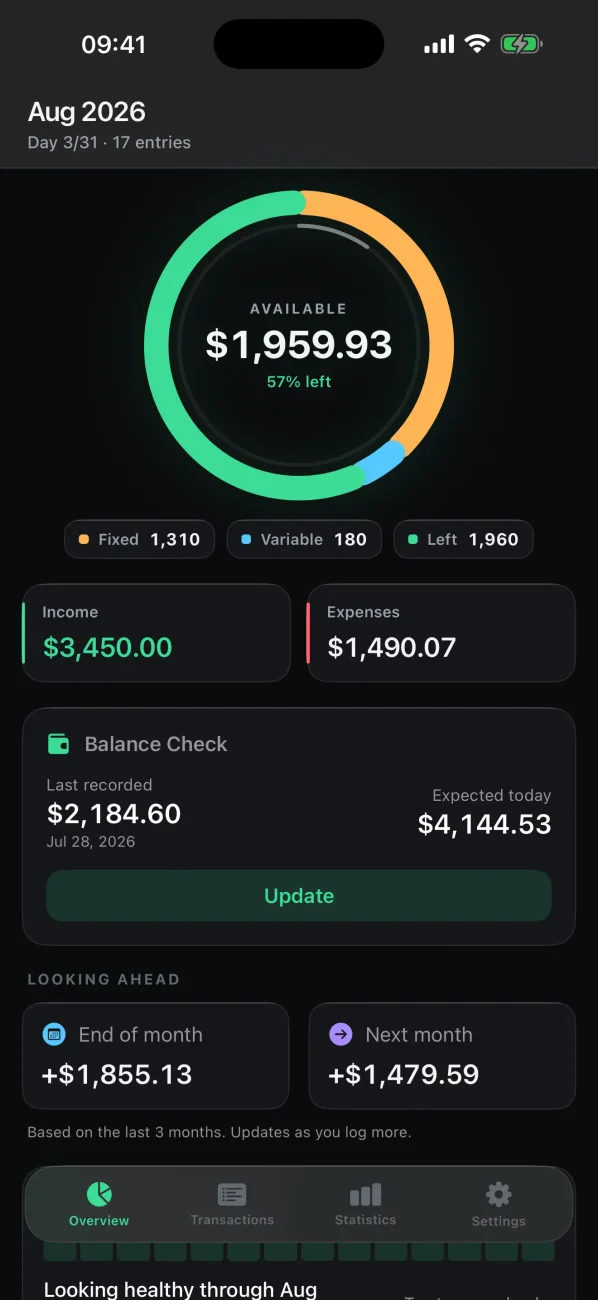
• The month ring as the centerpiece: Fixed, Variable and Left as three arcs of one whole, plus a thin inner ring for month progress — income and expenses below
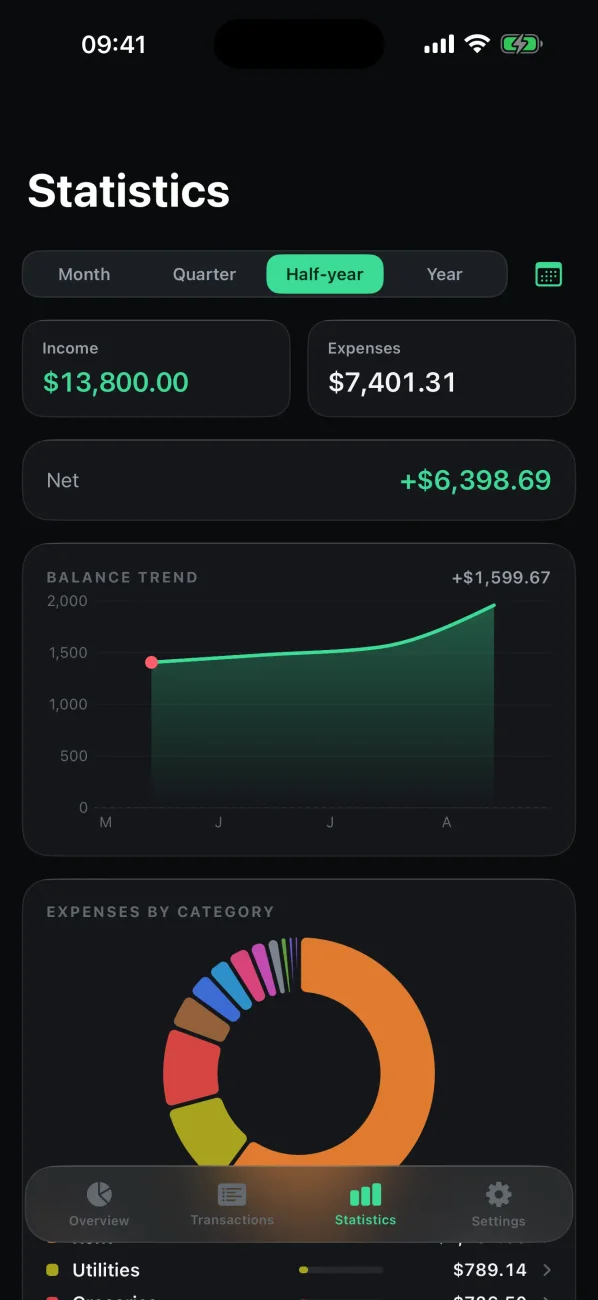
• Statistics with bar chart per month and donut breakdown by category — tap any slice to see the underlying transactions
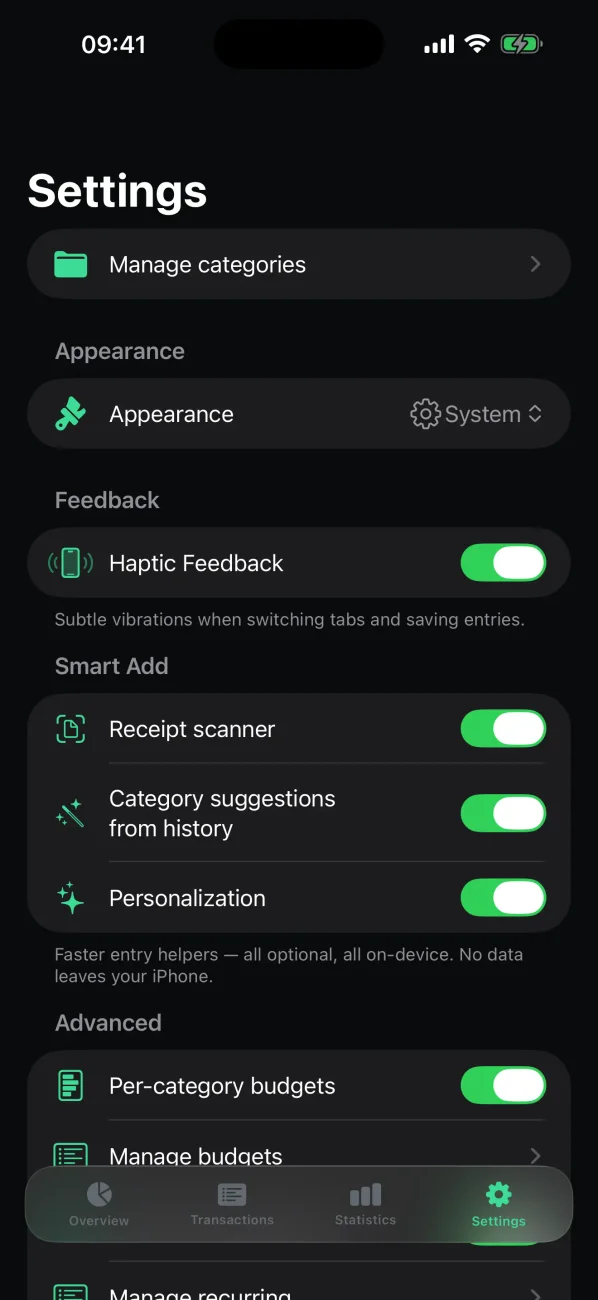
• 6 home-screen widgets: Budget, Categories, Balance Check, Smart Insight, Recent Transactions, Forecast
• Per-category budgets with red badge on the dashboard tab when you exceed
• Recurring transactions that backfill themselves on app foreground
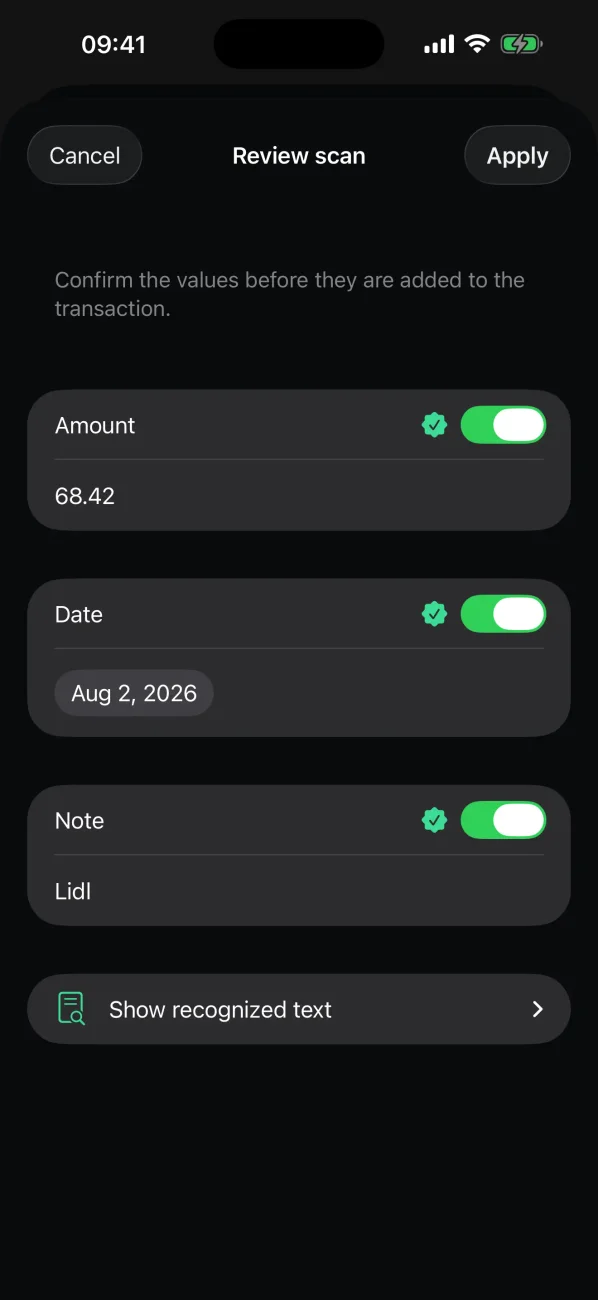
• Receipt scanner with on-device OCR — extracts amount and category hint
• Balance Reality Check: compare your real bank balance to what tracking predicts, spot gaps early
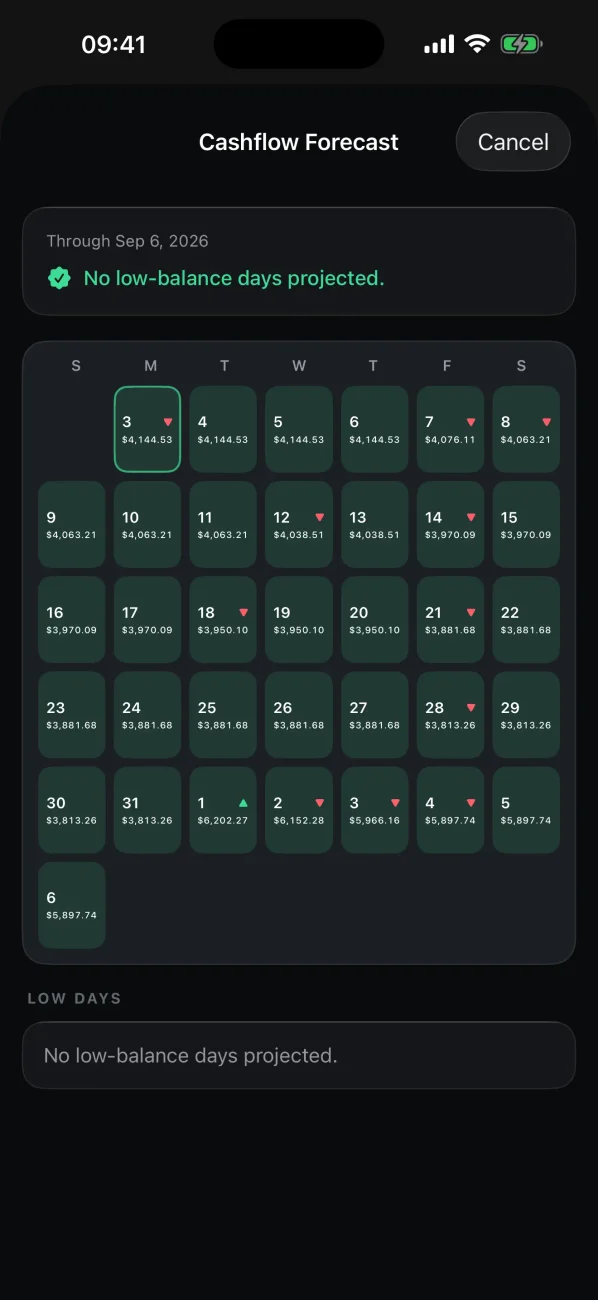
• Cashflow Forecast: a 35-day calendar projecting your end-of-day balance from recurring transactions, color-coded by risk
WHY GOOD SPEND?
Most finance apps demand a bank login, an account, or ship your data off to a cloud. Good Spend takes the opposite approach:
• Adverts without a profile — non-personalised, no advertising identifier, revocable at any time
• 100% offline out of the box — no sign-up, no profile
• No bank linking, ever — your bank credentials stay where they belong
• iCloud sync is strictly optional and runs through your own Apple account
• No analytics, no tracking, no AI sending your data anywhere
• Works on iPhone and iPad with automatic sync via your iCloud
• Seven languages with live in-app switching: English, German, Spanish, French, Italian, Russian, Simplified Chinese
CASHFLOW FORECAST (OPT-IN)
The forecast starts from your last recorded balance plus everything you've logged since, then walks day by day adding your active recurring transactions on their next due dates. The result is a calendar of projected end-of-day balances for the next 5 weeks, color-coded green (safe), yellow (below 500 in your currency), red (negative). Tap any low day to see exactly which recurring transaction caused the dip. Pure arithmetic — no AI, no bank connection, no guessing.
PRIVACY FIRST
Good Spend is a local app. There is no Good Spend server and no account. If you turn on iCloud sync, your data travels encrypted through your own private iCloud account — and only then. Otherwise everything stays on your device.
The adverts are non-personalised; you can withdraw your consent at any time in Settings.
IMPORT AND EXPORT
Your data belongs to you. Export every transaction, category, and budget as a versioned JSON file with one tap — for backup or when moving to a new device. Import reads it back in without creating duplicates.
WHO IS GOOD SPEND FOR?
• People who want to track money without giving up bank credentials
• Privacy-conscious users tired of apps that monetize their data — adverts are shown here, but no profile is built and nothing is sold
• Anyone who would rather type it in themselves than hand an app a bank connection
• Households running multiple currencies and languages
Take control of your spending without giving up your privacy.
Download Good Spend and get started in under a minute.
What’s new
Version 1.0.3 · Nov 16, 2026
Good Spend in the car:
• The small “Monthly Budget” widget is made for your CarPlay dashboard (iOS 26 or later): one glance shows what’s left this month – handy before you stop for fuel or groceries. Add it in your iPhone’s CarPlay settings.
• Forecast, Balance Check and Monthly Insight are meant for the iPhone and are no longer suggested for CarPlay.
App privacy
What CARSTEN SACHSE declares on the App Store about how this app handles data.
-
Data not collected
The developer does not collect any data from this app.
Privacy practices may vary, for example with the features you use or your age.
Information
- Seller
- CARSTEN SACHSE
- Category
- Finance
- Version
- 1.0.3
- Updated
- Nov 16, 2026
- Released
- Oct 19, 2026
- Size
- 10.5 MB
- Requires
- iOS 17.0 or later
- Age rating
- 4+
- Price
- Free
- In-app purchases
- Yes
- Languages
- English, French, German, Italian, Russian, Simplified Chinese, Spanish
- Copyright
- © Carsten Sachse
You might also like
-
 Monatskasse: Budget TrackerSpending, Bills & Receipts
-
 BonBudgetScan receipts. Track expenses
-
 Geldeule Privat & GeschäftlichFinance
-
 SnowballFi: Compound InterestFIRE Retirement Savings Plan
-
 Hamster Ledger - Budget AppPrivate money log & bill split
-
 Nettovermögen by ImmoCaDoFinance
-
 Tilde - Subscription ManagerRecurring Expense Tracking
-
 Soprano: Stocks & MarketReal-Time Quotes & Watchlist
-
 ClutterFree Expensesde-clutter your finances
-
 MyKeeprFinance