
- Age rating4+
- CategoryNavigation
- DeveloperHeng Jia Liang
- LanguagesEnglish
- Size1.7 MB
Links to the official App Store page
Download.org hosts no file of GPS Logger Plus. The button opens its official App Store page, published by Heng Jia Liang. Listing last checked on Nov 12, 2026.
Screenshots



About
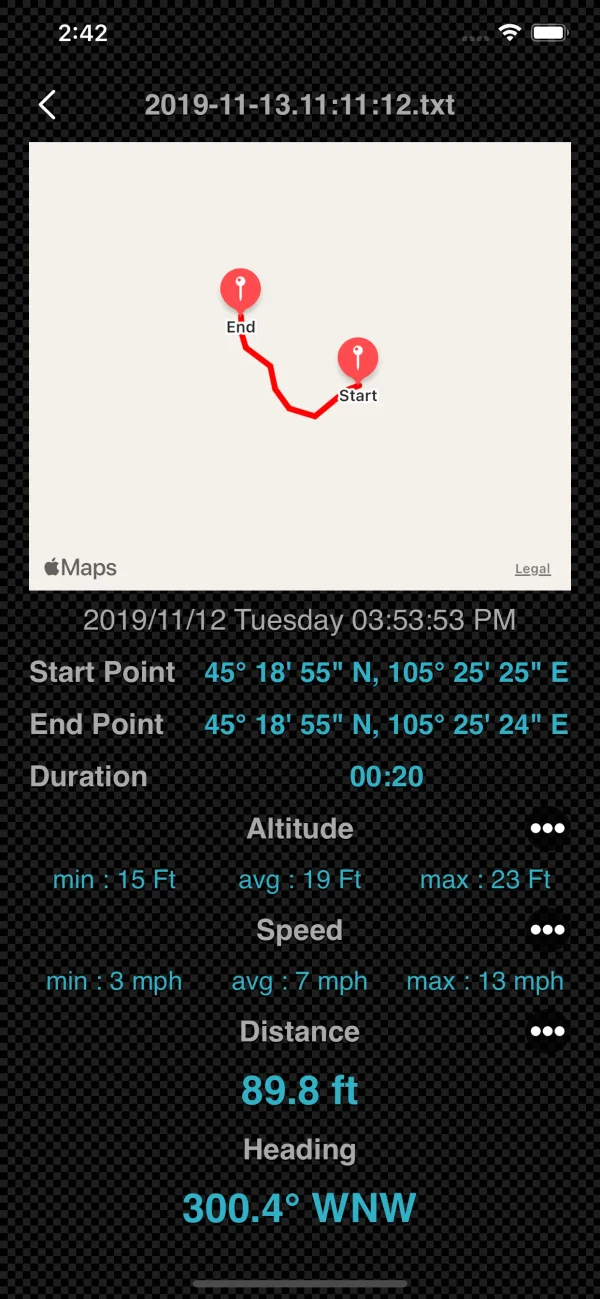
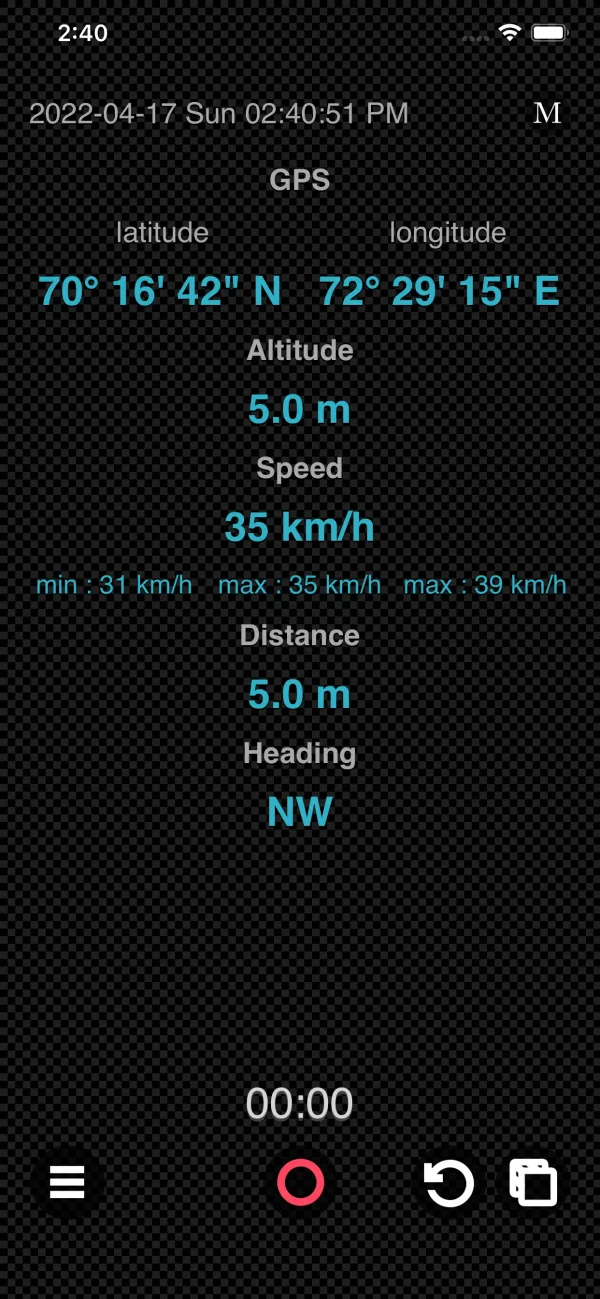
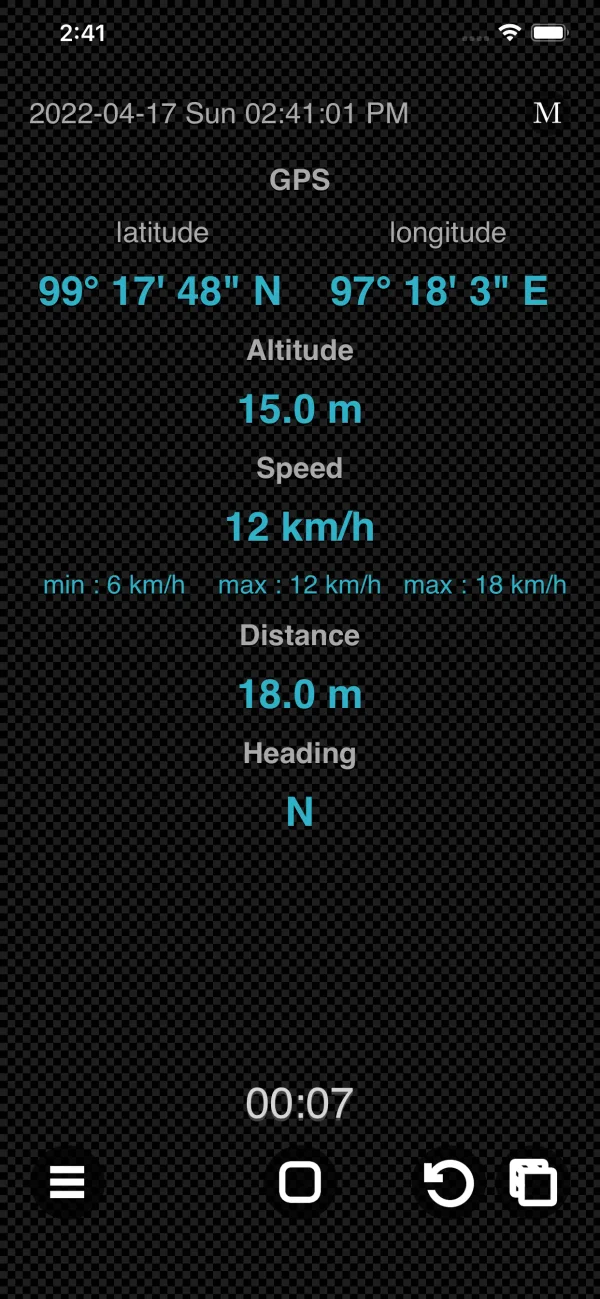
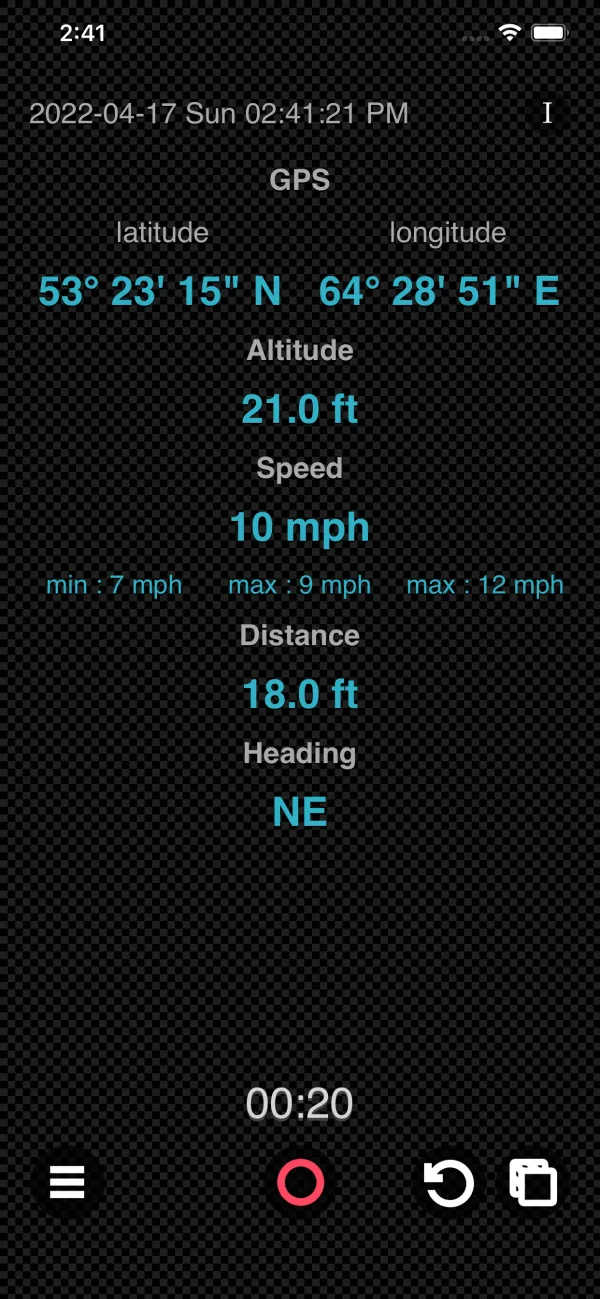
GPS Logger is device sensor log tool that enables you to record your position and your path. The data record includes GPS coordinates, attitude, speed, distance and device heading. You are able to preview the GPS Log data after recording.
Features :
• Record the GPS coordinate data of your iOS Devices, which are:
-- Device GPS coordinate.
-- Device Orientation to North.
-- Device Altitude.
-- Device Speed.
-- Device Distance traveled.
-- Plus the Time and Date of recording start.
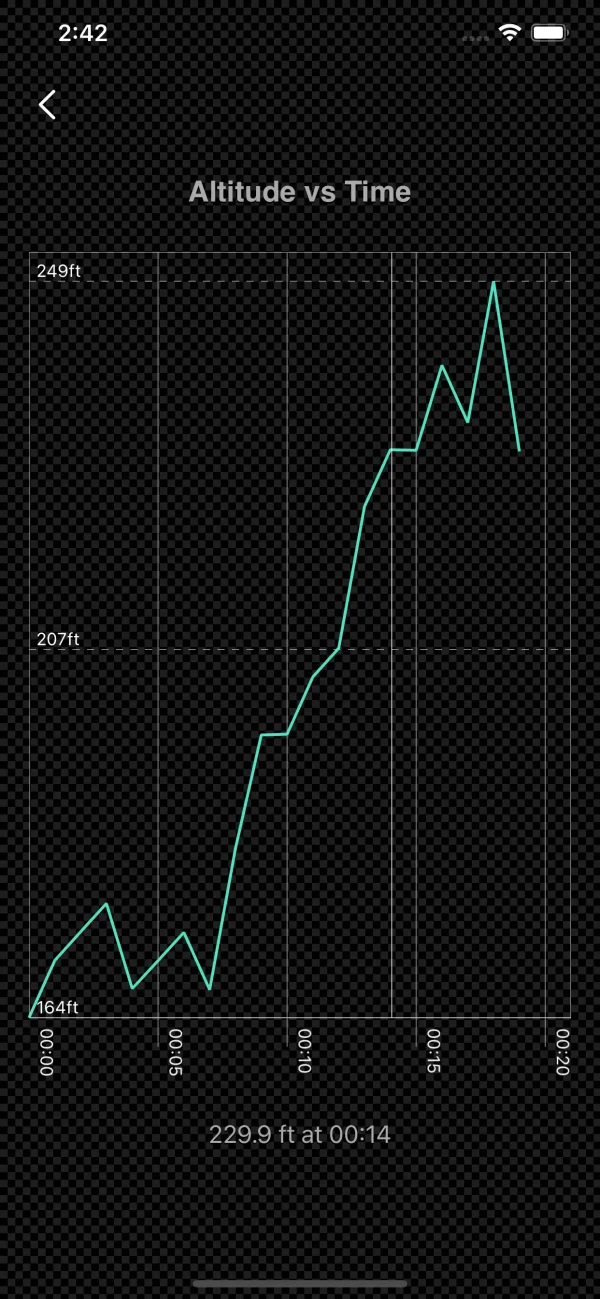
• Show Altitude Stats such as minimum altitude, average altitude and maximum altitude.
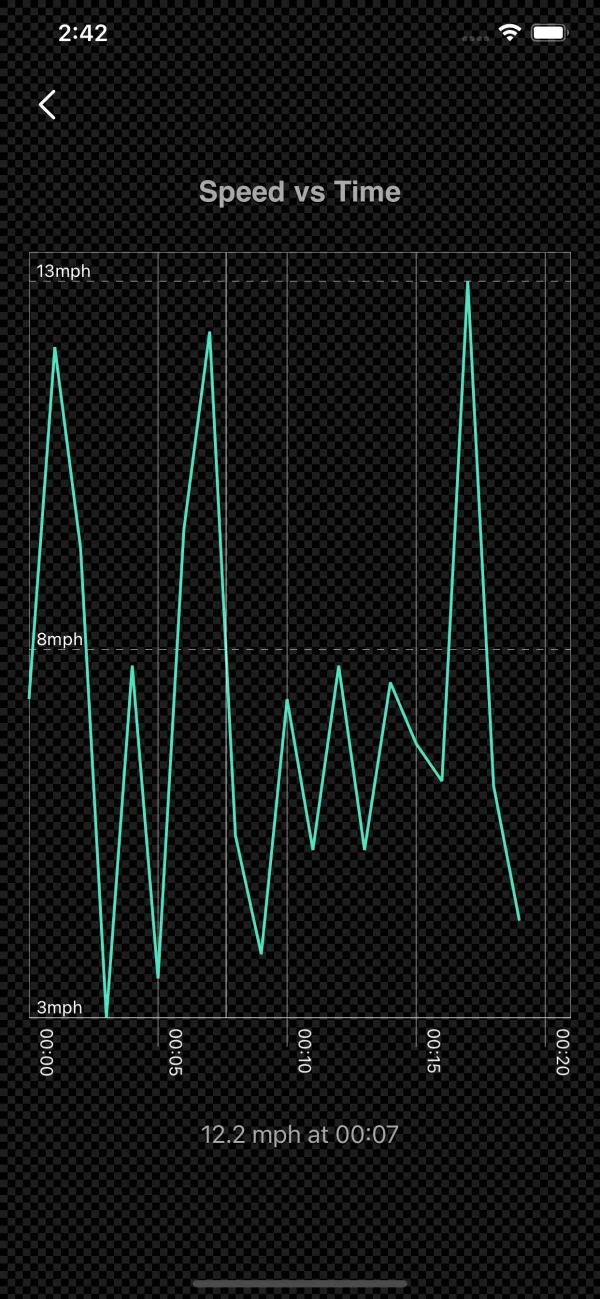
• Show Speed Stats such as minimum speed, average speed and maximum speed.
• Able to set Metric or Imperial units.
• Lightweight, battery efficient GPS Logger.
• No integrated maps while recording for power saving.
• Ability to turn off screen while recording for power saving.
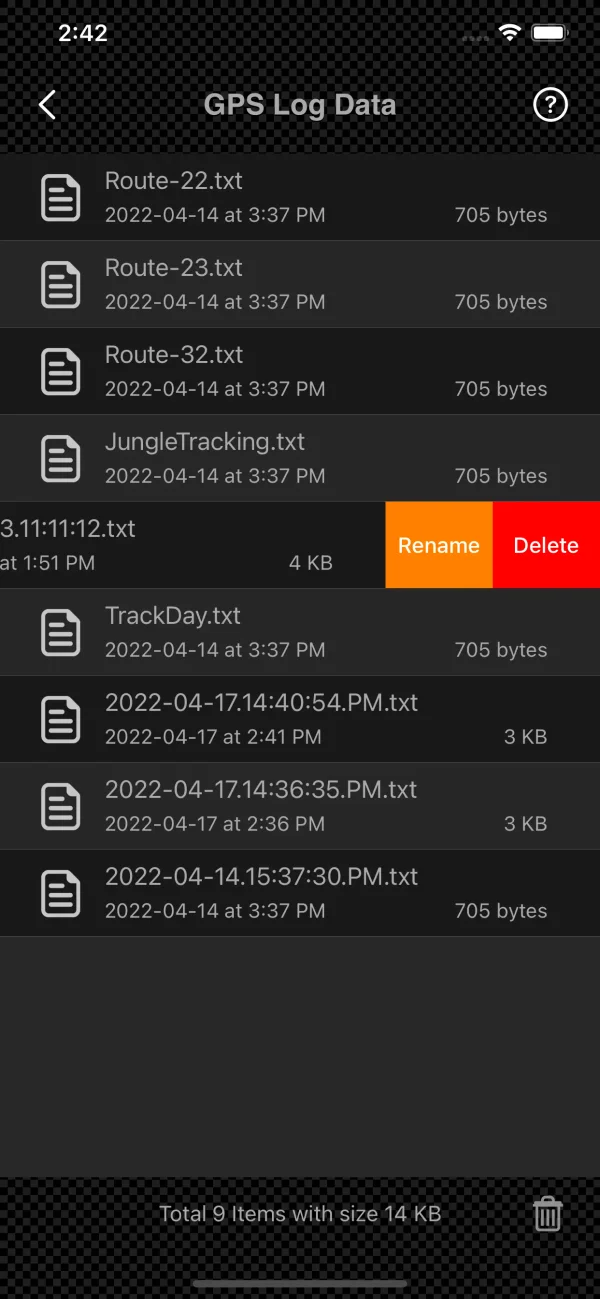
• Rename/Delete GPS log file.
• Preview recorded GPS data in detail, including map plotting and graph mode.
• Works seamlessly on both iPhone and iPad.
• Lightweight, compact app optimized for everyday use.
• Ad-free and built with privacy in mind.
GPS Log Files :
• All the GPS log files can be accessed in [Files] app, [GPS Logger] Folder.
• The GPS log files can be open via normal text editor.
• The data array includes altitude [in Meter], compass orientation [0-360 Degree], distance traveled [in Meter], GPS Coordinates and Speed [in Meter/Second].
• The GPS data are recorded with 1.0 sec interval.
• You can share GPS log files to another device via Airdrop, Messages or Mail.
• To load GPS log files that share by others, simply place the GPS log files into [GPS Logger] Folder via [Files] app.
Usage:
• Record the track of your walking or running.
• Remember the best places you've seen.
• Use for long walk, hike or flight ride.
• Record the trips while riding and analyse the speed, altitude or distance.
• Share your tracks with your family and friends.
• For OpenStreetMap map editing.
• And many more depend on your imagination.
Note: Turn off screen while recording for power saving, tap on the same location again to bring the screen back.
Thanks for your support and do visit nitrio.com for more apps for your iOS devices.
What’s new
Version 1.1 · Jan 29, 2026
- Updated for the newest devices.
- Minor bugs fixed.
App privacy
What Heng Jia Liang declares on the App Store about how this app handles data.
-
Data not collected
The developer does not collect any data from this app.
Privacy practices may vary, for example with the features you use or your age.
Information
- Seller
- Heng Jia Liang
- Category
- Navigation
- Version
- 1.1
- Updated
- Jan 29, 2026
- Released
- Apr 28, 2022
- Size
- 1.7 MB
- Requires
- iOS 13 or later
- Age rating
- 4+
- Price
- $2.99
- Languages
- English
- Copyright
- © Heng Jia Liang
You might also like
-
 Log GPSGPS Data Logger
-
 iPTR4D plusTravel
-
 GPX M Viewer and Route EditorMultiplatform customizable app
-
 GPS-Barometer-ddNavigation
-
 GPS Logger & TimelineOffline Journey & Route Logger
-
 Airborne Flight InstrumentHeading Speed and Altitude
-
 Trip Logger GPS Track RecorderRecord and share your GPSTrack
-
 FlightSpan-ToolsNavigation
-
 GPSRecorderGPS Tracker and recorder
-
 Trip KitlistList manager with categories