GPS Map Camera : Timestamp
Geotag Live location on Photos
Designed for iPhone, iPad, iPod touch
Free · In-app purchases
- Age rating4+
- CategoryPhoto & Video
- DeveloperSHELL INFRASTRUCTURE PRIVATE LIMITED
- LanguagesEnglish+ 17 more
- Size40.1 MB
Links to the official App Store page
Download.org hosts no file of GPS Map Camera : Timestamp. The button opens its official App Store page, published by SHELL INFRASTRUCTURE PRIVATE LIMITED. Listing last checked on Nov 23, 2026.
Screenshots
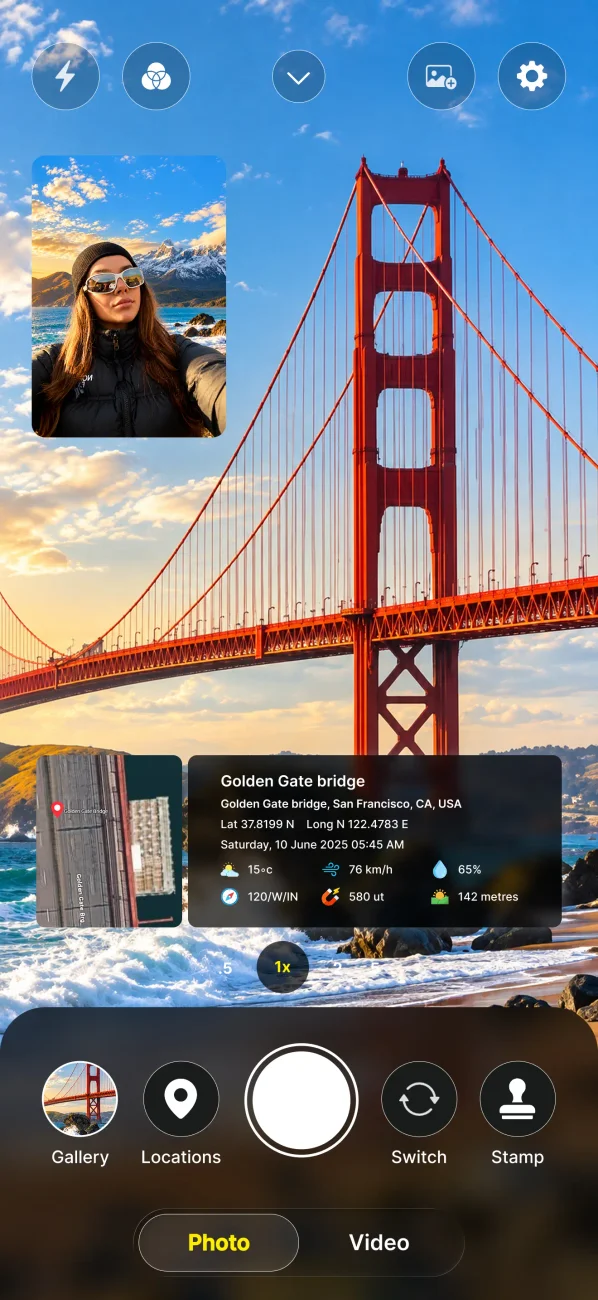
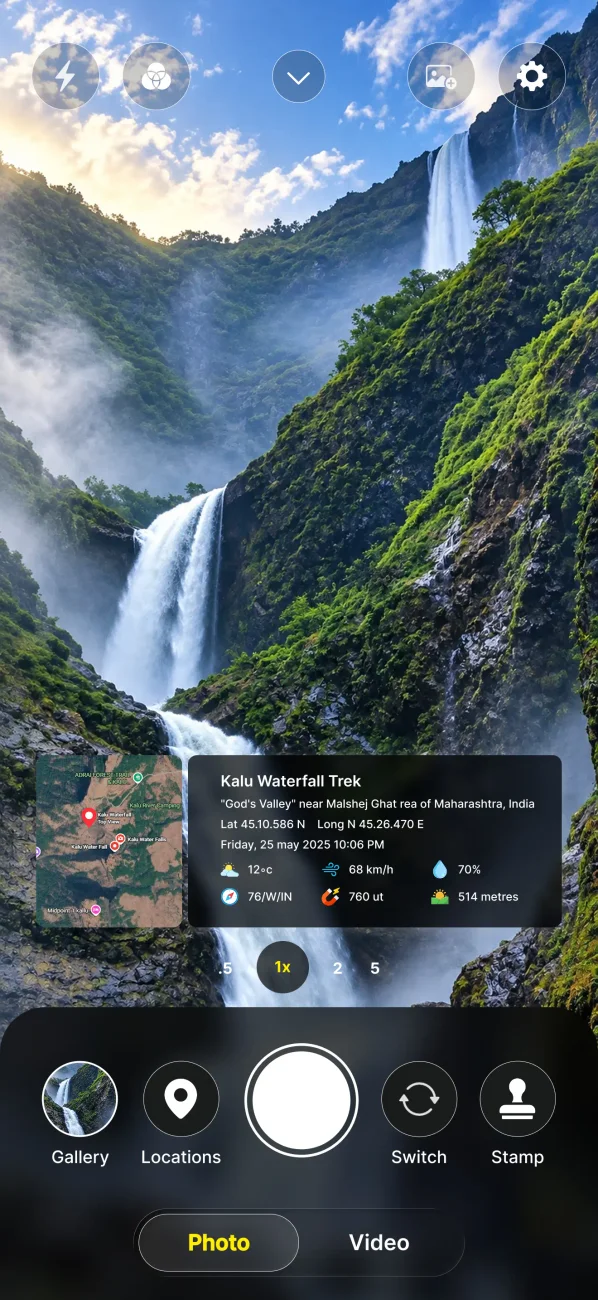
About
GPS Map Camera: Geotag Photos
Capture your memories with accurate location, date, and time — all in one click.
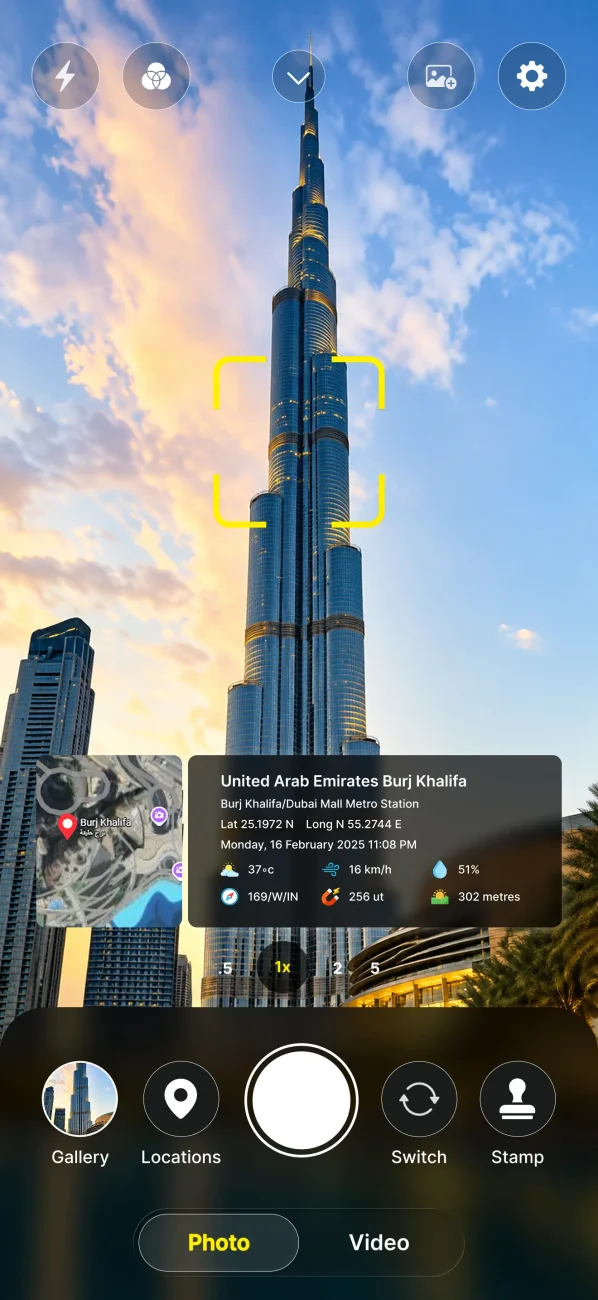
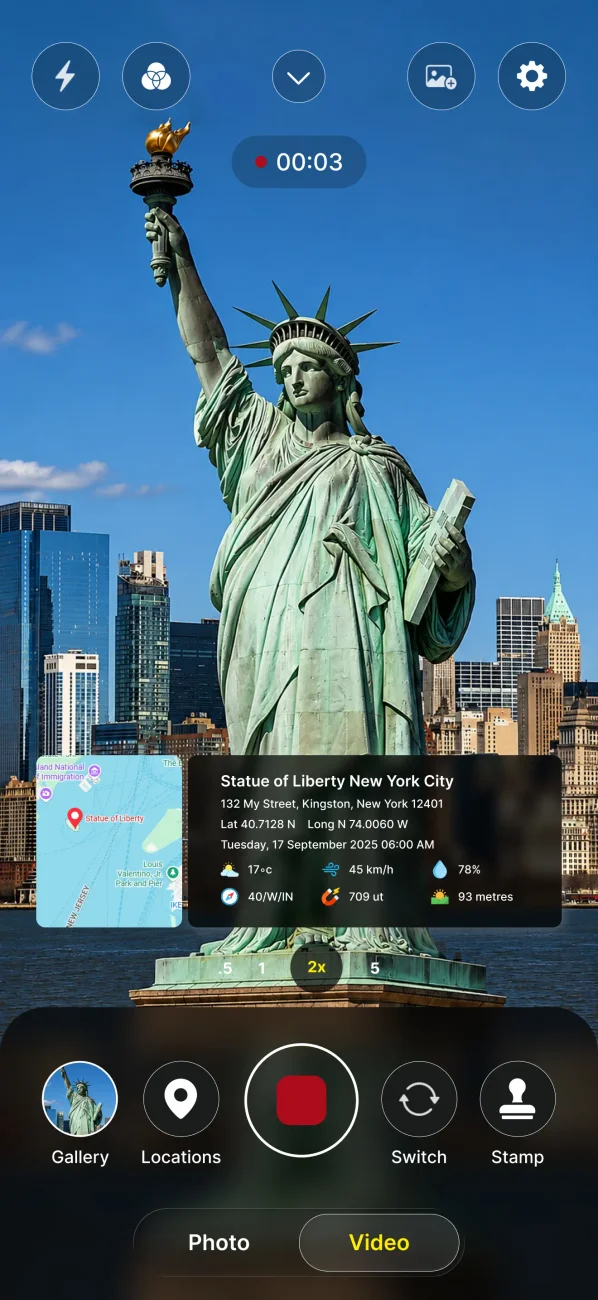
GPS Map Camera lets you add GPS coordinates, map view, date, time, weather, and address directly onto your photos. Perfect for travelers, professionals, fieldwork, and everyday memories.
Tag Your World
Add automatic GPS stamps to your photos, including:
- Location on map
- Full address (City, State, Country)
- Date & time
- Latitude, longitude, and altitude
- Weather and temperature
- Compass and magnetic field
Every photo becomes a geotagged memory of where and when it was taken.
Smart Map Modes
Choose how your location appears on your photo:
- Normal Map
- Satellite
- Terrain
- Hybrid
You can easily customize the stamp layout to match your style or purpose.
Beautiful Templates
Make your photos stand out with stylish stamp templates:
- GPS
- Travel
- Summer
- Winter
- Cultural
- Monsoon
…and more coming soon!
Flexible Settings
- Manual GeoTag: Add custom latitude, longitude, and address to gallery photos.
- Current GeoTag: Automatically detect your live location.
- Date & Time Format: Customize time style and format to your preference.
- Temperature Unit: Display weather in °C or °F.
- Add Map Stamp: Overlay real-time map snapshots on your images.
Why You’ll Love It
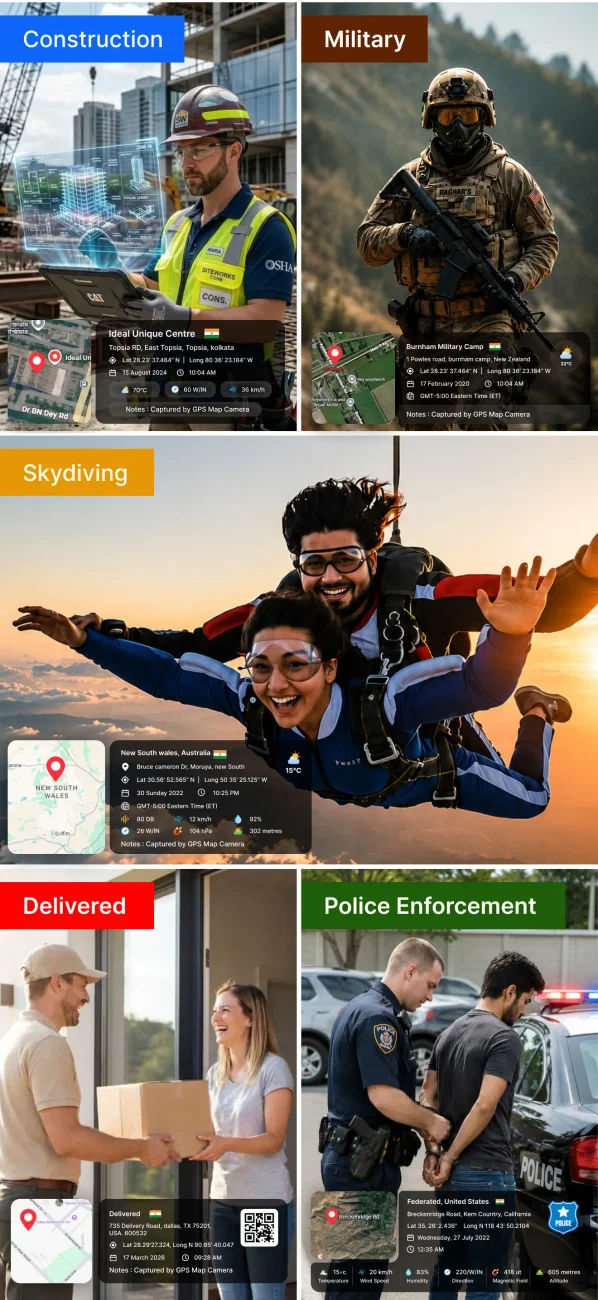
- Add GPS location and timestamp to both camera and gallery photos
- Perfect for travelers, explorers, real estate agents, delivery proof, engineers, and surveyors
- Share stamped photos easily with friends, family, or clients
- Keep accurate location records of your work or trips
Premium Features
Upgrade to unlock advanced customization, remove ads, and enjoy a smoother, ad-free experience.
Subscription Details
- Payment charged to your iTunes account at confirmation of purchase
- Auto-renews unless turned off 24 hours before the current period ends
- Manage or cancel subscriptions anytime from Account Settings
- Any unused trial period will be forfeited upon subscription purchase
Support
Terms of Service: http://shellinfra.com/tos.html
Privacy Policy: http://shellinfra.com/privacy-policy.html
Support: shellinfra01@gmail.com
Capture. Tag. Remember.
Download GPS Map Camera: Geotag Photos now and make every photo tell a story of where you’ve been!
What’s new
Version 5.0 · Nov 18, 2026
- Add Manual Location option
- Minor bug fixes
- Performance improvement
App privacy
What SHELL INFRASTRUCTURE PRIVATE LIMITED declares on the App Store about how this app handles data.
-
Data used to track you
May be used to track you across apps and websites owned by other companies.
- Usage data
-
Data not linked to you
May be collected but is not linked to your identity.
- Identifiers
- Usage data
Privacy practices may vary, for example with the features you use or your age.
Information
- Seller
- SHELL INFRASTRUCTURE PRIVATE LIMITED
- Category
- Photo & Video
- Version
- 5.0
- Updated
- Nov 18, 2026
- Released
- Apr 29, 2019
- Size
- 40.1 MB
- Requires
- iOS 15.6 or later
- Age rating
- 4+
- Price
- Free
- In-app purchases
- Yes
- Languages
- English, Filipino, French, German, Hindi, Indonesian, Italian, Japanese, Korean, Malay, Polish, Portuguese + 6 more
- Copyright
- © SHELL INFRASTRUCTURE PRIVATE LIMITED
You might also like
-
 GPS Map Camera - TimestampGeotag - GPS location on photo
-
 GPS Cam: map, address on PhotoGeotag photos & videos + QR
-
 GPS Stamp Camera: Geotag PhotoAdd Map Location & Timestamp
-
 GPS Map Camera 2026: GeotagGPS Camera Photo With Location
-
 GPS Map Video Camera: GeotagGeolocation, Date & Timestamp
-
 GPS Map Camera, TimestampTimestamp Camera, time stamp
-
 GPS Camera - Location StampAdd GPS map location on photos
-
 GPS Map Camera Lite: TimestampGeolocation & Date Stamper
-
 GPS Map Camera: Photo GeoStampGeotag Photo Date & Time Stamp
-
 Geotag Map Camera - GPS CameraGPS Map Camera - Map Timestamp