GPS Speed: Speedometer & Trips
Record Distance, Stay Private
Designed for iPhone
$5.99
- Age rating4+
- CategoryUtilities
- Developersmartlevel GmbH
- LanguagesEnglish+ 5 more
- Size9.1 MB
Links to the official App Store page
Download.org hosts no file of GPS Speed: Speedometer & Trips. The button opens its official App Store page, published by smartlevel GmbH. Listing last checked on Nov 6, 2026.
Screenshots


About
Your speed at a glance — on foot, on wheels, on snow or on water. GPS Speed uses your iPhone's GPS to show how fast you're moving and records your trips with distance, time and top speed. No account, no ads, no tracking.
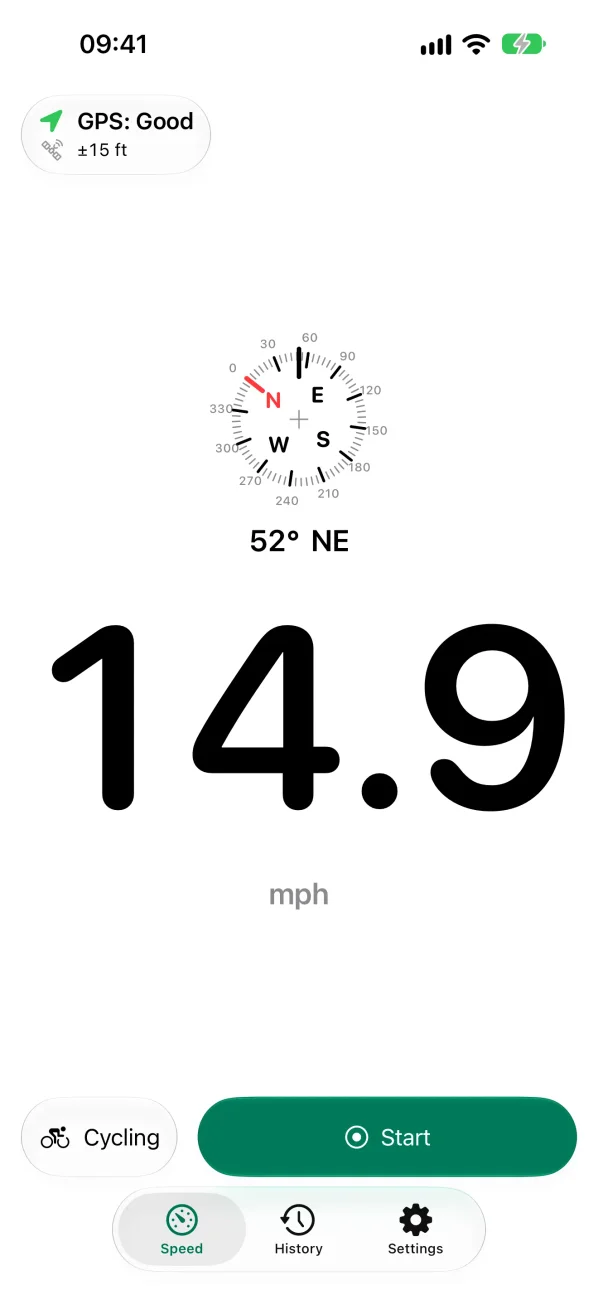
LIVE SPEED
• A large, glanceable number in portrait or landscape
• A compass above the speed, like the Compass app
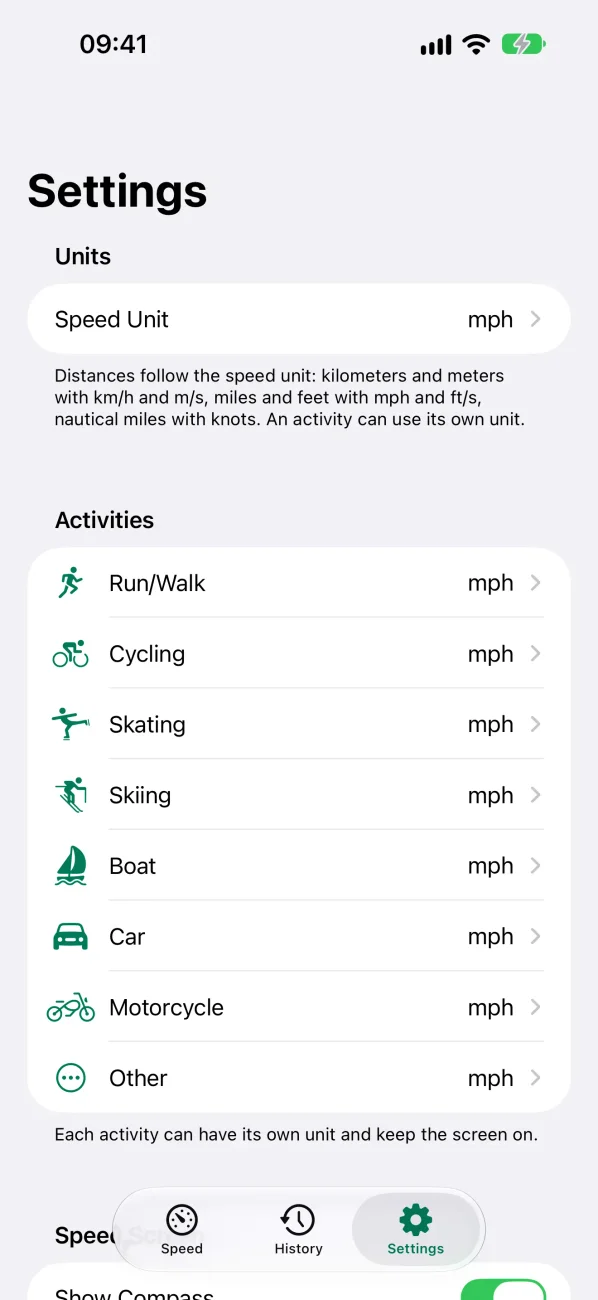
• km/h, mph, m/s, ft/s or knots, and pace (min/km or min/mi) for running and walking
• Speed comes from GPS: without a usable signal, you see dashes instead of a number
• Tap the GPS status for accuracy and signal tips
EIGHT ACTIVITIES
Run/Walk, Cycling, Skating, Skiing, Boat, Car, Motorcycle and Other. Choosing your activity lets GPS Speed tune the GPS for it, and each activity can have its own unit and keep the screen on.
RECORD YOUR TRIPS
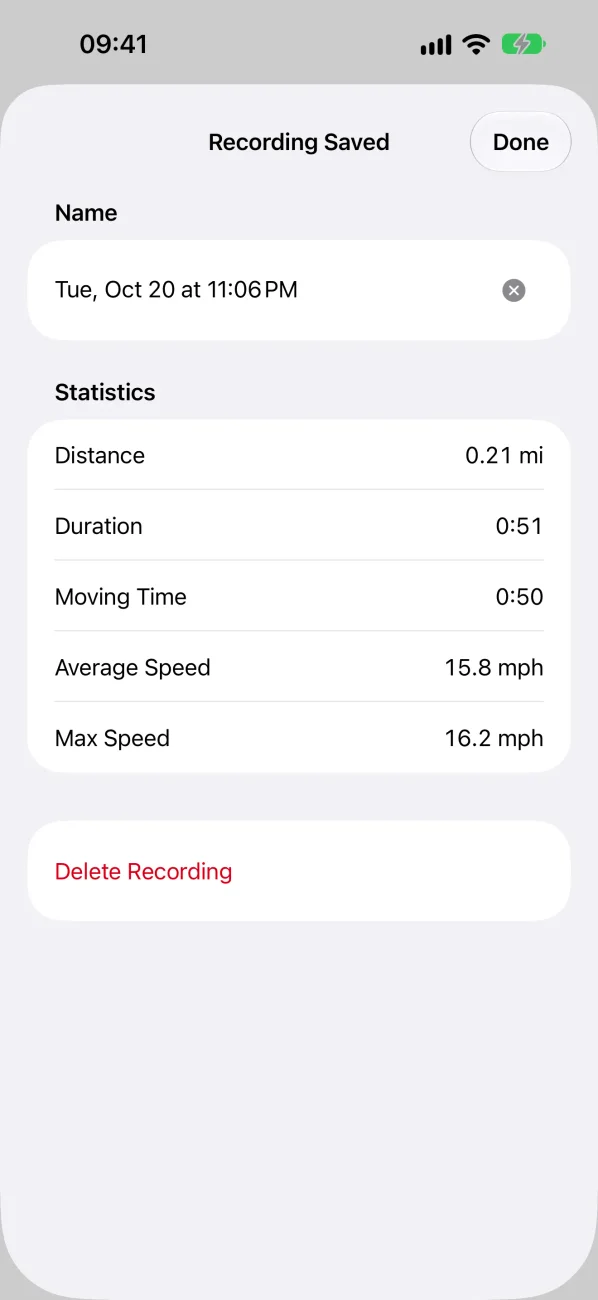
• Large Start, Pause, Resume and End buttons
• Distance, duration, moving time, average speed and max speed, or average and best pace
• Distance counts only accurate GPS fixes, filters out GPS jumps and doesn't creep up while you stand still
• Max speed counts only when the next good reading confirms it
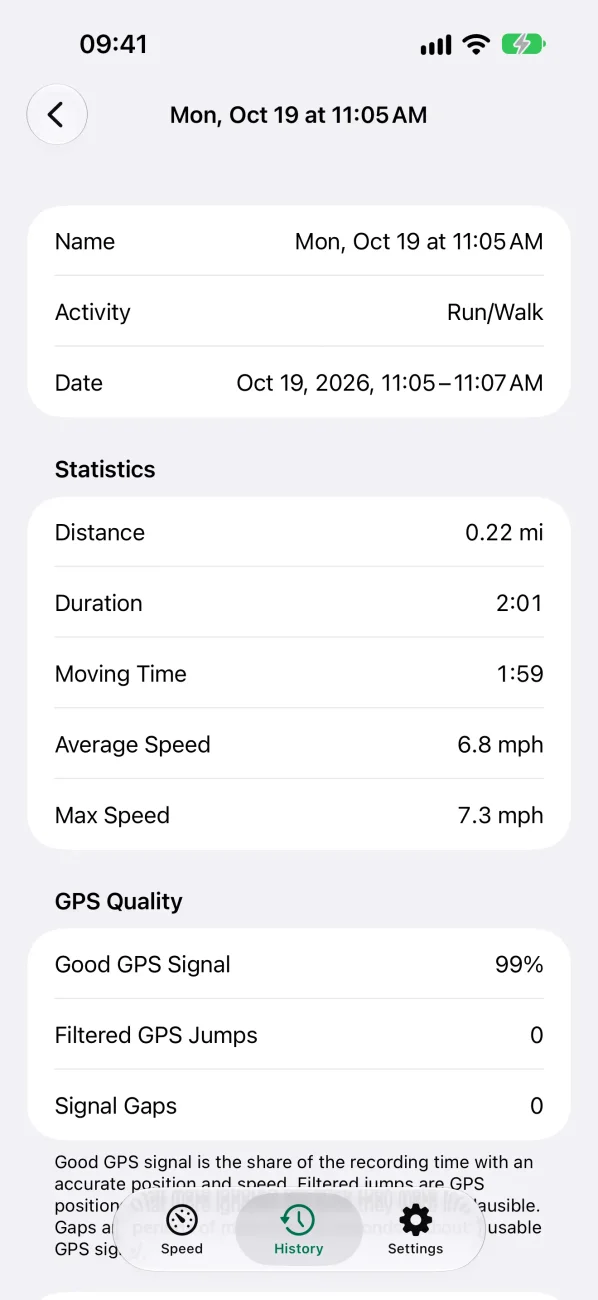
• Every trip shows how good its GPS signal was
• If the app is closed mid-recording, you can resume, save or discard the recording the next time you open it
IN THE BACKGROUND
A recording continues while you use other apps and while your iPhone is locked. A Live Activity shows your speed on the Lock Screen, in the Dynamic Island on iPhone models that have one, in StandBy, in the Smart Stack of a paired Apple Watch and in CarPlay. It never shows your location.
HISTORY
Your trips are listed by month, newest first. Open one to see its details, rename it, delete it or export it as a GPX file. GPS Speed shows numbers, not maps.
PRIVACY
• No account, no ads, no analytics, no tracking: GPS Speed collects no data
• Works without a data connection and never connects to the internet
• Your location is processed on your iPhone
• Recordings are stored only on your iPhone and in your own backups, and shared only when you export them
• Asks only for "While Using the App" location access, never for "Always"
• Precise Location is required to measure speed
BATTERY
When you're not recording, GPS runs only while the Speed screen is open. A recording keeps GPS running in the background, which uses more battery. GPS stays on until you end the recording, even while it's paused.
ACCESSIBILITY AND LANGUAGES
Supports VoiceOver, Dynamic Type, Reduce Motion, Increase Contrast and Dark Mode. Available in English, German, French, Italian, Spanish and Dutch.
SAFETY
Don't handle your iPhone while driving, riding or steering a boat. GPS Speed is not a navigation aid. The speed it shows can differ from your vehicle's speedometer, and on water it is speed over ground, not speed through the water.
What’s new
Version 1.2.2 · Oct 24, 2026
• The compass is larger and easier to read.
• Its numbers now keep an equal distance to the dial.
App privacy
What smartlevel GmbH declares on the App Store about how this app handles data.
-
Data not collected
The developer does not collect any data from this app.
Privacy practices may vary, for example with the features you use or your age.
Information
- Seller
- smartlevel GmbH
- Category
- Utilities
- Version
- 1.2.2
- Updated
- Oct 24, 2026
- Released
- Oct 14, 2026
- Size
- 9.1 MB
- Requires
- iOS 26.1 or later
- Age rating
- 4+
- Price
- $5.99
- Languages
- English, Dutch, French, German, Italian, Spanish
- Copyright
- © 2026 smartlevel GmbH
You might also like
-
 Enerest ToGo by Solar-Log™WEB Enerest in der Hosentasche
-
 WLED+LED strip & matrix controller
-
 Private LLM - Local AI ChatLocal Offline Private AI Chat
-
 CyberBrickUtilities
-
 intAct Battery CheckBattery Check
-
 EntryUtilities
-
 TwingateSecure access made easy
-
 ev.energy: Smart EV Car ChargeElectric Vehicle Home Charging
-
 Mobile IDUtilities
-
 Find My RingUtilities