GPS Speedometer Tracker Free
Accurate GPS speedometer
Designed for iPhone, iPad, iPod touch
Free
- Age rating4+
- CategoryNavigation
- DeveloperDuc Le
- LanguagesEnglish
- Size30.0 MB
Links to the official App Store page
Download.org hosts no file of GPS Speedometer Tracker Free. The button opens its official App Store page, published by Duc Le. Listing last checked on Nov 12, 2026.
Screenshots

About
GPS Speedometer: Speed Tracker & Driving Assistant !
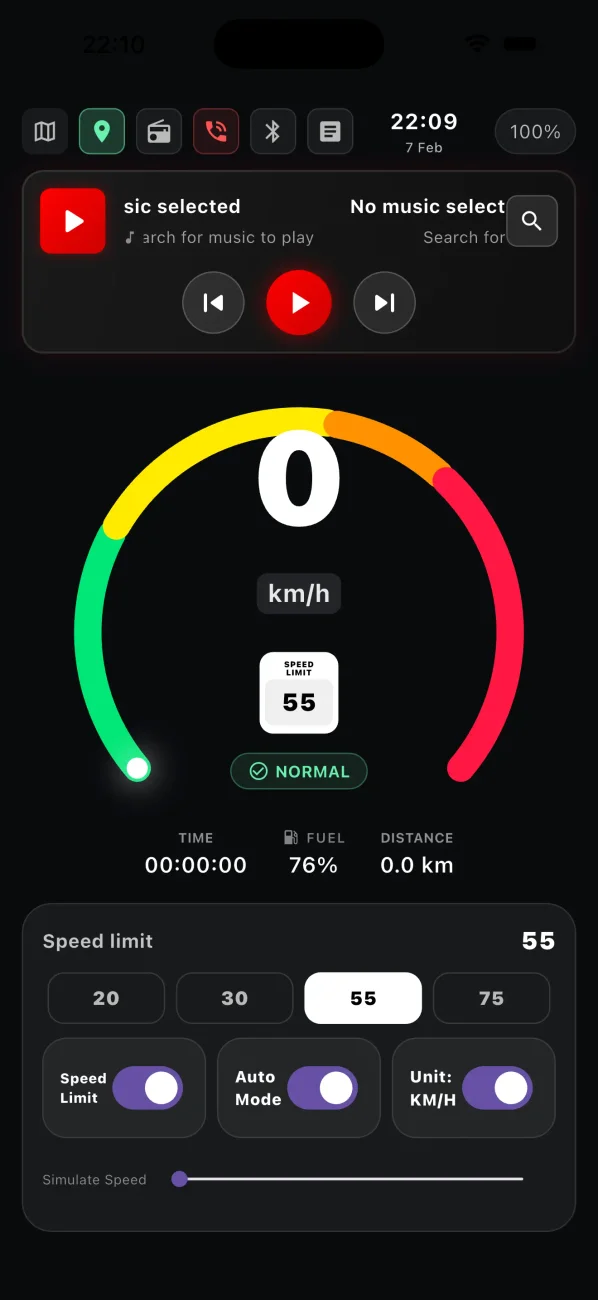
Experience the ultimate driving companion! Whether you are driving, cycling, or running, our GPS Speedometer provides high-precision speed tracking in a sleek, modern interface. Stay safe with real-time speed limit alerts and manage your journey without switching apps.
Key Features:
- Real-Time Precision: Get highly accurate speed readings (km/h or mph) powered by advanced GPS technology.
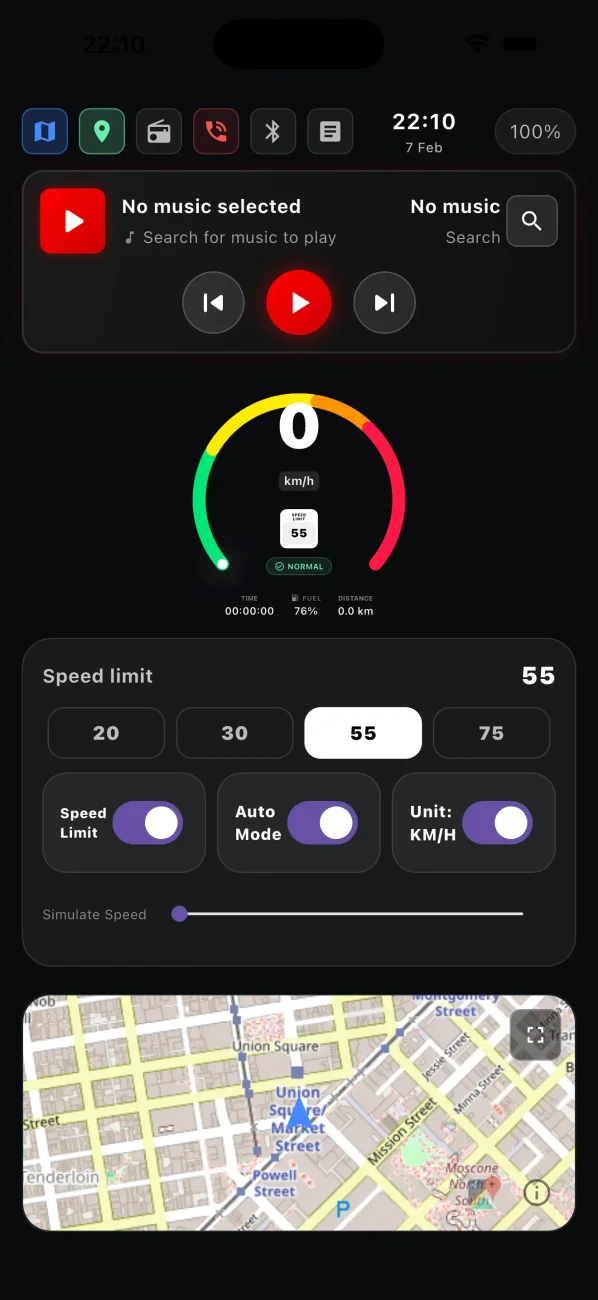
- Smart Speed Limits: Set custom speed thresholds (20, 30, 55, 75+) and receive instant visual alerts to avoid fines.
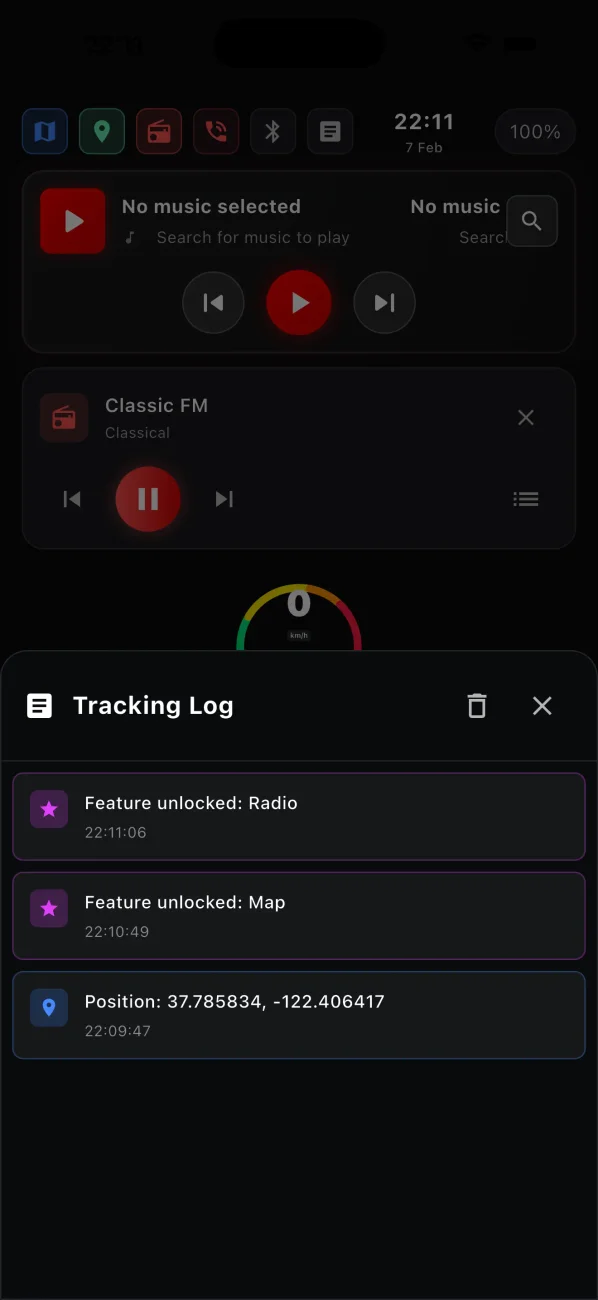
- All-in-One Dashboard: Control your music and view your live location on a mini-map—all from a single, intuitive screen.
- Detailed Trip Analytics: Track your total distance, elapsed time, and fuel efficiency during every trip.
- Customizable Gauge: A beautiful color-coded gauge (Green-Yellow-Red) that helps you monitor your safety at a glance.
- Dark Mode Optimized: A premium dark interface designed to reduce eye strain and look great on OLED displays.
- Simulation Mode: Built-in speed simulator for testing and development purposes.
Why Choose GPS Speedometer?
- Battery Efficient: Optimized to use minimal power while running in the background.
- Minimal Latency: Fast data refresh rates for smooth speed transitions.
- User-Centric Design: Clean UI inspired by high-end vehicle dashboards.
- Download GPS Speedometer today and turn your phone into a smart digital dashboard!
What’s new
Version 1.0.3 · Mar 3, 2026
Version 1.0.3
• Trip History — Record your driving trips and review them later. Trip data is saved automatically and persists between sessions.
• Real Battery Display — Battery level now shows your actual device battery with a color-coded icon.
• Accurate GPS Distance — Distance tracking now uses real GPS coordinates for much more precise measurement.
• Improved Launch Screen — New dark-themed launch screen with app logo for a smoother startup experience.
• Map Shown by Default — The map is now visible when you open the app.
• Bug Fixes & Performance — Fixed ad display on iOS, improved UI layout, and general stability improvements.
App privacy
What Duc Le declares on the App Store about how this app handles data.
-
Data not collected
The developer does not collect any data from this app.
Privacy practices may vary, for example with the features you use or your age.
Information
- Seller
- Duc Le
- Category
- Navigation
- Version
- 1.0.3
- Updated
- Mar 3, 2026
- Released
- Feb 10, 2026
- Size
- 30.0 MB
- Requires
- iOS 13.0 or later
- Age rating
- 4+
- Price
- Free
- Languages
- English
- Copyright
- © Harry Le
You might also like
-
 GPS Speedometer: Trip TrackerCar & Bike Speed Tracker
-
 GPS Speedometer: HUD SpeedCar Odometer & Trip Tracker
-
 Speedometer GPS Speed TrackersMPH, Odometer, HUD & Trip Log
-
 Speedometer- Speed GPS TrackerMPH Tracker, Digital Odometer
-
 Speedometer ⊲Limit Alert,Speed Cam,Compass
-
 Speedometer GPS : MPH TrackerOdometer & Speed Tracker, MPH
-
 Speedometer: MPH TrackerHUD, Car Speed, Odometer
-
 Speedometer Speed Box Trip LogNavigation
-
 Speedometer GPS: Speed MonitorSpeed Tracker for Car & Bike
-
 Speedometer 55 GPS Speed & HUDLimit Alert,Black Box,Trip log