
- Age rating4+
- CategoryNavigation
- DeveloperHaruto Kato
- LanguagesEnglish+ 5 more
- Size36.6 MB
Links to the official App Store page
Download.org hosts no file of GPS TA. The button opens its official App Store page, published by Haruto Kato. Listing last checked on Nov 26, 2026.
Screenshots


About
A GPS lap timer for closed courses — circuits, gymkhana venues and private land. Build your own course and measure your driving time.
For your safety
Timing is intended for closed courses only. On public roads, always obey traffic laws including the speed limit, and never use the app to compete for time. A safety notice is shown on every launch and must be accepted before use. Do not operate the screen while driving.
■ Build a course
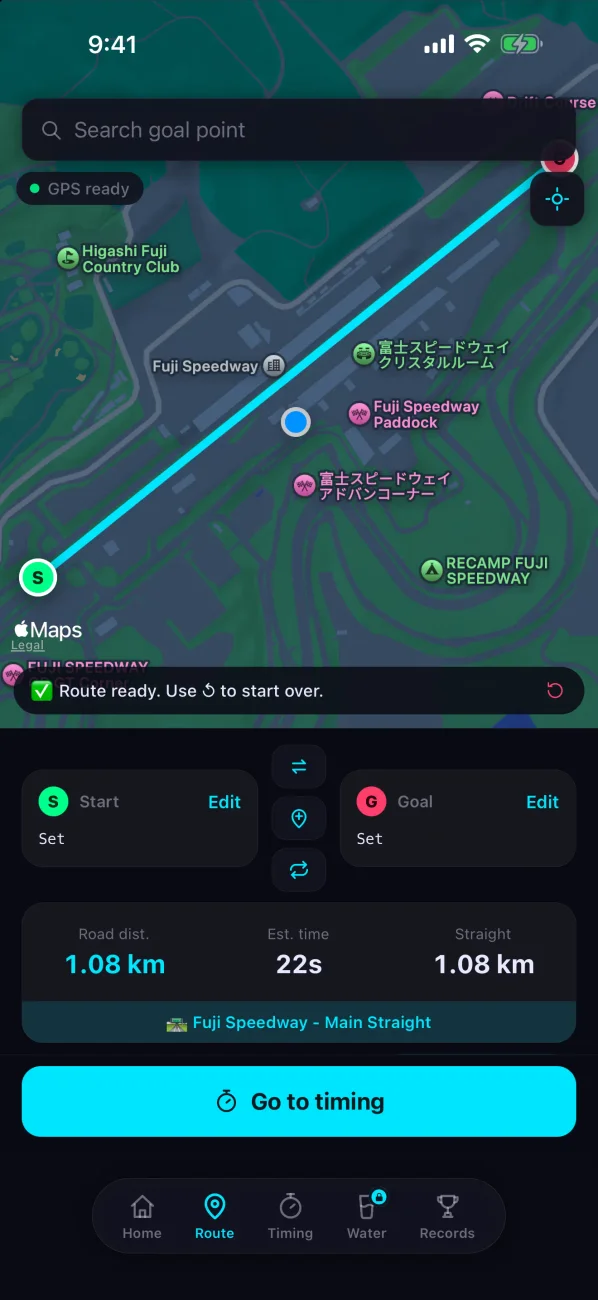
Drop a start and a goal on the map. Your route is recorded automatically by GPS. Save it and run it as many times as you like.
■ Measure your time
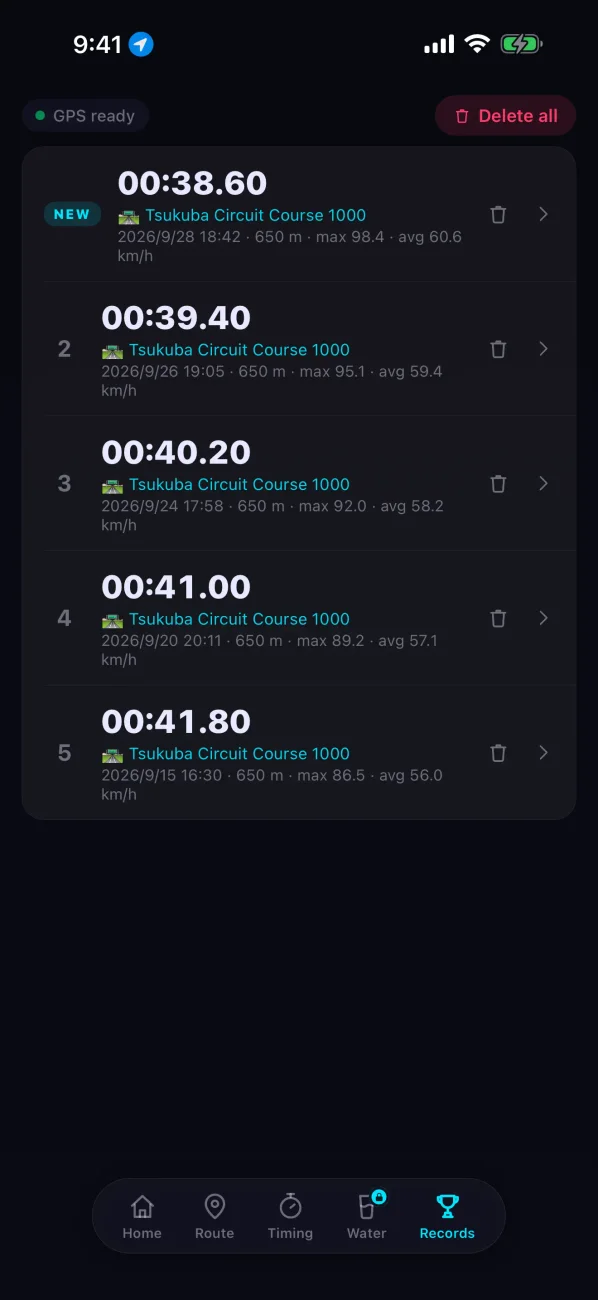
Timing starts when you cross the start line and stops automatically at the goal. Speed and elapsed time are shown large enough to read at a glance, and a HUD mode mirrors the display for your windshield. Times are stored only on your device; there is no ranking between users.
■ Share courses
Publish a course you set up at a circuit or other closed venue, and others can drive it too. Publishing is only allowed while you are physically there.
■ Parking spots
Register and share the parking spots people actually use as a starting point.
■ Water Cup (GPS TA Pro, in-app purchase)
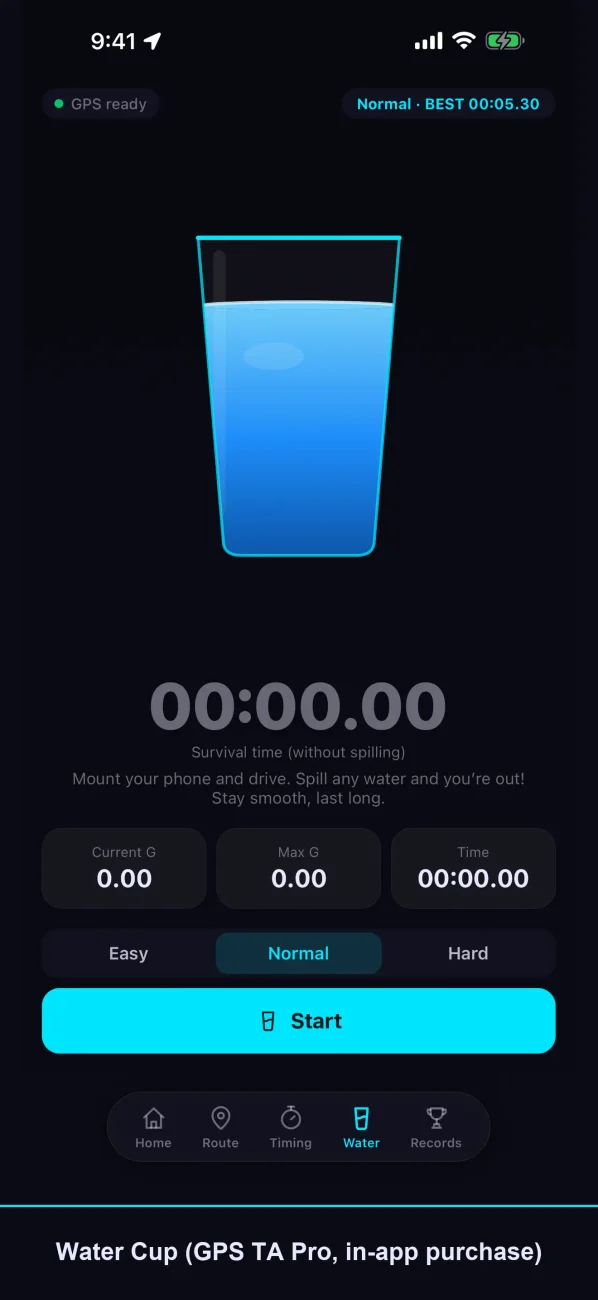
Drive without spilling the water — a game for practicing smooth acceleration, braking and steering. Hard inputs show up on the water's surface.
■ Free vs GPS TA Pro
The free plan covers the core of the app: build courses, measure lap times, HUD mode, share courses, register parking spots, and save up to 10 records, 10 courses, 3 published courses and 3 parking spots on your device.
GPS TA Pro (in-app purchase) unlocks:
- Water Cup
- 6 of the 7 themes (the default theme is free)
- Speed-linked BGM playback using your own music on your device
- Higher limits: 50 records, 50 courses, 15 published courses, 15 parking spots
Choose Monthly or Yearly (auto-renewing), or Lifetime — a one-time purchase that does not renew.
■ More
- Seven themes (one free; the other six require GPS TA Pro)
- Japanese, English, Russian, Chinese, Korean and Spanish
■ About subscriptions
Subscriptions renew automatically. Unless cancelled at least 24 hours before the period ends, they renew at the same price. Cancel anytime in your store account settings. Lifetime does not renew.
Monthly and Yearly include a 1-month free trial for first-time subscribers (one trial in total, on Monthly or Yearly). Unless you cancel at least 24 hours before the trial ends, you'll be charged ¥300/month or ¥3,000/year when it ends (prices in Japan; they vary by country or region).
Terms of Use (EULA): https://www.apple.com/legal/internet-services/itunes/dev/stdeula/
Privacy Policy: https://visaliamonth-ctrl.github.io/gps-ta/privacy-en.html
What’s new
Version 2.0.3 · Nov 25, 2026
- Home has been redesigned: the map now fills the screen, search and the route list slide up from the bottom, and overlapping markers are grouped
- Far-off GPS points are no longer used to judge the finish and waypoints, and near the finish the app now waits a moment for you to cross the line
- You can now choose how loud the guidance beeps are in Settings > Guidance volume. Timing BGM (Pro) now stops right away when you stop manually or reset
- The app now runs lighter on Home, Timing and Records, and when saving records
- Fixed map issues, such as the map jumping back to Tokyo when you return to the Route screen
- You can now get a notification when someone favorites a route you published (you won’t see who; turn it on or off in Settings)
- Run maps now show sections where GPS dropped out as dotted lines, and runs where you left the app during timing are marked
- You’re now told on screen when GPS drops out during timing. Max speed is shown as an approximate value from GPS
- You can now block people who post inappropriate content in meetup spots and on the board (from the same place as reporting)
- If location permission has expired when you return to the app, you’re now asked again
- Fixed overlapping, cut-off, and keyboard-covered screens on small iPhones and on iPad
- Fixed meetup spots and stamps being placed slightly off from the pin (iPhone)
- Your sign-in is now kept in the device’s secure storage, and records are saved in a new way so they still load when you have many
App privacy
What Haruto Kato declares on the App Store about how this app handles data.
-
Data linked to you
May be collected and linked to your identity.
- Purchases
- Location
- Contact info
- User content
- Identifiers
-
Data not linked to you
May be collected but is not linked to your identity.
- Search history
- Usage data
Privacy practices may vary, for example with the features you use or your age.
Information
- Seller
- Haruto Kato
- Category
- Navigation
- Version
- 2.0.3
- Updated
- Nov 25, 2026
- Released
- Oct 7, 2026
- Size
- 36.6 MB
- Requires
- iOS 15.1 or later
- Age rating
- 4+
- In-app purchases
- Yes
- Languages
- English, Japanese, Korean, Russian, Simplified Chinese, Spanish
- Copyright
- © 2026 Haruto Kato