GPS Tunes
Music That Follows Ur Location
Designed for iPhone, iPad
In-app purchases
- Age rating4+
- CategoryMusic
- DeveloperVijayvir Singh
- LanguagesEnglish
- Size8.0 MB
Links to the official App Store page
Download.org hosts no file of GPS Tunes. The button opens its official App Store page, published by Vijayvir Singh. Listing last checked on Nov 15, 2026.
Screenshots
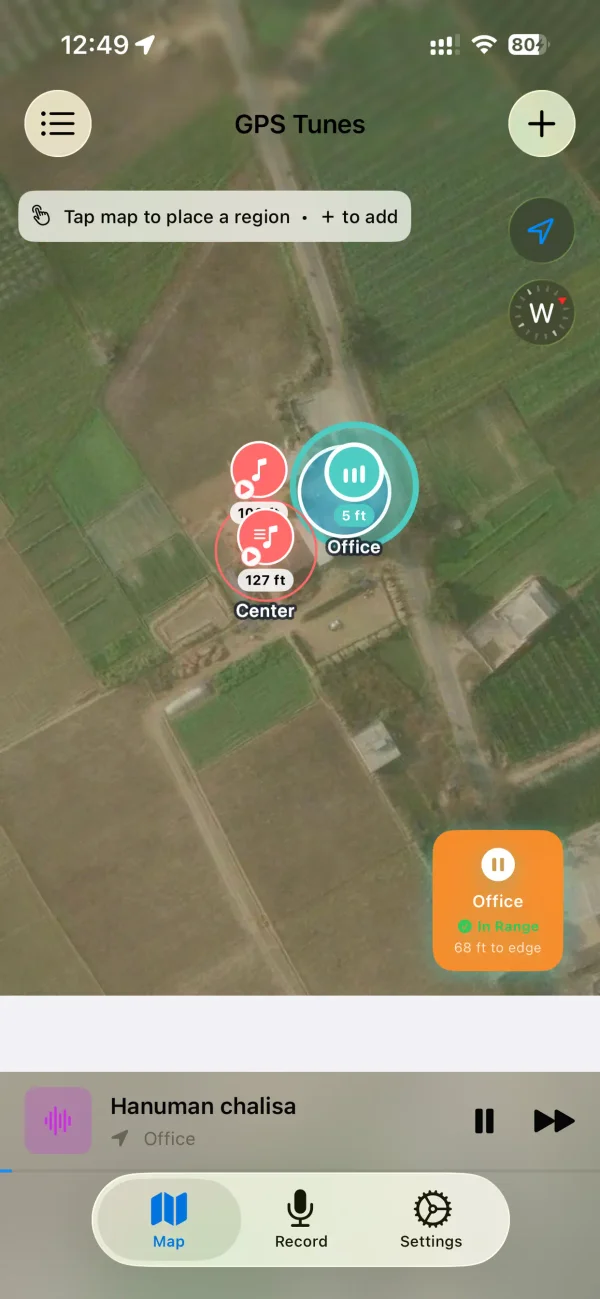
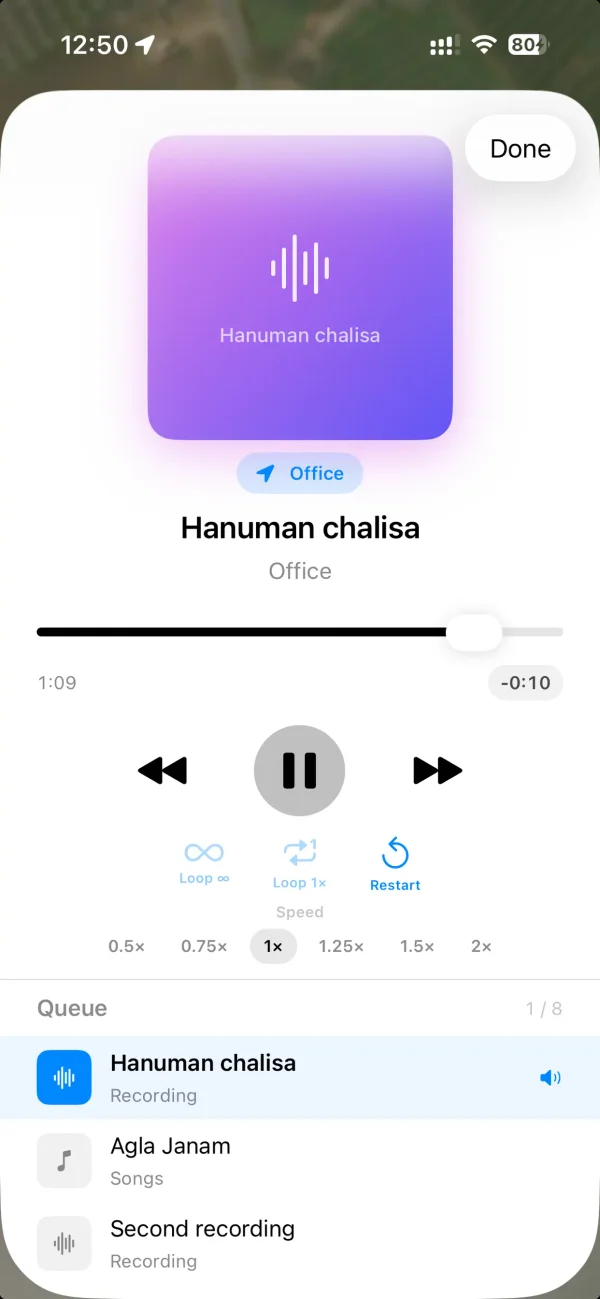
About
GPS Tunes turns your map into a music player.
Draw a circle around any place — your home, gym, office, favourite café, commute route, or anywhere that deserves its own soundtrack — and assign Apple Music playlists, songs, or voice recordings to it. Step inside and your music starts playing automatically. Walk out and it pauses. It's that simple.
HOW IT WORKS
1. Open the Map tab and tap anywhere to place a region, or tap + to add one at your current location.
2. Set the size of the circle — from a single room to an entire neighbourhood.
3. Attach any Apple Music playlist, a set of songs, or a voice recording.
4. Walk in. Music plays. Walk out. Music pauses.
KEY FEATURES
LOCATION-TRIGGERED PLAYBACK
Music starts the moment you cross a region boundary — even when your screen is off or the app is closed. Background location keeps it working all day.
APPLE MUSIC INTEGRATION
Attach any playlist or song from your Apple Music library or the full catalogue. GPS Tunes queues and plays everything automatically.
SMART RESUME
Briefly stepped out and came back? GPS Tunes remembers exactly where you were in the queue and picks up right where it left off — no restart, no skipping.
MULTIPLE REGIONS, ONE MAP
Create as many regions as you like. Overlapping regions? No problem — GPS Tunes always plays the region whose centre you're closest to.
VOICE RECORDINGS
Record voice memos directly in the app and attach them to any region. Perfect for reminders, guided tours, or personal messages tied to a place.
REGION ENTRY NOTIFICATIONS
Get a heads-up banner when you enter a music region so you can tap Play Now even if the app is in the background.
BACKGROUND AND KILLED-STATE SUPPORT
GPS Tunes uses iOS CoreLocation region monitoring so it can wake itself up and start playing even if you force-quit the app.
ORDERED MEDIA BLOCKS
Mix playlists, individual songs, and voice recordings in any order within a single region. GPS Tunes plays them sequentially and loops back automatically.
PERFECT FOR
• Morning routines — upbeat playlist triggers the moment you step into the kitchen
• Gym sessions — workout mix starts when you walk through the door
• Commutes — music switches as you leave home and again when you arrive at work
• Home office — focus music plays only at your desk
• Road trips — region-specific soundtracks for different cities or highways
• Guided walks and tours — voice narration plays as you move between landmarks
PRIVACY
Your location is used only on-device to detect region boundaries. GPS Tunes never uploads, shares, or sells your location data.
Requires Apple Music subscription or library access for music playback. Voice recordings are stored locally on your device.
https://www.apple.com/legal/internet-services/itunes/dev/stdeula/
https://www.apple.com/legal/privacy/en-ww/
What’s new
Version 1.0.7 · Sep 8, 2026
GPS Tunes turns your favorite places into a personal soundtrack.
Drop a pin on the map, attach a playlist, a few songs, or a voice recording — and the moment you walk into that spot, the music starts. Automatically. Even from your pocket.
WHAT YOU CAN DO
• Pin music to any place on the map — home, gym, park, favorite trail.
• Chain playlists, individual songs, and voice recordings into one region.
• Auto-play the second you enter a zone; auto-pause when you leave.
• Record voice memos and attach them to locations for guided tours, journals, or reminders.
• Fully background — no need to keep the app open.
• Beautiful map with distance-to-region indicators.
App privacy
What Vijayvir Singh declares on the App Store about how this app handles data.
-
Data not collected
The developer does not collect any data from this app.
Privacy practices may vary, for example with the features you use or your age.
Information
- Seller
- Vijayvir Singh
- Category
- Music
- Version
- 1.0.7
- Updated
- Sep 8, 2026
- Released
- Jul 23, 2026
- Size
- 8.0 MB
- Requires
- iOS 26.5 or later
- Age rating
- 4+
- In-app purchases
- Yes
- Languages
- English
- Copyright
- © 2026 Antfirelabs
You might also like
-
 PimpMyVinylKnow what your turntable plays
-
 bFaaaP Pro & SwitchFoot-free piano sustain pedal
-
 Vinyl IDMusic
-
 ClassicalPlayeryour music by composer & piece
-
 TrueMix: Music ShuffleSmarter Apple Music Shuffle
-
 SmartPlaylistCreate smart music playlists
-
 SlowSoloSlow down and loop any solo
-
 Pythagorean TunerA True Melodic Tuner
-
 Casette: Offline Audio PlayerAudiobooks, Lectures & Memos
-
 Rewind: Offline Music PlayerCarPlay, FLAC, EQ & Party Sync