
GR Photo
Companion for Ricoh GR cameras
Designed for iPhone, iPad, iPod touch
Free
- Age rating4+
- CategoryPhoto & Video
- DeveloperJeph Liu
- LanguagesEnglish+ 20 more
- Size43.3 MB
Links to the official App Store page
Download.org hosts no file of GR Photo. The button opens its official App Store page, published by Jeph Liu. Listing last checked on Nov 24, 2026.
Screenshots




About
Get your photos off your GR without the wait, and see what an Image Control look will do before you take the shot.
GR Photo is a companion app for the Ricoh GR III, GR IIIx and GR IV.
YOUR PHOTOS, WITHOUT THE WAIT
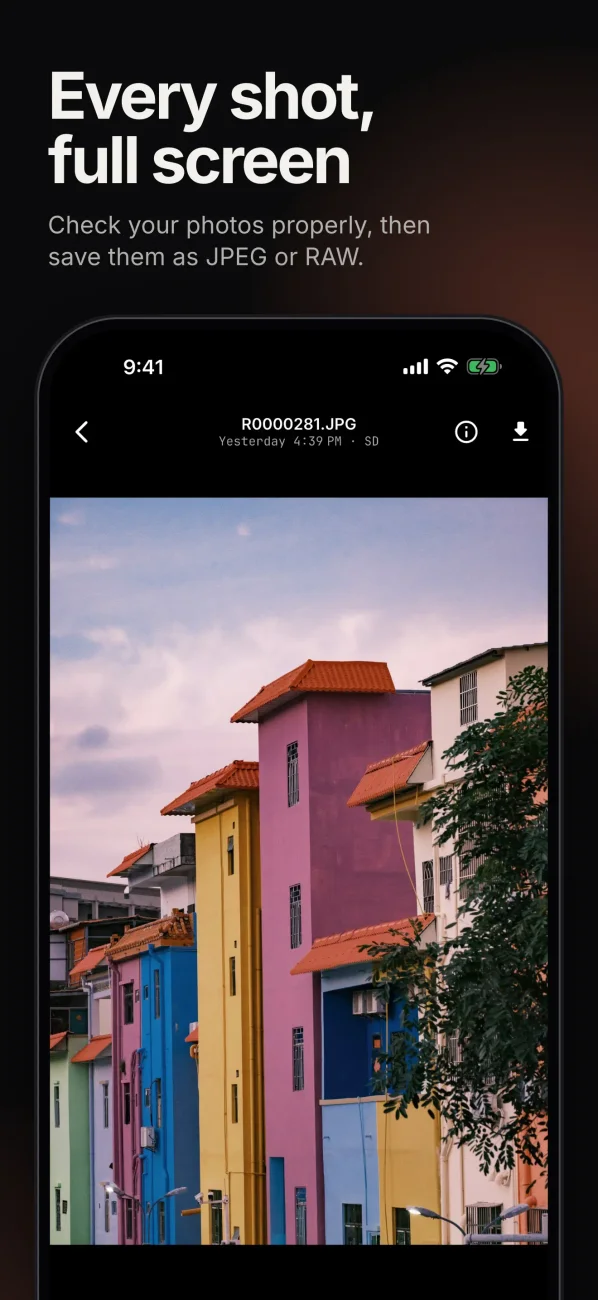
Tap Library and GR Photo connects to the camera for you. Scroll through a full card without sitting through slow thumbnails, open any photo full screen, and save the ones you want as JPEG, RAW or both. Downloads carry on when you switch apps or lock your phone, so you can put it back in your pocket.
NO MORE GUESSING WITH IMAGE CONTROL
On the camera, building a look means changing a number, taking a test shot and trying again. In GR Photo you move a slider and see the change straight away on one of your own photos, side by side with the original. You can do it anywhere, with the camera still in your bag. The preview is a close approximation of what the camera produces.
ALL YOUR LOOKS, READY TO LOAD
The camera has three Custom slots. Your phone has room for every look you make. Keep them all in GR Photo and load whichever one suits the day into C1, C2 or C3 before you head out. Found an old photo with colours you love? Save the Image Control it was taken with and shoot with it again.
SHOOT FROM YOUR PHONE
See what the camera sees, tap to focus, and set aperture, shutter speed, ISO and exposure compensation from your phone. Or just use the big shutter button as a remote for tripod shots and group photos.
REMEMBER WHERE YOU TOOK IT
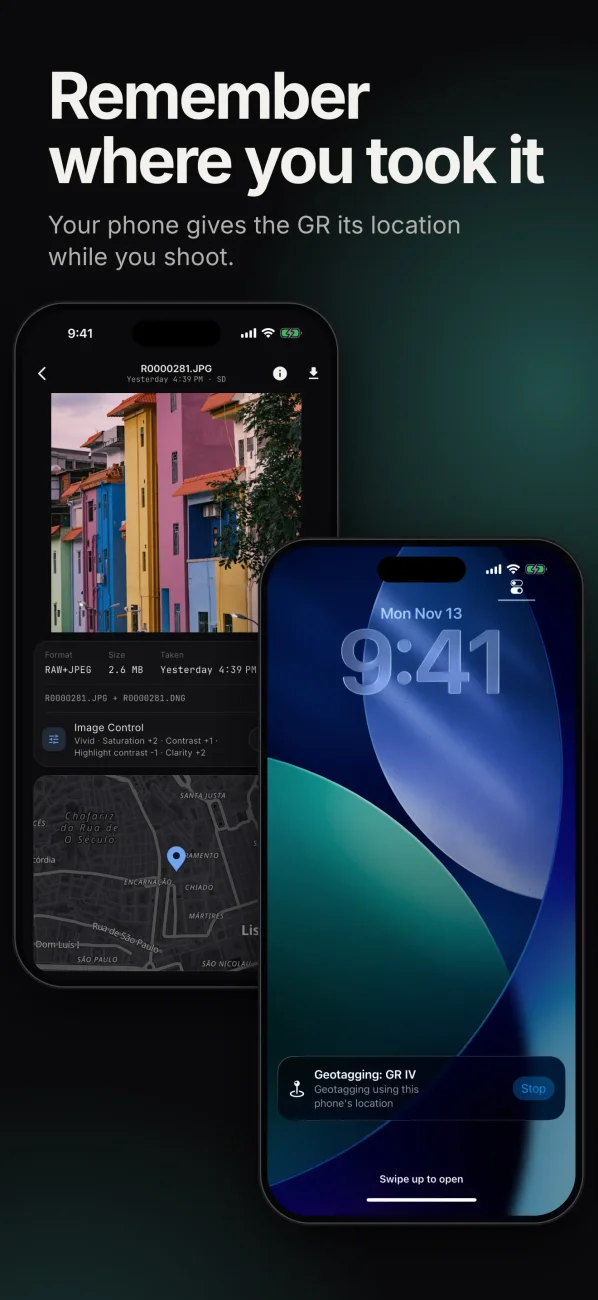
The GR has no GPS, but your phone does. Turn on geotagging and your photos come home with their location, ready to show on a map.
PRIVATE
No account, no ads, no analytics. GR Photo talks to your camera and, to draw the map of where a photo was taken, to OpenFreeMap. Nothing else.
GOOD TO KNOW
• Works with the GR III, GR IIIx and GR IV, including the HDF models and the GR IV Monochrome.
• Looks need a GR IV on firmware 1.04 or later, a GR IV HDF or a GR IV Monochrome. The GR III and GR IIIx can't exchange Image Control settings with a phone.
• So far GR Photo has been tested with a GR IV HDF. The GR III and GR IIIx have not been tried on a real camera yet.
• Available in 21 languages, with light and dark themes.
GR Photo is an independent project and is not affiliated with Ricoh.
What’s new
Version 0.0.18 · Nov 23, 2026
Visit the new GR Photo website at https://grphoto.jeph.io to explore the app’s features in 21 languages.
App privacy
What Jeph Liu declares on the App Store about how this app handles data.
-
Data not collected
The developer does not collect any data from this app.
Privacy practices may vary, for example with the features you use or your age.
Information
- Seller
- Jeph Liu
- Category
- Photo & Video
- Version
- 0.0.18
- Updated
- Nov 23, 2026
- Released
- Nov 13, 2026
- Size
- 43.3 MB
- Requires
- iOS 15.5 or later
- Age rating
- 4+
- Price
- Free
- Languages
- English, Czech, Danish, Dutch, Finnish, French, German, Greek, Hungarian, Italian, Japanese, Korean + 9 more
- Copyright
- © 2026 Jeph Liu
You might also like
-
 GR Mod - For Ricoh GR IV/IIIImage Control presets for GR
-
 Grid: Ricoh GR CompanionConnect. Download. Geotag.
-
 GR MintLocation sync for GR cameras
-
 GR Snap - Ricoh GR Image SyncGR III/IIIx/IV Remote Transfer
-
 Camset – Fuji & Ricoh RecipesFujifilm & Ricoh film recipes
-
 Ricoh Recipes — JPEG SettingsJPEG Recipes For Ricoh GR
-
 GR WORLDPhoto & Video
-
 Image SyncPhoto & Video
-
 No Fusion-Powerful Pro CamLive, Portrait, RAW, HDR, Film
-
 (Not Boring) CameraPro Camera with Natural Photos