
- Age rating4+
- CategoryPhoto & Video
- Developerohsung kwon
- LanguagesEnglish+ 1 more
- Size32.8 MB
Links to the official App Store page
Download.org hosts no file of GR Relay. The button opens its official App Store page, published by ohsung kwon. Listing last checked on Nov 14, 2026.
Screenshots

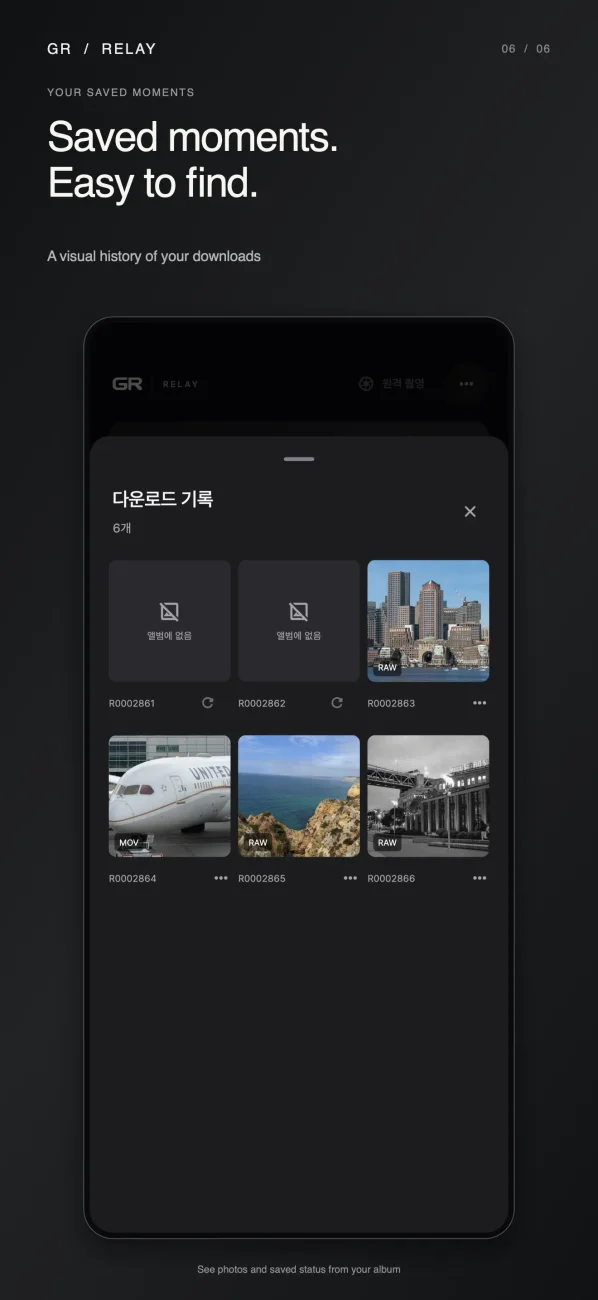
About
Your GR moments, within reach.
GR Relay is an independent photo transfer and remote shooting app for RICOH GR IV and GR IV Monochrome. Save originals to Photos, or frame a shot with live view and trigger your camera remotely. A focused interface brings together 5GHz preferred connections, connection recovery and continued background saving. The app supports Korean and English. It follows your device language by default, and you can change it in Settings.
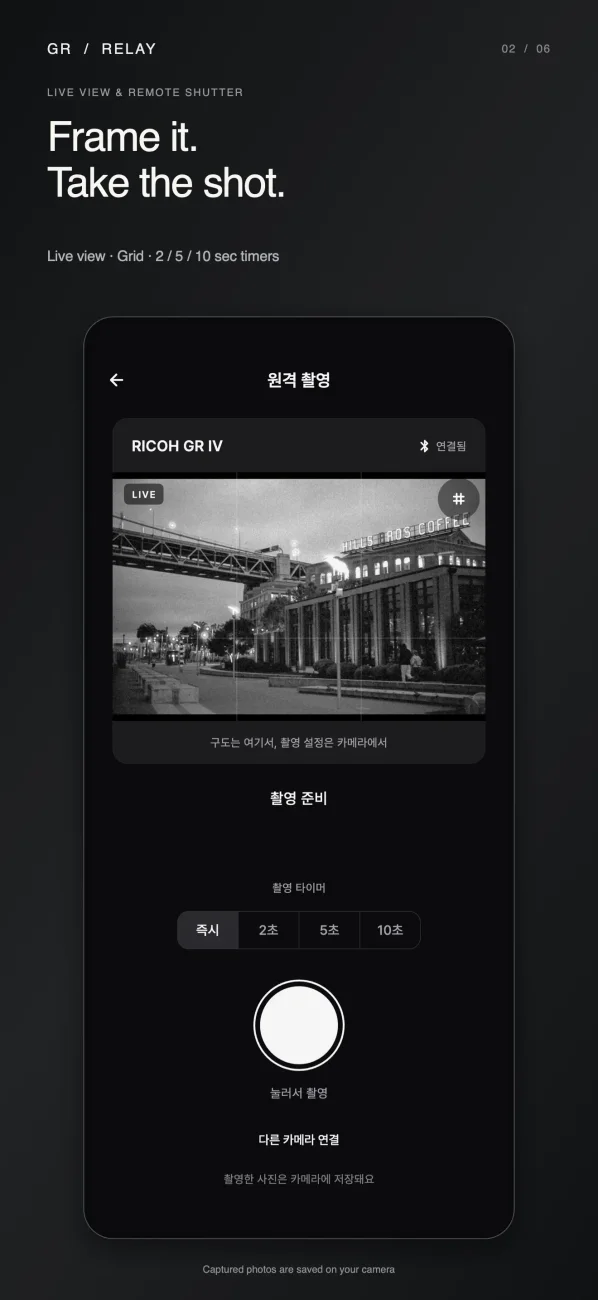
• Frame it. Take the shot.
See your camera's live view on iPhone or iPad. Use the composition grid and shoot immediately or with a 2, 5 or 10 second timer. Tap the live view to focus on your subject. Your grid preference is remembered. Original drive and timer settings are restored after capture or cancellation while the camera remains connected. Captured photos are saved on the camera; return to the library to select and save them to Photos. The 5 second timer runs in the app, so keep the app in the foreground until capture.
• RAW, JPG and video originals
Browse the camera's microSD card and internal storage. Save JPG, RAW (DNG) and supported MOV/MP4 videos to the GR Relay album in Photos. File size, format and integrity are checked.
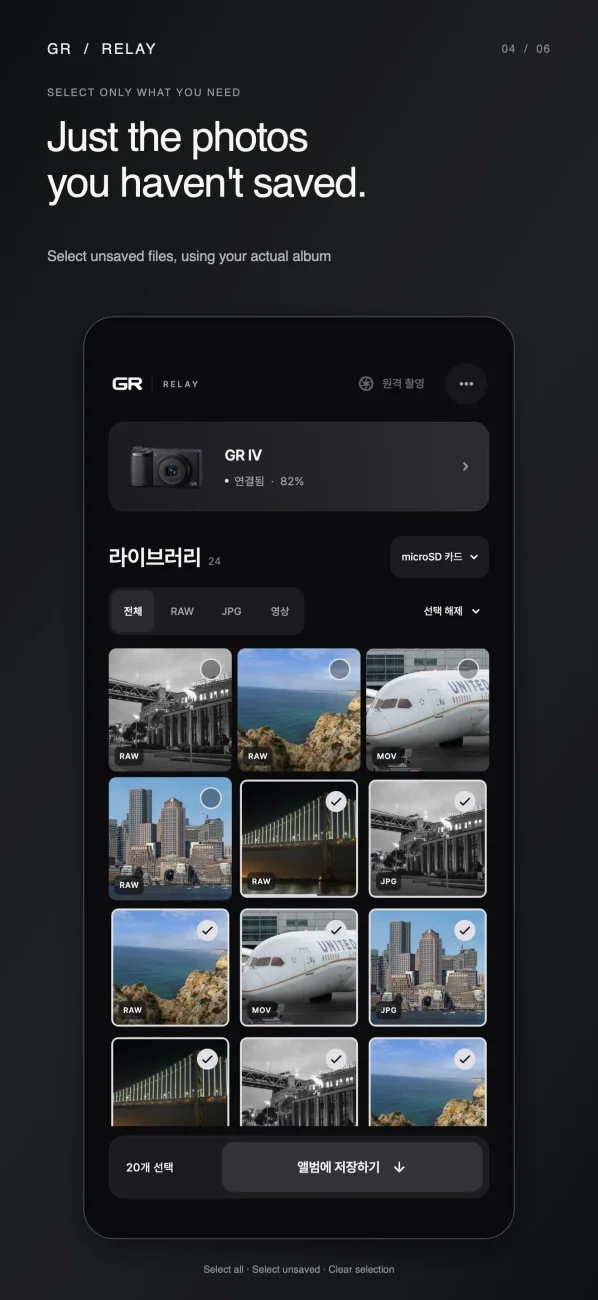
• Select only what you need
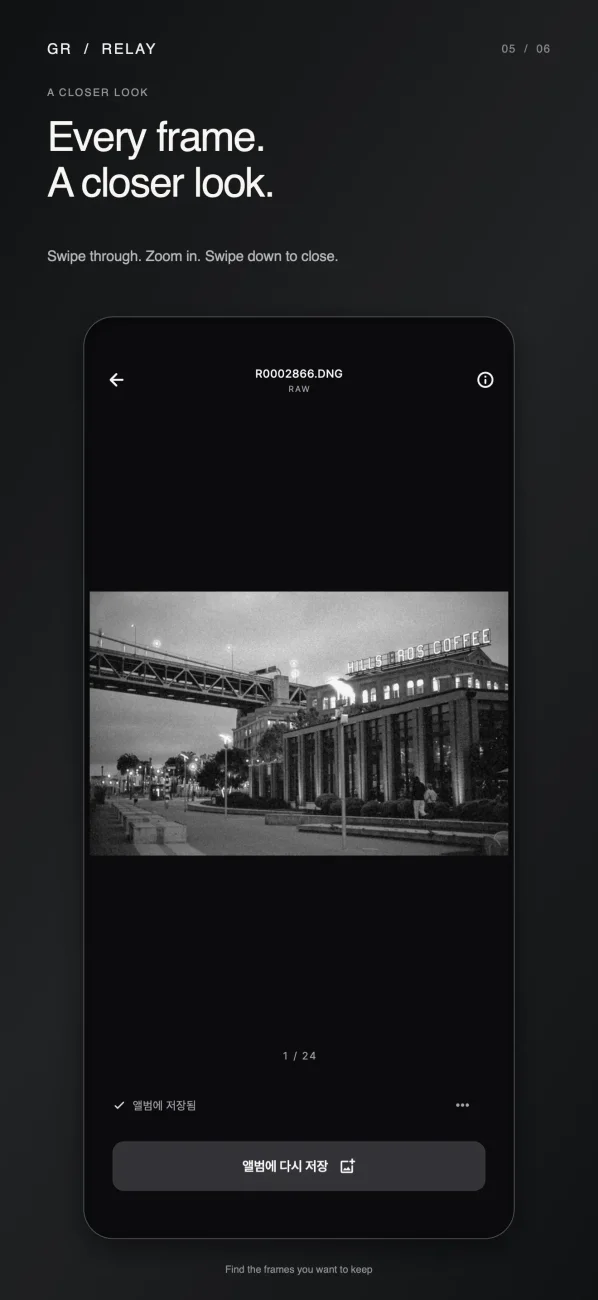
Switch between selecting all files and selecting only unsaved files. Saved status is checked against your actual GR Relay album. Previously downloaded originals can be saved to the album again. Tap a photo for a closer look, swipe between photos, zoom in or swipe down to close.
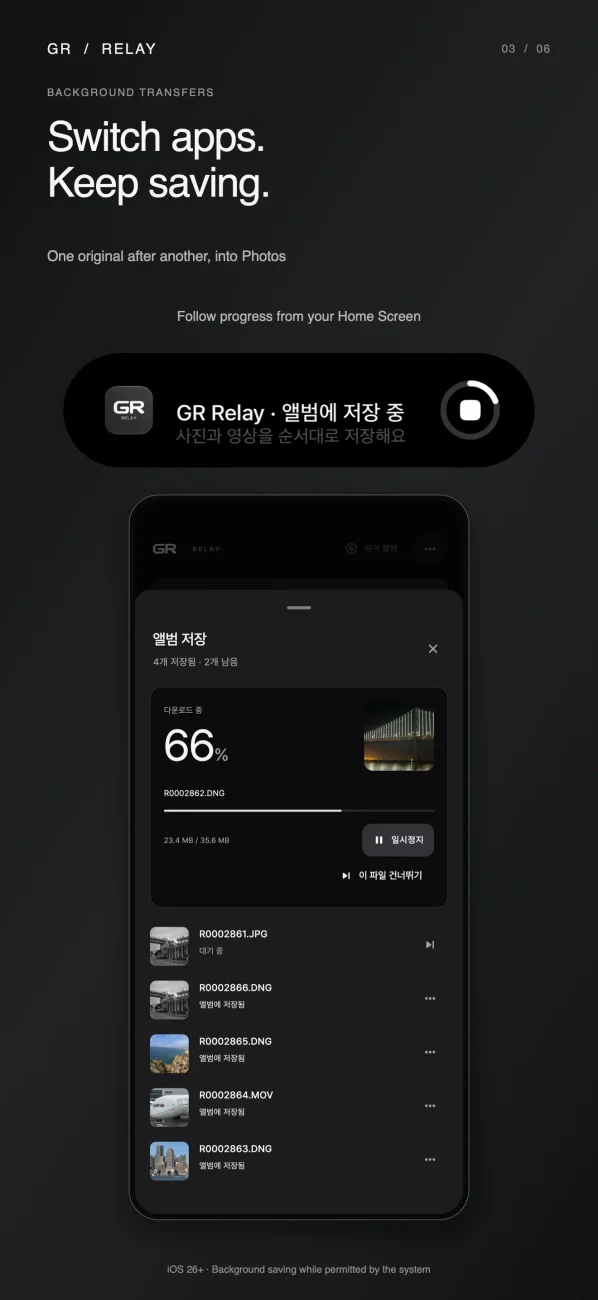
• Switch apps. Keep saving.
On iOS 26 and later, user-started saving continues in the background while the system permits it. Each file is downloaded and saved to the album before the next begins. Check progress or cancel from the system progress display. Earlier iOS versions also support system background downloads, but starting the next file may be delayed.
• Stay in control
Pause, retry or skip a slow file. Progress shows only your current save request, and a new request is handled separately from an older paused batch. Your complete download history remains in an album-style view, with photos and saved status from Photos.
• Connect and reconnect
Discover and pair over Bluetooth, then use the camera's Wi-Fi for originals and live view. Reconnect to a previously used camera with connection recovery support. 5GHz is preferred on supported cameras; choose 2.4GHz in Settings when needed. Transfer speed depends on wireless conditions and camera state.
• Keep your files on your devices
No account, ads or in-app purchases. Photos and videos transfer directly from camera to device and are not automatically uploaded to a developer server.
A compatible camera and Bluetooth, Local Network and Photos permissions are required. Adjust shooting settings on the camera. Features depend on camera model, firmware and operating system. Background execution may be delayed or stopped by the system and is limited when you force-quit the app. Resuming partial downloads requires camera support; otherwise an interrupted file restarts from the beginning.
GR Relay is not an official RICOH or RICOH IMAGING app and is not affiliated with either company. RICOH and GR are trademarks of their respective owners.
What’s new
Version 1.1.0 · Oct 21, 2026
Introducing live-view remote shooting.
• Frame your shot, tap to focus, and shoot immediately or with a 2, 5 or 10 second timer.
• Original drive and timer settings are restored after capture or cancellation while connected.
• Your composition grid preference is remembered.
• Back returns directly to the photo library.
Korean and English are now supported. The app follows your device language by default; choose a language in Settings.
Also improved:
• Remote shooting header alignment
• Timer cancellation and connection status
• Thumbnail loading after remote shooting
• Starting a new save request after pausing another batch
• Reconnecting after the camera is turned back on
Keep the app open for the 5 second timer. Captured photos are saved on the camera.
App privacy
What ohsung kwon declares on the App Store about how this app handles data.
-
Data not collected
The developer does not collect any data from this app.
Privacy practices may vary, for example with the features you use or your age.
Information
- Seller
- ohsung kwon
- Category
- Photo & Video
- Version
- 1.1.0
- Updated
- Oct 21, 2026
- Released
- Oct 20, 2026
- Size
- 32.8 MB
- Requires
- iOS 15.0 or later
- Age rating
- 4+
- Price
- Free
- Languages
- English, Korean
- Copyright
- © 2026 ian kwon
You might also like
-
 ZRframeColor, Frames & Photo Editing
-
 ROLLCARetro film camera & recipes
-
 ZRcamera - Film Look CameraRetro presets & manual focus
-
 GR VibeShotShutter from your wrist
-
 루포아Photo & Video
-
 Candens - 90's Film CameraEvery Light Leaves a Memory
-
 Z-StopZone System Meter for B&W Film
-
 Mutzin Studio:PRO Photo EditorPhoto Editor For PRO
-
 GR StudioLive Shooting Studio Companion
-
 Film Mode - Film CameraKeep today in film emulation