GradeKey — Grade Calculator
Instant Tables for Teachers
Designed for iPhone, iPad
Free · In-app purchases
- Age rating4+
- CategoryEducation
- DeveloperHernan Rosario
- LanguagesEnglish+ 1 more
- Size6.5 MB
Links to the official App Store page
Download.org hosts no file of GradeKey — Grade Calculator. The button opens its official App Store page, published by Hernan Rosario. Listing last checked on Nov 29, 2026.
Screenshots


About
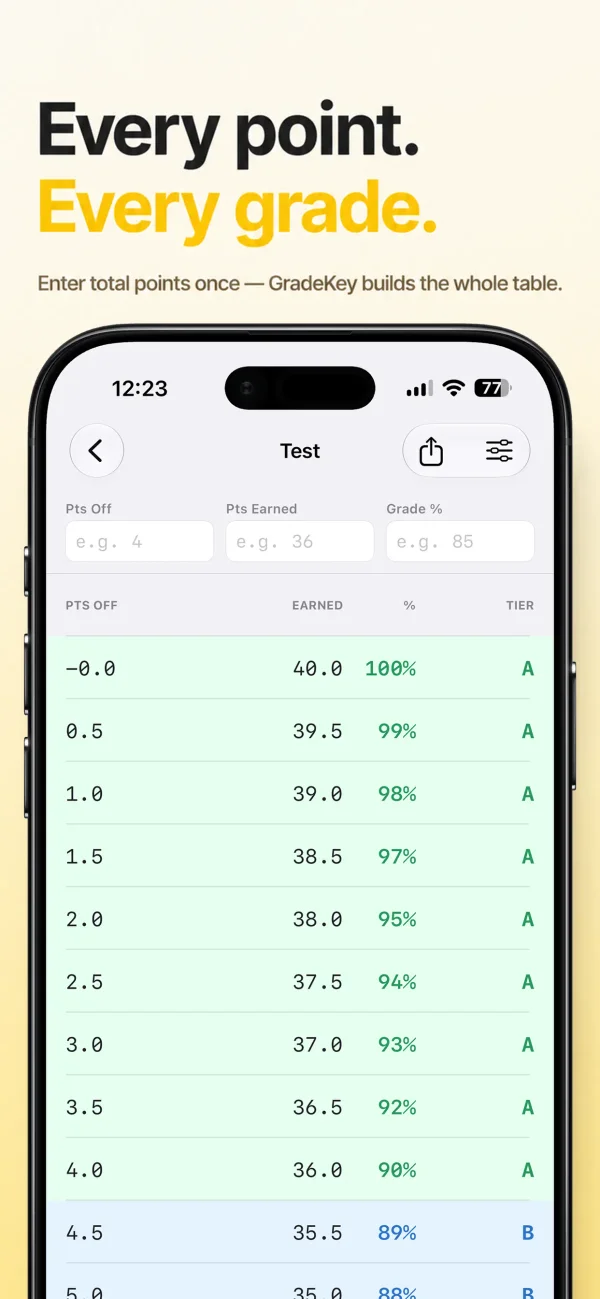
GradeKey turns any assignment's point value into a complete grade conversion table — instantly.
Stop doing mental math at the grading table. Enter the total points once, and GradeKey generates every possible score, percentage, and letter grade in a single scrollable table. Built by a teacher, for teachers.
INSTANT GRADE TABLES
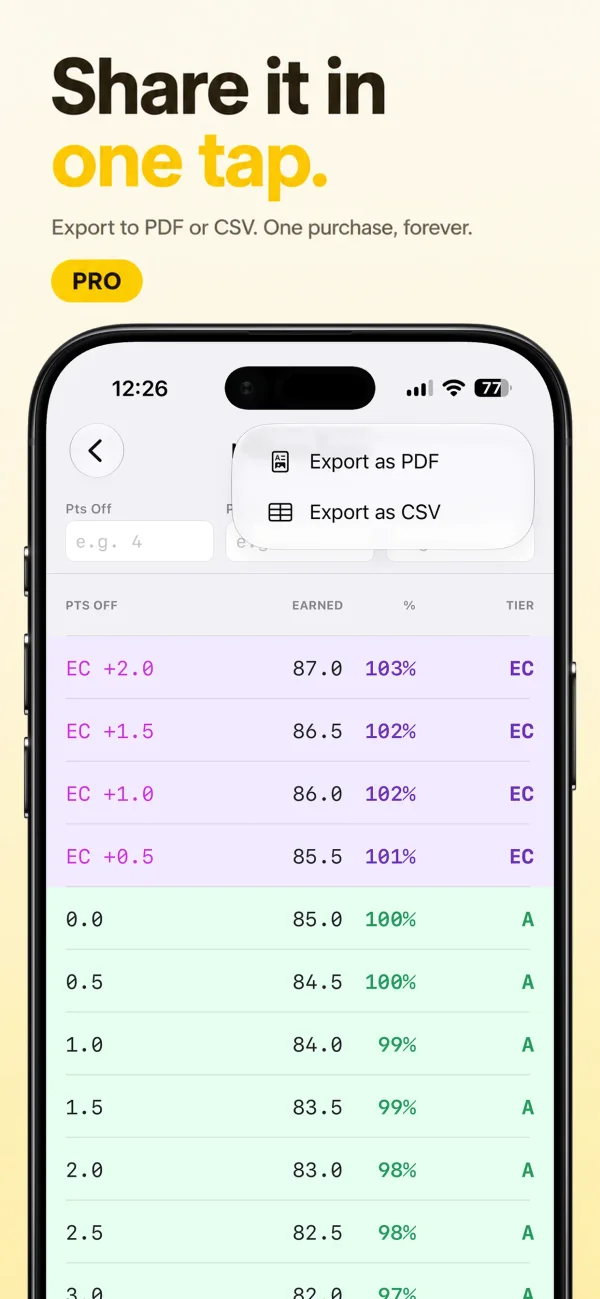
Type in the total points and GradeKey does the rest. Every row shows points off, points earned, the exact percentage, and the letter grade — color-coded so an A is green and an F is red at a glance.
Choose your step size to match how you actually grade:
• Whole points — fast for quizzes
• Half points — the classroom standard
• Quarter points — for detailed rubrics
FIND ANY SCORE IN SECONDS
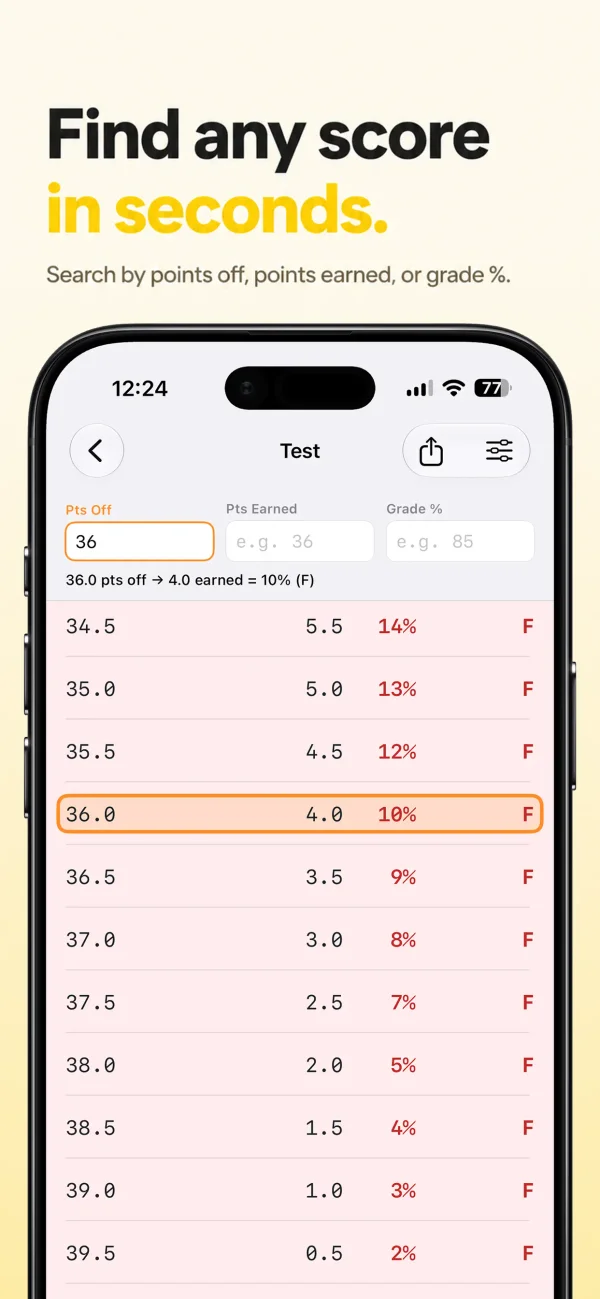
Three ways to look up a grade, and GradeKey jumps straight to the matching row and highlights it:
• Points Off — “they lost 4 points, what's that?”
• Points Earned — “36 out of 40 is what percent?”
• Grade % — “what do they need for an 85?”
No scrolling, no scanning. Type a number, land on the answer.
GRADING SCALES THAT MATCH YOUR SCHOOL
Eight built-in presets, and GradeKey suggests the right one based on your region:
• US Standard (90/80/70/60)
• US Plus / Minus (A+, A, A-, B+ …)
• US Strict (93/83/73/63)
• Pass / Fail
• Canada
• UK / Europe
• Australia
• Latin America
Or build your own. Rename any tier, add or delete tiers, set any percentage cutoff, and choose exactly where the passing line falls. Hide scales you do not use and arrange the picker in your preferred order.
EXTRA CREDIT, HANDLED
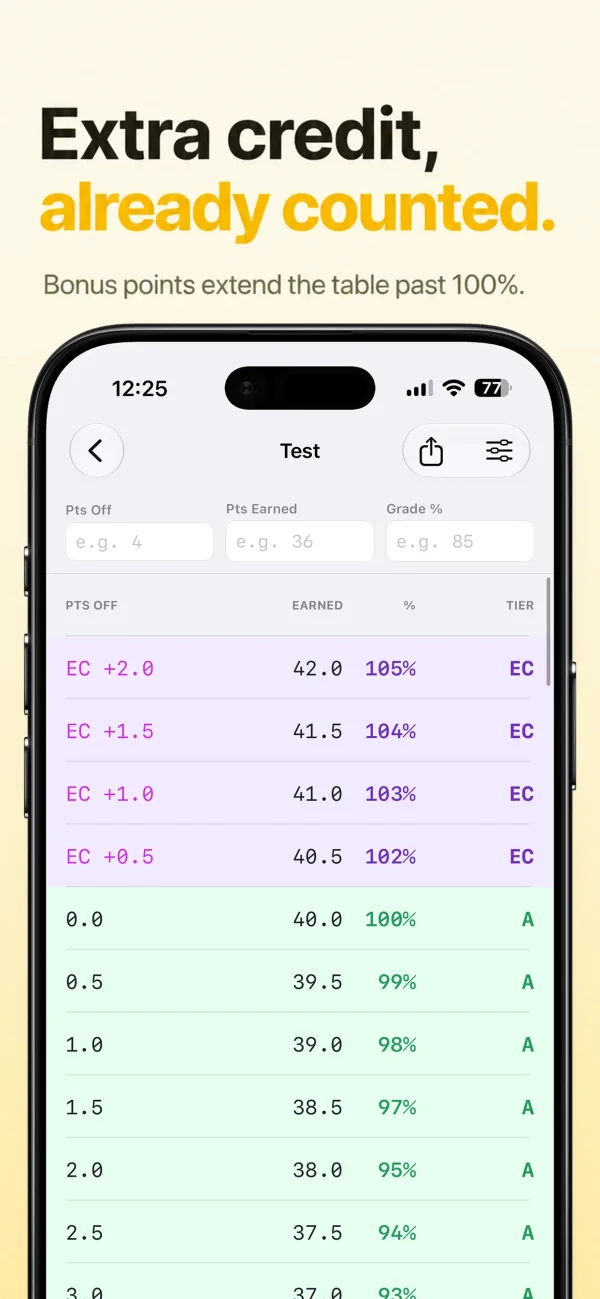
Add bonus points and GradeKey extends the table above 100%, marking those rows “EC” in purple.
SAVE EVERY ASSESSMENT
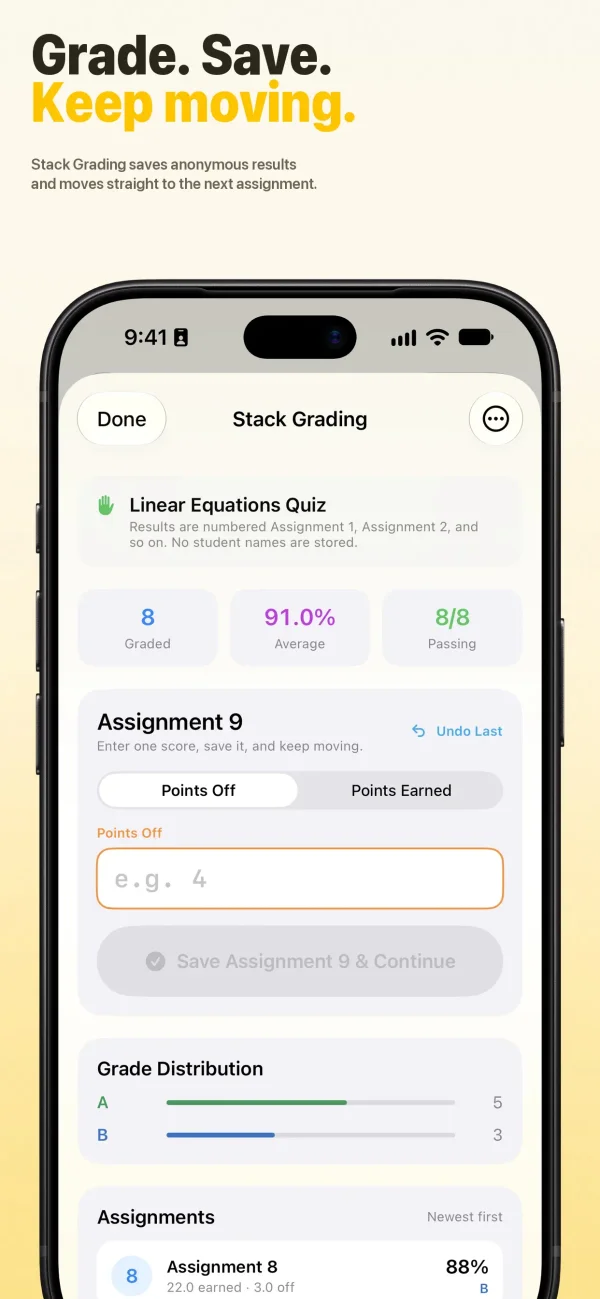
Store all your quizzes, exams, labs, and projects. Search them by name, drag to reorder, duplicate a setup, and group related work into folders.
GRADEKEY PRO — ONE PURCHASE, FOREVER
The free version saves one assessment with full access to the table, lookup, and every grading scale. Upgrade once to unlock:
• Unlimited saved assessments
• Export to PDF or CSV
• Folders for classes, periods, or terms
• Configurable Home Screen widgets for assessments and folders
• Every future feature
One-time purchase. No subscription. No account. No ads.
DESIGNED FOR TEACHERS
• iCloud sync is free for everyone
• Works on iPhone and iPad
• Full dark mode
• No sign-up, no login, no tracking
• Your data stays on your device and in your private iCloud
Grading is hard enough. The math shouldn't be.
What’s new
Version 1.6.1 · Nov 28, 2026
Three fixes to how grades are shown. No letter grades change.
• The first row of a table without extra credit showed "-0" in the PTS OFF column. It now shows 0. The same value appeared at the top of CSV exports.
• Under Keep Decimals, a row could display a percentage that looked like it had reached the next cutoff while keeping the letter below it, for example 67% next to a D on a scale where D+ starts at 67. The percentage and the letter now always agree.
• Exporting a CSV for an assessment whose name contains a quotation mark no longer produces a file that opens with its columns shifted.
App privacy
What Hernan Rosario declares on the App Store about how this app handles data.
-
Data not collected
The developer does not collect any data from this app.
Privacy practices may vary, for example with the features you use or your age.
Information
- Seller
- Hernan Rosario
- Category
- Education
- Version
- 1.6.1
- Updated
- Nov 28, 2026
- Released
- Aug 6, 2026
- Size
- 6.5 MB
- Requires
- iOS 17.0 or later
- Age rating
- 4+
- Price
- Free
- In-app purchases
- Yes
- Languages
- English, Spanish
- Copyright
- © 2026 Hernan Rosario
You might also like
-
 Teacher GraderTest & Quiz Grade Calculator
-
 Digraphs CH SHCH - SH
-
 Cosmetology Prep ProCosmetology practice
-
 Canvas Grades PlusEducation
-
 ABA Behavior Analyst Exam PrepQualified Practice Test 2025
-
 Grade Star: Final Grade & GPATrack, predict, and plan ahead
-
 GradeCalc: Grade CalculatorKnow your GPA and final score
-
 Mental Disorders TermsMental Disorders terms study.
-
 Mountain Valley Church NMEducation
-
 Grade Calculator: GradCalEasy Grader for Teachers