
- Age rating4+
- CategoryEducation
- DeveloperStephan Schmid-Eilber
- LanguagesEnglish
- Size36.0 MB
Links to the official App Store page
Download.org hosts no file of gramma Bible. The button opens its official App Store page, published by Stephan Schmid-Eilber. Listing last checked on Nov 23, 2026.
Screenshots
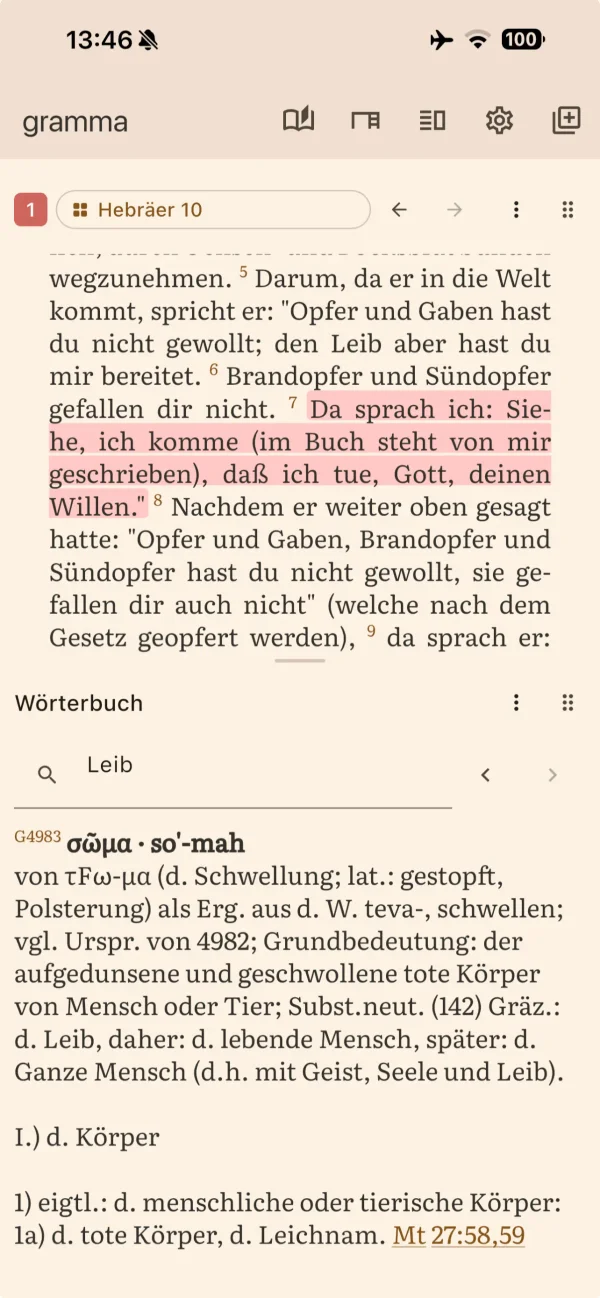
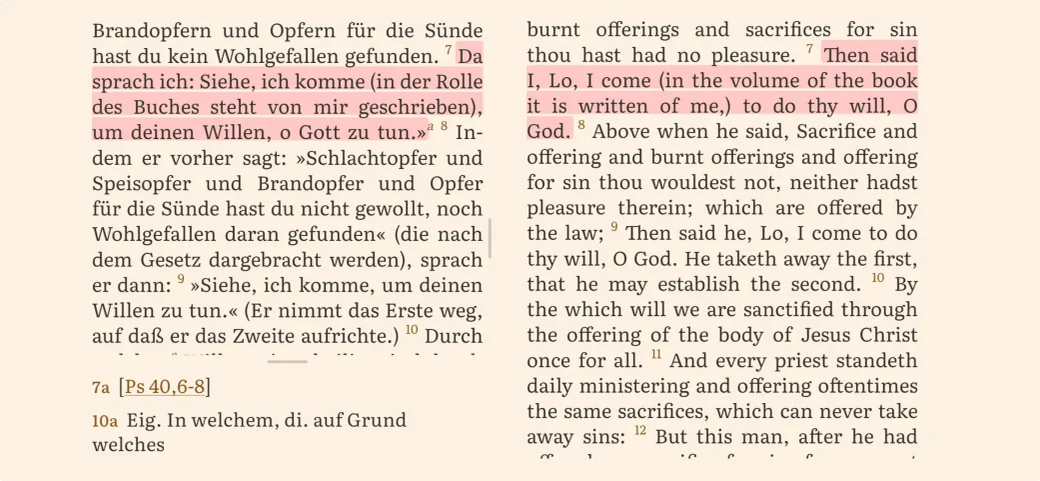

About
gramma sets Scripture the way fine books are set. Its typesetting engine builds on the line-breaking tradition of TeX: justified, hyphenated paragraphs at the text size and line length you choose — one column on the phone, more on tablet and desktop.
READING • Endless scrolling through whole books, in columns on larger screens • Side-by-side views that follow each other: text beside text, commentary, or footnotes • Desks — saved workspace layouts for study, comparison, devotion • Careful typography: Gentium and Literata faces; text size, line length, column gap, spacing, and weight are yours to set
STUDY • Imports standard SWORD modules (e.g. from CrossWire) and OSIS files: Bibles, commentaries, dictionaries, devotionals, and books — and reads PDF, EPUB, and ODT documents into the same library • Strong's numbers: tap a word for its lexicon entry, follow a number into a concordance built from tagged texts • Fast search with language-aware matching • Reading plans imported from simple JSON files
YOUR NOTES, YOURS • Word-precise marks and notes, anchored to verses, with eight pens you define — hue, strength, wash or underline — or a note shown by a small icon alone • A notes overview across everything you have marked • Sync between your own devices as end-to-end-encrypted files in a folder you choose (your iCloud Drive, Dropbox, or any synced folder) — no gramma server, no account
FREE AND OPEN • Completely free, no purchases, no ads, no analytics • Open source (MIT): github.com/sse1234/gramma • The app ships without Bible texts; you import the modules you have the right to use
What’s new
Version 1.1.8 · Nov 15, 2026
New Library tab in the settings: delete texts, commentaries and reading plans from the device, or give them your own name; notes and markings stay. Switching desks or reopening the app returns each view to the verse you left. The underline pen sits below the text with a gap. A text imported again shows its new content at once. "Column turn effort" is now "Page turn effort". Built with Flutter 3.50.
App privacy
What Stephan Schmid-Eilber declares on the App Store about how this app handles data.
-
Data not collected
The developer does not collect any data from this app.
Privacy practices may vary, for example with the features you use or your age.
Information
- Seller
- Stephan Schmid-Eilber
- Category
- Education
- Version
- 1.1.8
- Updated
- Nov 15, 2026
- Released
- Sep 5, 2026
- Size
- 36.0 MB
- Requires
- iOS 15.0 or later
- Age rating
- 4+
- Price
- Free
- Languages
- English
- Copyright
- © 2026 Stephan Schmid-Eilber
You might also like
-
 Bereishit: GenesisHebrew & English: Audio + Text
-
 Selah: Prayer Journal & BibleDaily Devotion & Verse Widget
-
 Besorah BibleHebrew, Greek & Aramaic
-
 Study by A1:8Bible study that goes deeper
-
 KJV Word StudyKJV with Strong’s numbers
-
 Kol TanakhHebrew Bible with audio
-
 Milta - The WordReference
-
 Unfolded BIBLE: Word in FullEvery Shade of Meaning
-
 Noted Bible: Interlinear StudyHebrew, Greek & Commentary
-
 Bible Notes & StudyRead, Mark & Keep Your Notes