
Grammar & Punctuation Checker
AI Spell Check, Commas, Typos
Designed for iPhone, iPad
Free · In-app purchases
- Age rating4+
- CategoryEducation
- DeveloperMaksim Gusev
- LanguagesEnglish+ 6 more
- Size50.3 MB
Links to the official App Store page
Download.org hosts no file of Grammar & Punctuation Checker. The button opens its official App Store page, published by Maksim Gusev. Listing last checked on Nov 20, 2026.
Screenshots
About
Paste a text and fix it in one tap. Three checks, each for its own job:
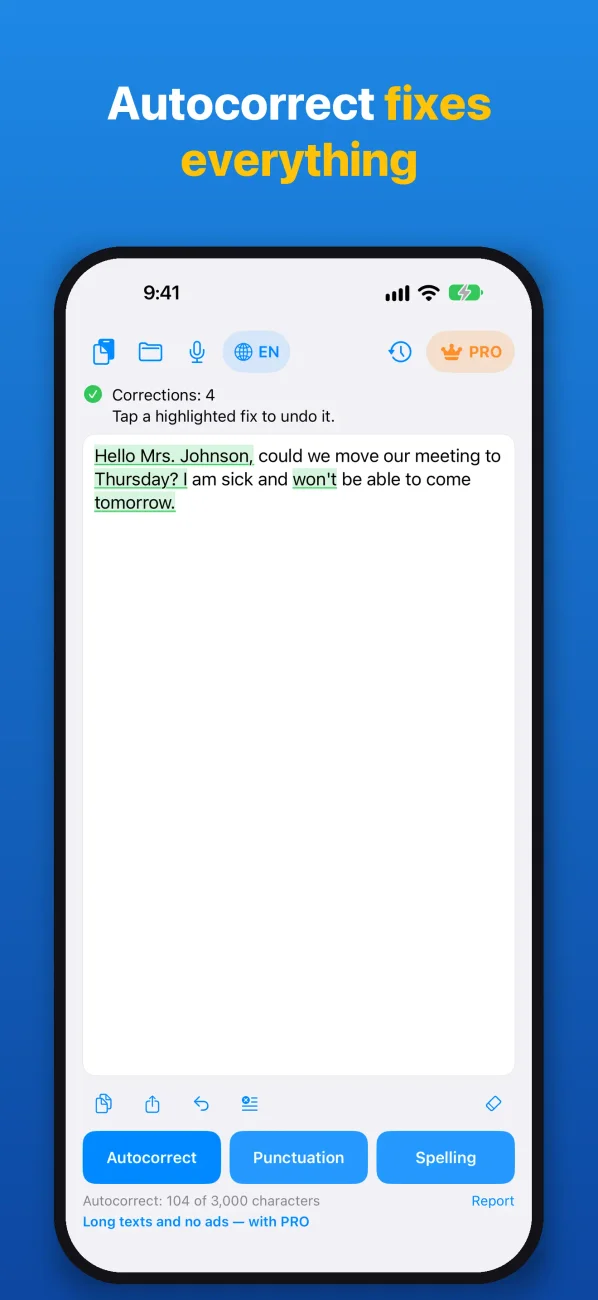
• Autocorrect — AI corrects spelling, punctuation and grammar in the whole text at once.
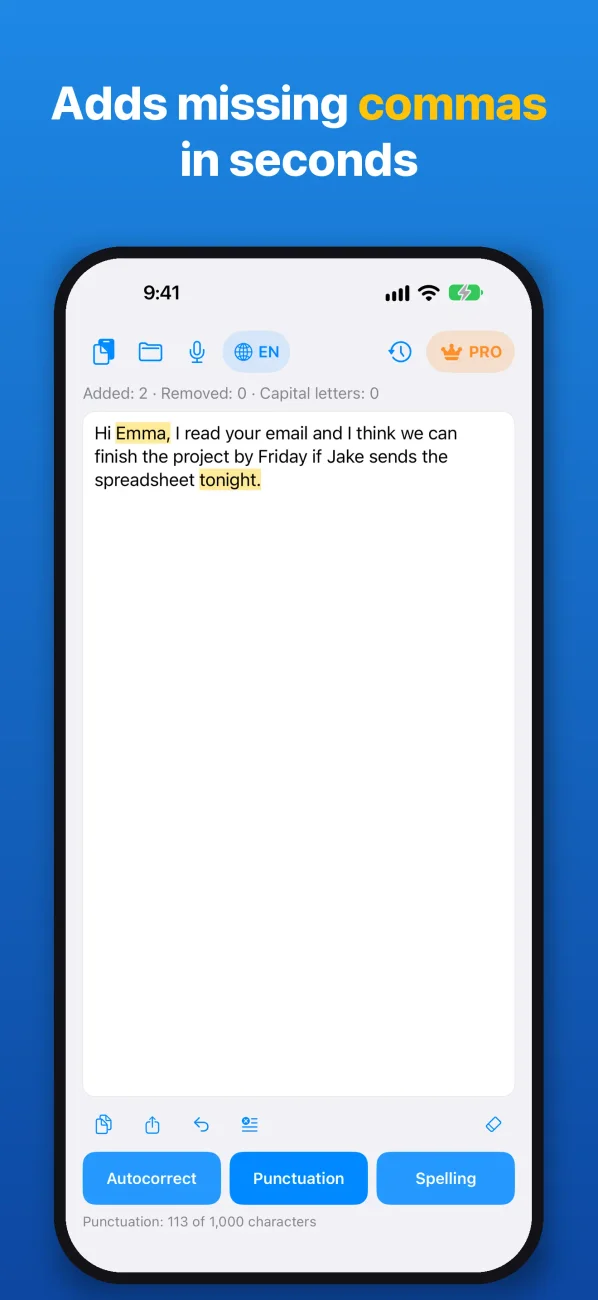
• Punctuation — puts missing commas and other marks, removes extra ones and fixes capital letters.
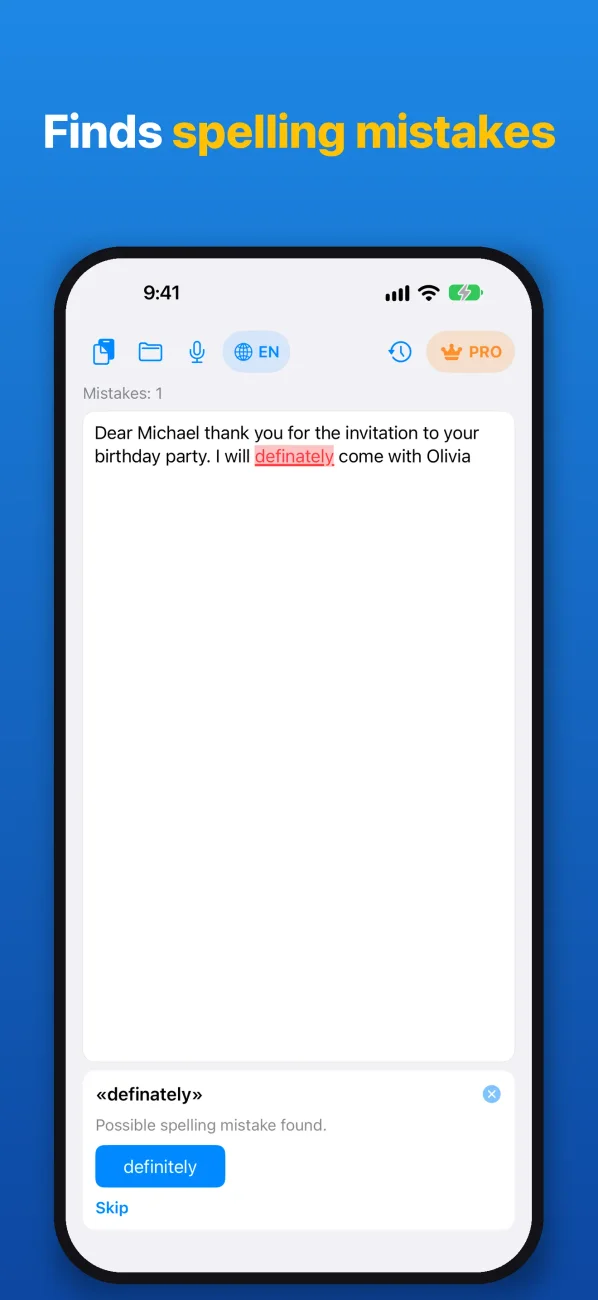
• Spelling — finds misspelled words and typos and suggests the right word.
YOU CONTROL EVERY FIX
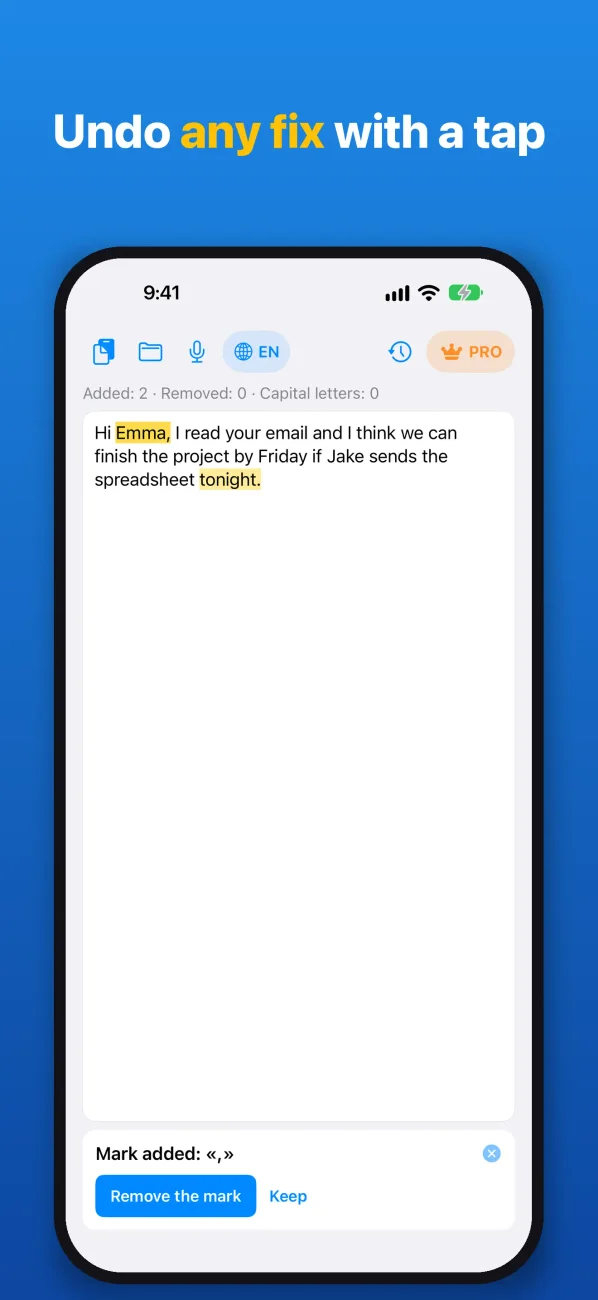
Every change is highlighted right in the text: a comma together with its word, a corrected word, a capital letter. Tap a highlight to see what was changed and undo it in one tap. In Spelling, choose from up to five variants or fix all obvious mistakes at once. "Original" brings back the text as it was before the check.
TEXT LANGUAGES
English, Spanish, Portuguese, German, French, Italian and Russian. If the text looks like another language, the app offers to switch before the check.
ANY WAY TO ADD TEXT
Paste from the clipboard, dictate by voice or open a TXT, PDF or Word (DOCX) file. Copy the result or share it to any app.
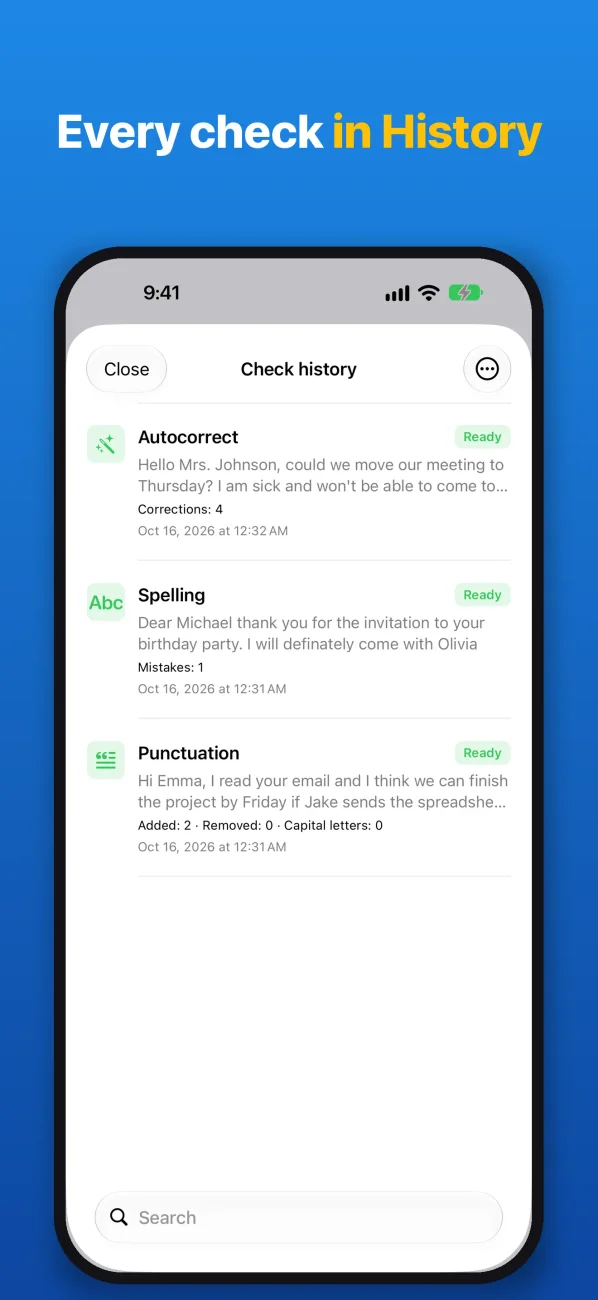
HISTORY
Every check is saved on your device with its result. Search the history and open any result again.
NO SIGN-UP, NO KEYBOARD TO INSTALL
Open the app and check the text. It works on iPhone and iPad, in dark mode and with large text.
WITHOUT A SUBSCRIPTION
Up to 1,000 characters per check (Autocorrect: 3,000), 30 punctuation and spelling checks and 15 Autocorrect checks a day.
PRO
• Texts up to 200,000 characters at once, long texts are checked in parts with progress
• 1,000,000 characters every month
• No ads and no daily limit
• No app link in shared texts
The PRO subscription renews monthly unless cancelled at least 24 hours before the end of the period. Manage or cancel it in the App Store settings.
Privacy Policy: https://textadviser.com/privacy-policy
Terms of Use: https://www.apple.com/legal/internet-services/itunes/dev/stdeula/
What’s new
Version 4.4 · Oct 17, 2026
• Results in 1–3 seconds instead of 5
• Tap any highlighted fix to see it and undo it; extra commas are now removed from the text
• Autocorrect shows what it changed
• Clear messages when a limit is reached, with the waiting time
• More reliable connection: if the server does not answer, the app switches to a backup address
• No full-screen ads before your first result
• Dark mode, iPad layout and large text
App privacy
What Maksim Gusev declares on the App Store about how this app handles data.
-
Data used to track you
May be used to track you across apps and websites owned by other companies.
- Location
- Identifiers
- Usage data
-
Data linked to you
May be collected and linked to your identity.
- User content
-
Data not linked to you
May be collected but is not linked to your identity.
- Purchases
- Location
- Identifiers
- Usage data
- Diagnostics
Privacy practices may vary, for example with the features you use or your age.
Information
- Seller
- TEXTADVISER DOO BEOGRAD
- Category
- Education
- Version
- 4.4
- Updated
- Oct 17, 2026
- Released
- Apr 3, 2022
- Size
- 50.3 MB
- Requires
- iOS 17.0 or later
- Age rating
- 4+
- Price
- Free
- In-app purchases
- Yes
- Languages
- English, French, German, Italian, Portuguese, Russian, Spanish
- Copyright
- © 2026 TextAdviser DOO
You might also like
-
 AiText: Grammar & Spell CheckParaphrase, Rewrite, Correct
-
 AI Grammar Check & Spell CheckSpelling & Punctuation Checker
-
 Grammar Check Corrector +Correct me & Paraphrase tool
-
 Polish: AI Keyboard & VoiceFix Grammar, Punctuation, Typo
-
 Punc: Learn PunctuationRead & Learn From the Classics
-
 Правила русского языка +Education
-
 Russian Dictionary Wiki Word440К words, grammar, thesaurus
-
 Фоксфорд: Учебник и тренажерEducation
-
 AvMark - средний баллEducation
-
 Орфография – подготовка к ЕГЭEducation