Grape Notes Pro: Scan to Text
Handwriting Scanner and OCR
Designed for iPhone, iPad
$3.99
- Age rating4+
- CategoryProductivity
- DeveloperRobert Corbin
- LanguagesEnglish
- Size5.5 MB
Links to the official App Store page
Download.org hosts no file of Grape Notes Pro: Scan to Text. The button opens its official App Store page, published by Robert Corbin. Listing last checked on Nov 23, 2026.
Screenshots
About
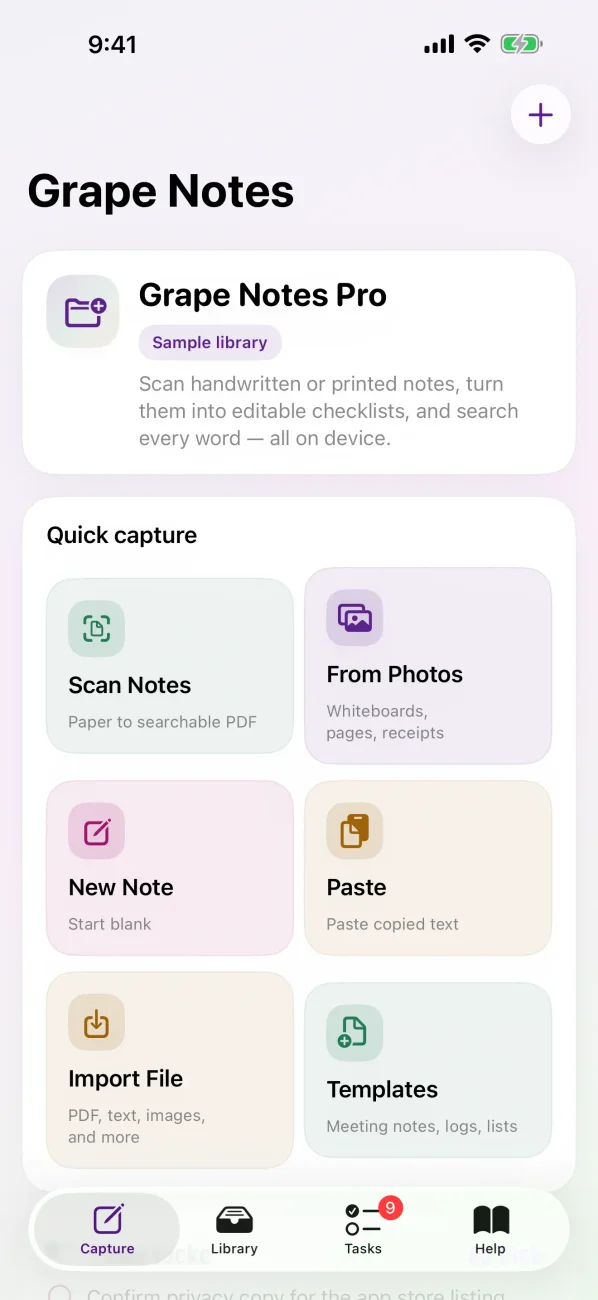
Grape Notes Pro is a private notes and scanning workspace. Scan paper, read photos of notes and whiteboards, import files, or just type. Then search, organize and export everything. No account, no subscription, nothing uploaded.
NEW IN 4.0
- Recently Deleted: deleted notes, scans and files stay for 30 days and can be put back (Help tab)
- PDF paper size: A4 or US Letter for new scans and note PDFs; the default follows your region
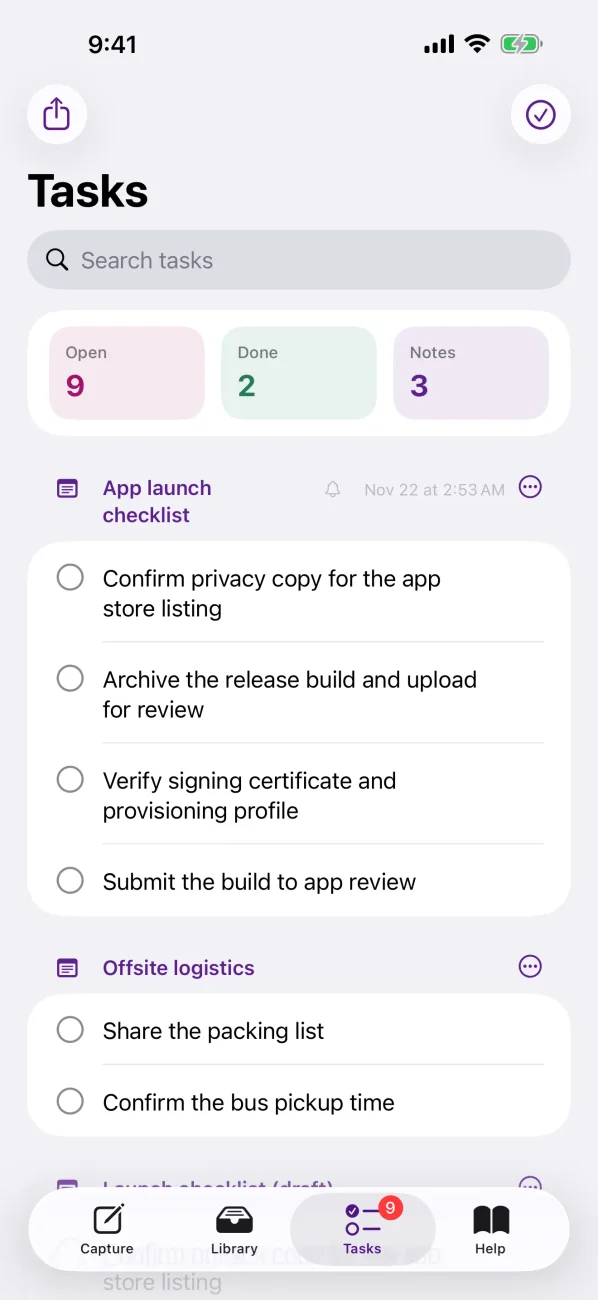
- Share Tasks: send the tasks you see as a checklist to another app
- Imported image-only PDFs keep their original pages; only a text layer is added
- Large backups: written and restored in the background, one file at a time; a damaged entry is skipped instead of blocking the restore
- Fixed: Create Backup no longer closes the app on iOS 26; the Markdown toolbar now works on iPad; swipe to delete asks first; a damaged notebooks file no longer moves notes to Inbox; one unreadable file no longer stops an import; tilted pages keep their reading order; Scan Studio asks before discarding pages
TURN SCANS INTO NOTES
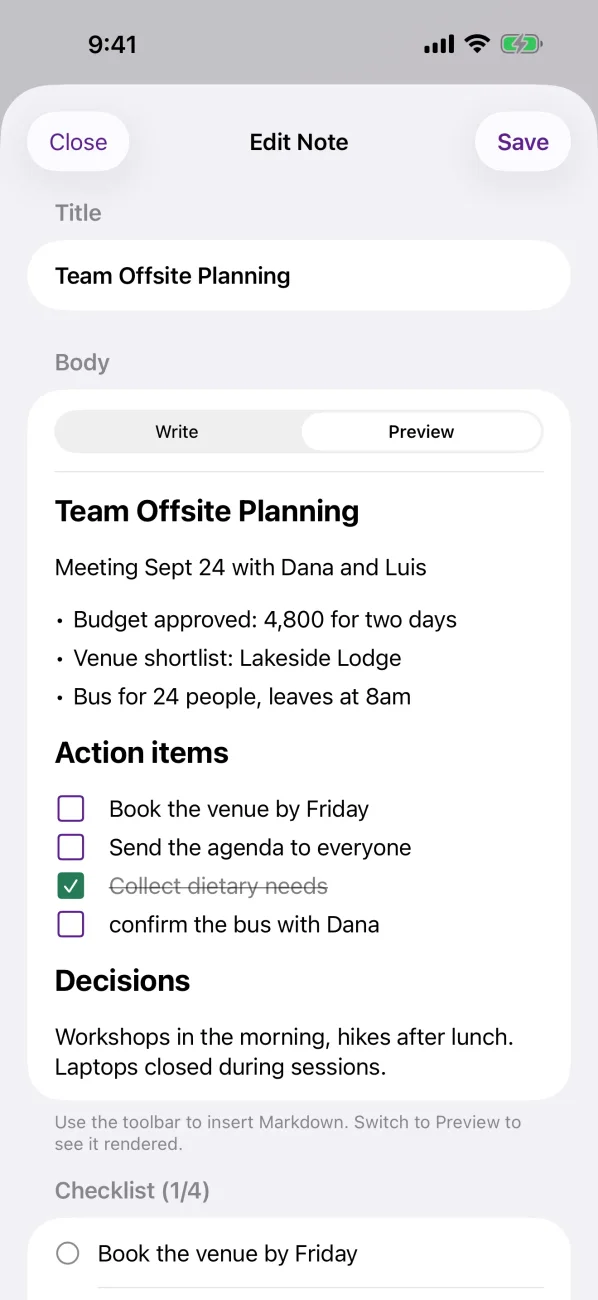
- Turn into Note reads a scan or photo and rebuilds it as editable Markdown
- Larger handwriting and short lines like "Decisions:" become headings
- Checkbox marks, bullets, arrows and numbered lines become real lists
- Lines starting with TODO, Action or Follow up become tasks
- Wrapped lines are joined into paragraphs; the original scan is kept and linked
TASKS, READ ALOUD, BACKUP
- Tasks: open checklist items from all your notes and converted scans in one list, grouped by note, with search. Checking one off updates its note
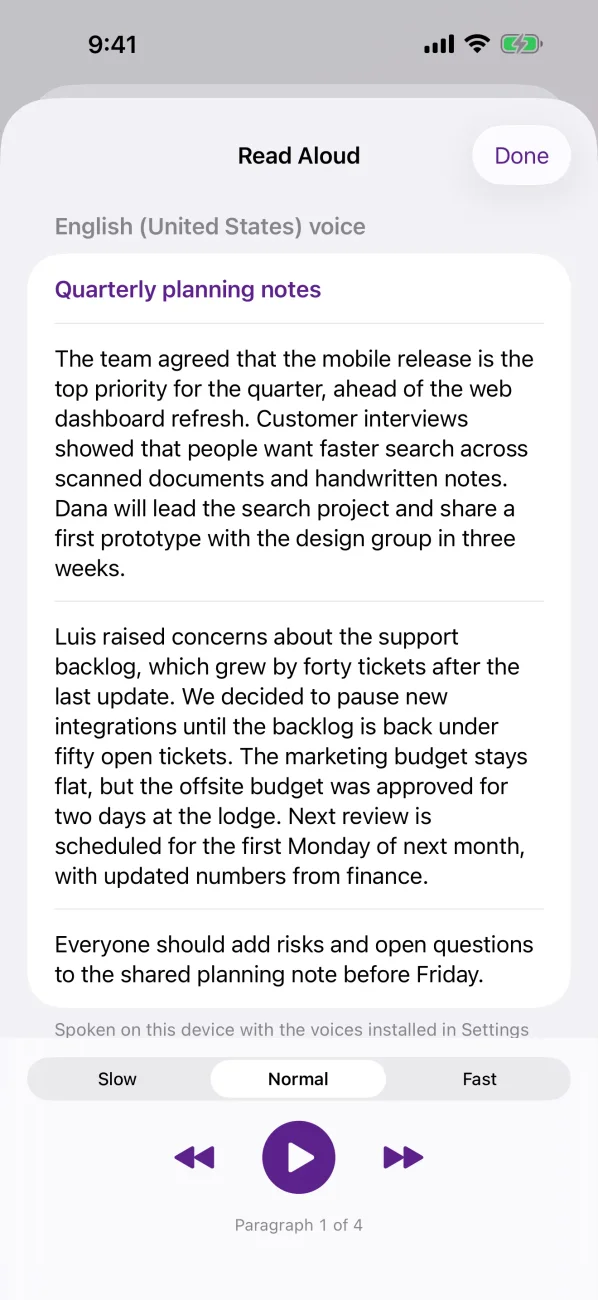
- Read Aloud: hear a note or the text of a scan, paragraph by paragraph, with the voices on your device
- Backup & Restore: one file with every note, notebook, reminder and stored scan. Restoring adds and updates, never deletes
SEARCHABLE PDFS
- The text read from each page is embedded as an invisible layer, so search, select and copy work in the Files app and other PDF readers
- PDFs made only of page images are read on import, so they are searchable right away
- Read Text Again makes older scans searchable too
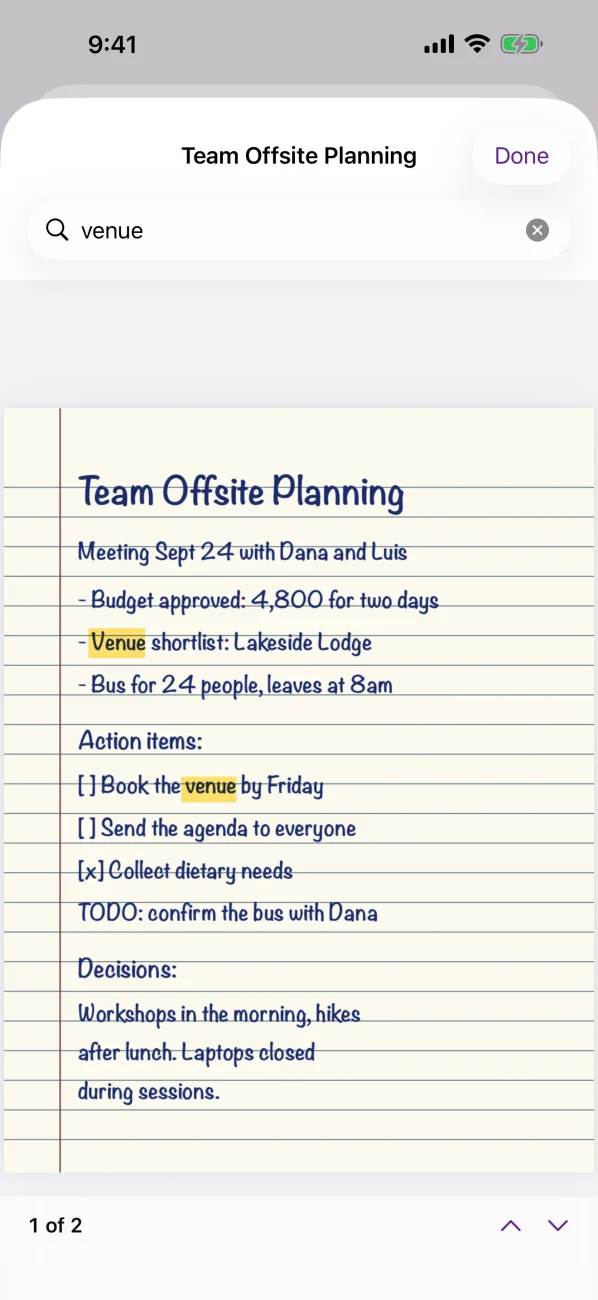
- Find in Scan highlights every match on the page
HANDWRITING AND PRINTED TEXT
- Printed text and handwriting are read on your device
- The language can be detected automatically, or you can pick the languages you write in
- Custom vocabulary for names and jargon; spelling correction can be turned off for codes
- Works best with clear handwriting
FROM PHOTOS
- Pick up to 30 photos of pages, whiteboards or receipts
- Rotate, reorder, filter and delete pages in the Scan Studio before saving
FIND ANYTHING
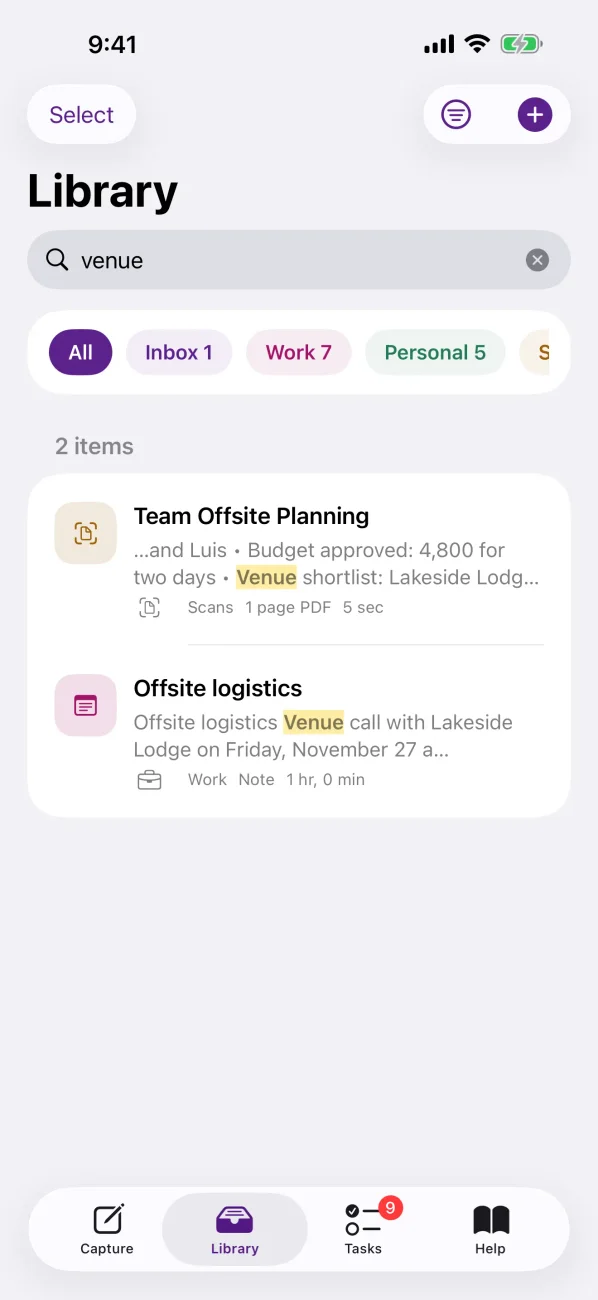
- Library search matches every word you type, in any order, ignoring accents, with a highlighted snippet even deep inside a scan
- Spotlight finds notes and scans (you can turn this off)
- Siri and Shortcuts: Scan Notes, Notes from Photos, New Note, Search Notes, Show Open Tasks
SMART DETAILS
- Found in This Note lists dates, links, email addresses, phone numbers and street addresses; tap a date to set a reminder
- Summaries: written by the on-device Apple Intelligence model on supported devices (iOS 26 or later), key sentences elsewhere
EXPORT
- PDF over as many pages as the note needs, Rich Text (.rtf), web page (.html), plain text, Markdown, JSON and password-protected PDF
- Export many items at once as separate files or one combined PDF
ALSO INCLUDED
- Markdown editor with live preview and tappable checklists; notebooks, tags, pins, filters and reminders
- Note Map of related notes and possible duplicates, Library Insights, a writing goal, templates and a Markdown reference
PRIVATE BY DESIGN
- No account, no sign-in, no ads, no subscriptions
- No analytics or tracking
- Your notes, scans and imported files stay on your device unless you export, share or back them up
What’s new
Version 4.0 · Nov 21, 2026
Grape Notes Pro 4.0
- Recently Deleted: deleted notes, scans and files stay for 30 days and can be restored (Help tab)
- A4 or US Letter for new scans and note PDFs
- Share Tasks as a checklist
- Imported image-only PDFs keep their original pages instead of being re-rendered at a larger size
- Backups are made and restored in the background, one file at a time; a damaged entry no longer blocks a restore
- Fixed: Create Backup no longer closes the app on iOS 26; the Markdown toolbar now works on iPad; swipe to delete asks first; a damaged notebooks file no longer moves notes to Inbox; importing several files no longer stops at an unreadable one; tilted pages keep their reading order; Scan Studio asks before discarding pages
App privacy
What Robert Corbin declares on the App Store about how this app handles data.
-
Data not collected
The developer does not collect any data from this app.
Privacy practices may vary, for example with the features you use or your age.
Information
- Seller
- Robert Corbin
- Category
- Productivity
- Version
- 4.0
- Updated
- Nov 21, 2026
- Released
- Apr 24, 2026
- Size
- 5.5 MB
- Requires
- iOS 17.0 or later
- Age rating
- 4+
- Price
- $3.99
- Languages
- English
- Copyright
- © 2026 Shadowfetch
You might also like
-
 FlowInkProductivity
-
 ReLink - Bookmark AnythingSave and Organise Links
-
 Quick Notes Jot Pad & WriteMemo Draft History Log Swipe
-
 Simple Timer - Clean & MinimalThe most Minimal Timer
-
 Link Drawer: Save LinksAI link saver & read later
-
 Local AI NotesA notebook that thinks locally
-
 All Notes AsideANA(All Notes Aside)
-
 Tree NotebookTree-like notes organizer
-
 TenantDesk: Rental InspectionSecurity Deposit Photo Proof
-
 Minus 5Daily Focus. Get things done