
Gridlace: Carousel & Collage
Panorama, Grid & Video Split
Designed for iPhone, iPad
In-app purchases
- Age rating4+
- CategoryPhoto & Video
- DeveloperPhilip Tarimo
- LanguagesFrench+ 5 more
- Size10.4 MB
Links to the official App Store page
Download.org hosts no file of Gridlace: Carousel & Collage. The button opens its official App Store page, published by Philip Tarimo. Listing last checked on Nov 23, 2026.
Screenshots



About
Gridlace — designed templates, seamless carousels, grids, video splits & collages.
Start from a designed template, or turn one photo (or video) into scroll-stopping posts. Gridlace helps your feed look intentional — no design skills required, and everything happens right on your device.
DESIGNED TEMPLATES
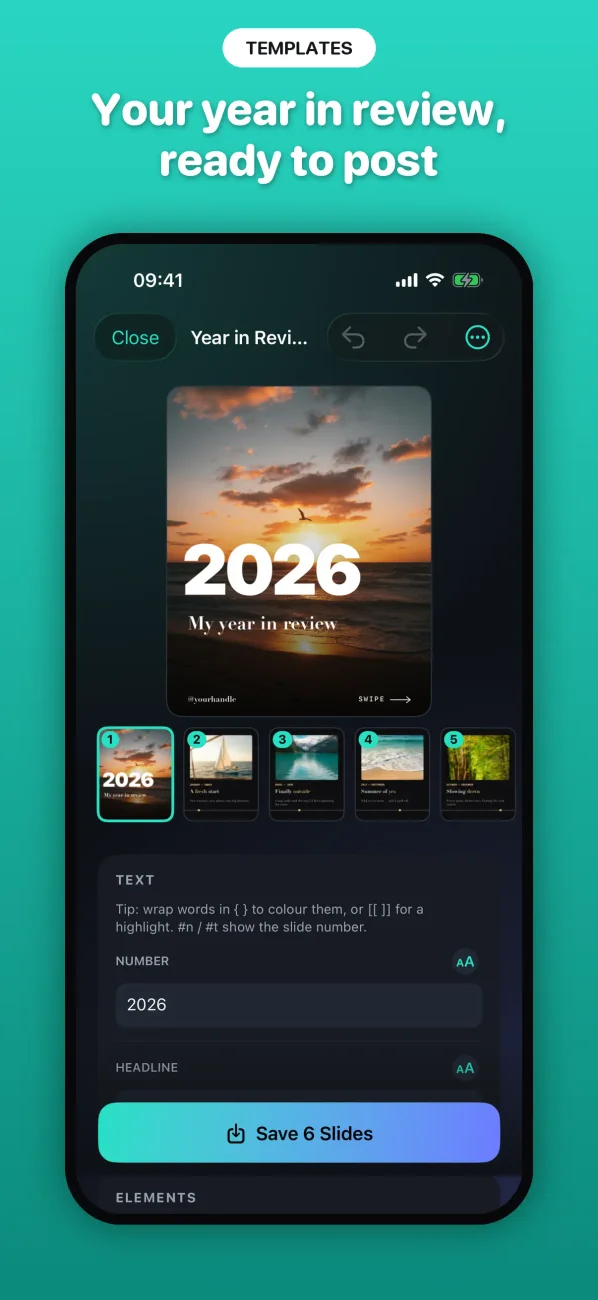
Pick from a growing library of ready-made carousel templates — value posts, quotes, listicles, aesthetic packs, promos and Stories. Drop in your words and photos, switch themes, fonts and colors, then export a polished, ready-to-post carousel in minutes. New templates added regularly.
THE SEAMLESS CAROUSEL
Slice one wide photo into swipe-through slides. Post them as a single carousel and swiping reveals the whole scene as one continuous panorama. Choose 1:1, 4:5, 3:4 or 9:16, reorder slides, and use Seam Guides so faces and text never get cut across the split.
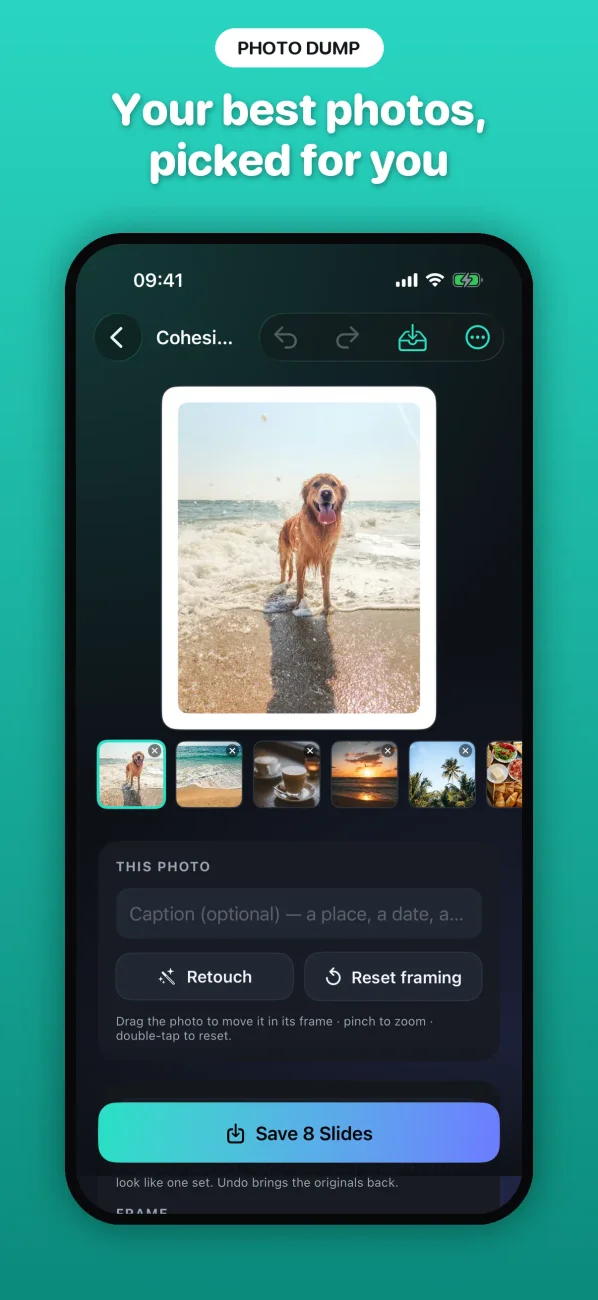
COHESIVE CAROUSEL
Drop in several separate photos and give them all the same frame — matching border, background and filter — so an ordinary set of shots posts as one cohesive, designed carousel.
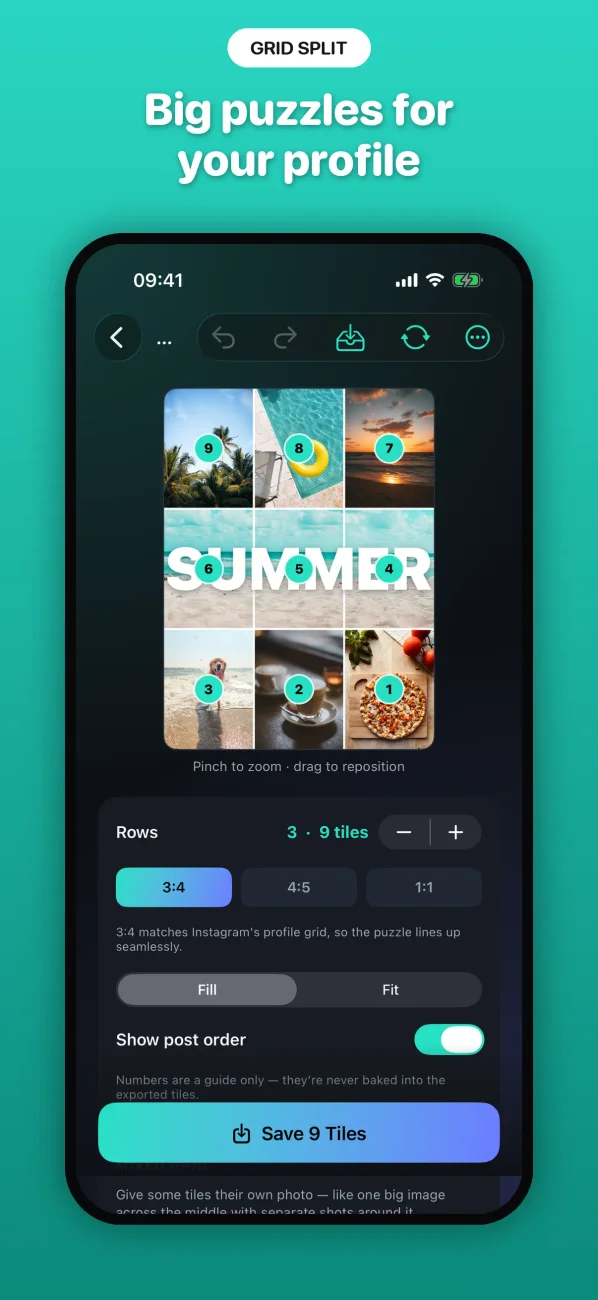
3-WIDE FEED PUZZLE (GRID SPLIT)
Split a photo into a 3-wide grid that reassembles into one big image across your profile. Gridlace numbers every tile in the exact order to post them — no guesswork.
VIDEO SPLIT
Split a video into a seamless carousel of video clips. Frame it once and export each slide as its own clip, ready to post in order.
BEAUTIFUL COLLAGES
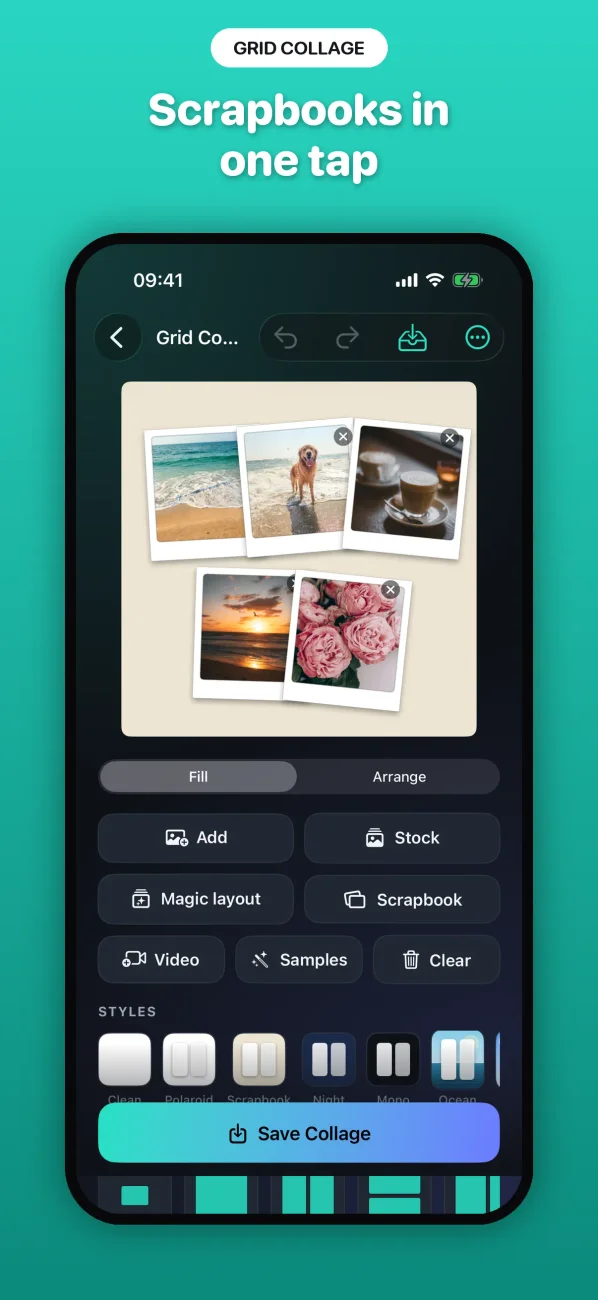
Dozens of layouts, freeform arrange (drag, resize, rotate), photo frames, shaped cells, gradient/scene/photo backgrounds, per-photo adjustments, text & stickers — plus on-device background cutout to drop your subject onto any backdrop.
MAKE IT YOURS
Premium fonts, theme palettes, and a Brand Kit — save your handle, colors, font and logo once and apply them to any template in a single tap, so every post stays on-brand.
WHY GRIDLACE
• Private by design — your photos and videos are edited entirely on your device and never uploaded to a server.
• No ads, ever.
• Fast, native, and works offline.
• Built-in stock library and sample photos to try instantly.
GRIDLACE PRO
The carousel, grid and collage tools are free to use. Upgrade to Pro to unlock the full template library, every premium font, the Brand Kit, Video Split, on-device background cutout, every frame and stock photo, unlimited slides and saved projects, highest-resolution exports — and to remove the Gridlace watermark.
Pro is available as an auto-renewing subscription (Pro Monthly and Pro Yearly) or a one-time Pro Lifetime purchase. Prices are shown in the app and on the App Store.
Payment is charged to your Apple Account at confirmation of purchase. Subscriptions automatically renew unless auto-renew is turned off at least 24 hours before the end of the current period; your account is charged for renewal within 24 hours before the period ends. You can manage or cancel subscriptions in Settings ▸ [your name] ▸ Subscriptions. Any unused portion of a free trial is forfeited when you purchase a subscription.
Privacy Policy: https://sites.google.com/view/gridlace
Terms of Use (EULA): https://www.apple.com/legal/internet-services/itunes/dev/stdeula/
Questions or feedback? Email thedollardetail@gmail.com
What’s new
Version 1.5 · Nov 21, 2026
- Photo Dump: Gridlace picks your best recent photos and frames them as one matching carousel
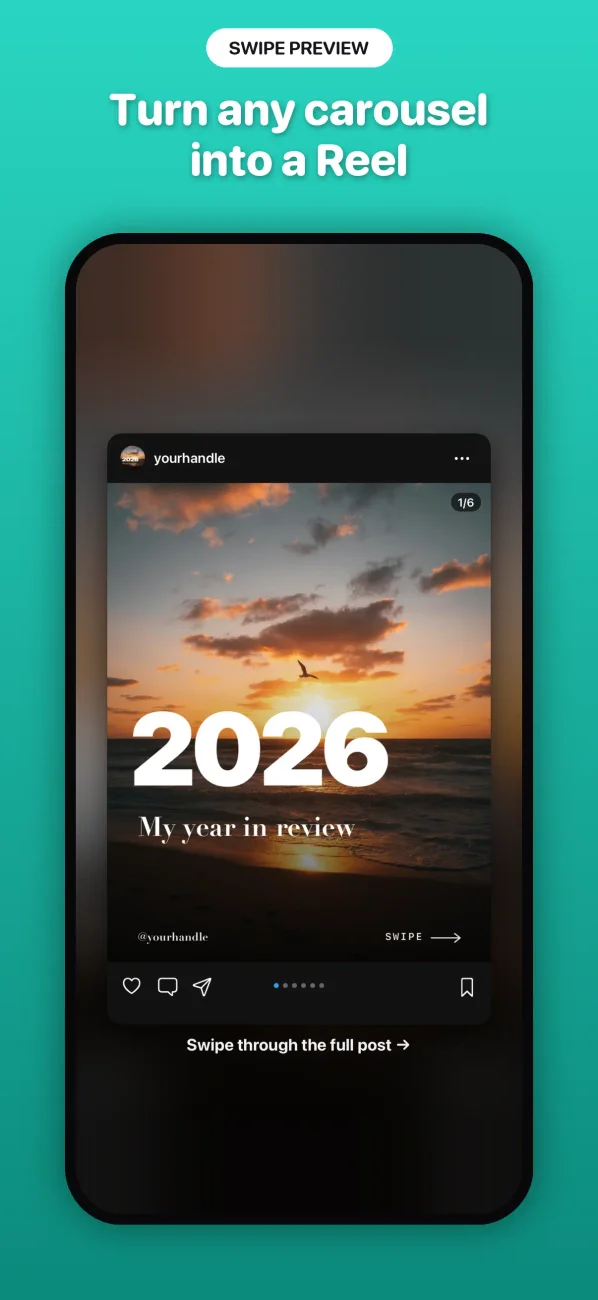
- Swipe Preview Reel: turn any carousel into a Reel of it being swiped
- New Post menu in every tool: Instagram, Stories, TikTok, Reel video, LinkedIn PDF and an Instagram preview
- Year-end templates: Year in Review, Year in Numbers, Best Of, Lessons, Goals and Wrapped
- Write carousels from your notes or a web link, plus AI captions for each slide
- Try Different Looks, designs that run across slides and per-element animations
- Film textures (Grain, Light Leak, Dust, VHS), built-in music and video clips in templates
- Carousel Split: several photos in one seamless swipe, with a warning when a face sits on a slide edge
- Cohesive Carousel: Polaroid, Film and Torn paper frames, captions, Match colours and saved projects
- Grid Split: 3:4 profile grid, text across tiles, mixed grids and Post Tile by Tile
- Grid Collage: Magic layout, Scrapbook and video boxes
- Video Split: music, filters, text and stickers, add clips or photos, bilingual subtitles
- Feed Planner: import your current profile, spot posts that clash and see a calendar
- Up to 20 slides per carousel, Studio pack 2, trending templates and weekly post ideas
- Many fixes and speed-ups
App privacy
What Philip Tarimo declares on the App Store about how this app handles data.
-
Data not collected
The developer does not collect any data from this app.
Privacy practices may vary, for example with the features you use or your age.
Information
- Seller
- Philip Tarimo
- Category
- Photo & Video
- Version
- 1.5
- Updated
- Nov 21, 2026
- Released
- Aug 21, 2026
- Size
- 10.4 MB
- Requires
- iOS 17 or later
- Age rating
- 4+
- In-app purchases
- Yes
- Languages
- French, German, English, Spanish, Japanese, Portuguese
- Copyright
- © 2026 Gridlace. All rights reserved.
You might also like
-
 PicStack: Photo Collage MakerFreeform & Grid, No Account
-
 SplitLay: Photo Grid CollageFeed Preview & Panorama Split
-
 GridMakr: Carousel & CollageSeamless panorama & grid posts
-
 Mosaico: Collage MakerPhoto Editor, Grids & Layouts
-
 Memory Book+Books, collages, and films
-
 Borderbox borders for picturesPhoto editor
-
 Stitch - Photo Collage EditorPhoto & Video
-
 Splitgram: Photo+Video CollageSplit-Screen Photo&Video Maker
-
 PureCollage - Photo GridCombine your best moments
-
 Splitscapes - Photo CarouselSplit Panos for Instagram