GridSticker - Sticker Maker
WhatsApp, Telegram & iMessage
Designed for iPhone
Free · In-app purchases
- Age rating4+
- CategoryGraphics & Design
- DeveloperPeter Ong
- LanguagesEnglish+ 1 more
- Size39.1 MB
Links to the official App Store page
Download.org hosts no file of GridSticker - Sticker Maker. The button opens its official App Store page, published by Peter Ong. Listing last checked on Nov 15, 2026.
Screenshots
About
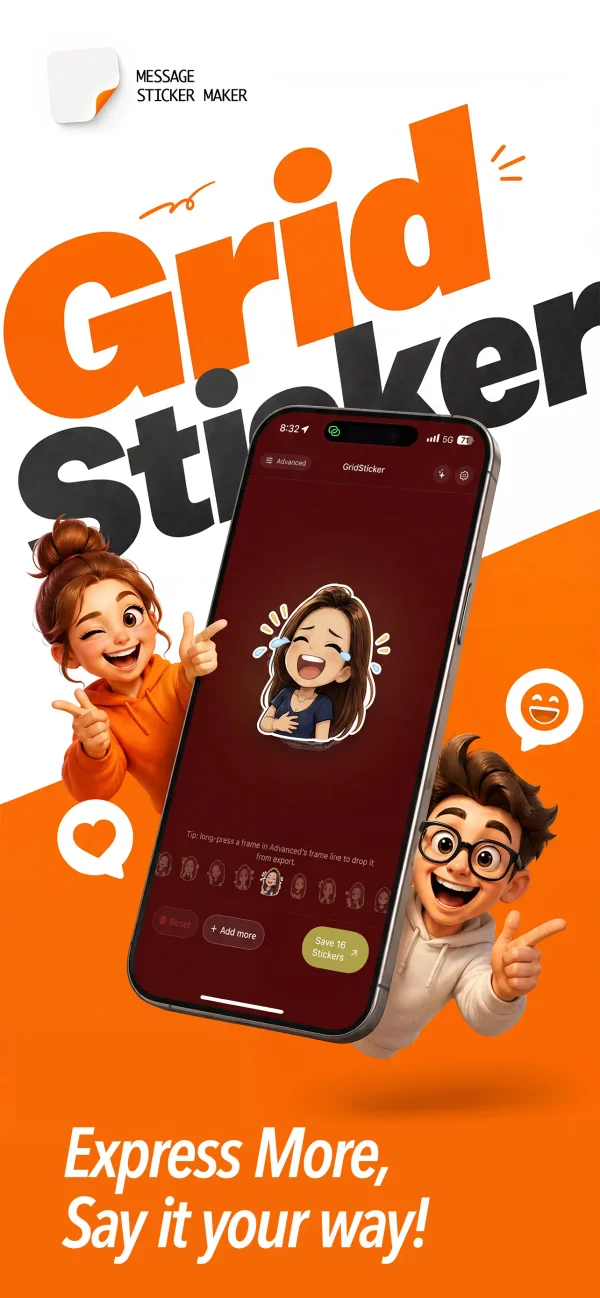
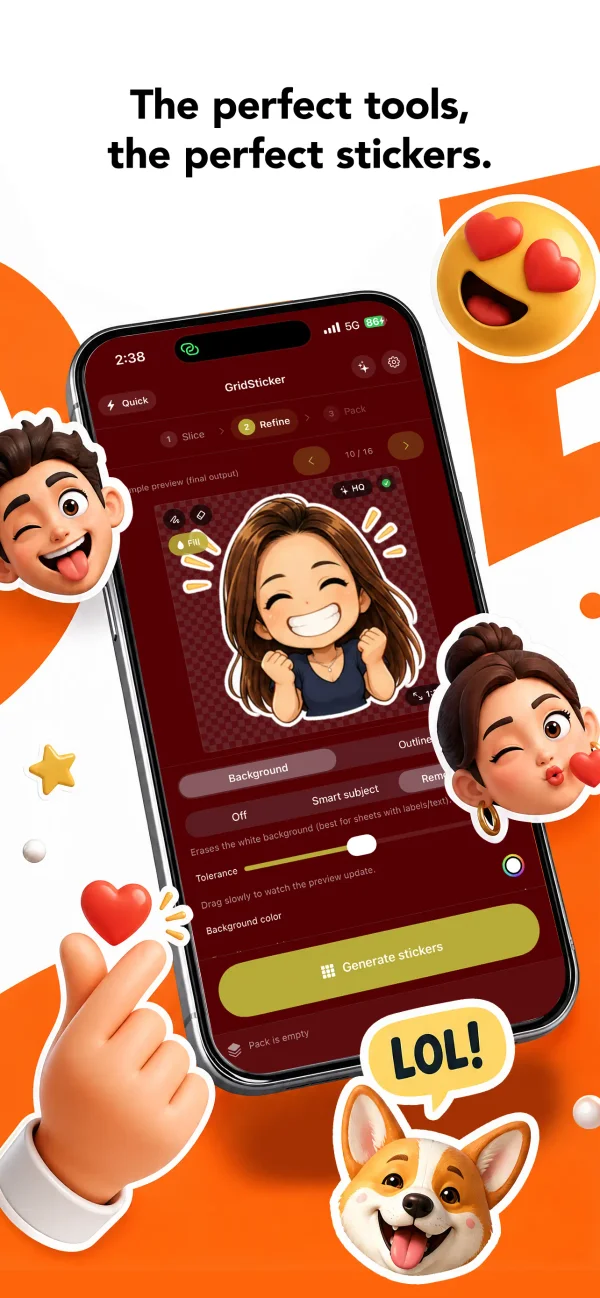
GridSticker turns AI-generated sticker sheets into ready-to-send sticker packs for WhatsApp, Telegram, LINE, and iMessage. Point the camera at something and snap it straight into a sticker. Or drop in a video and get animated ones.
Start free — your first pack costs nothing, with every tool and every export included. No watermark, nothing held back. GridSticker Pro is a one-time unlock for unlimited packs after that. One payment, no subscription.
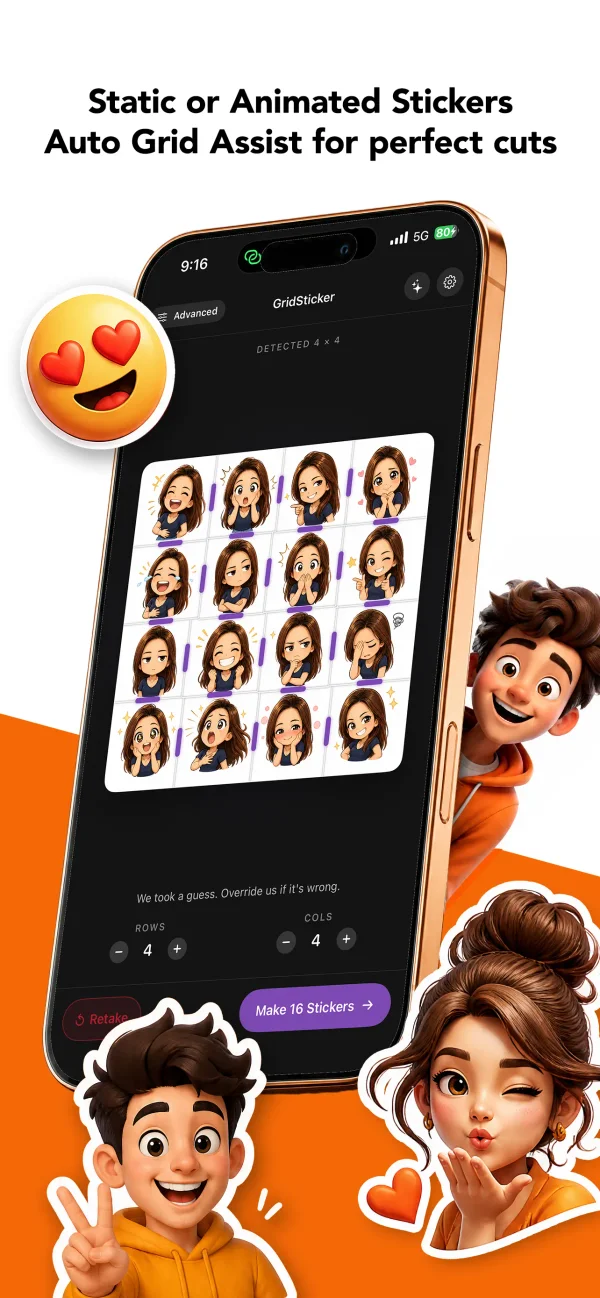
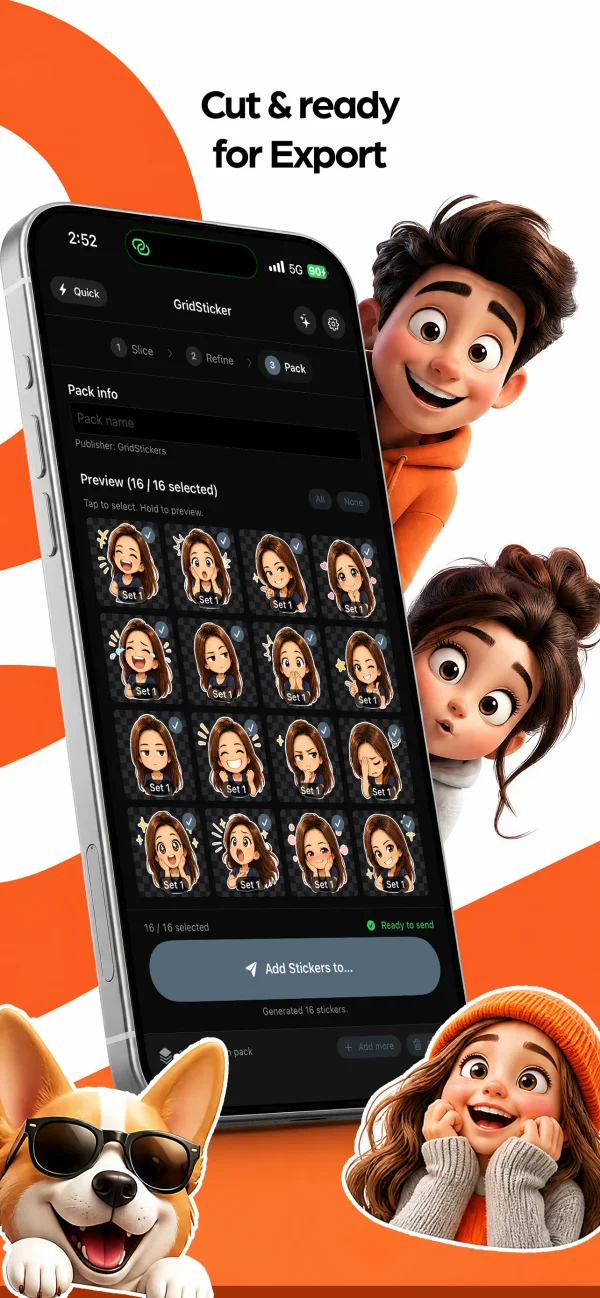
Drop in any sheet — 2×2, 3×3, 4×4, anything up to 10×10 — and GridSticker slices it into individual stickers automatically. Tweak the grid by hand if it gets it wrong. Then ship the pack to WhatsApp or Telegram in one tap, build a LINE Creator ZIP ready for upload, send a real sticker pack to iMessage, or save the high-res PNGs to Photos.
WHAT'S INSIDE
• Grid-slicing for any sticker sheet — any layout, any size, up to 10 rows × 10 columns
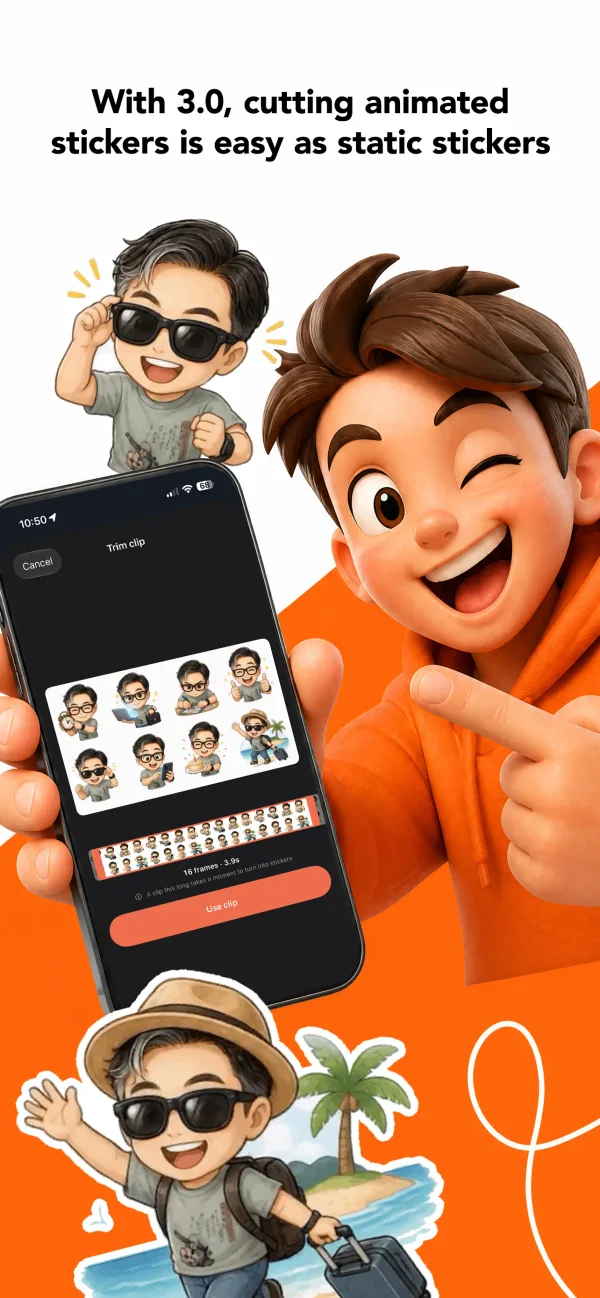
• Video import — drop in a clip and get animated stickers, with the frame rate set per sticker
• Camera capture — snap a photo and the subject gets cut out for you. Continuous shooting keeps the camera open, with flash, rotate, and delete right there
• Custom sticker tray — browse curated packs, drag the ones you want into your own mix
• Animated stickers. Drop a multi-frame sheet, line frames up with onion-skin, then export as animated WebP for WhatsApp or as a GIF to Photos
• Smooth corners via vector contour tracing — no staircase pixels along the edge
• The white outline that makes a sticker read as a sticker, with adjustable width
• Background removal: pick your subject, or just remove the white with a tolerance dial when the source is messy
• Erase brush for stray pixels the auto-cutout missed. Undo if you slip, and the brush sits where your thumb is whether you're lefty or righty
• Per-tile fine-tuning when one sticker won't cooperate
• Lossless WebP under WhatsApp's 100KB limit, lossy when it has to be
• Hi-res Photos export with the transparent background intact
WHO IT'S FOR
• You generated emoji stickers in any of the popular AIs and want them as a real WhatsApp, Telegram, LINE, or iMessage pack
• You scan or photograph drawings and want them clipped, outlined, and shareable
• You run a Cricut and need clean white-bordered PNGs for Print-then-Cut sticker projects
EXPORT TO
• WhatsApp — full sticker pack in one tap, static or animated
• Telegram — full sticker pack via Telegram's own importer
• LINE Creator — bundled ZIP with the right sticker dimensions, main image, and chat-tray icon, ready to upload at creator.line.me
• iMessage — a real Messages sticker pack, in your Stickers tray in one tap
• Photos — full PNG, transparent background, no compression
• Photos GIF — for animated packs you want to share outside chat apps
Made on a small island.
gridsticker.peterong.dev
What’s new
Version 3.3 · Sep 17, 2026
Pick the pack you want in iMessage.
The GridSticker tray in Messages now has a row of your packs across the top. Tap one and only its stickers show; tap All for everything. It remembers where you left off.
MANAGE PACKS ON ONE SCREEN
Settings shows every pack you have sent to iMessage as a grid. Touch and hold a sticker to remove it, or delete a whole pack from the menu.
MORE FRAMES FOR VIDEO STICKERS
Choose 16, 24 or 32 frames when you trim a clip. The strip under the clip shows real frames, the whole clip is used by default, and the animation plays under the grid so you can see if anything crosses a line before you slice.
FIXES
• Add to iMessage in Advanced no longer hangs, and saving to Photos or iMessage now confirms with a message
• The mini puzzle pieces fit together again
• Fixed a crash that could happen while previews were being generated
App privacy
What Peter Ong declares on the App Store about how this app handles data.
-
Data not collected
The developer does not collect any data from this app.
Privacy practices may vary, for example with the features you use or your age.
Information
- Seller
- Peter Ong
- Category
- Graphics & Design
- Version
- 3.3
- Updated
- Sep 17, 2026
- Released
- May 6, 2026
- Size
- 39.1 MB
- Requires
- iOS 17.0 or later
- Age rating
- 4+
- Price
- Free
- In-app purchases
- Yes
- Languages
- English, Simplified Chinese
- Copyright
- © 2026 Peter Ong
You might also like
-
 Posterly: Flyer, Poster MakerCollage, Party Flyers Creator
-
 FrameGlimpse: Video to PhotoFrame Grabber, Live Photo, GIF
-
 SnapatchSnap, patch, and create.
-
 AI Background Remover- RetouchRemove Objects, outline & blur
-
 Product Photo Maker: SellerKitBackground Remover & Editor
-
 Lilacpane: Screenshot DesignPhoto Frames & Promo Graphics
-
 PikaraCreate palette pics
-
 Edit Text In Photo - ForgeitAdd Text, Erase & Translate
-
 Color Picker & Palette: LucaPhoto Extractor & HEX Codes
-
 HerebitPoint once. AI gets it.