
GroupFund: Shared Expenses
Track Dues & Member Payments
Designed for iPhone, iPod touch
Free · In-app purchases
- Age rating4+
- CategoryFinance
- DeveloperQUACH TAM
- LanguagesEnglish
- Size43.1 MB
Links to the official App Store page
Download.org hosts no file of GroupFund: Shared Expenses. The button opens its official App Store page, published by QUACH TAM. Listing last checked on Nov 21, 2026.
Screenshots



About
Who has paid their share, and who still needs to contribute? GroupFund helps club treasurers, team organizers and members keep a clear record of shared money.
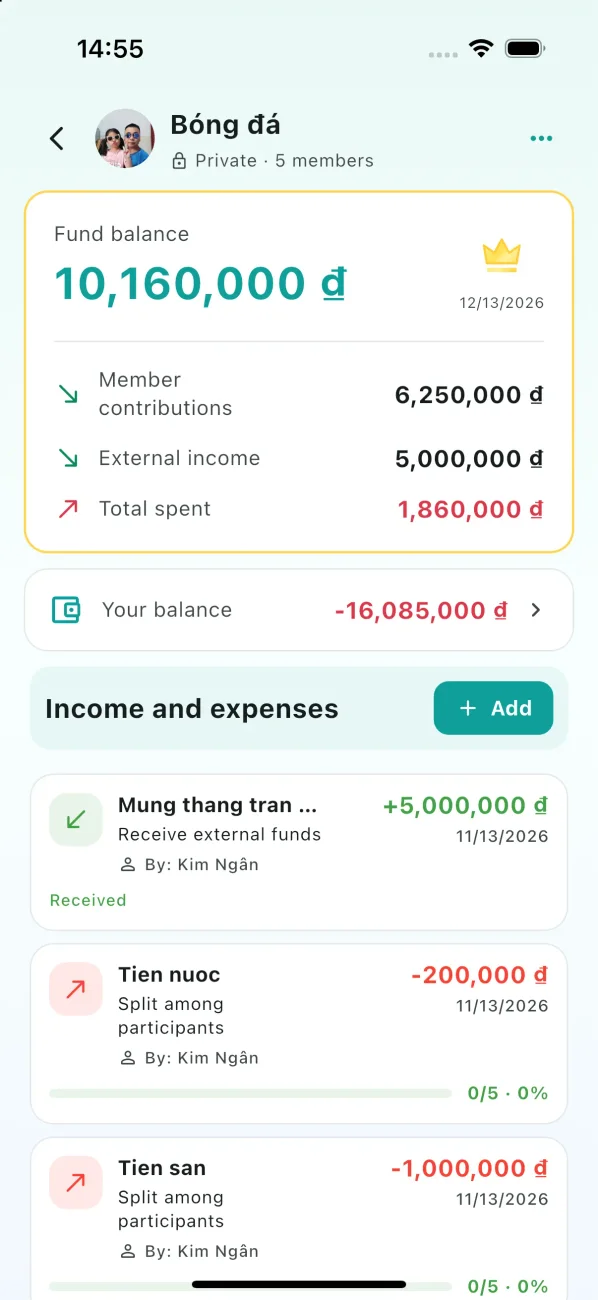
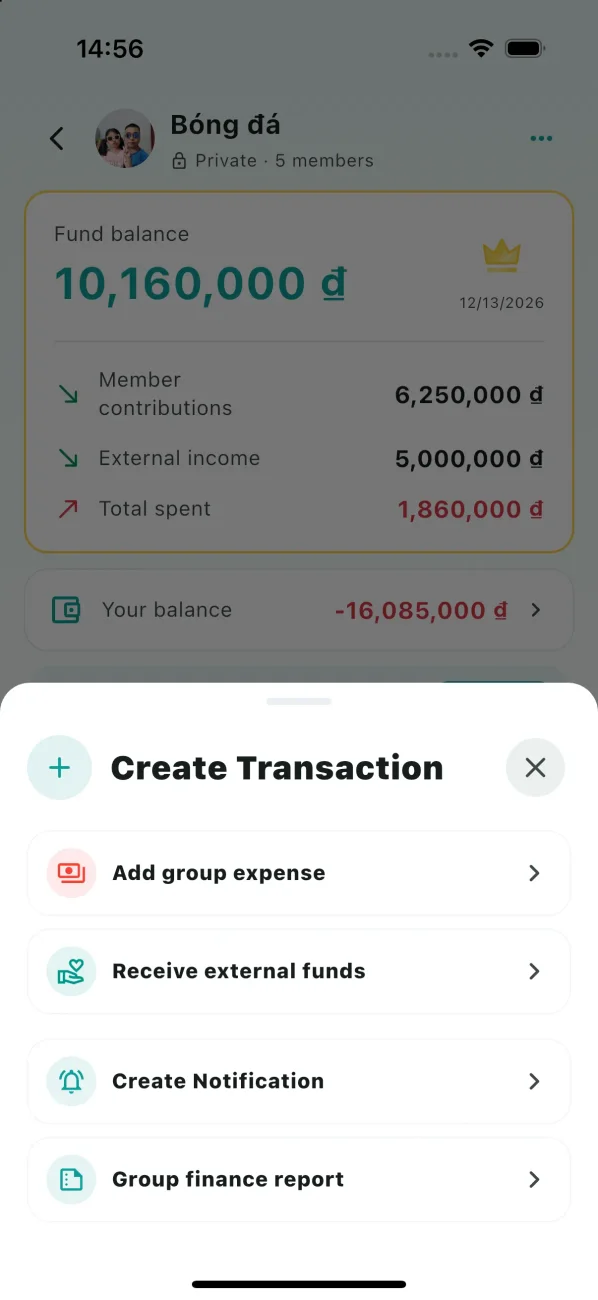
Track your group fund, record income and expenses, and check each member’s contributions. Keep club dues, class funds and team activity costs in one place.
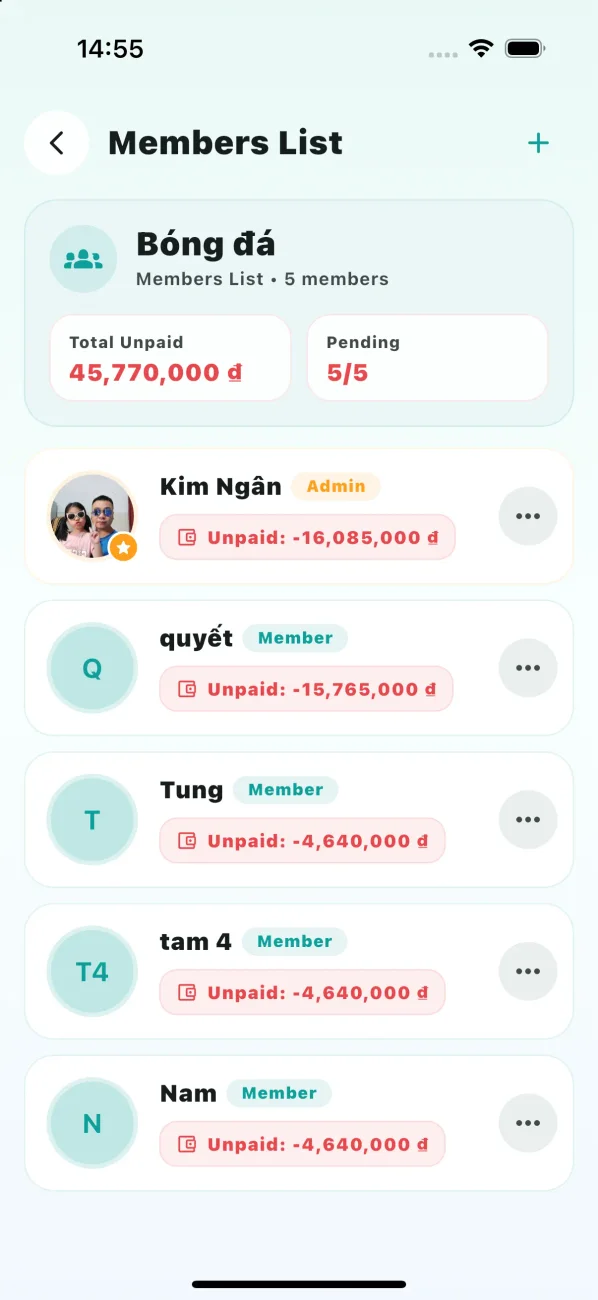
KNOW WHO HAS PAID
See the amount each member needs to contribute, what has been recorded as paid and what remains outstanding. Members can report a payment for an admin to review and confirm.
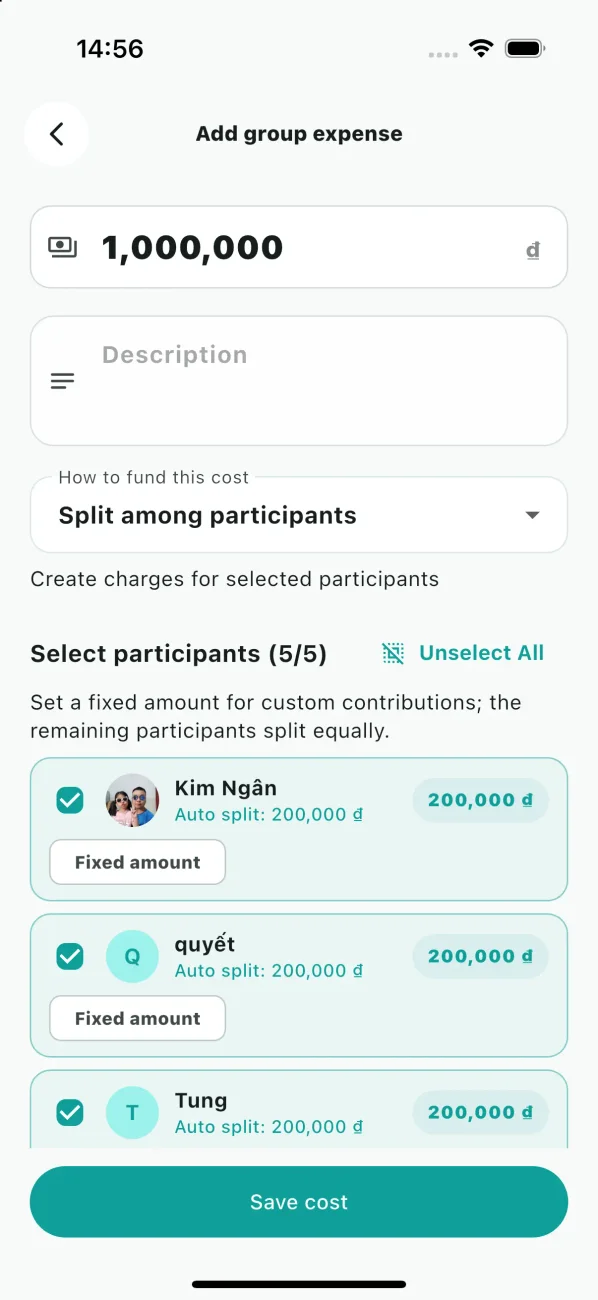
CHOOSE HOW TO COVER EACH EXPENSE
• Pay the full cost from the group fund.
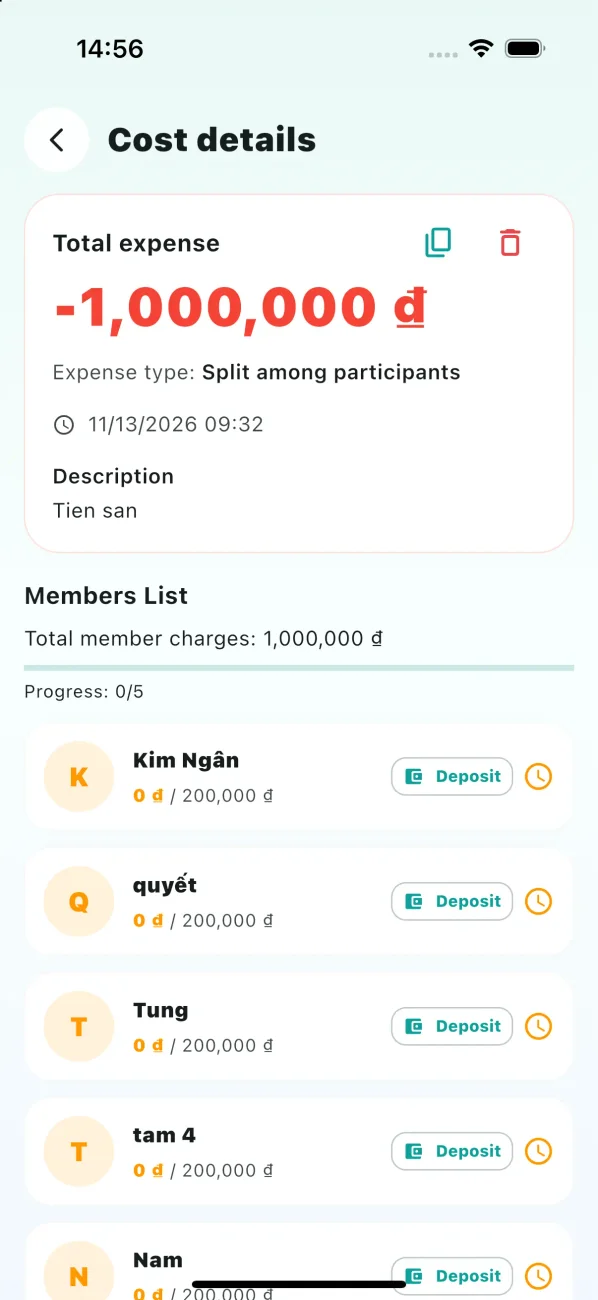
• Split the cost among selected participants.
• Cover part with group funds and divide the remainder among members.
Split equally or set individual amounts. Include the people taking part in that activity, rather than charging every member for every expense.
RECORD SPONSORSHIPS AND GUEST CONTRIBUTIONS
Add donations, sponsorships and payments from occasional participants. Keep the source and a note with each external income entry.
START WITH TEMPORARY MEMBERS
Track contributions for someone before they download the app. Once they create an account and join the group, an admin can assign their temporary membership to them and transfer the associated records and balance.
KEEP YOUR GROUP CONNECTED
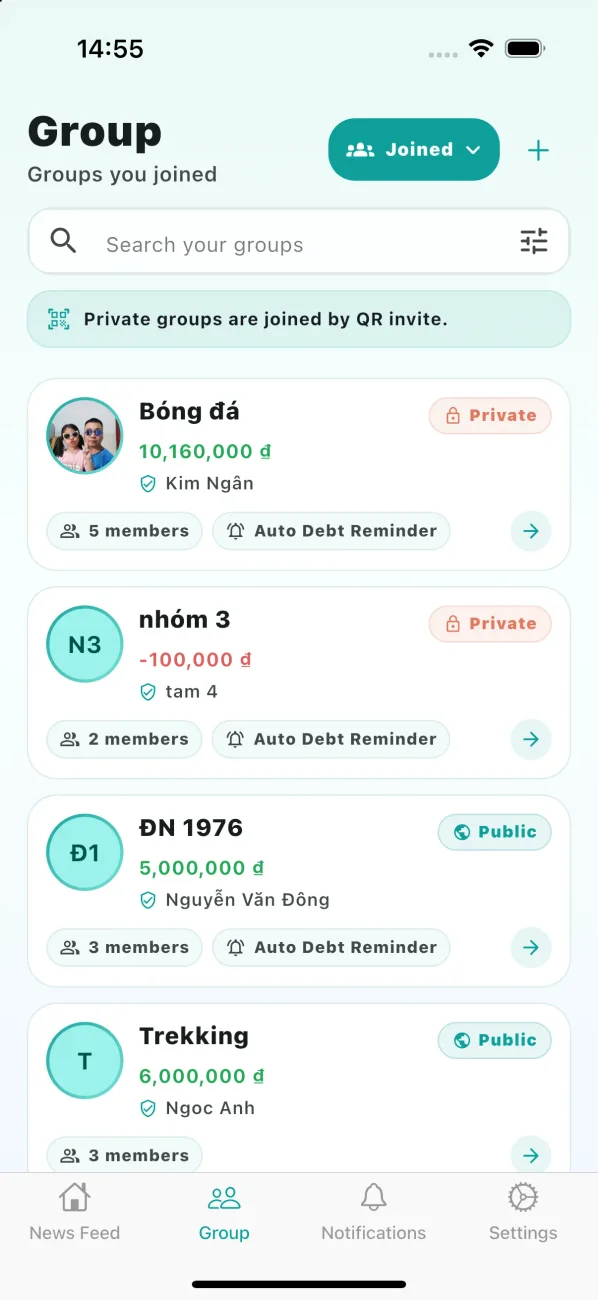
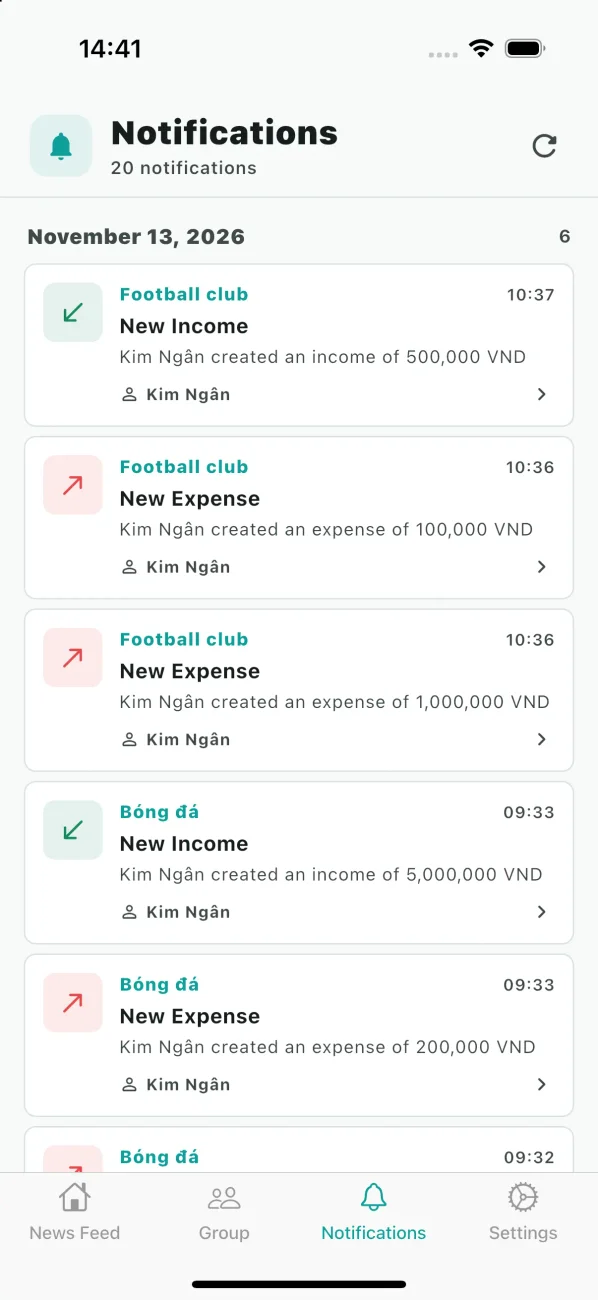
Invite members with a group QR code, review your member list and share announcements about activities or finances.
REVIEW RECORDS AND EXPORT PDF REPORTS
Open income and expense details, review contribution progress and create a new expense from a previous entry when similar costs come up. Export a PDF report to share with members or keep for your records.
BUILT AROUND YOUR GROUP’S ACTIVITIES
Use GroupFund for sports teams, clubs, classes, parent groups, community organizations, shared households and group trips. Give the treasurer a clear overview and members a way to check their own contributions.
Download GroupFund and keep your shared expenses, contributions and group fund organized.
What’s new
Version 1.8 · Nov 14, 2026
• Cover expenses with group funds, member contributions or both.
• Record sponsorships and guest contributions.
• Improved contribution tracking and PDF reports.
• Temporary-member guidance, a cleaner interface and a new icon.
App privacy
What QUACH TAM declares on the App Store about how this app handles data.
-
Data used to track you
May be used to track you across apps and websites owned by other companies.
- Identifiers
- Usage data
-
Data not linked to you
May be collected but is not linked to your identity.
- Identifiers
- Usage data
Privacy practices may vary, for example with the features you use or your age.
Information
- Seller
- QUACH TAM
- Category
- Finance
- Version
- 1.8
- Updated
- Nov 14, 2026
- Released
- Mar 20, 2026
- Size
- 43.1 MB
- Requires
- iOS 16 or later
- Age rating
- 4+
- Price
- Free
- In-app purchases
- Yes
- Languages
- English
- Copyright
- © 2026 Group Smart
You might also like
-
 Class Fund & Group FinanceTrack expenses, easy reminders
-
 Fika: Split Bills & ExpensesGroup Fund · Shared Cost & IOU
-
 TeamFund: Group ExpenseShared fund & cost tracker
-
 Class Fund Community DuesTreasurer Dues & Budget Ledger
-
 TOMI:Expense Tracker & RoadmapGood money. Better you
-
 Chia ChiFinance
-
 GroupFunds: Collect TogetherShared Funds & Group Expenses
-
 BooKoo: Shared Expense TrackerCouples, families & roommates
-
 HanChin-Expense BookHanChin-Expense Book
-
 Cỏ: Chi Tiêu Cá NhânFinance