
Growbert
Seed to Harvest, Documented
Designed for iPhone, iPad, Mac
In-app purchases
- Age rating17+
- CategoryLifestyle
- DeveloperLars Schnell
- LanguagesGerman+ 2 more
- Size20.5 MB
Links to the official App Store page
Download.org hosts no file of Growbert. The button opens its official App Store page, published by Lars Schnell. Listing last checked on Nov 23, 2026.
Screenshots

About
Growbert 3.0 is a complete rebuild: every screen has been redesigned, calmer and closer to your daily routine in the tent. Growbert documents, organizes, and analyzes your entire grow, from germination to harvest and curing. No account, no trackers, no compromises.
NEW IN 3.0: COMPLETELY REDESIGNED
Warm paper tones, terracotta as the accent, and a typeface of its own for names and numbers. Today, Plants, Journal, Statistics, and Settings have been rebuilt, widgets and Apple Watch wear the new design, and the handbook describes the new way of working.
TODAY: YOUR DAY IN ONE SENTENCE
“Today” tells you how many plants are waiting for you. The first due item is a large photo card at the top, followed by reminders, phase changes, a look back at earlier grows, and the latest photos. “Water all” handles everything due with one tap.
THE ROUND
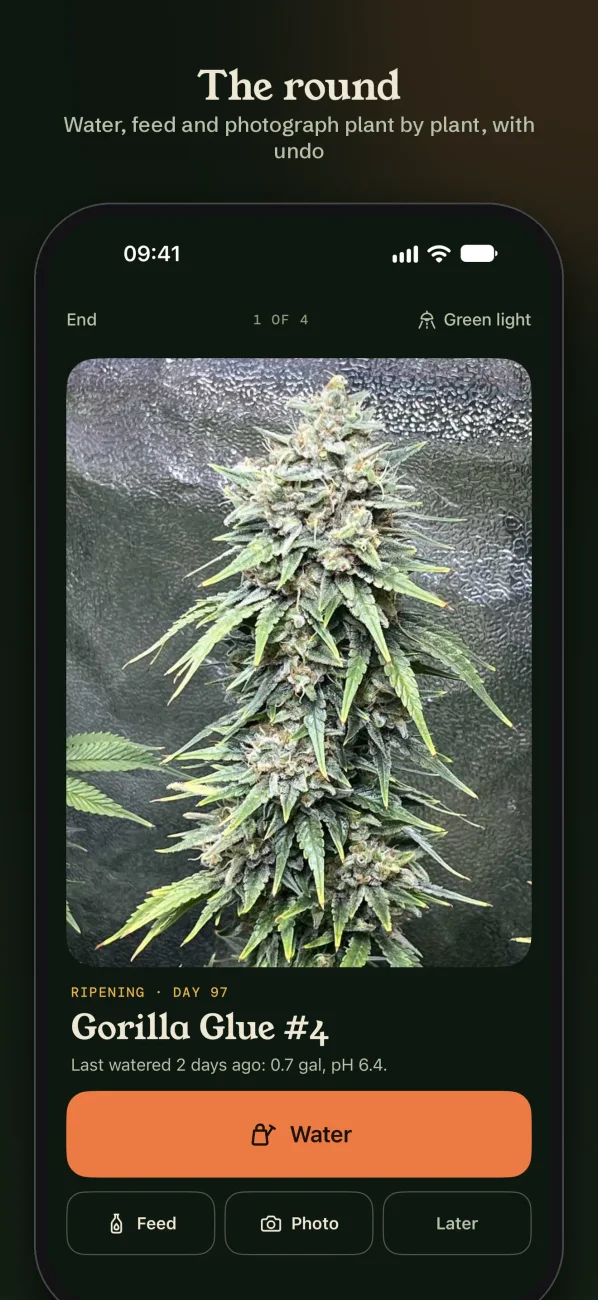
“Start round” takes you from plant to plant in full screen: water, feed like last time, take a photo, or leave it for later. Every step can be undone. Always dark, with green light for the dark period.
CAMERA WITH OVERLAY AND TIMELAPSE
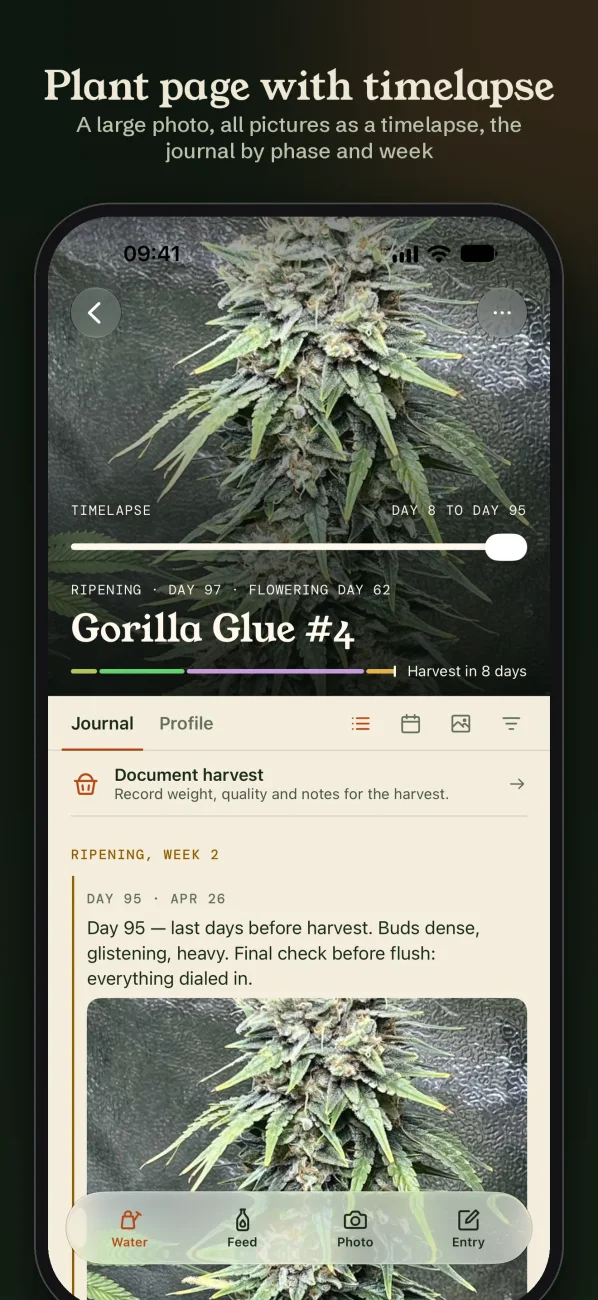
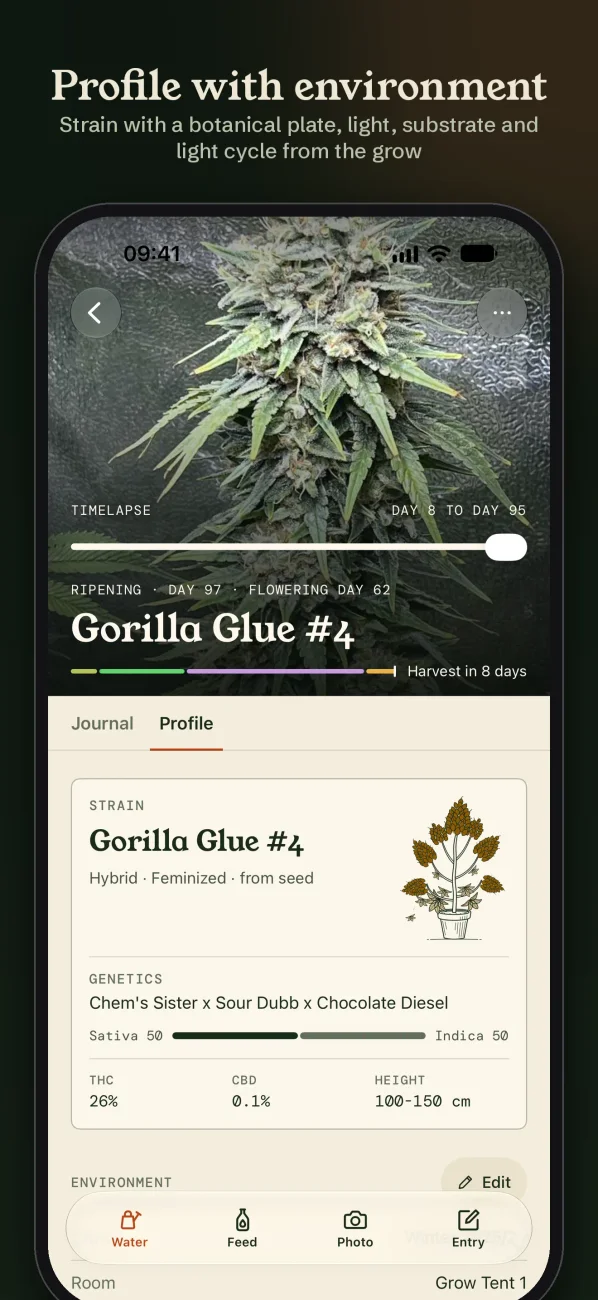
Your last photo sits semi-transparent in the viewfinder so every shot lines up with the one before. At the top of the plant page, your photos play as a timelapse from the first one to today.
NEW ENTRY IN SECONDS
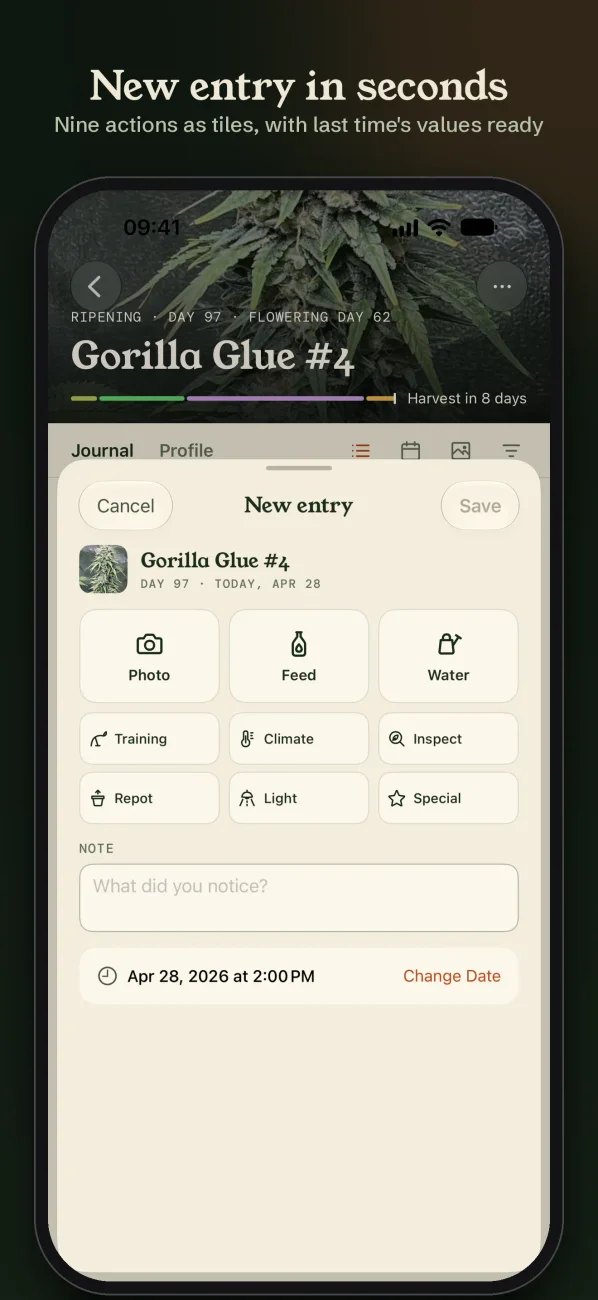
Nine actions as tiles, the most used ones large: water with pH and EC, feed with dosage, photo, climate, inspect, training, repot, light, and special. When watering, last time's values are ready, and after saving you can undo. Batch entry documents several plants at once.
GROWS WITH ENVIRONMENT
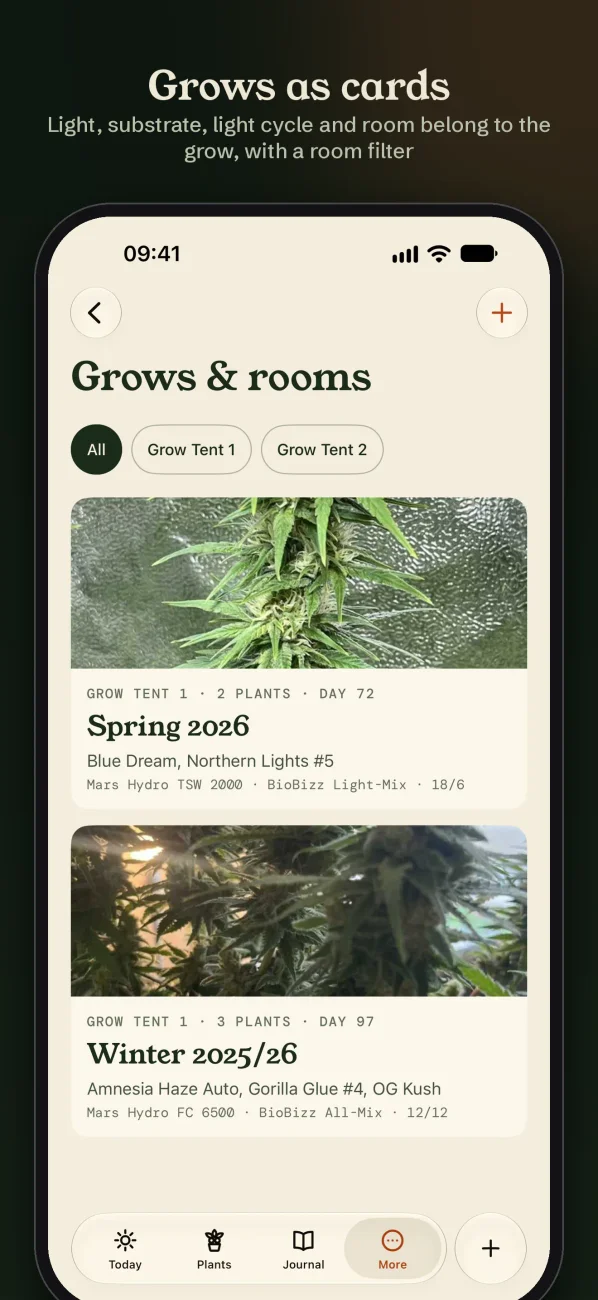
Light, substrate, light cycle, and room belong to the grow. Plants inherit the environment automatically and can override it individually. Grows appear as cards with a room filter.
PLANTS, JOURNAL, AND STATISTICS
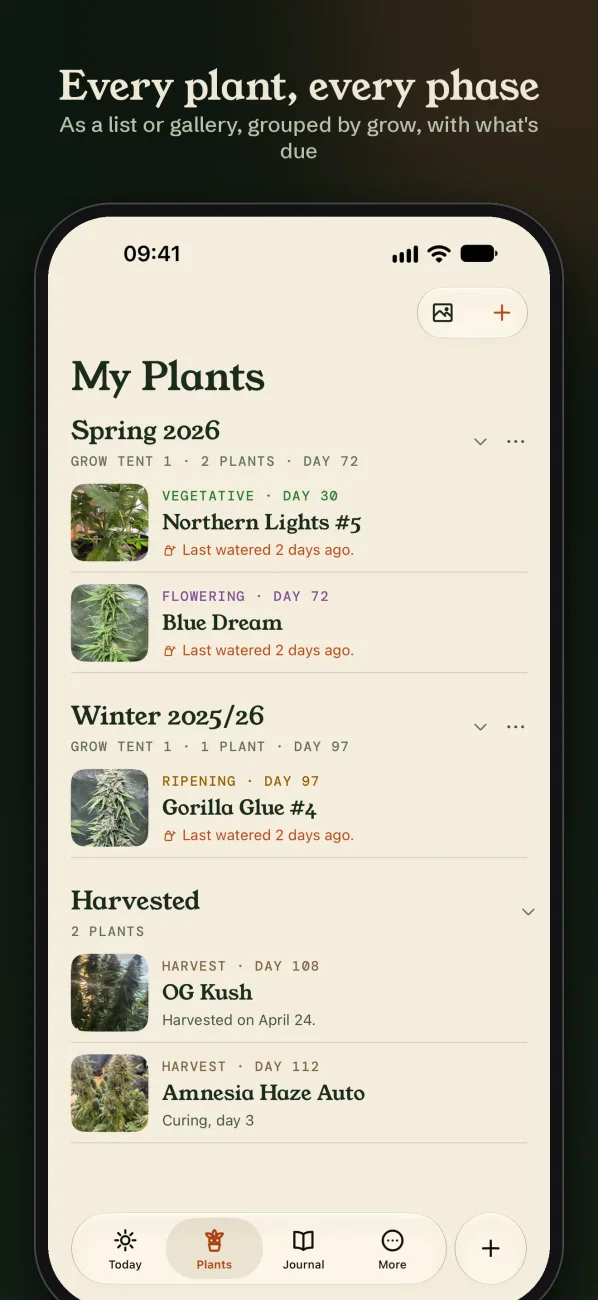
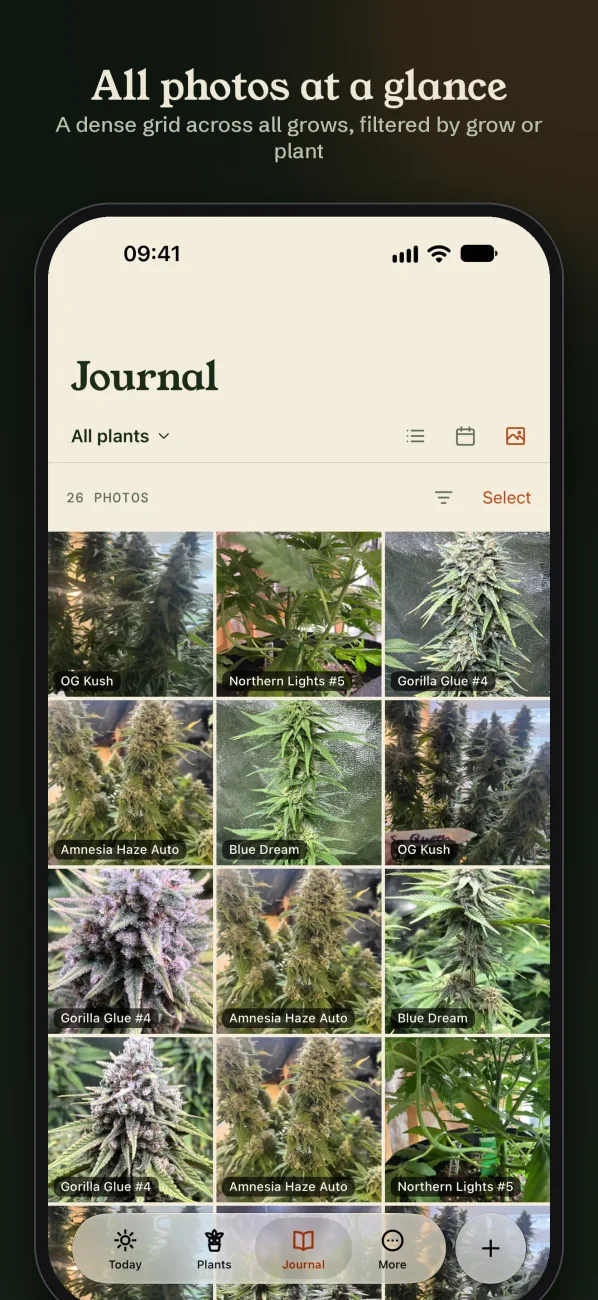
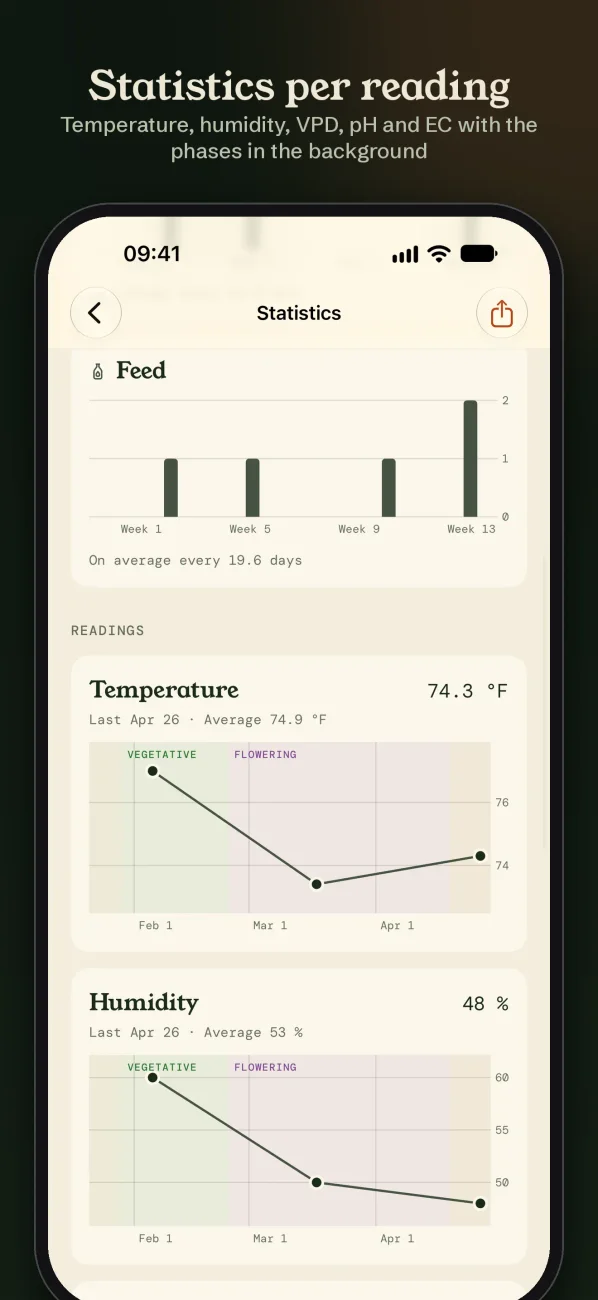
Your plants as a list or gallery, through five phases from seedling to harvest, with day counting and harvest countdown. The journal shows all entries as a list, calendar, or photos. Statistics show temperature, humidity, VPD, pH, and EC, each in its own chart.
10 TRAINING METHODS WITH ILLUSTRATIONS
Topping, FIM, LST, ScrOG, SOG, mainlining, supercropping, defoliation, lollipopping, and schwazzing, with stress level, difficulty rating, and recommended phase.
HARVEST & CURING
Record wet and dry weight, quality, and tasting notes. The curing timer reminds you to burp your jars, and the harvest archive compares your grows.
CATALOGS, CLIMATE DATA, EXPORTS
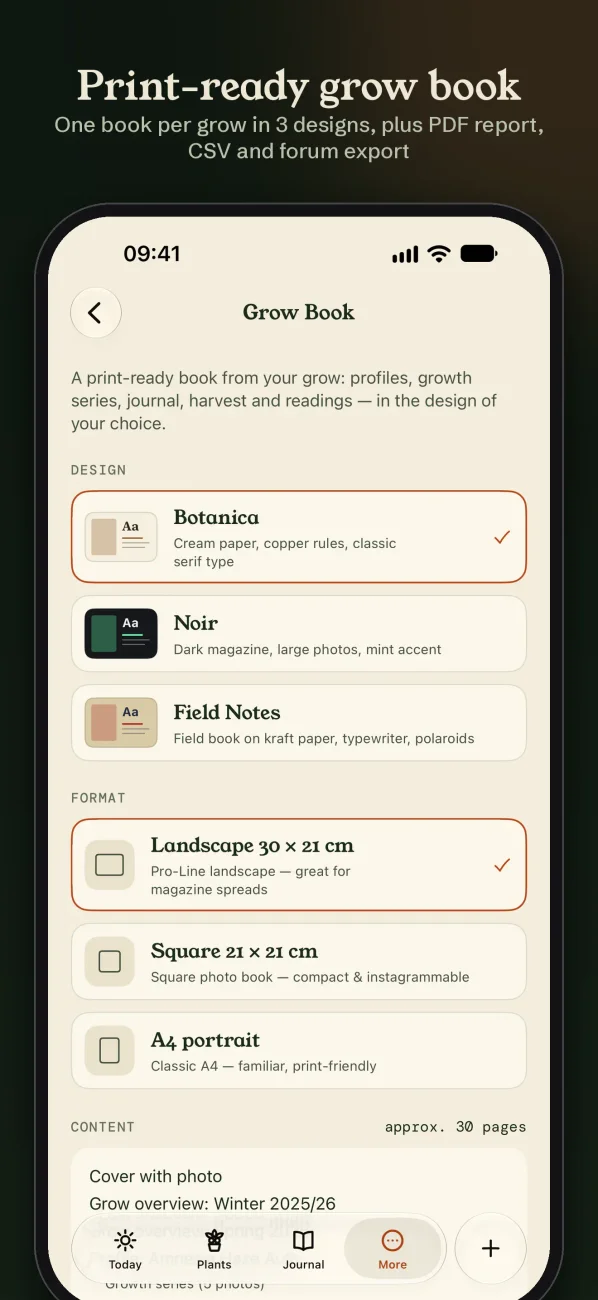
Over 900 strains, plus grow lights, fertilizers, substrates, and pests, with favorites and your own products. Import AC Infinity climate data. PDF report, CSV, ZIP, HTML, a printable grow book in 3 designs, BBCode, Markdown, and QR codes for every plant.
WIDGETS & APPLE WATCH
Three widgets show your most urgent task, all active plants, or current climate data. On Apple Watch you water and feed with one tap, including burp timer and complications.
PRIVACY & SECURITY
No account, no tracking, no ads, no server of our own: your data lives on your device and, if you're signed in to iCloud, in your private iCloud. Face ID protection and full backup, optionally encrypted in iCloud. Notices never appear as a pop-up.
3 languages: German, English, Spanish.
GROWBERT PRO
Free: 2 plants, 1 grow, 1 room. Growbert Pro unlocks unlimited plants, grows, and rooms – as an auto-renewable monthly or yearly subscription or as a one-time lifetime purchase. Payment is charged to your Apple Account. Subscriptions renew automatically unless canceled at least 24 hours before the end of the current period; manage or cancel them in your Apple Account settings.
Terms of Use (EULA): https://www.apple.com/legal/internet-services/itunes/dev/stdeula/
Privacy Policy: https://www.growbert.com/privacy-en.html
What’s new
Version 3.0.2 · Nov 18, 2026
Growbert 3.0 is a complete rebuild: every screen has been redesigned, from the first tap to the harvest.
• New design: calm pages, terracotta as the accent and a typeface of its own for names and numbers, in widgets and on Apple Watch too.
• “Today” tells you in one sentence what's coming up. The first due item is a large photo card at the top, plus a look back at an earlier plant on the same grow day.
• The round: “Start round” takes you from plant to plant. Water, feed, take photos, and undo any step. Always dark, with green light for the dark period.
• Camera with overlay: your last photo sits semi-transparent in the viewfinder so your photos line up. At the top of the plant page they play as a timelapse.
• New entry with nine actions as tiles, the most used ones large. When watering, last time's values are ready to go.
• Plants as a list or gallery, grows as cards with a room filter, a journal with a single filter row and one calendar for all plants.
• Statistics per reading with their own axis, phases in the background, a target band for pH and calculated VPD. Tap to see that day's photo.
• Grow badges are now optional and live in Settings below the tips.
• Large photo libraries need much less memory in lists, exports and the grow book.
• Numbers with units in your language's format, notices follow your language, and grow light and soil open on the first tap.
• The handbook describes the new way of working.
• Plus minor bug fixes and improvements.
App privacy
What Lars Schnell declares on the App Store about how this app handles data.
-
Data not collected
The developer does not collect any data from this app.
Privacy practices may vary, for example with the features you use or your age.
Information
- Seller
- Lars Schnell
- Category
- Lifestyle
- Version
- 3.0.2
- Updated
- Nov 18, 2026
- Released
- Apr 10, 2026
- Size
- 20.5 MB
- Requires
- iOS 17.6 or later
- Age rating
- 17+
- In-app purchases
- Yes
- Languages
- German, English, Spanish
- Copyright
- © 2026 Lars Schnell
You might also like
-
 CannaGrowPlant check & grow diary
-
 CRIS: Cannabis Grow JournalStrains, Clones & Nutrients
-
 Siltwell: Garden PlannerPlanting Calendar & Journal
-
 GardenBinder: Garden JournalPlant tracker, planner & map
-
 Rootstock: Seed & Plant LogSeed saver & plant tracker
-
 HarvestCueHydroponic Garden Map/Track
-
 Canopy Cannabis Companion420 on your Phone
-
 HighMate: Grow DiaryCannabis Journal & VPD Tracker
-
 Plant Care Tracker - PlantLogHouseplant Watering Reminder
-
 SeedBankManagerSeed inventory & germination