GrowYourTrack
Build tracks from samples
Designed for iPhone, iPad, iPod touch
In-app purchases
- Age rating9+
- CategoryMusic
- DeveloperDANISHA J D HOLCOMB
- LanguagesEnglish
- Size81.4 MB
Links to the official App Store page
Download.org hosts no file of GrowYourTrack. The button opens its official App Store page, published by DANISHA J D HOLCOMB. Listing last checked on Nov 14, 2026.
Screenshots



About
How It Works — Screen by Screen
Projects
Your studio home and project overview.
Projects store everything tied to a song: your vibe “seed,” your progress, and where you left off. Open an existing draft to continue, or tap + to start a new one and set your vibe again.
You can:
Create, rename, and delete drafts
Adjust genre, mood, energy, tempo, and lyric direction
Jump into the rest of the workflow from a single place
Best for: managing projects and making high-level decisions (not building audio/lyrics).
Sample Library
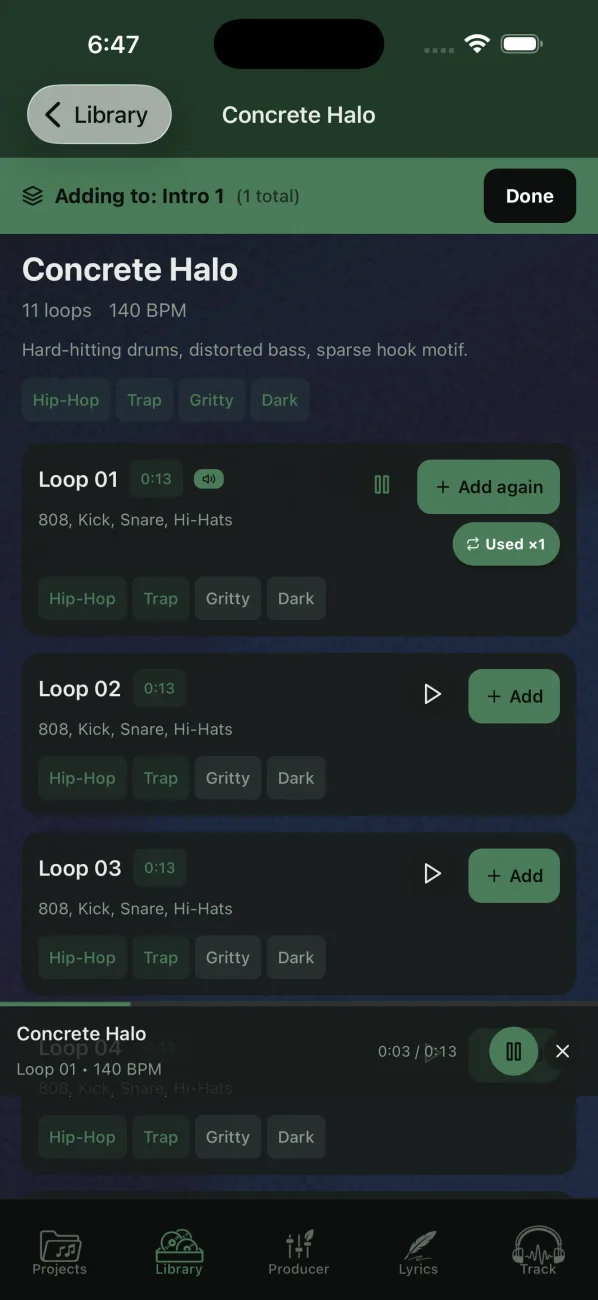
Browse and choose the building blocks of your instrumental.
Preview tempo-matched loops, search by name/vibe/tag/instrument, and add loops to your project. You can reuse loops for hooks and callbacks — the app tracks how often you’ve used each one.
You can:
Preview loops
Add loops to your project (including re-adding)
Search and explore by tags, vibe, or instruments
Tip: shorter arrangements perform best — you’ll see a warning as your loop count grows.
Producer
Build and refine your instrumental arrangement.
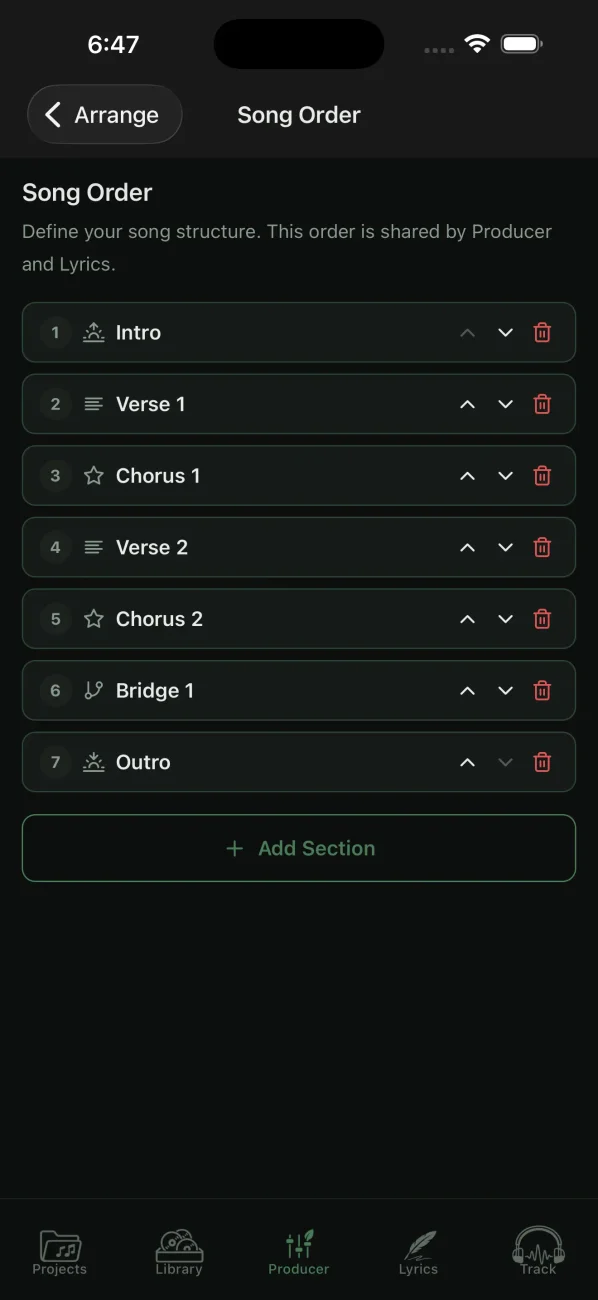
This is where your track takes shape. Arrange loops by section, preview parts, play your full song, and experiment with structure. You can also capture quick ideas with voice notes and text notes while you listen.
You can:
Arrange and preview loops
Repeat loops (up to 4×)
Play your full arrangement (or a section)
Record voice notes and write notes while building
Note: Producer Coach may warn you as the arrangement gets long to keep playback and rendering smooth.
Lyrics
Write, generate, and refine lyrics — your way.
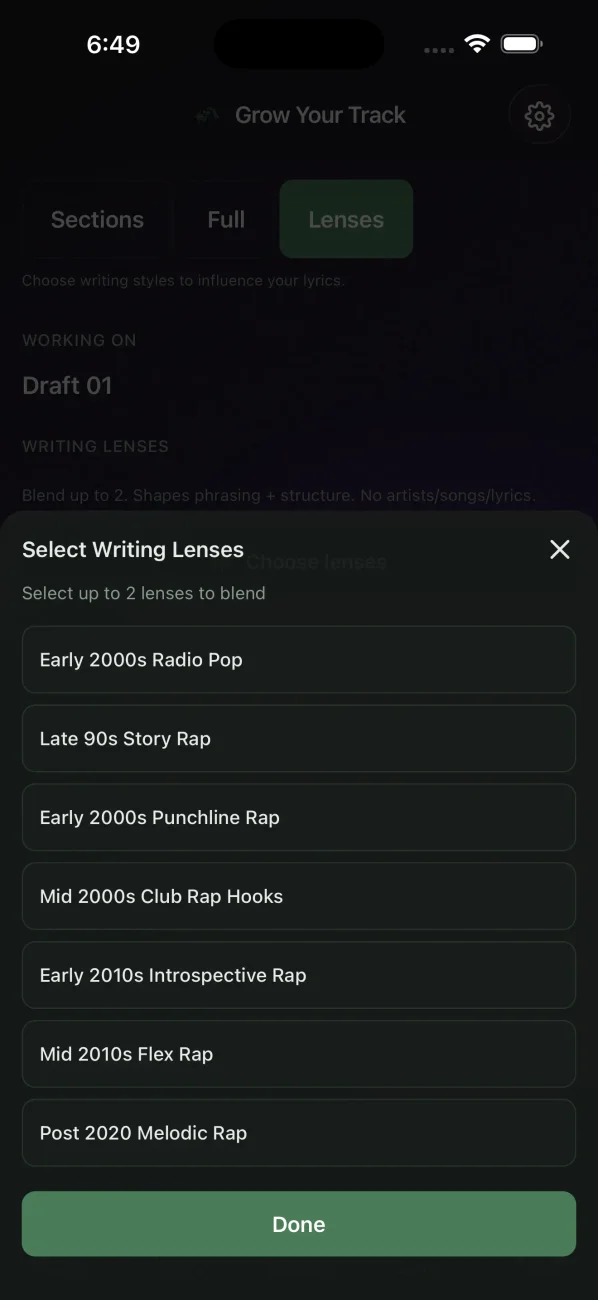
Write section-by-section (Intro, Verse, Chorus, Bridge, Outro) or view everything at once. Use writing lenses to guide structure and phrasing. You can blend up to two lenses per project and change them anytime.
You can:
Write lyrics manually
Generate lyrics by section
Improve, replace, or continue what you’ve written
View full lyrics and edit anytime
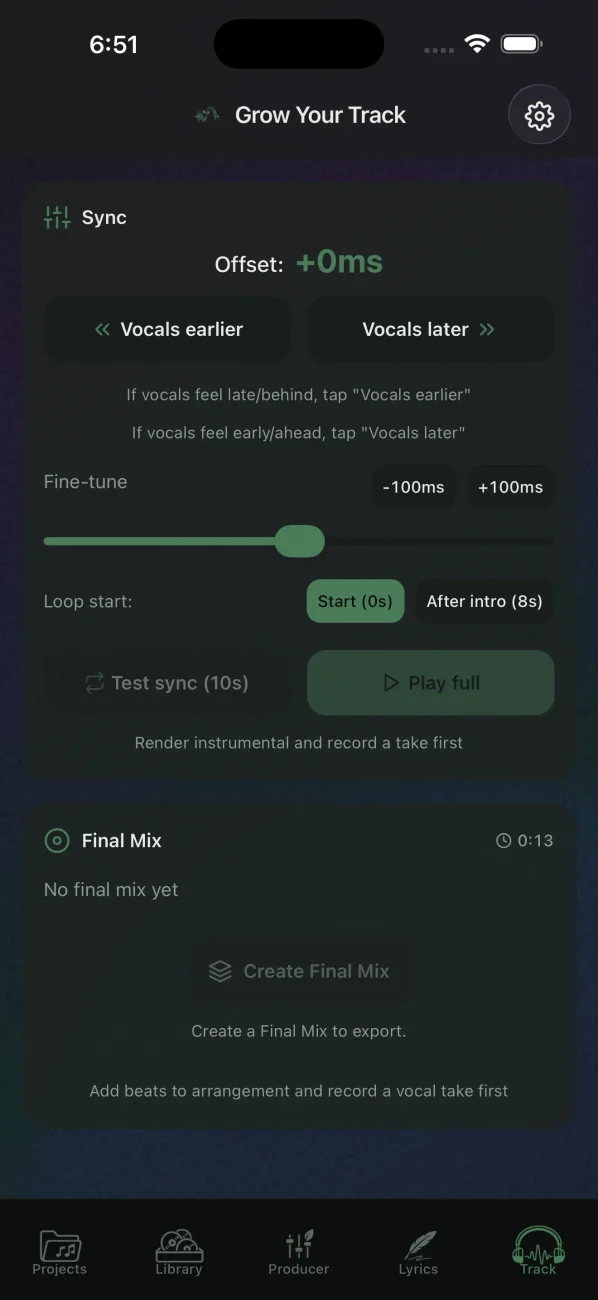
Track
Record vocals, sync, mix, and export.
Render your instrumental, record one or more vocal takes while viewing lyrics full-screen, then fine-tune timing with sync controls. When it’s ready, export and share using iOS sharing.
You can:
Render your instrumental
Record multiple vocal takes
Adjust vocal sync timing
Preview playback
Create and share a final mix
What’s new
Version 1.1 · Mar 12, 2026
What’s New in Version 1.1
Version 1.1 introduces a new credits system for powering AI and audio features inside Grow Your Track. Credits can now be added through in-app purchases. This update also includes improvements to purchase reliability, credit balance syncing, and general stability.
App privacy
What DANISHA J D HOLCOMB declares on the App Store about how this app handles data.
-
Data linked to you
May be collected and linked to your identity.
- Purchases
- Identifiers
-
Data not linked to you
May be collected but is not linked to your identity.
- User content
Privacy practices may vary, for example with the features you use or your age.
Information
- Seller
- DANISHA J D HOLCOMB
- Category
- Music
- Version
- 1.1
- Updated
- Mar 12, 2026
- Released
- Feb 19, 2026
- Size
- 81.4 MB
- Requires
- iOS 15.1 or later
- Age rating
- 9+
- In-app purchases
- Yes
- Languages
- English
- Copyright
- © 2026 Danisha Holcomb
You might also like
-
 Stems - Beats InboxSend & receive beats
-
 K3 TonesTone generation wonderfulness
-
 Bounce — Pocket StudioMake beats. Record vocals.
-
 PocketDAW: Mobile StudioVocal studio & lyric writer
-
 Beats By AyyDotFind your next hit!!
-
 Sonyk Groovebox DJ WorkstationBeats, Synths, Sampler & Loops
-
 Drum Pad: Music MakerMake music with drum pads
-
 AI Music Video StudioMusic Video Clips Generator
-
 Wormhole: Sample & Beat MakerSample anything. Make a beat.
-
 Drum Pad Studio: Beat Maker AIDJ Music Mixer, Rhythm Machine