- Age rating4+
- CategoryMusic
- DeveloperDuy Linh Bui
- LanguagesEnglish+ 1 more
- Size1.4 MB
Links to the official App Store page
Download.org hosts no file of GSound RTA. The button opens its official App Store page, published by Duy Linh Bui. Listing last checked on Nov 28, 2026.
Screenshots


About
GSound RTA is a sound analyzer for sound engineers and karaoke system owners.
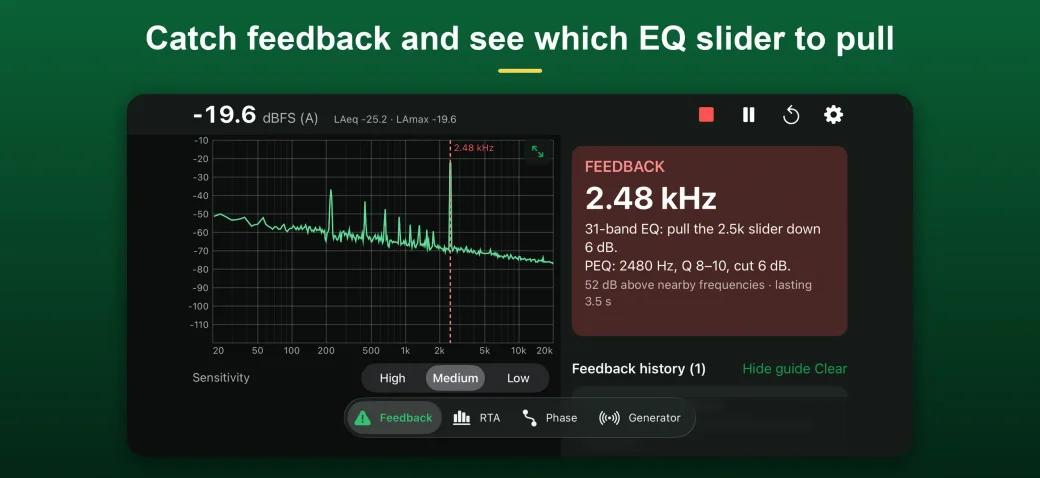
FEEDBACK FINDER
Raise the mic volume slowly and the app catches the frequency that starts to ring, then tells you what to do: "31-band EQ: pull the 2.5k slider down 6 dB. PEQ: 2480 Hz, Q 8–10, cut 6 dB". Every feedback frequency is listed so you can EQ them one by one. It tells feedback apart from fans, mains hum, speech and sung notes, so background noise rarely triggers false alarms.
PHASE: ALIGN MAINS AND SUBS
Just the iPhone, no audio interface needed. Cable the iPhone to the mixer: the app plays pink noise through the system and listens with the phone's mic. Measure the main, store it, then measure the sub. The app overlays both traces and tells you how many ms of delay to add to which speaker, and whether to flip polarity.
• Magnitude, phase and coherence on one screen. Where the data is unreliable, the phase trace fades out.
• Store 4 traces (A, B, C, D) to compare. Smoothing from 1/3 to 1/24 octave.
• Finds the system delay for you, fine-tune in 0.1 ms steps.
The iPhone volume also scales the signal sent to the mixer: keep it high and set the level with the fader. After adjusting, listen and measure again to confirm.
RTA TAB: THREE VIEWS
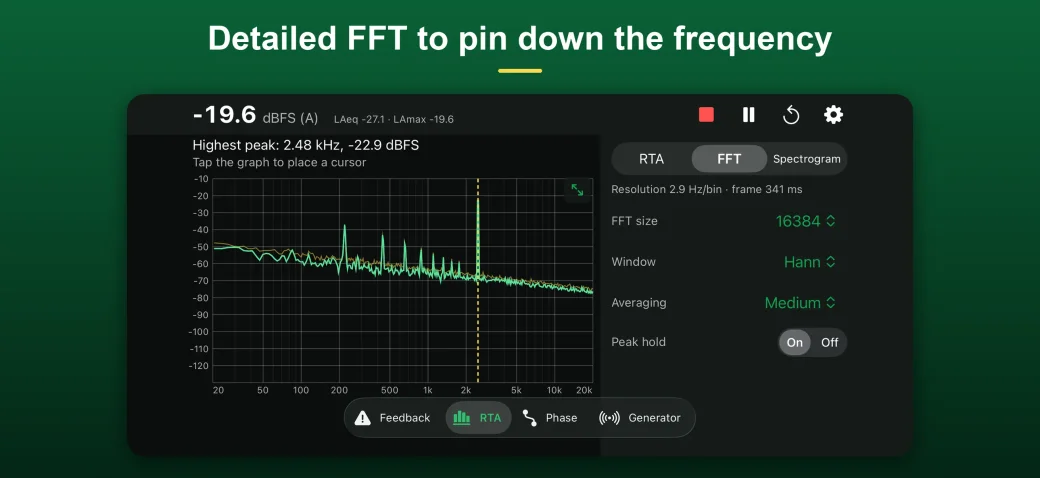
• RTA in 1/1, 1/3 (matches a 31-band EQ), 1/6 and 1/12 octave bands with peak hold and a marker on the highest band caught.
• High-resolution FFT up to 32768 points, 4 windows, frequency cursor.
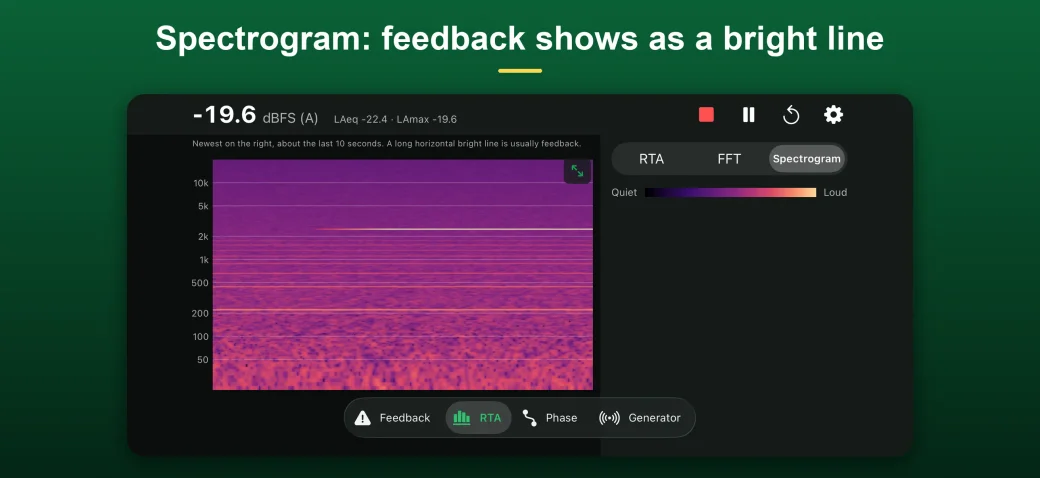
• Spectrogram: feedback shows as a bright horizontal line.
• dB meter with A / C / Z weighting, LAeq, LAmax, clip warning. dB SPL calibration against a reference meter.
• Full-screen graphs and freeze to read values.
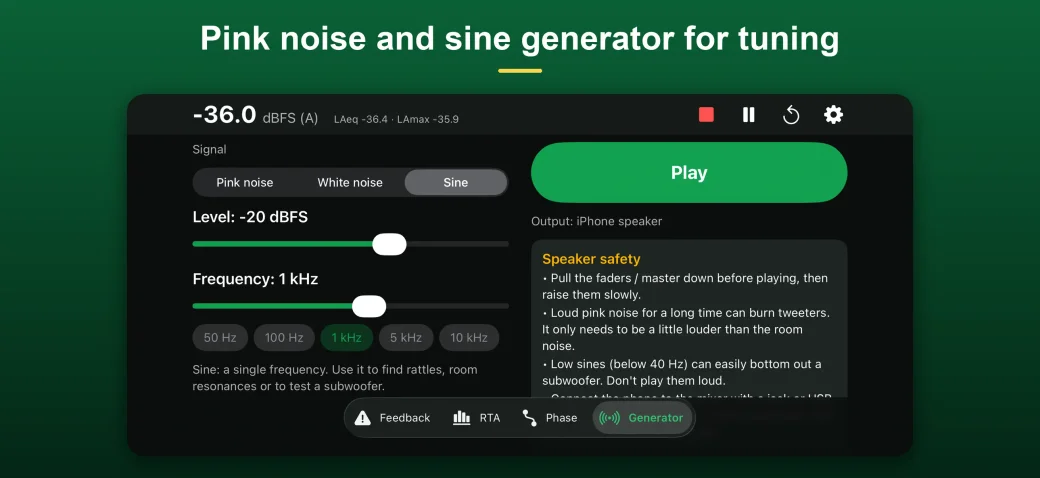
SIGNAL GENERATOR
Pink noise, white noise and sine 20 Hz – 20 kHz for system EQ, rattle hunting and subwoofer checks.
MICROPHONE
Uses the iOS Measurement mode: no automatic gain, noise reduction or voice filtering. Choose the bottom, front or back iPhone mic. Works with USB measurement mics (miniDSP UMIK-1…) via USB-C or a Lightning to USB 3 camera adapter.
No ads, no account, no internet needed. Audio is processed on the phone only and never recorded. Vietnamese and English.
What’s new
Version 1.1 · Nov 12, 2026
• New Phase tab: align mains and subs with just the phone. Cable it to the mixer, measure the main, then the sub, and the app tells you how many ms of delay to add and whether to flip polarity.
• RTA, FFT and Spectrogram now share one RTA tab with a view selector.
• RTA marks the highest band caught.
• No more cut-off text.
• On iOS 26 the tab bar no longer covers text on the Feedback screen.
App privacy
What Duy Linh Bui declares on the App Store about how this app handles data.
-
Data not collected
The developer does not collect any data from this app.
Privacy practices may vary, for example with the features you use or your age.
Information
- Seller
- Duy Linh Bui
- Category
- Music
- Version
- 1.1
- Updated
- Nov 12, 2026
- Released
- Nov 8, 2026
- Size
- 1.4 MB
- Requires
- iOS 17.0 or later
- Age rating
- 4+
- Price
- Free
- Languages
- English, Vietnamese
- Copyright
- © 2026 Green Sound Group
You might also like
-
 Audio RTA AnalyserFFT, dB meter & test tones
-
 PN190506Music
-
 RTA AudioMusic
-
 SQA ConnectMusic
-
 MiX16 Show Cue ProProfessional Show Control
-
 VietKTV ConnectMusic
-
 Smaart RTARTA, Spectrograph, SPL Meter
-
 V-OrganMusic
-
 AUDIIO - RTA AnalyzerSpectrogram, RTA, dB Analyzer
-
 Audio Elements: Sound EditorRecord, Mix & Add Effects