Gym Progression
Workout Log & Strength Tracker
Designed for iPhone, iPad
Free · In-app purchases
- Age rating4+
- CategoryHealth & Fitness
- DeveloperPal Gabor
- LanguagesEnglish+ 5 more
- Size6.5 MB
Links to the official App Store page
Download.org hosts no file of Gym Progression. The button opens its official App Store page, published by Pal Gabor. Listing last checked on Nov 18, 2026.
Screenshots



About
Your next set starts with knowing your last one.
Gym Progression keeps your weights, repetitions and workout history together, so you can spend less time remembering numbers and more time training.
LOG SETS QUICKLY
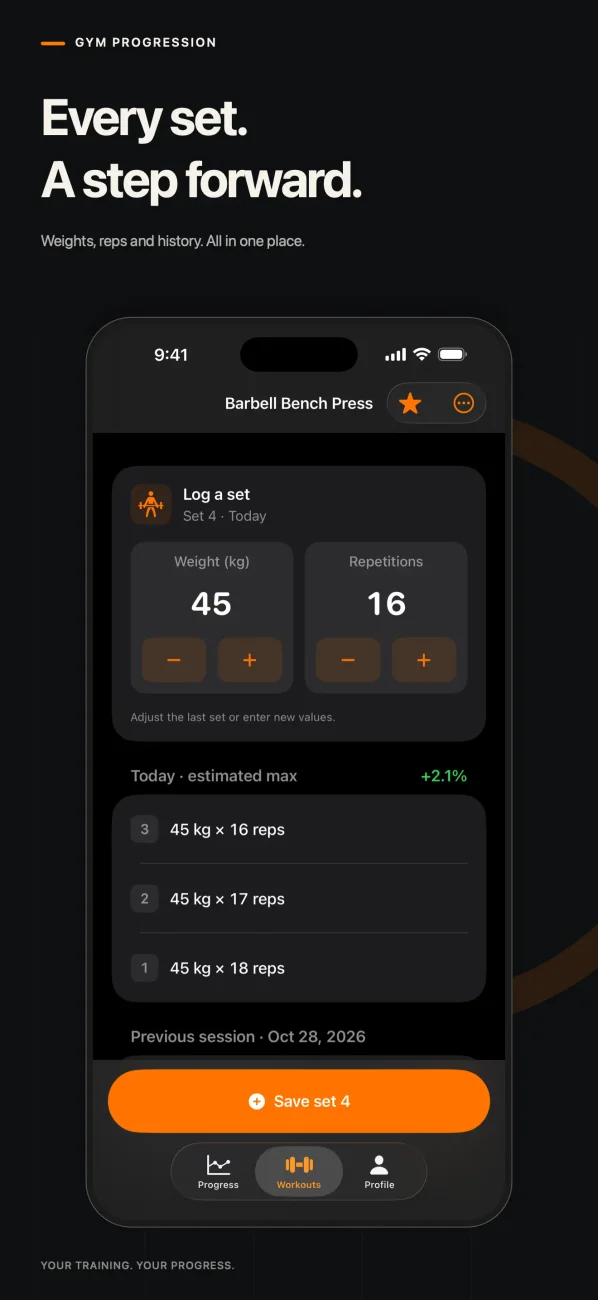
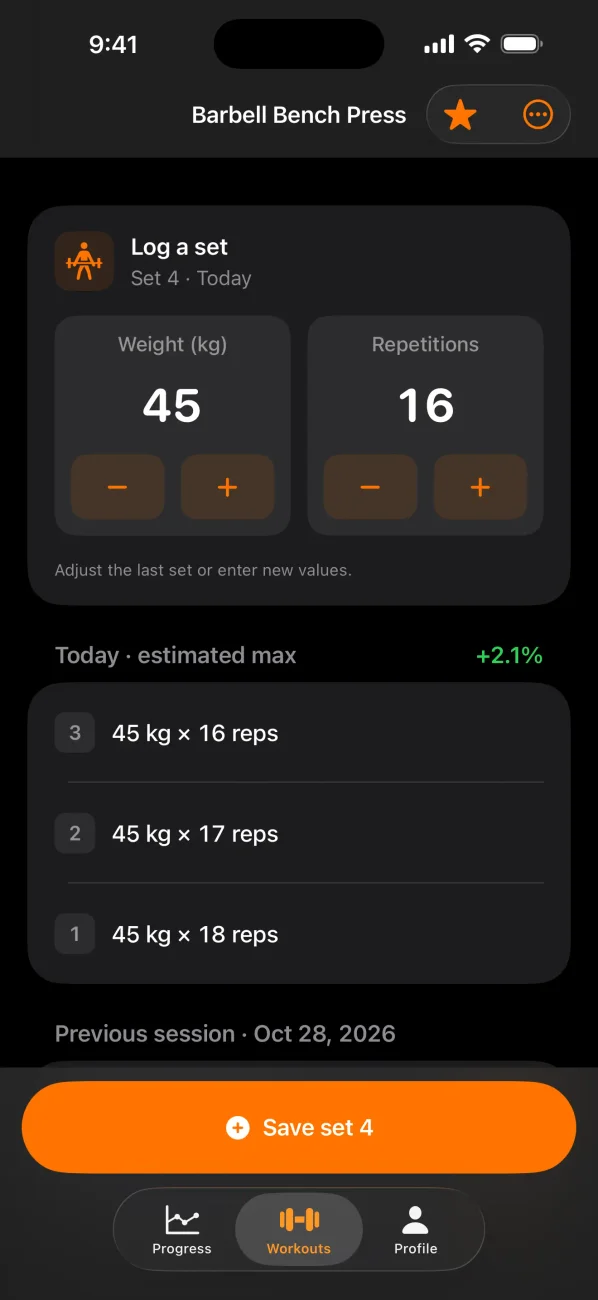
Enter your weight and reps with large controls. See your previous session, reuse a saved set, and keep your next set ready to record. Switch between kilograms and pounds.
SEE YOUR PROGRESS
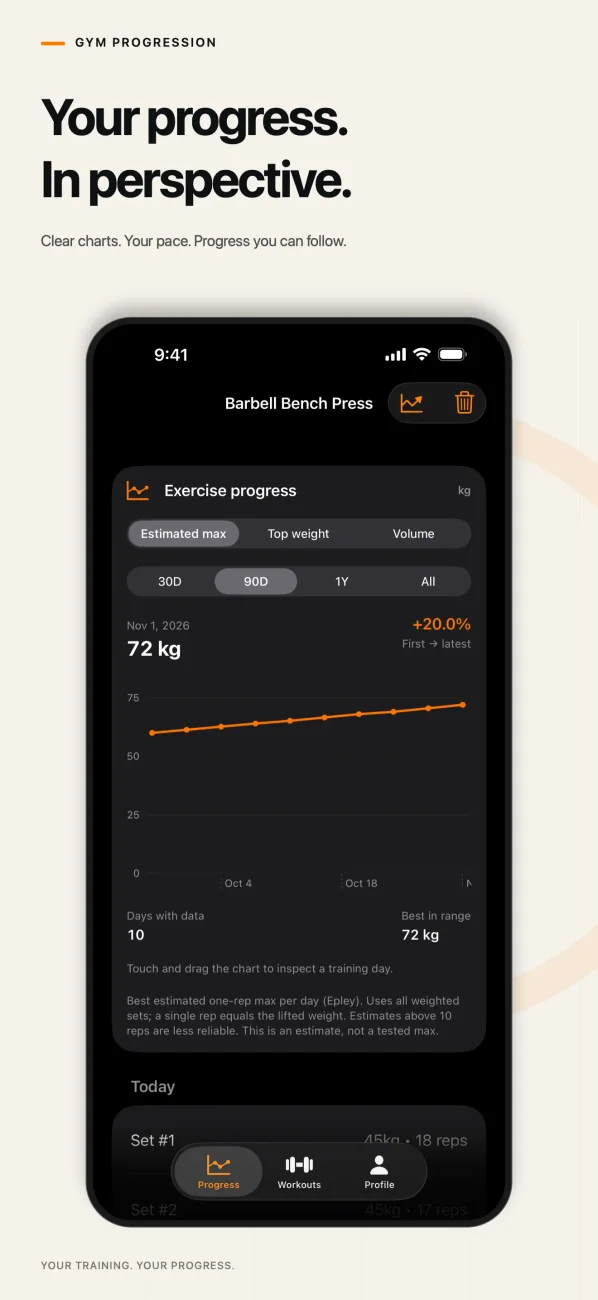
Follow estimated one-rep max, top weight and training volume on clear charts. Explore your history by date, compare progress over time, and review every recorded set. Estimated max includes higher-repetition sets; estimates become less reliable above 10 reps and are not a tested maximum.
FIND THE RIGHT EXERCISE
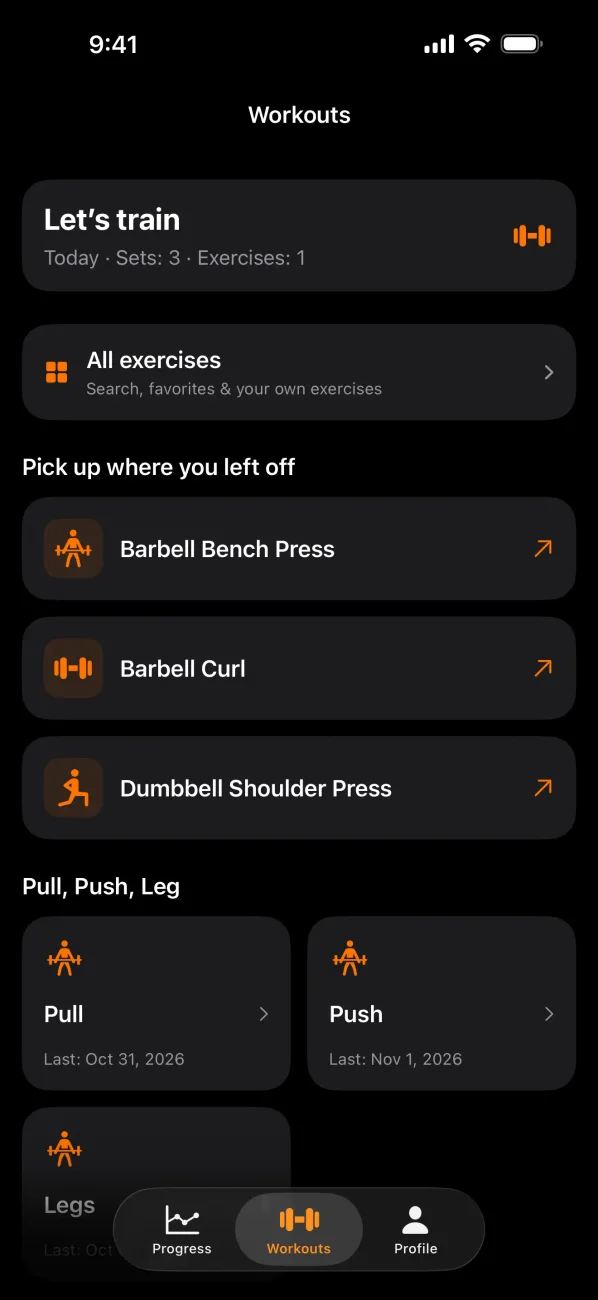
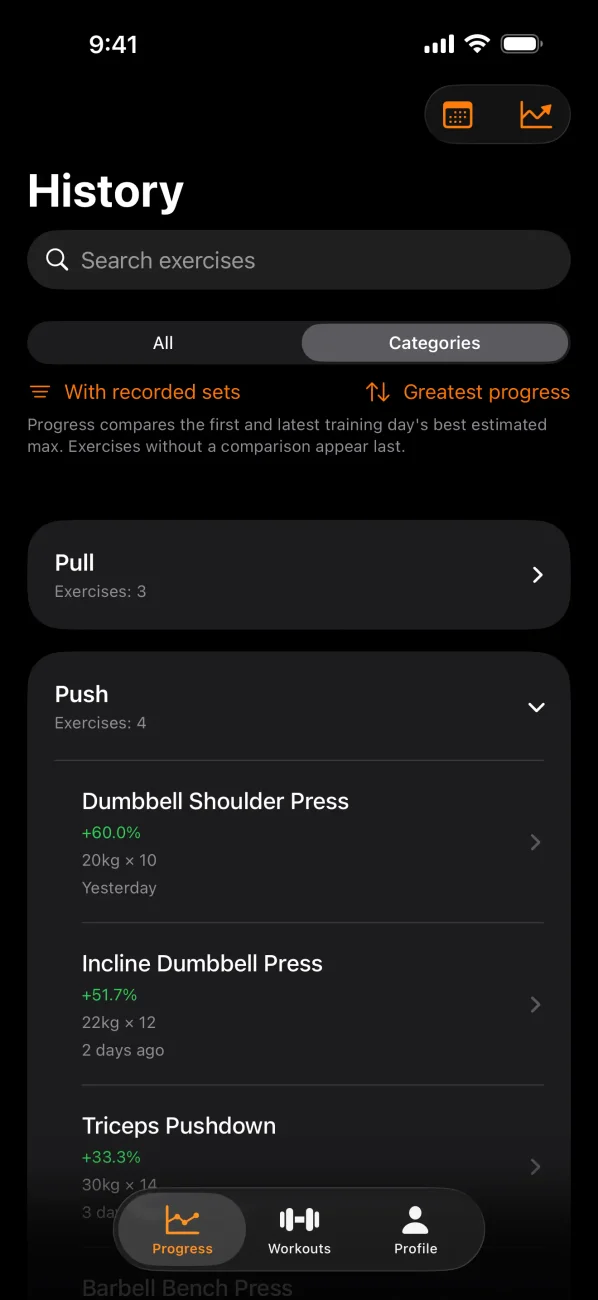
Search your exercises and save favorites. Use Pull/Push/Leg, Upper/Lower, Bro Split or Full Body groupings. History categories follow the same workout split. Create your own exercises with a photo, muscle groups and movement type.
MAKE HISTORY USEFUL
Show all exercises, only those with recorded sets, or only those you have not started. Sort by name, latest workout, training frequency or progress. Frequency counts training days; progress ordering compares the first and latest comparable day's best estimated max.
KEEP SEPARATE TRAINING HISTORIES
Optional personal trainer mode lets you switch between people and keep their workout records separate on the same device. No client account is required.
YOUR WORKOUTS, ON YOUR DEVICE
Workout data is stored locally and logging works offline. Export and import a backup from Profile to keep a copy or move your history to another device. Automatic cloud synchronization is not included. Export a backup before deleting the app or changing devices.
Free to use, with no ads, subscription or registration. Optional tips support development and do not unlock features.
Available on iPhone and iPad, in English, Hungarian, German, Spanish, French and Portuguese.
What’s new
Version 2.7 · Nov 1, 2026
• Progress history now follows your selected workout split, with the same exercises as the Workouts menu.
• Search, filter out empty exercises, and sort history by training frequency, latest workout or progress.
• Estimated max and progress percentages now include higher-repetition sets, including 10–30 reps.
• Improved workout logging, exercise creation, charts and local workout storage.
• Personal trainer mode keeps separate workout histories for different people.
• Added six interface languages and refreshed layouts for iPhone and iPad.
• Export and import workout backups from Profile.
Workout data is stored locally. This version replaces the previous cloud synchronization; records available on your device are migrated, but records stored only in iCloud are not downloaded. Please export a backup before changing devices or deleting the app.
App privacy
What Pal Gabor declares on the App Store about how this app handles data.
-
Data not collected
The developer does not collect any data from this app.
Privacy practices may vary, for example with the features you use or your age.
Information
- Seller
- Pal Gabor
- Category
- Health & Fitness
- Version
- 2.7
- Updated
- Nov 1, 2026
- Released
- Jan 8, 2026
- Size
- 6.5 MB
- Requires
- iOS 26.1 or later
- Age rating
- 4+
- Price
- Free
- In-app purchases
- Yes
- Languages
- English, French, German, Hungarian, Portuguese, Spanish
- Copyright
- © 2026 David Pal.
You might also like
-
 225 Workout TrackerWorkout tracker & planner
-
 BodyPilot: AI FitnessWorkout & Nutrition Tracker
-
 GymBook: Workout TrackerGym Log, Sets & PR Tracker
-
 Gym-timerA easy use Gym-timer
-
 OverLog - Workout TrackerProgressive Overload & Gym Log
-
 Gym Progress - TrackerStrength & Workout Tracker
-
 Stronger: Linear ProgressionBuild Strength Every Day
-
 Ægir IronStrength Training Evolved
-
 Badger: Gym Workout TrackerAny routine + 5x5, 531, GZCLP
-
 Hank: Workout Tracker & LogNo AI. No account. Just lifts