
- Age rating+4
- CategoryHealth & Fitness
- DeveloperVeeti Nurmikoski
- LanguagesEnglish
- Size25.1 MB
Links to the official App Store page
Download.org hosts no file of Gym+ Training Log. The button opens its official App Store page, published by Veeti Nurmikoski. Listing last checked on Nov 12, 2026.
Screenshots
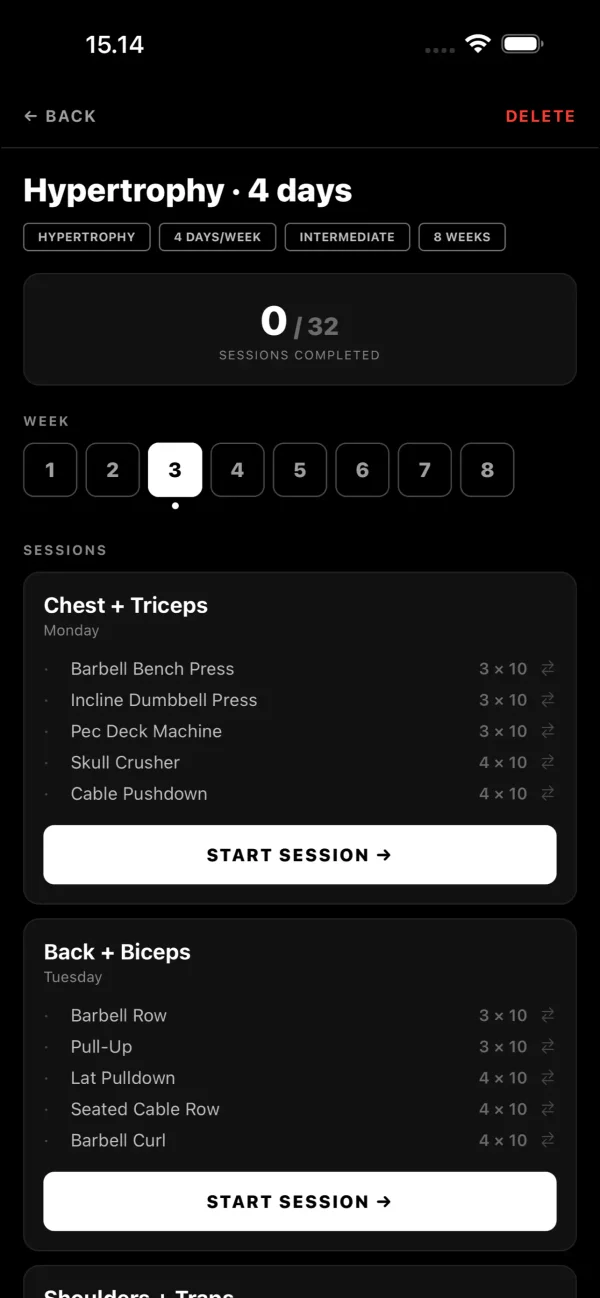
About
Gym+ builds you a training programme, then logs the work.
Answer three questions — your goal, your experience, how many days a week you can train — and Gym+ produces an eight-week block you can actually run. Sets, reps and rest are tuned to the goal: heavy fives with three minutes' rest for strength, higher reps and short rests for fat loss. Every session comes from a library of 180 exercises, each tagged by muscle, equipment and difficulty.
Then it gets out of the way and lets you train.
TRAIN
• Start a session from your programme or from nothing
• Log weight and reps per set, with a rest timer that starts when you finish one
• The timer counts to a real deadline, so it stays right while the phone is in your pocket, and tells you when rest is up
• Personal records are spotted as you log them
KNOW WHAT TO LIFT NEXT
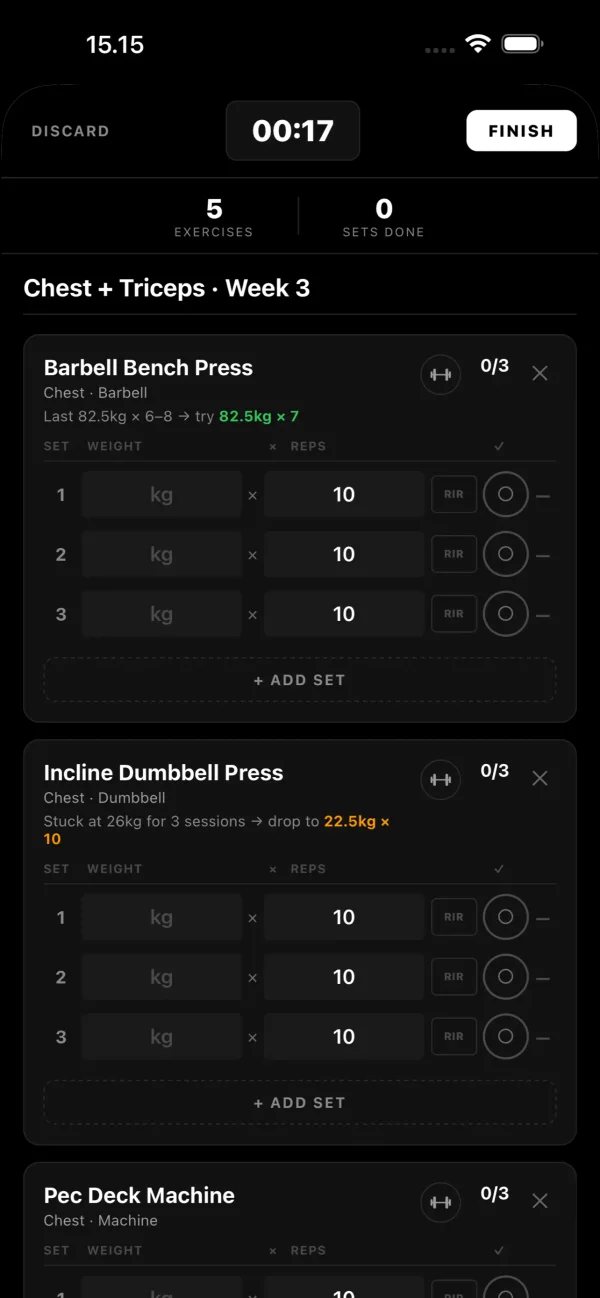
• Every exercise shows what you did last time and what to try now
• Suggestions follow double progression: build reps at a weight, then add load once every set has landed — not just your best one
• Weights round to a jump your gym can actually make
• Stall on a lift for three sessions and it tells you to back off instead of grinding
WORK OUT WHAT GOES ON THE BAR
• Built-in plate calculator, per side, from your bar weight
• Tells you when a weight simply cannot be loaded, and the closest that can
SEE THE PROGRESS
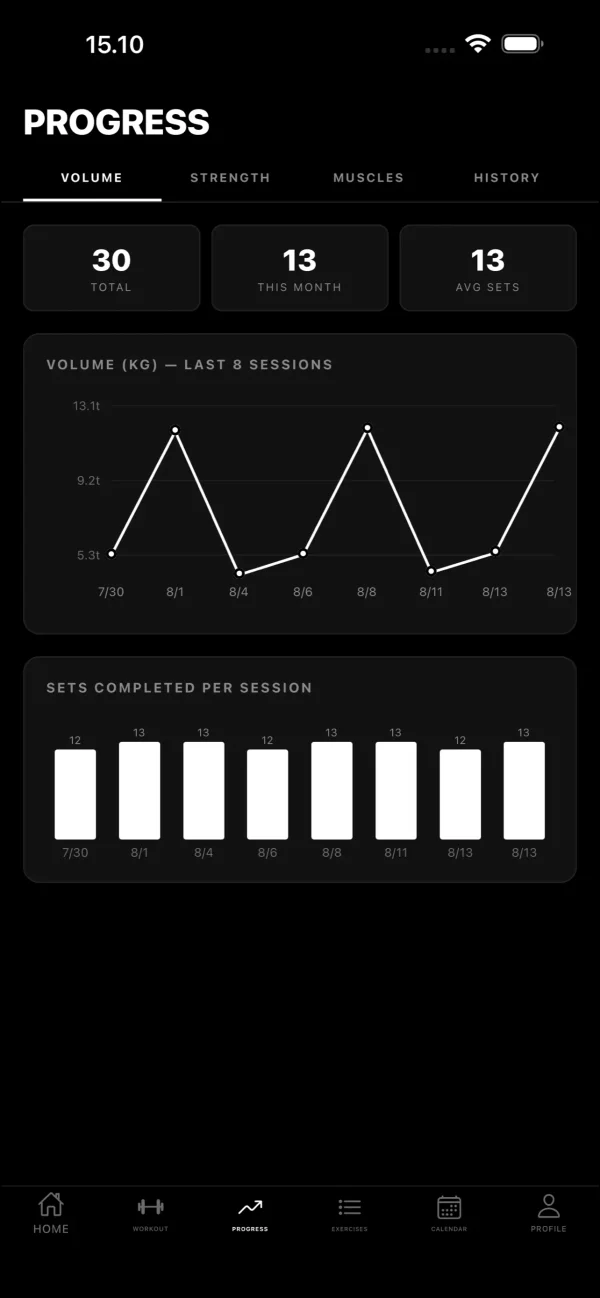
• Estimated one-rep max, session volume and sets over time
• Volume broken down by muscle group across four weeks
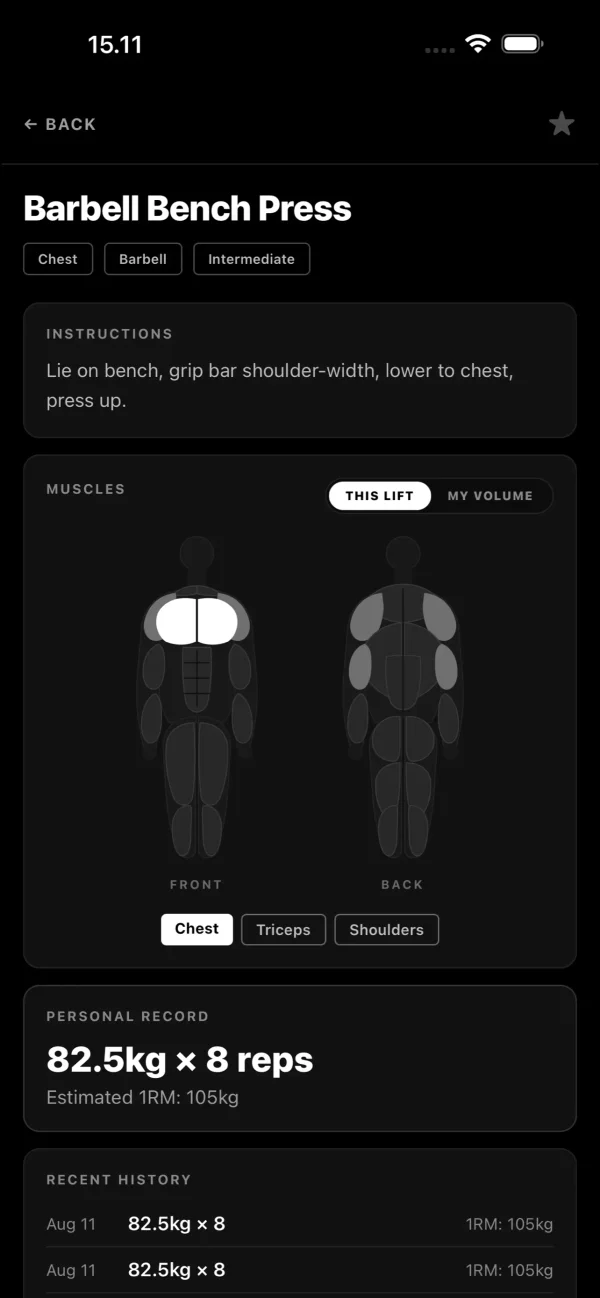
• An anatomical body map that shades what a lift trains — or what you have actually been training, so the gaps show
• A calendar of everything you have done
YOUR DATA STAYS YOURS
• No account, no sign-up, no sync
• No analytics and no tracking
• Everything is stored on your phone
• Export the lot to a file whenever you like, and import it back
• Uninstalling deletes it, because there is no copy anywhere else
Kilograms or pounds, throughout.
What’s new
Version 1.2.2 · Sep 21, 2026
ROUTINES
If you train the same day every week, you no longer have to build it again.
Finish a session, tap SAVE AS ROUTINE, and it is waiting next time — one tap
from the home screen or the Workout tab to start it.
LAST SESSION'S NUMBERS, WITHOUT THE TYPING
Every weight and rep field shows what you did for that set last time. It is a
placeholder, not an entry: nothing is recorded unless you put it there, so a set
you complete is always one you chose the numbers for. When last time's numbers
are the right ones, fill the whole exercise in with one tap.
HOLD AN EXERCISE
The card was getting crowded, and everything on it was competing for a thumb.
What acts on a whole exercise now lives in one place: hold it, or tap ⋯, for
info, replace, fill from last time, move up or down, and remove.
CHANGE A LIFT WITHOUT LOSING THE SETS
The machine is taken, or you would rather do the dumbbell version. Anything you
have already logged stays with the lift you actually did — two sets of barbell
curls do not quietly become dumbbell curls — and the sets you have left move
across empty, because 40kg on a barbell is not 40kg on dumbbells.
A HANDLE IS A DIFFERENT LIFT
Wide, close, neutral and single-arm versions of the pulldowns, rows, pushdowns
and curls are 22 separate exercises now, each with its own history and its own
progression. Anything you logged before stays exactly where it is.
NOTES PER EXERCISE
Which handle, which machine, what hurt. Notes used to be one box for the whole
session; now each exercise has its own, and last time's shows while you train.
If you imported from Strong, Hevy or FitNotes, the notes those apps were already
carrying come across too.
THE ORDER YOU ACTUALLY TRAINED
Move exercises up and down, during a session or when editing a past one.
A CLEARER BOTTOM BAR
Six labelled tabs never fit a phone: the longest label ran out of room and shrank
itself, so the words were different sizes across one row, and the whole strip read
as a run of text. The bar is icons only now — larger, brighter, evenly spaced, and
the selected one sits in a pill. Every tab still announces its name to VoiceOver.
Several controls were also smaller than they should ever have been — the circle
you tap to finish a set most of all.
FIXED
A weight typed with a comma was cut short. Phones set to a European locale
offer a comma on the number pad and no full stop at all, so "12,5" was the only
way to write a half plate — and it recorded 12. Both separators now mean the
same thing, everywhere a number is typed.
Tapping the completion circle near its right edge could remove the set instead
of completing it, because the remove button sat flush against it. There is
proper space between them now, and removing a set with numbers in it asks
first.
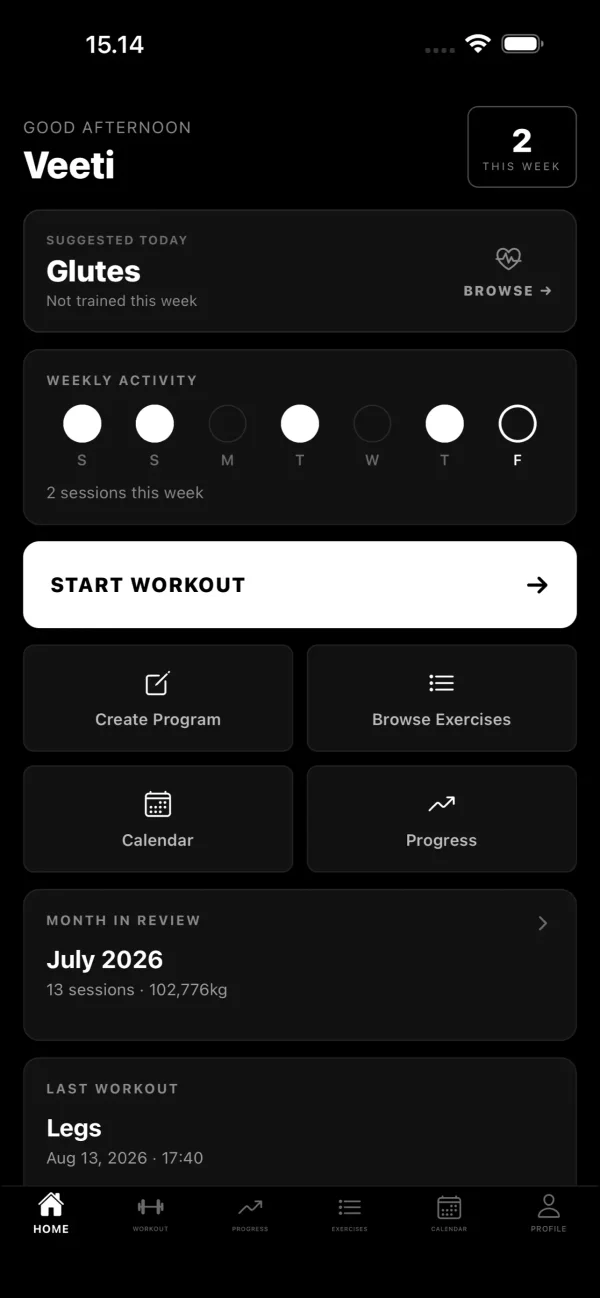
The weekly activity dots showed the last seven days while the count beside them
meant this week, so the two could disagree. Both mean this week now, starting
Monday.
A lift logged twice in one session counted twice toward a stall, which could
suggest dropping the weight when nothing had actually stalled.
A custom exercise sharing its name with one from the library could split a lift
into two separate histories.
App privacy
What Veeti Nurmikoski declares on the App Store about how this app handles data.
-
Data not collected
The developer does not collect any data from this app.
Privacy practices may vary, for example with the features you use or your age.
Information
- Seller
- Veeti Nurmikoski
- Category
- Health & Fitness
- Version
- 1.2.2
- Updated
- Sep 21, 2026
- Released
- Aug 17, 2026
- Size
- 25.1 MB
- Requires
- iOS 15.1 or later
- Age rating
- +4
- Languages
- English
- Copyright
- © 2026 Veeti Nurmikoski
You might also like
-
 DD-420Veteran PTSD Cannabis Tracker
-
 Tempo: Workout TimerHIIT, Tabata & EMOM Intervals
-
 BJJ Journey: Jiu Jitsu JournalAI Training Log & Roll Tracker
-
 SweatSplit: Gym Workout LogPlan routines, log sets & reps
-
 SleepTalk: Sleep RecorderSleep Talking, Snoring & More
-
 Friskis & Svettis BrusselsHealth & Fitness
-
 Pixy: AI Baby & Kid TrackerSleep, Feeding & Routine Log
-
 Lifecare VideoHealth & Fitness
-
 Rack: Hybrid Strength TrainingLift & run tracker for watches
-
 Island: Screen Time ControlFocus, Unplug & Block Apps