
gyokuro
Native Gitea & Forgejo client
Designed for iPhone, iPad
Free · In-app purchases
- Age rating4+
- CategoryDeveloper Tools
- DeveloperSven Uwe Hanold
- LanguagesEnglish+ 3 more
- Size11.6 MB
Links to the official App Store page
Download.org hosts no file of gyokuro. The button opens its official App Store page, published by Sven Uwe Hanold. Listing last checked on Nov 12, 2026.
Screenshots



About
GYOKURO. YOUR GITEA AND FORGEJO, IN HAND.
Code, issues, pull requests, releases and CI — straight from your pocket. gyokuro is the native iOS client for your Gitea or Forgejo server. Fast, private, no third-party detours.
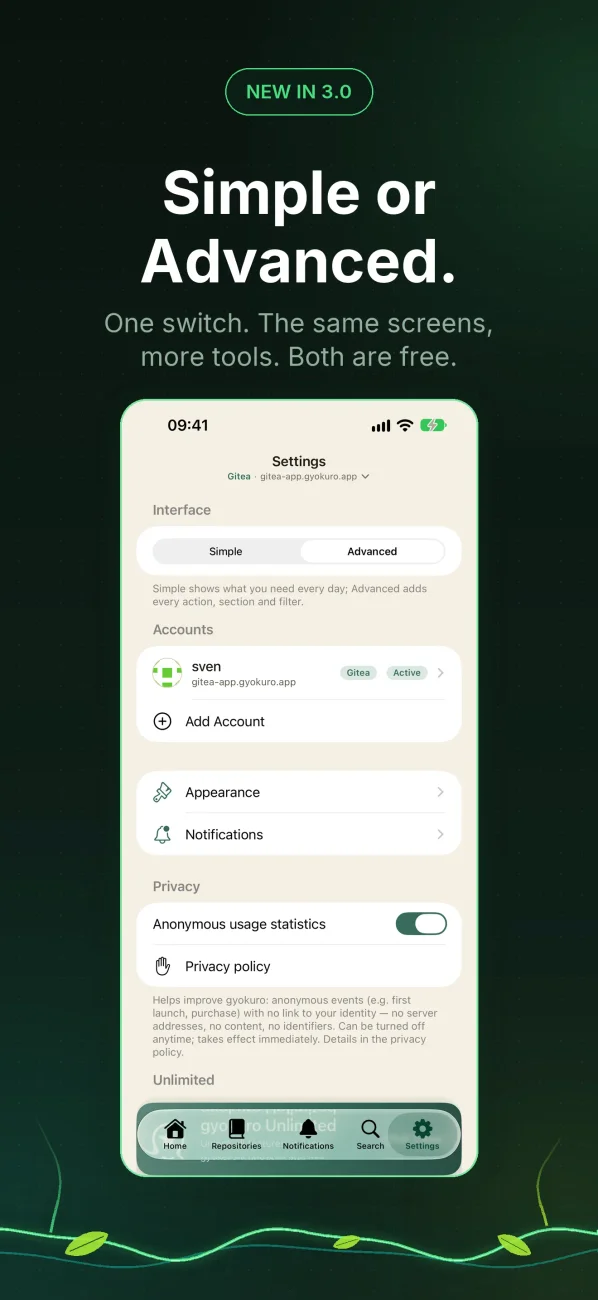
NEW IN 3.0: TWO SURFACES
Simple shows what you need every day — a calm path through Gitea. Advanced unfolds the whole workbench: milestones, Actions, wiki, packages, time tracking, administration. One switch in Settings, the same screens, the same navigation. Nothing disappears quietly: every Advanced feature stays reachable through “More …”. Both surfaces are free.
EVERYTHING YOU NEED ON THE GO
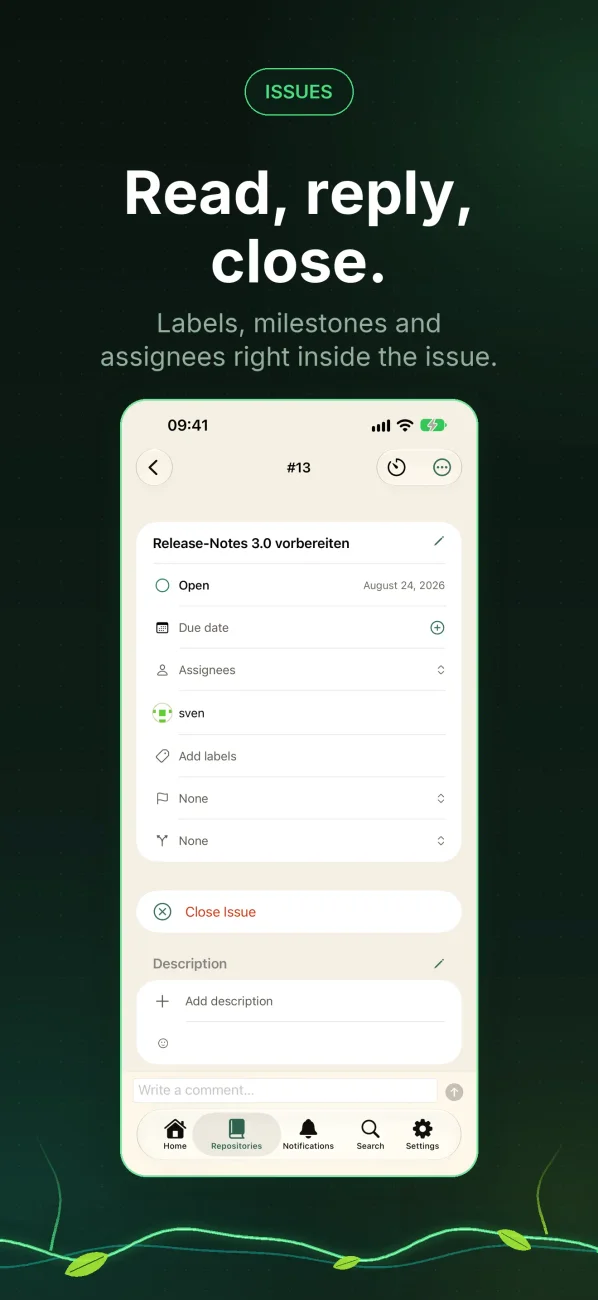
Issues
Read, comment, close and reopen — with a swipe. Labels, milestones and assignees right from the issue.
Pull requests, split in two
Discussion and Files as two tabs. Review and merge sit at the bottom, always within reach. Full diff with syntax highlighting, side by side on iPad. And when merging isn’t possible, it tells you why.
Organizations, teams and packages
Repositories grouped by organization, teams and members at a glance, packages from your server’s registry.
Gitea Actions
Workflow runs with green and red status dots, complete job logs, re-run for failed jobs — no browser needed.
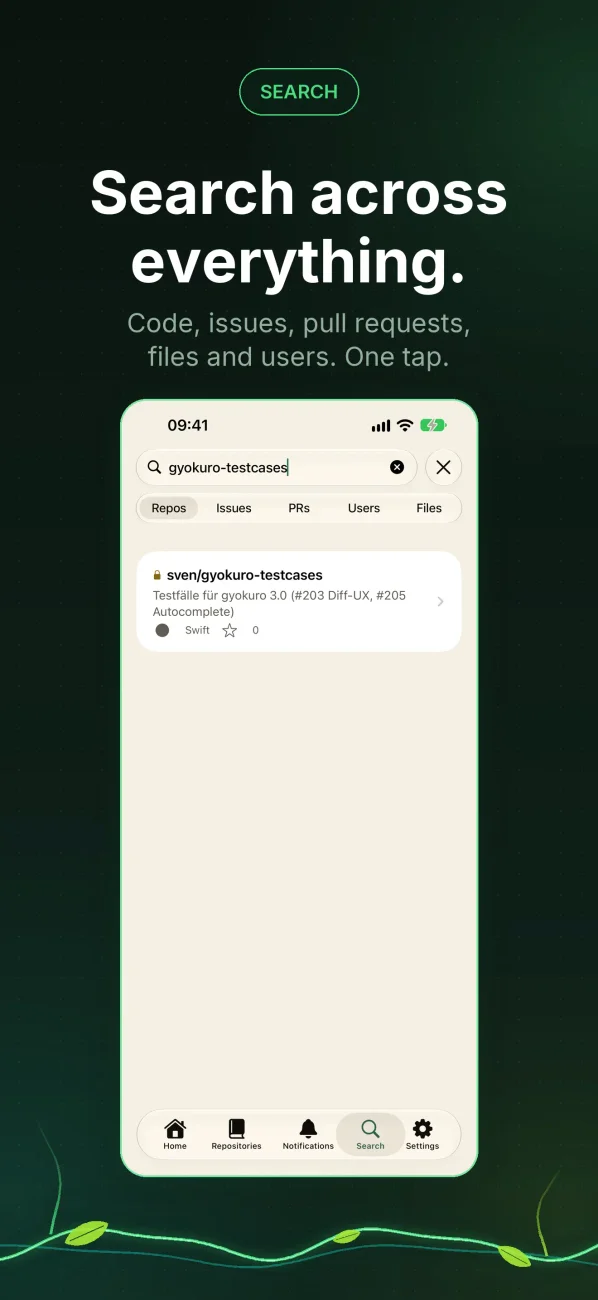
Search across everything
Source code, issues, pull requests, file names and users, with real scope filters. One tap.
Releases and tags
Browse versions, download assets, create new releases with notes, tag and pre-release flag.
A home screen with your workload
Assigned, created, review requested — the top three of each group, with content, not just links. Plus pinned repositories, an activity feed and your contribution heatmap.
Widgets and sharing
Open issues on your lock and home screen. Send images, links or screenshots from any app straight into a new issue.
Read offline
Selected repositories stay readable on the train and in the basement.
ON IPAD
A sidebar with pinned repositories and organizations, list and detail side by side, two-column diffs, keyboard shortcuts.
PRIVACY WITHOUT COMPROMISE
gyokuro talks to your server and nothing else. No analytics SDKs, no ad networks, no tracking pixels. Tokens and passwords live encrypted in the iOS keychain. Full stop.
BUILT FOR PEOPLE WHO LOVE IOS
Pure SwiftUI, with Liquid Glass on iOS 26, dark mode, Dynamic Type and VoiceOver. Five color themes from Cream to Sumi. The app speaks English, German, Spanish and French. Native, fast animations — not a mobile web wrapper.
WHAT’S FREE, WHAT UNLIMITED ADDS
Free: one account, read everything, comment, close issues, submit reviews and merge, work through notifications, browse organizations, teams and packages. Both surfaces.
Unlimited: as many accounts as you like, creating and editing issues, pull requests, milestones, wiki pages and repositories, a code editor that commits directly, instance administration, weekly report and statistics, four more color themes, push through the relay. Yearly, monthly or a one-time purchase. Everything is unlocked for the first three days after install.
GET STARTED
Enter your server address, paste a token, done — in under a minute. Frequently asked questions and the way to support are on www.gyokuro.app. Feedback welcome: gyokuro keeps growing.
Terms of Use (EULA): https://www.apple.com/legal/internet-services/itunes/dev/stdeula/
What’s new
Version 3.0 · Oct 5, 2026
gyokuro 3.0 — the app has been rebuilt from the ground up.
TWO SURFACES
Simple shows everyday work, Advanced the whole workbench. Switch in Settings; both are free, and “More …” leads everywhere from Simple.
NEW
• Organizations and teams: repositories grouped by organization, members and activity.
• Packages from your server’s registry.
• Pull requests with “Discussion” and “Files” tabs; review and merge always within reach at the bottom.
• Search with real scope filters instead of a hand-built bar.
• The home screen shows your workload with content, not just a row of links.
• Spanish and French.
BETTER
• The tab bar stays visible; a link lands in the stack instead of a dead end.
• Account switching sits in the server name in the title bar.
• The app knows what your server can do and stops offering what would end in an error.
• A fresh design with Liquid Glass on iOS 26 — the same silhouette on iOS 18.
FIXED
• A tapped link could silently switch accounts.
• Headings were clipped at the top.
• A failed merge gave no reason.
• Forgejo reported file sizes as 0 bytes.
• Every diff contained one line too many.
• The token was stored twice in plain text on the device.
App privacy
What Sven Uwe Hanold declares on the App Store about how this app handles data.
-
Data not linked to you
May be collected but is not linked to your identity.
- Usage data
Privacy practices may vary, for example with the features you use or your age.
Information
- Seller
- Sven Uwe Hanold
- Category
- Developer Tools
- Version
- 3.0
- Updated
- Oct 5, 2026
- Released
- May 11, 2026
- Size
- 11.6 MB
- Requires
- iOS 18.0 or later
- Age rating
- 4+
- Price
- Free
- In-app purchases
- Yes
- Languages
- English, French, German, Spanish
- Copyright
- © Sven Hanold
You might also like
-
 iTea - Gitea & Forgejo ClientNative Gitea & Forgejo client
-
 Fjord MobileForgejo & Gitea client
-
 GitBobaA Gitea & Forgejo Client
-
 Cup for GiteaNative Gitea Client
-
 ForjiA Forgejo client
-
 HermexA Hermes Agent Client
-
 Moshi: herdr/tmux on SSH/MOSHAgent terminal for Codex CLI
-
 T3 Code - Remote Claude & moreDeveloper Tools
-
 Happy: Codex & Claude Code AppAI coding agents for your team
-
 Git client - Working Copyfor GitHub and self-hosted